Cloud Storage for Law Firms — Secure Document Management with RcloneView
Law firms demand ironclad document security and compliance. Learn how RcloneView simplifies secure client file management while maintaining regulatory standards.
Law firms operate in a compliance-heavy environment where client confidentiality is non-negotiable. Managing case files, client documents, and privileged communications across multiple cloud providers—while maintaining audit trails and document retention policies—is complex. RcloneView streamlines this by providing centralized control over your legal document infrastructure.

Manage & Sync All Clouds in One Place
RcloneView is a cross-platform GUI for rclone. Compare folders, transfer or sync files, and automate multi-cloud workflows with a clean, visual interface.
- One-click jobs: Copy · Sync · Compare
- Schedulers & history for reliable automation
- Works with Google Drive, OneDrive, Dropbox, S3, WebDAV, SFTP and more
Free core features. Plus automations available.
Centralized Secure Document Management
Law firms often use multiple cloud storage providers for redundancy and compliance. RcloneView connects all your accounts—Google Workspace, Microsoft 365, Dropbox, OneDrive—in a single interface, eliminating the need to switch between platforms.
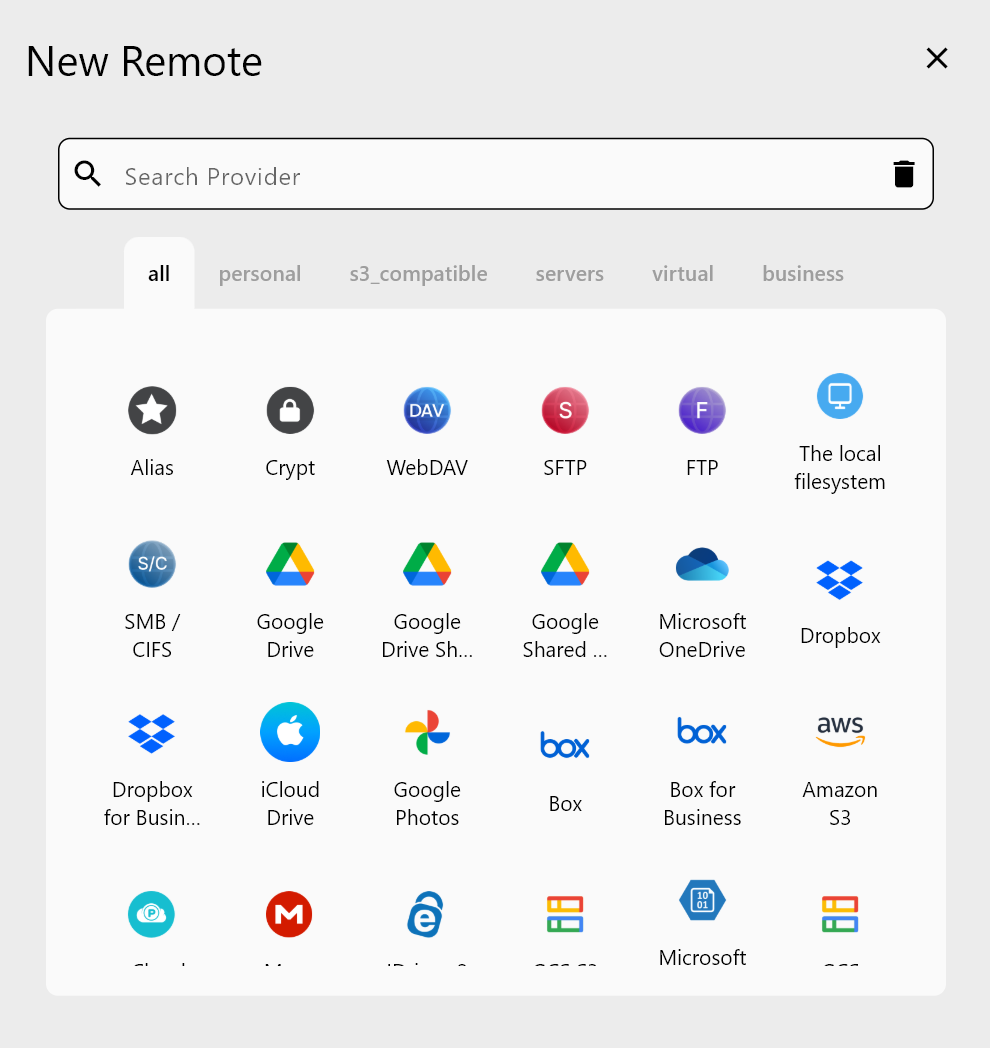
Manage permissions, organize case files, and enforce consistent naming conventions across all accounts without manual duplication.
Enforce Document Retention Policies
Legal professionals must comply with document retention requirements. RcloneView's filtering tools help you identify and archive files based on case closure dates, statute of limitations, or internal retention schedules.
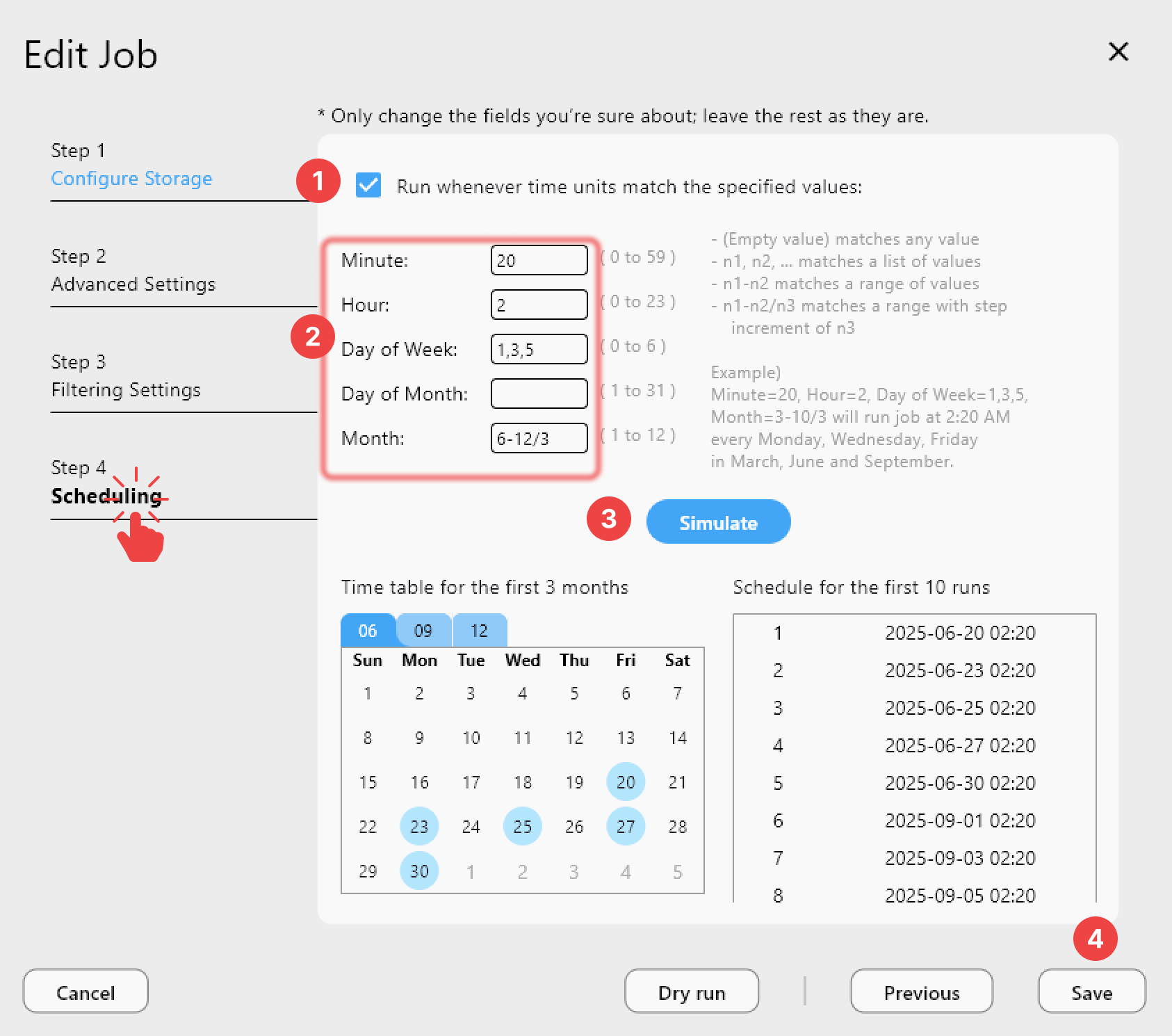
Schedule automated archival jobs to move older case files to cold storage, freeing valuable workspace while maintaining compliance records.
Maintain Client Confidentiality
RcloneView supports encrypted cloud storage backends, allowing you to add an encryption layer to your documents. Combined with access controls and audit logs, your client data stays protected against unauthorized access.
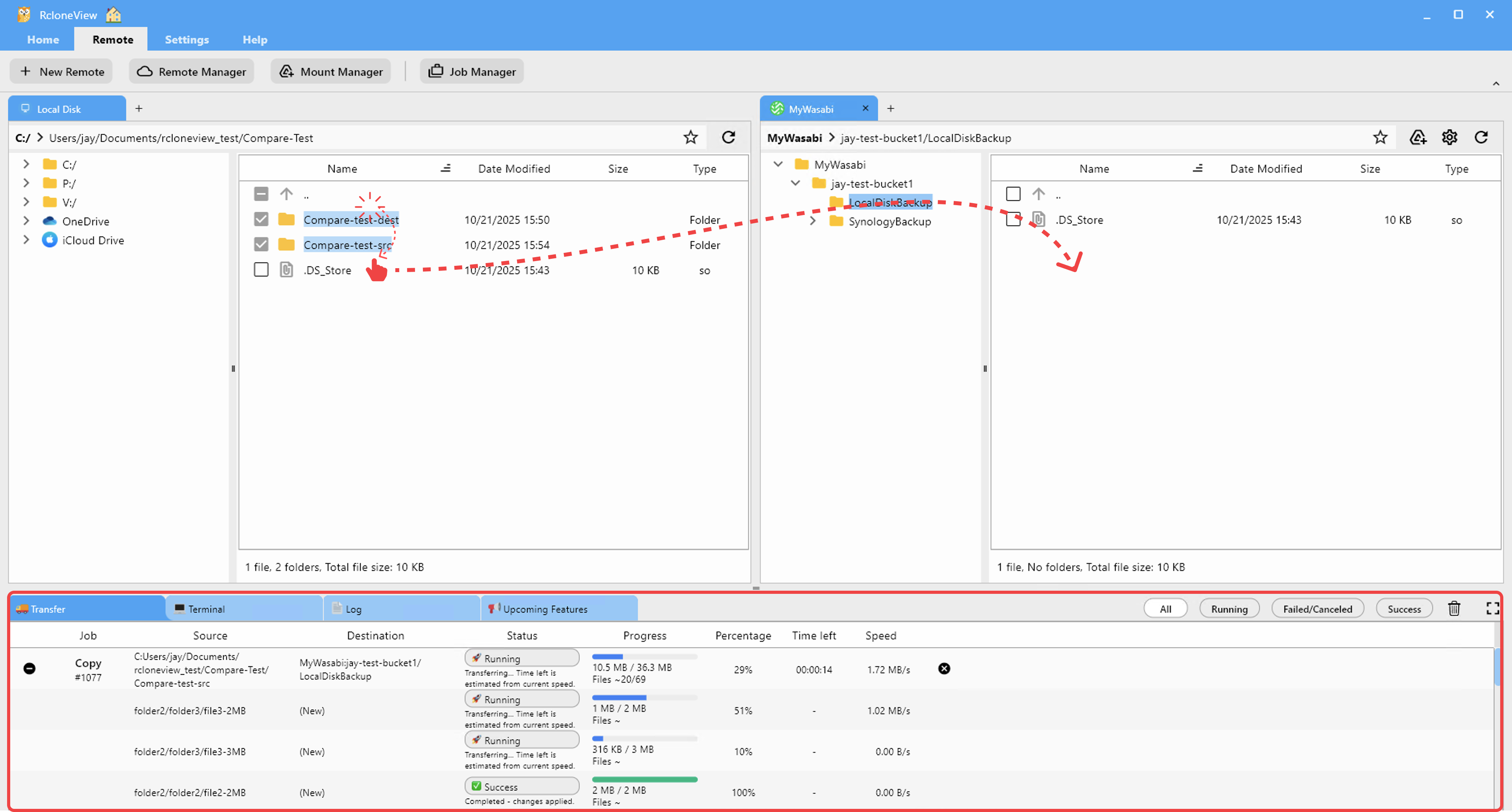
Use RcloneView's transfer tools to securely move sensitive documents between encrypted and non-encrypted storage as needed.
Getting Started
- Download RcloneView from rcloneview.com.
- Configure your firm's cloud storage accounts within RcloneView.
- Set up document retention policies and automated archival schedules.
- Train staff on secure file handling using RcloneView's interface.
Strengthen your firm's document management and compliance posture today.
Related Guides:
- Cloud Storage for Research and Academia
- Cloud Storage for Nonprofits and NGOs
- Encrypt Cloud Backups with Rclone Crypt
Supported Cloud Providers





























