How to Handle Cloud Provider Outages — Keep Working When Your Cloud Goes Down
Google Drive went down. Your team can't access project files. Work stops. But it didn't have to — if you had a multi-cloud failover strategy in place.
Every major cloud provider has outages. Google, Microsoft, AWS, Dropbox — they all go down eventually. The question isn't whether it will happen, but whether you're prepared when it does. A multi-cloud strategy with RcloneView means your files exist in multiple places, and an outage on one provider doesn't stop your work.

Manage & Sync All Clouds in One Place
RcloneView is a cross-platform GUI for rclone. Compare folders, transfer or sync files, and automate multi-cloud workflows with a clean, visual interface.
- One-click jobs: Copy · Sync · Compare
- Schedulers & history for reliable automation
- Works with Google Drive, OneDrive, Dropbox, S3, WebDAV, SFTP and more
Free core features. Plus automations available.
The Multi-Cloud Safety Net
The simplest protection: keep copies of critical files on two or more providers. When one goes down, switch to the other.
Set up mirror sync
Use RcloneView to maintain synchronized copies across providers:

Schedule continuous replication
Keep the mirror current with scheduled sync jobs:

Failover Strategies
Strategy 1: Active-Active
Keep files actively synced on two providers. Teams use whichever is available. RcloneView keeps both in sync.
| Primary | Mirror | Sync Frequency |
|---|---|---|
| Google Drive | OneDrive | Every 4 hours |
| S3 | Backblaze B2 | Hourly |
Strategy 2: Active-Passive
Primary provider for daily use, secondary as a standby. When the primary fails, access the secondary directly through RcloneView.
Strategy 3: Local mount cache
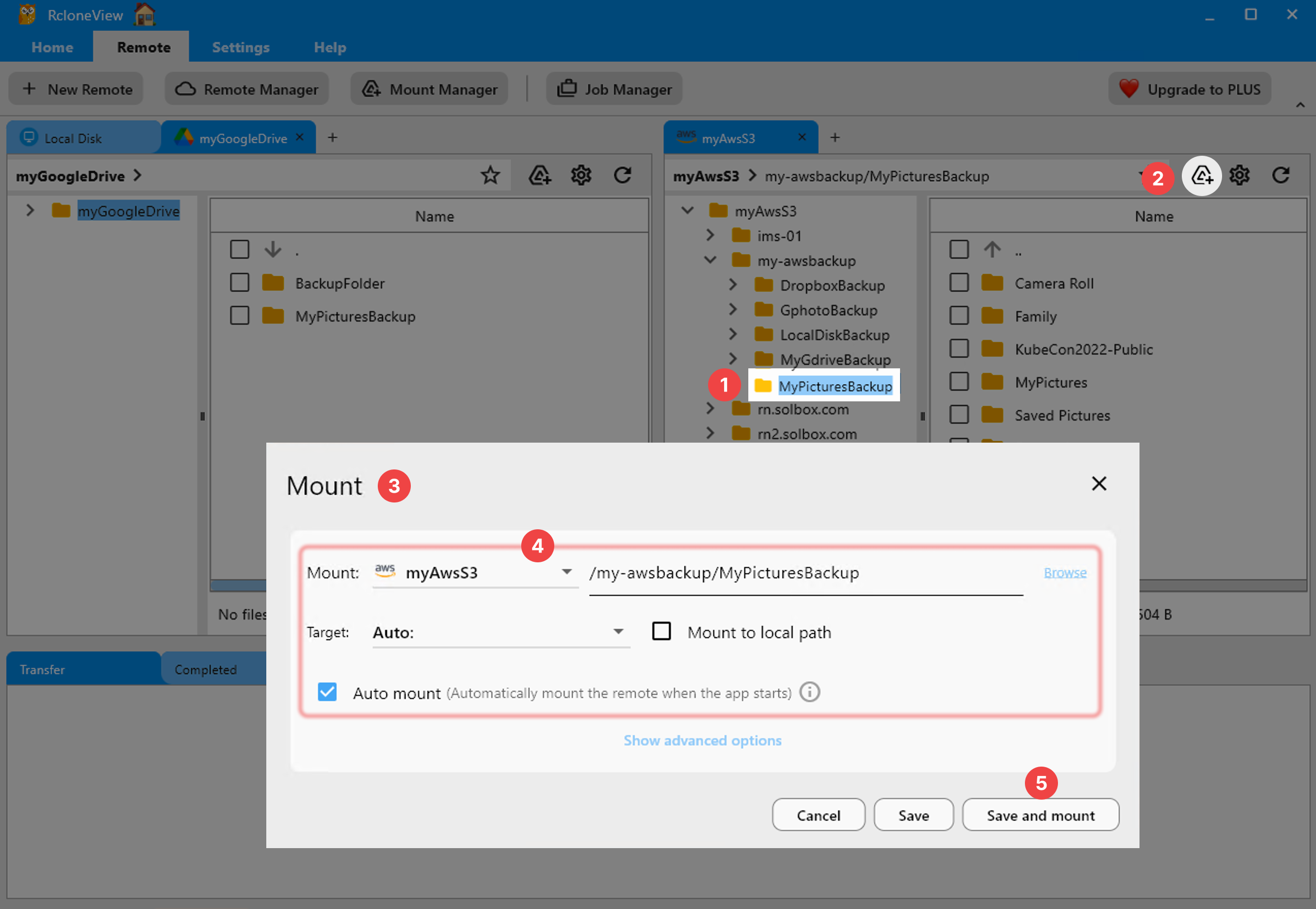
Mount your cloud storage as a local drive with VFS caching. Recently accessed files are cached locally and remain available during short outages:
During an Outage
- Don't panic — check the provider's status page
- Switch to your mirror — open the secondary provider in RcloneView
- Continue working from the mirror
- When the primary recovers — run a sync to reconcile changes
Verify Your Mirrors
Regularly compare primary and mirror to ensure they're in sync:

Getting Started
- Download RcloneView from rcloneview.com.
- Add two providers for critical data.
- Set up mirror sync jobs on a schedule.
- Verify regularly with Folder Comparison.
The best time to prepare for an outage is before it happens.
Related Guides:
Supported Cloud Providers





























