RcloneView vs FreeFileSync — Which File Sync Tool Should You Use?
FreeFileSync is excellent for syncing folders between local drives. But when you need cloud-to-cloud transfers, 70+ provider support, and remote storage management, the tools serve very different purposes. Here's how they compare.
FreeFileSync has been a go-to open-source tool for file synchronization for years. It excels at comparing and syncing folders on local drives, USB devices, and network shares. RcloneView takes a different approach — it's built specifically for cloud storage management, supporting 70+ cloud providers with a visual interface. Understanding where each tool shines helps you pick the right one (or use both).

Manage & Sync All Clouds in One Place
RcloneView is a cross-platform GUI for rclone. Compare folders, transfer or sync files, and automate multi-cloud workflows with a clean, visual interface.
- One-click jobs: Copy · Sync · Compare
- Schedulers & history for reliable automation
- Works with Google Drive, OneDrive, Dropbox, S3, WebDAV, SFTP and more
Free core features. Plus automations available.
Quick Comparison
| Feature | RcloneView | FreeFileSync |
|---|---|---|
| Cloud providers | 70+ (S3, GDrive, OneDrive, etc.) | Limited (Google Drive, SFTP) |
| Local sync | Yes | Yes (primary strength) |
| Cloud-to-cloud | Yes (direct) | No (requires local intermediate) |
| Visual file browser | Two-pane cloud explorer | Two-pane local explorer |
| Job scheduling | Built-in scheduler | Via OS task scheduler |
| Real-time monitoring | Transfer speed, progress, ETA | Sync progress |
| Encryption | Crypt remotes (zero-knowledge) | Not built-in |
| Mount as drive | Yes (FUSE mount) | No |
| Folder comparison | Yes (cross-cloud) | Yes (local/network) |
| Price | Free | Free (donation edition available) |
Where FreeFileSync Excels
Local and network sync
FreeFileSync is purpose-built for comparing and syncing folders on local drives, external USB drives, and network shares. Its comparison engine is fast, its conflict resolution is mature, and its UI is designed around this workflow.
Detailed file comparison
FreeFileSync offers granular comparison methods — by file time, size, and content. Its visual diff display shows exactly which files differ and why.
Batch jobs with RealTimeSync
FreeFileSync includes RealTimeSync, a companion tool that watches folders for changes and triggers sync automatically.
Where RcloneView Excels
Cloud-native architecture
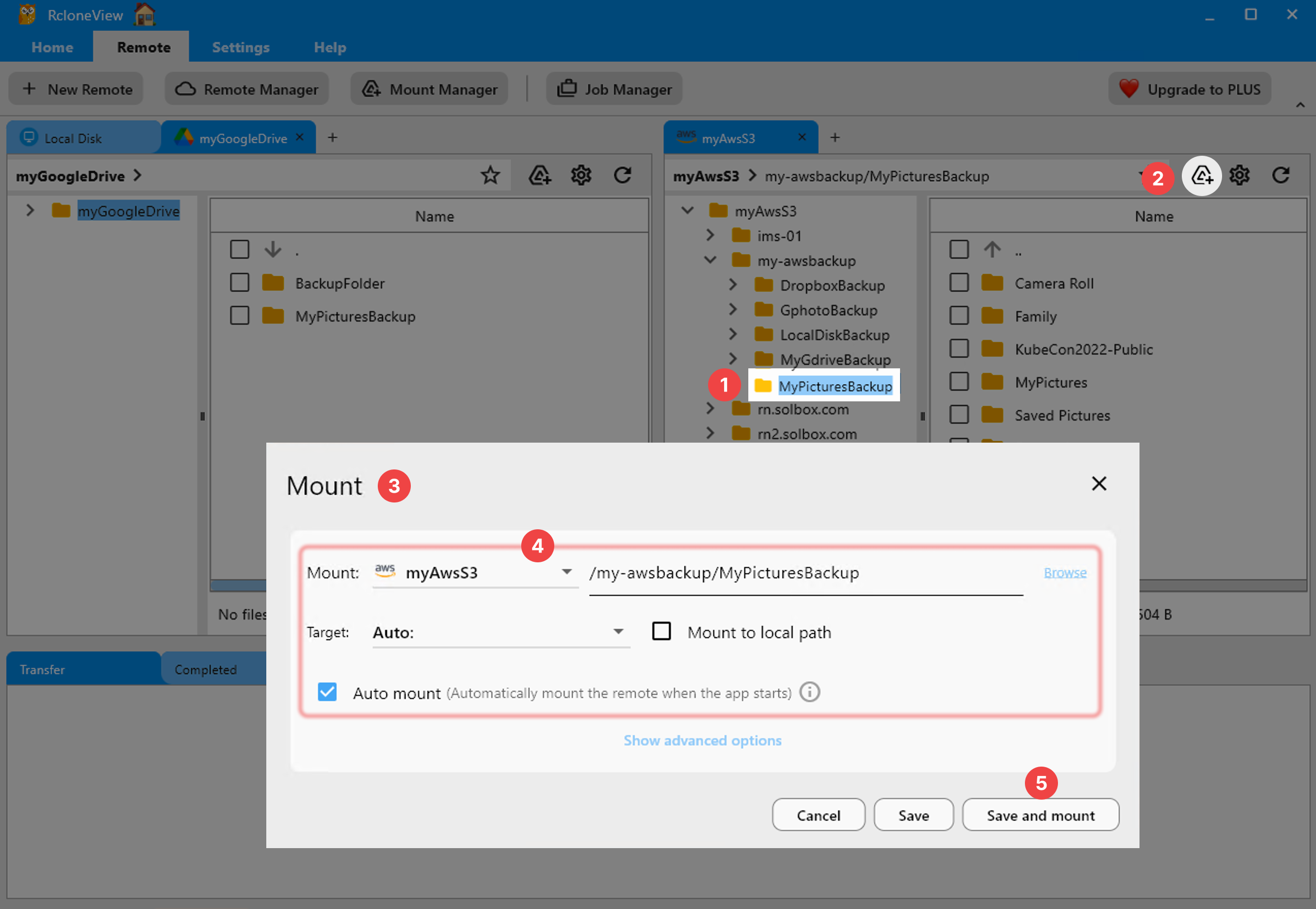
RcloneView connects directly to 70+ cloud storage APIs. Transfers go cloud-to-cloud without downloading to your local machine first:

Multi-cloud management
Browse, transfer, and sync between Google Drive, OneDrive, S3, Dropbox, Backblaze B2, Azure Blob, and dozens more — all from one interface.
Cloud-specific features
- Mount cloud storage as local drives
- Crypt remotes for zero-knowledge encrypted backups
- API-aware transfers that respect provider rate limits
- Server-side transfers where supported
Built-in scheduling
Schedule sync jobs directly in RcloneView without configuring external schedulers:

Use Case Comparison
| Scenario | Best Tool |
|---|---|
| Sync two local folders | FreeFileSync |
| Sync USB backup drive | FreeFileSync |
| Google Drive → OneDrive transfer | RcloneView |
| S3 to Backblaze B2 migration | RcloneView |
| Mirror NAS to cloud backup | RcloneView |
| Sync network share to external drive | FreeFileSync |
| Browse and manage cloud files | RcloneView |
| Encrypted cloud backups | RcloneView |
| Real-time local folder monitoring | FreeFileSync |
| Scheduled cloud-to-cloud sync | RcloneView |
Can You Use Both?
Yes, and many users do. FreeFileSync handles local sync workflows. RcloneView handles everything cloud. They complement each other without overlap.
A common setup: FreeFileSync syncs your local project folders to a NAS. RcloneView then syncs that NAS to cloud backup (S3, B2, or Google Drive) on a schedule.
Getting Started with RcloneView
- Download RcloneView from rcloneview.com.
- Add your cloud accounts — any of 70+ providers.
- Browse and transfer with the two-pane explorer.
- Schedule automated syncs for hands-off cloud management.
The right tool depends on where your files live. Local files? FreeFileSync. Cloud files? RcloneView.
Related Guides:
Supported Cloud Providers





























