管理 Oracle Cloud 物件儲存——使用 RcloneView 與 S3、Google Drive 和 NAS 同步
Oracle Cloud Infrastructure(OCI)提供 10 GB 的免費物件儲存空間,超出後的定價也相當具有競爭力。但要同時管理 OCI 儲存空間與其他雲端服務,需要合適的工具。
Oracle Cloud 物件儲存與 S3 相容、耐用且經濟實惠——特別是搭配 Oracle 慷慨的免費方案與 Always Free 資源。許多組織會將 OCI 與 AWS、Google Cloud 或 Azure 搭配使用。RcloneView 能將它們全部連接起來,提供視覺化介面,讓你同時管理 Oracle Cloud 物件儲存與 70 多個其他供應商的服務。
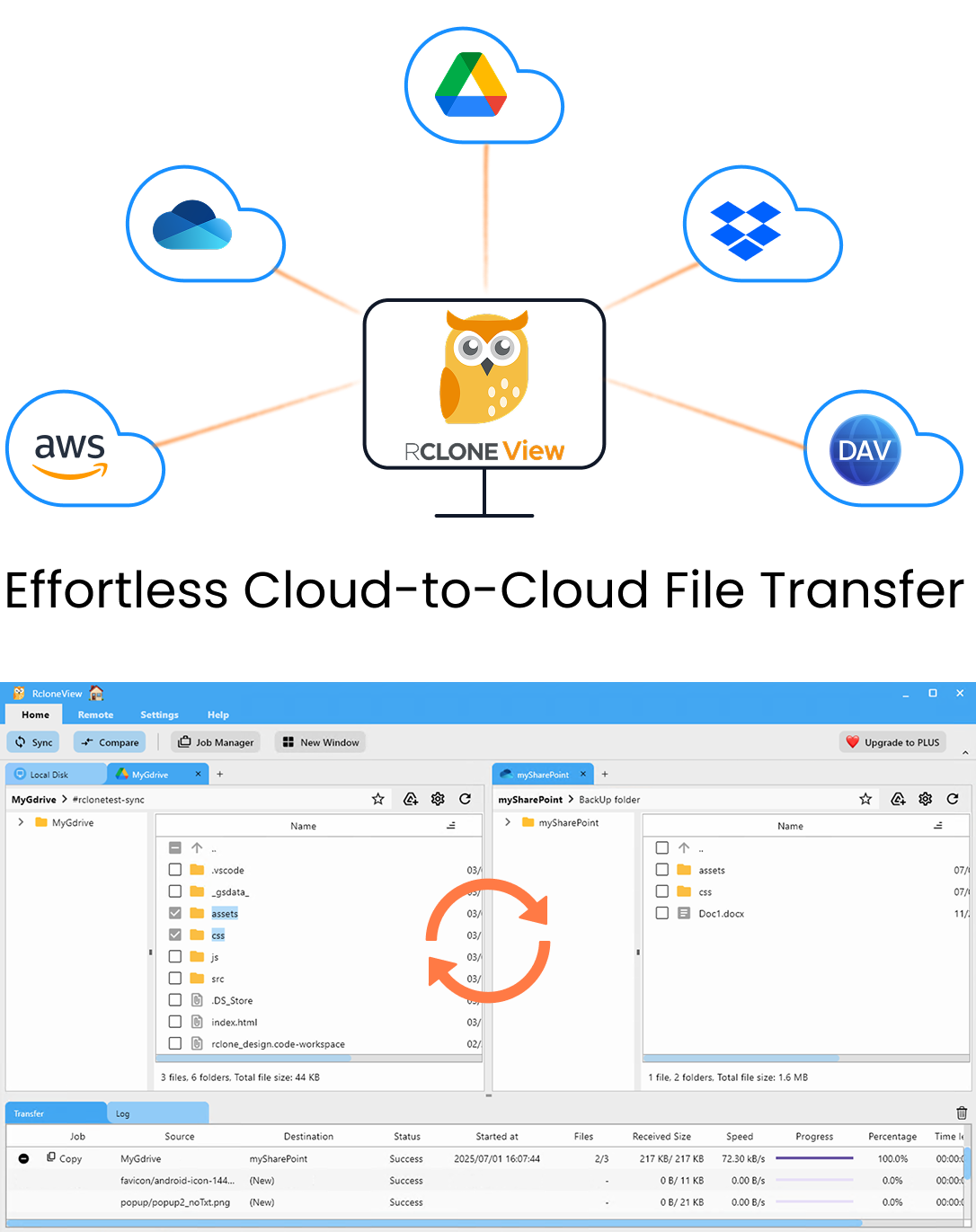
在同一處管理與同步所有雲端
RcloneView 是 rclone 的跨平台 GUI。透過清爽的視覺化介面比較資料夾、傳輸或同步檔案,並自動化多雲工作流程。
- 一鍵作業:複製 · 同步 · 比較
- 排程器與歷史記錄,打造可靠的自動化
- 支援 Google Drive、OneDrive、Dropbox、S3、WebDAV、SFTP 等
核心功能免費。Plus 提供自動化功能。
為什麼選擇 Oracle Cloud 物件儲存?
具競爭力的定價
| 功能 | Oracle Cloud | AWS S3 | Google Cloud |
|---|---|---|---|
| 儲存空間(TB/月) | $26 | $23 | $20 |
| 出口流量(前 10 TB) | 免費 | $90 | $120 |
| 免費方案 | 10 GB + Always Free | 5 GB(12 個月) | 5 GB |
Oracle 最大的優勢在於:每月前 10 TB 免出口流量費用。如果你經常下載資料,光是這一點就能省下數百美元。
S3 相容性
OCI 物件儲存提供與 S3 相容的 API,這代表任何能與 S3 搭配使用的工具——包括 rclone 與 RcloneView——都能與 Oracle Cloud 搭配使用。
企業級功能
- 儲存層級:標準層、不常存取層與封存層。
- 物件版本控制:防止意外刪除。
- 生命週期政策:自動在不同層級之間移動資料。
- 複寫:跨區域複寫,用於災難復原。
在 RcloneView 中設定 Oracle Cloud
取得憑證
- 登入 OCI 主控台。
- 前往 Identity → Users → Your user → Customer Secret Keys。
- 產生 Access Key 與 Secret Key。
- 記下你的 namespace 與 region(例如
us-phoenix-1)。
新增 Oracle Cloud 為遠端
- 開啟 RcloneView 並點選 Add Remote。
- 選擇 S3 Compatible 作為類型。
- 選擇 Oracle(或 Other S3)作為供應商。
- 輸入你的 Access Key、Secret Key、region 與 endpoint。

Endpoint 格式為:https://<namespace>.compat.objectstorage.<region>.oraclecloud.com
實用工作流程
1) 視覺化瀏覽 Oracle Cloud
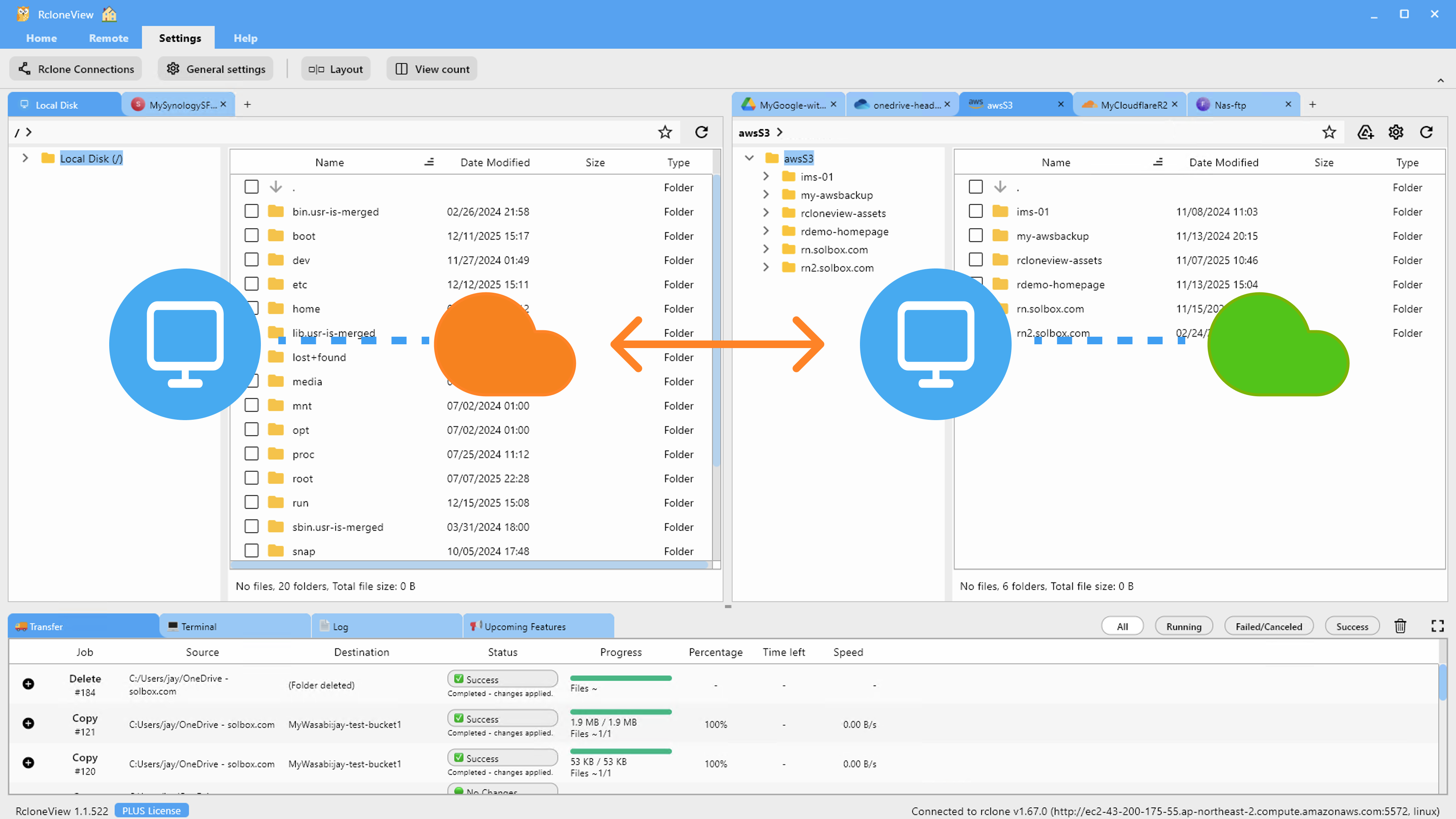
不再需要透過 OCI 主控台管理檔案。在 RcloneView 的雙面板檔案總管中瀏覽你的 bucket 與物件:
2) 從 AWS S3 遷移到 Oracle Cloud
善用 Oracle 的免出口流量優勢,將資料從 S3 移轉過來:
- 將 S3 與 Oracle Cloud 都新增為遠端。
- 建立從 S3 → Oracle Cloud 的複製工作。
- 監控傳輸進度並使用資料夾比較功能進行驗證。
3) 將 Oracle Cloud 與 Google Drive 同步
在 Google Drive 上保留一份便於協作的副本,同時在 Oracle Cloud 上封存:
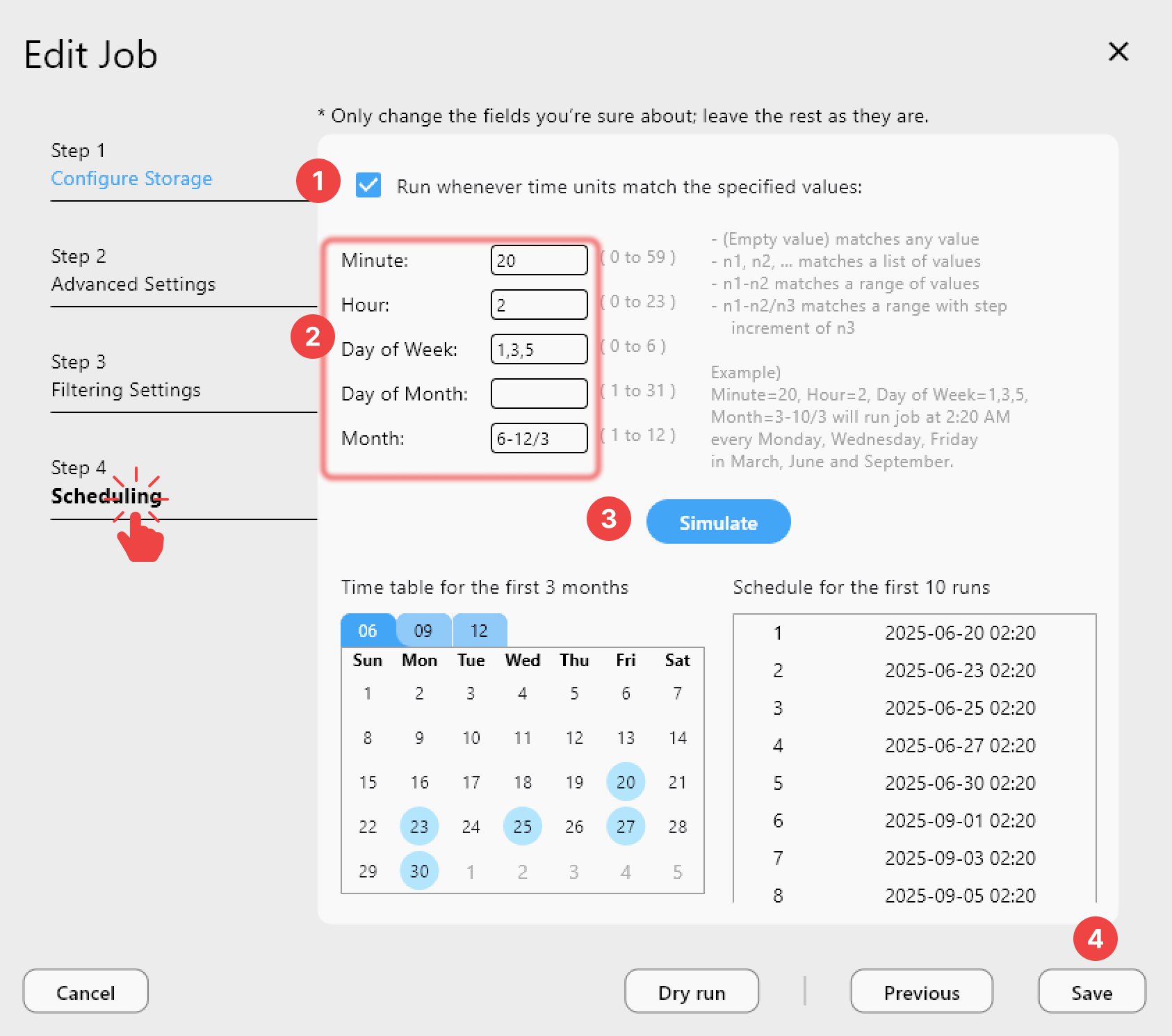
- 排程每日從 Google Drive → Oracle Cloud 的同步作業。
- Oracle Cloud 作為你耐用、經濟實惠的封存儲存空間。
4) 多雲端備份策略
將 Oracle Cloud 作為多雲端備份的其中一環:
Primary (Google Drive) → Oracle Cloud (archive with free egress)
Primary (Google Drive) → Backblaze B2 (second archive)
5) 從 NAS 備份到 Oracle Cloud
將你的 Synology 或 QNAP NAS 備份到 Oracle Cloud:
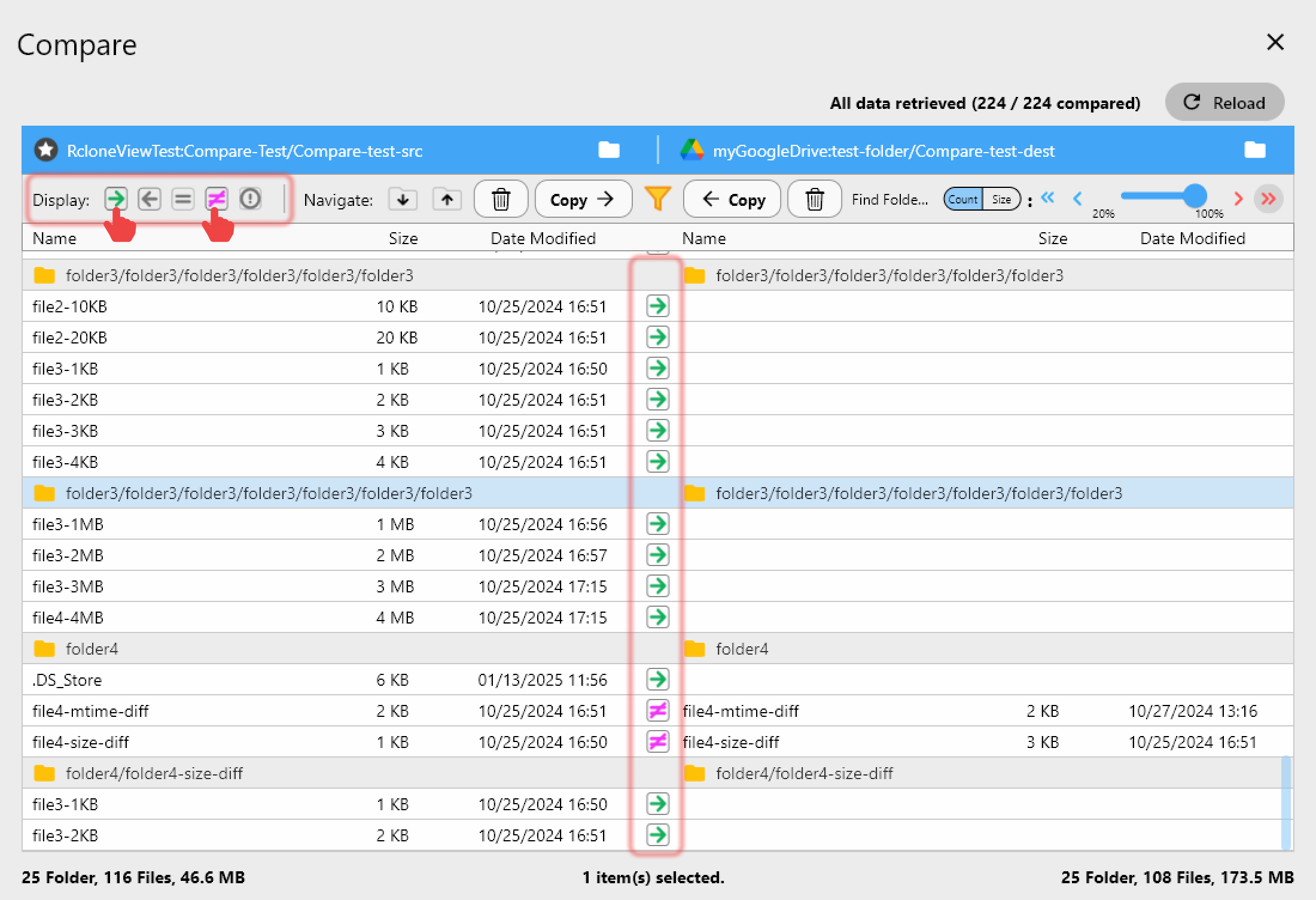
驗證傳輸結果
比較來源與 Oracle Cloud 目標端的內容:
監控大型傳輸
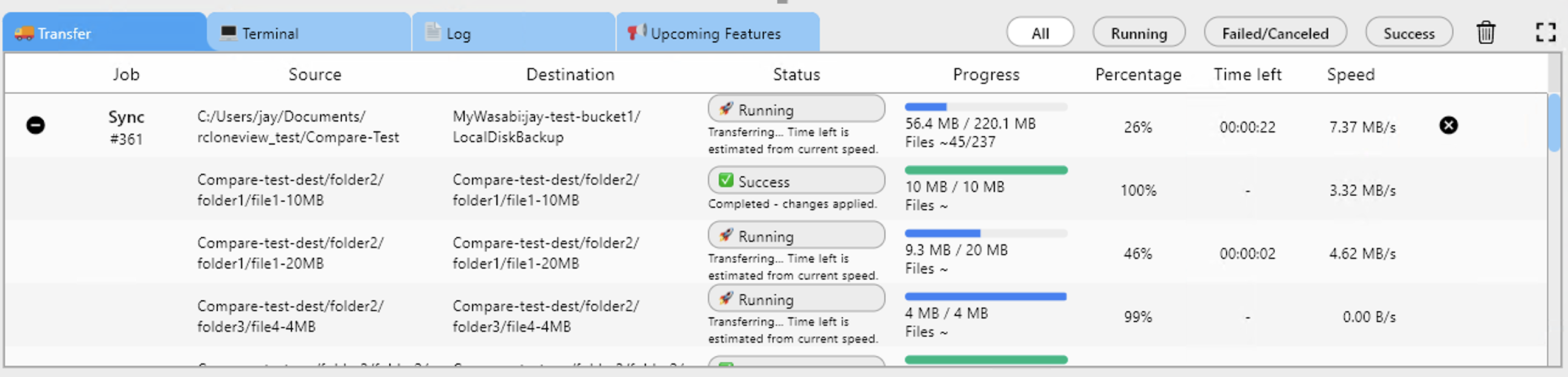
追蹤上傳到 Oracle Cloud 的進度:
Oracle Cloud 儲存層級
針對不同使用情境選擇合適的層級:
| 層級 | 最適合用於 | 價格 |
|---|---|---|
| 標準層 | 經常存取的資料 | $26/TB/月 |
| 不常存取層 | 每月存取 | $10/TB/月 |
| 封存層 | 每年存取 | $3/TB/月 |
生命週期政策可依資料的存放時間自動在不同層級之間移動資料。
開始使用
- 建立 Oracle Cloud 帳號(內含 10 GB 免費儲存空間)。
- 下載 RcloneView,前往 rcloneview.com。
- 新增 Oracle Cloud 作為 S3 相容遠端。
- 瀏覽、傳輸、同步,與你的其他雲端服務並用。
- 排程自動備份,實現免人工操作。
Oracle Cloud 的免出口流量特性,使其成為經常存取資料時特別具吸引力的選擇。
相關指南:
支援的雲端服務商





























