How to Backup and Archive CCTV/NVR Footage to Cloud Storage Automatically Using RcloneView
Keep surveillance video safe from theft, fire, or device failure. RcloneView connects NAS/SFTP/SMB NVR folders to Wasabi, S3, or Google Drive, then automates Compare + Sync Jobs so only new footage moves and evidence stays intact.

Manage & Sync All Clouds in One Place
RcloneView is a cross-platform GUI for rclone. Compare folders, transfer or sync files, and automate multi-cloud workflows with a clean, visual interface.
- One-click jobs: Copy · Sync · Compare
- Schedulers & history for reliable automation
- Works with Google Drive, OneDrive, Dropbox, S3, WebDAV, SFTP and more
Free core features. Plus automations available.
1. Why cloud backup matters for CCTV footage
- NVR/NAS disks fill fast with 24/7 recordings.
- Theft, fire, or vandalism can wipe the only copy.
- Compliance and audits demand longer retention windows.
- Remote review and evidence sharing require off-site access.
- Manually copying multi-GB H.264/H.265 files is error-prone.
2. What makes surveillance files tricky
- Continuous writes create thousands of date-based clips.
- Large bitrates (1080p/4K) stress bandwidth during backup.
- Folder trees vary by vendor (YYYY/MM/DD, camera IDs).
- Need scheduled transfers (hourly/daily) without human oversight.
- Integrity matters: corrupted frames weaken evidentiary value.
3. How RcloneView helps
- Connect NAS/SMB/SFTP/WebDAV sources and Wasabi/S3/Google Drive targets in one UI.
- Two-pane Explorer makes cloud-to-cloud or LAN-to-cloud moves visual and direct.
- Compare flags new/changed clips so you only ship deltas.
- Checksum support (S3/Wasabi) validates uploads.
- Sync Jobs + scheduling run backups automatically, no scripts required.
4. Step-by-step setup for CCTV/NVR backup
Step 1) Connect the NVR storage (SMB or SFTP)
- Click Remote → + New Remote.
- Choose SMB (for NAS/Windows share) or SFTP (for Linux NVR exports).
- Enter server address, share/path, and credentials (add domain if needed).
- Save and confirm listing in Remote Manager.
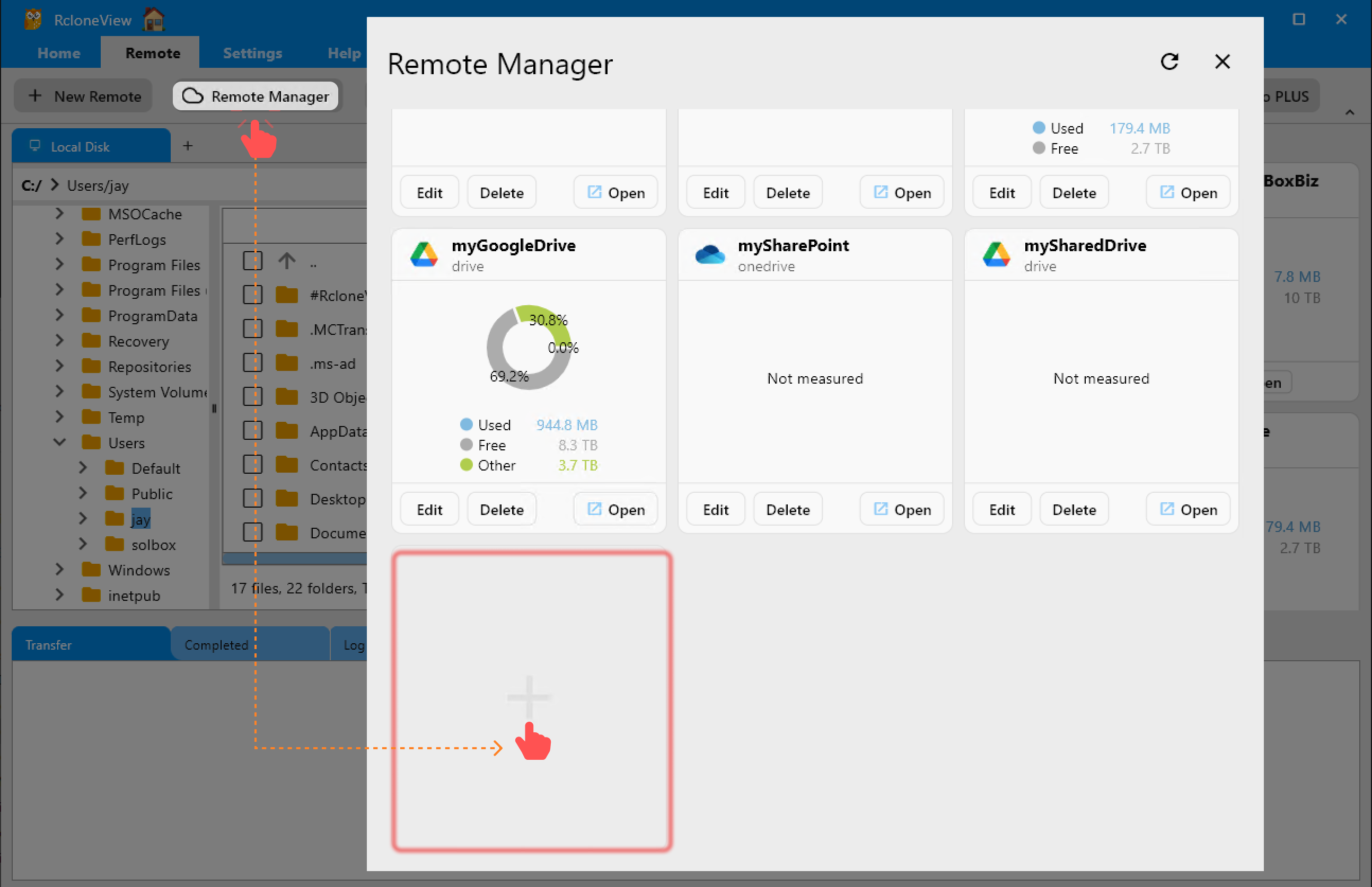
Step 2) Add your cloud target (Wasabi/S3/Google Drive)
- Wasabi/S3: paste access/secret keys, region, bucket.
- Google Drive: click Connect and finish OAuth in the browser.
- Keep both remotes visible for side-by-side work.
Step 3) Open source and destination
- Go to Browse.
- Left pane: open the NVR folder (e.g.,
/recordings/2025/12/08). - Right pane: open the bucket or Drive folder for backups.
- Expand a few date folders to verify paths.
Step 4) Preview deltas with Compare
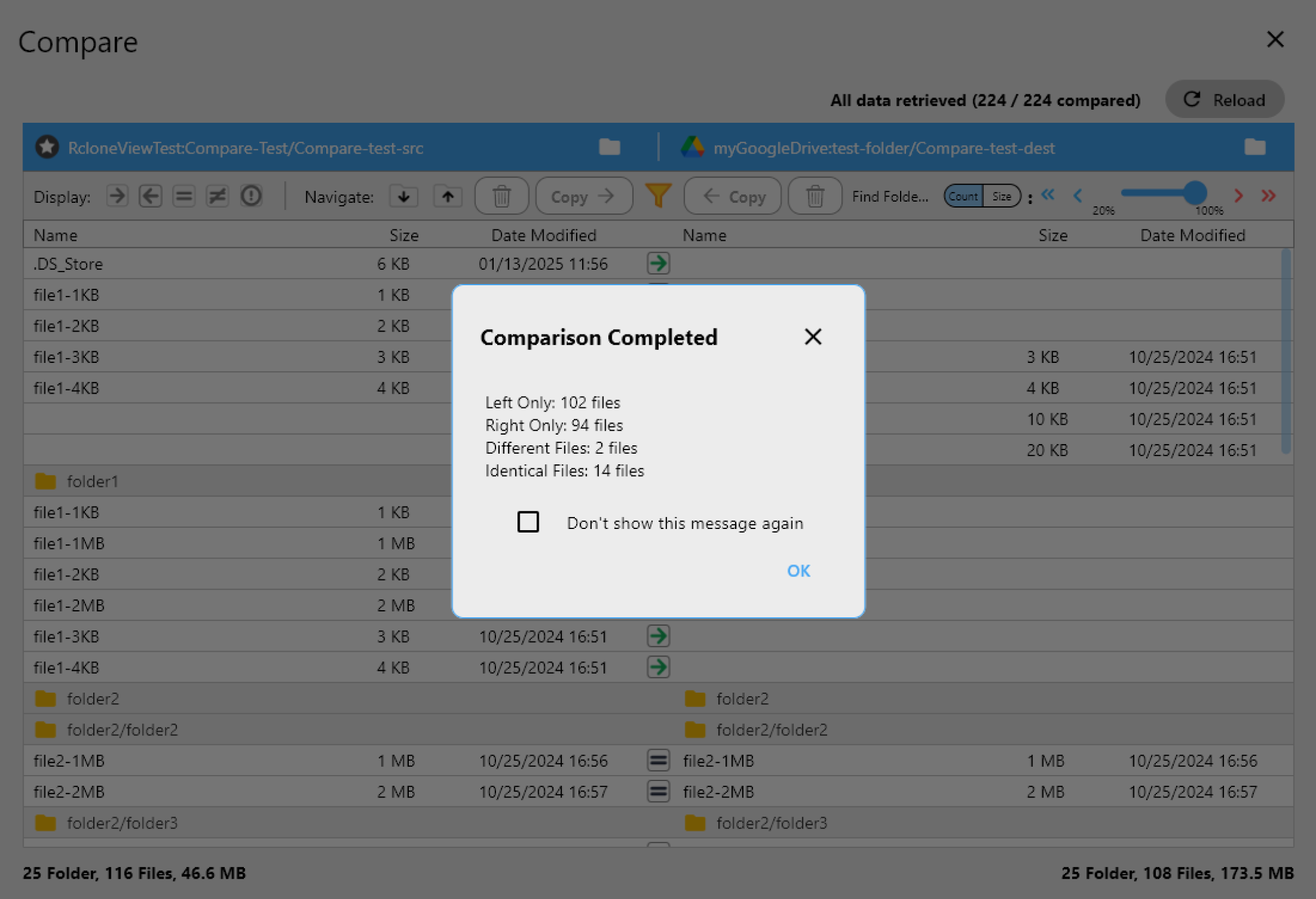
- Click Compare to highlight missing or size-changed video files.
- Resolve name collisions (duplicate camera IDs) before copying.
- This prevents overwriting newer clips on the target.
Step 5) Copy or Sync safely
- Start with one-way copy from NVR → cloud (no deletes).
- Enable checksum for S3/Wasabi to validate uploads.
- Use bandwidth limits during business hours; lift caps overnight.
- For very large days, lower concurrency to avoid throttling, then raise later.
Step 6) Save the workflow as a Job
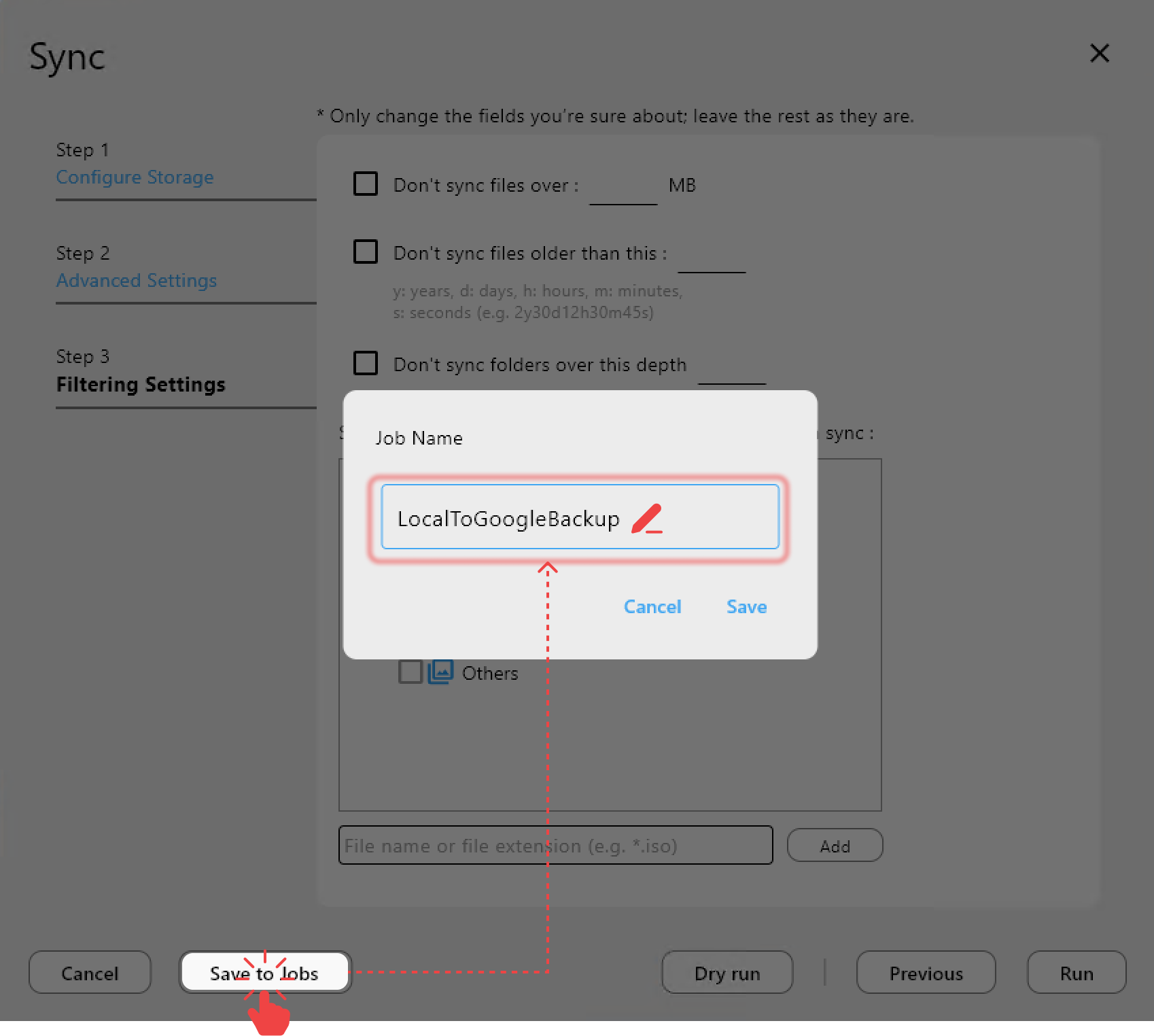
- In the Sync/Copy dialog, click Save to Jobs.
- Name it (e.g.,
cctv-daily-wasabi). - Choose one-way sync if you plan to prune old clips later.
Step 7) Schedule automatic runs

- Open Job Manager → Add Job.
- Pick your saved job and set cadence: hourly, every 3 hours, or nightly at 02:00.
- Stagger jobs by camera group if bandwidth is limited.
- Check Job History after the first few runs.
5. Example backup policies
- Short-term (hot) storage: keep last 7 days on NAS/NVR for quick review.
- Long-term archive: push all footage to Wasabi/S3 weekly; enable versioning.
- Audit/review: copy selected days to Google Drive for investigators and managers.
- Franchise or multi-site: separate buckets/prefixes per store to isolate access.
6. Cost optimization for video archives
- Store rarely accessed footage on Wasabi or S3 infrequent-access tiers.
- Keep only active days on Google Drive for quick sharing.
- Use lifecycle rules on S3/Wasabi to transition older objects to cheaper tiers.
- Exclude camera test clips and motionless segments if your policy allows.
7. Restore footage when needed
- Browse the cloud remote in Explorer; filter by date folder.
- Copy only the relevant hour/day to local disk for review.
- Use Compare to confirm restored files match originals (size/time or checksum).
- For legal holds, duplicate to a separate read-only prefix/bucket.
8. Real-world deployment patterns
- Small retail: NVR → Wasabi hourly; keep 30 days in cloud, 7 days local.
- Factory: CCTV → NAS → nightly Wasabi copy; monthly S3 cold archive.
- Franchise network: per-location prefixes in one bucket; Drive copies for HQ audits.
- Security provider: per-customer buckets, scheduled jobs, and encrypted remotes for regulated sites.
9. Wrap-up
RcloneView turns CCTV/NVR backups into a predictable, no-CLI workflow. Connect your NAS or recorder via SMB/SFTP, pair it with Wasabi/S3/Google Drive, preview deltas with Compare, and schedule checksum-aware Sync Jobs. With automation, logging, and encryption options, you can meet retention, audit, and disaster-recovery needs without babysitting nightly uploads.
Supported Cloud Providers





























