Manage Digital Assets Across Multiple Clouds with RcloneView: A Complete Workflow Guide
Keep RAW, EDIT, EXPORT, and ARCHIVE in sync across Google Drive, Dropbox, pCloud, Mega, S3/Wasabi, and NAS—without buying an expensive DAM. RcloneView gives media teams a two-pane Explorer, Compare, Sync, and Jobs to tame sprawling cloud folders.
Why creators struggle with digital assets
- Huge files: 4K–8K RAW, project files, proxies, stems, and renders quickly hit TB scale.
- Many versions: RAW → EDIT → EXPORT → CLIENT DELIVERY; V1, V2, FINAL, FINAL_FINAL.
- Lifecycle pressure: costly hot storage; need cold S3/Wasabi tiers for archives.
- Team access: different roles, permissions, and storage silos across services.
- Fragmentation: folder conventions differ by cloud, causing collisions and lost time.

Manage & Sync All Clouds in One Place
RcloneView is a cross-platform GUI for rclone. Compare folders, transfer or sync files, and automate multi-cloud workflows with a clean, visual interface.
- One-click jobs: Copy · Sync · Compare
- Schedulers & history for reliable automation
- Works with Google Drive, OneDrive, Dropbox, S3, WebDAV, SFTP and more
Free core features. Plus automations available.
RcloneView: multi-cloud Explorer for media pipelines
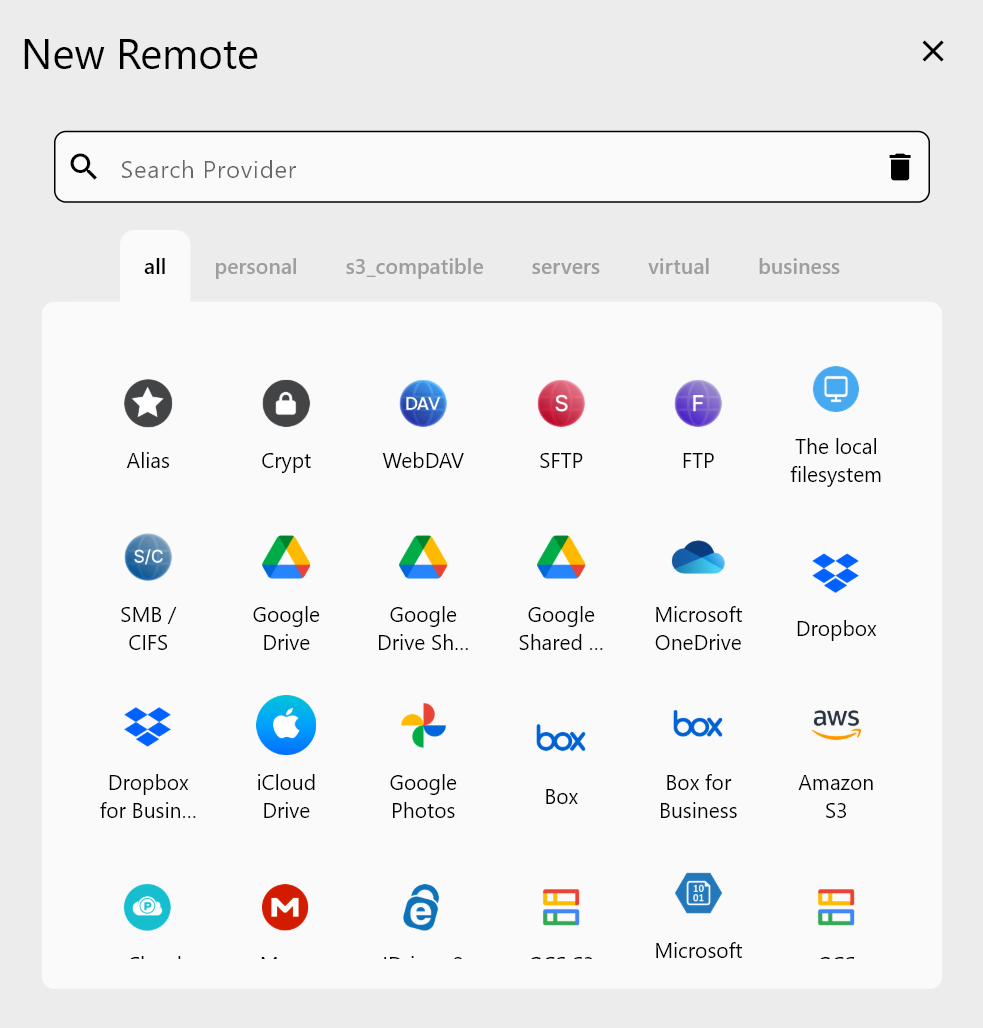
- 100+ providers in one UI: Google Drive, Dropbox, OneDrive, Box, Mega, pCloud, S3/Wasabi/B2/R2, WebDAV/SFTP/SMB, NAS/external drives.
- Two-pane Explorer to open RAW on one side and EDIT/EXPORT on another.
- Compare to see new/changed/matching files before copying.
- Fast, resilient transfers with retries, resumable support, and checksums.
- Sync + Jobs to automate daily backups and archives.
- Cross-platform: Windows/macOS/Linux, no CLI flags required.
👉 Helpful references:
- Add Google Drive Remote
- Remote Manager
- Browse & Manage Remote Storage
- Compare Folder Contents
- Synchronize Remote Storages
- Job Scheduling and Execution
Standardize your folder template (RAW / EDIT / EXPORT / ARCHIVE)
Project Name /
 ├─ RAW /
 │   ├─ CAM_A
 │   ├─ CAM_B
 │   ├─ AUDIO
 ├─ EDIT /
 │   ├─ Premiere
 │   ├─ Resolve
 ├─ EXPORT /
 │   ├─ MASTER
 │   ├─ REVIEW
 │   ├─ SOCIAL
 └─ ARCHIVE /
Keep this template in a “starter” folder; copy it for every project so teams know exactly where RAW, EDIT, EXPORT, and ARCHIVE belong—regardless of cloud.
Practical storage map
- RAW: NAS or pCloud/Mega for ingest; mirror to Wasabi/S3 weekly.
- EDIT: Local SSD for speed + cloud backup (Google Drive/Dropbox).
- EXPORT: Google Drive Shared Drives or Dropbox for client review/delivery.
- ARCHIVE: Wasabi/B2/S3 cold tier; keep MASTER + key EDIT assets.
RcloneView’s role: maintain this structure across all clouds with drag-and-drop, Compare, Sync, and Jobs.
Two-pane organization workflow
- Open Browse; load RAW store (e.g., pCloud/Mega) on the left, EDIT/EXPORT store (e.g., Google Drive) on the right.
- Drag & drop new footage or renders between panes; track in Transfer.
- Use Compare to spot new or mismatched files before copying.
- Keep a “folder template” in each cloud; duplicate it for new projects to enforce structure.
Archive to low-cost storage (Wasabi/S3)
- Run Compare between RAW on primary storage and the archive bucket to move only changes.
- Use Sync (one-way).
- Create a Job to run weekly (e.g., Monday 03:00) so RAW stays mirrored off-site.
Share and collaborate via Google Drive/Dropbox
- Sync EXPORT to Google Drive Shared Drives for client review; keep FINAL in a dedicated folder.
- Use Copy or Sync jobs to push EDIT backups to a team workspace.
- Cross-cloud flows: EXPORT → Google Drive, RAW → Dropbox, ARCHIVE → Wasabi—scheduled for off-hours.
Automate with Jobs and schedules
- Example daily set:
- RAW → NAS (local safety)
- RAW → Wasabi (archive)
- EDIT → Google Drive (team backup)
- EXPORT → Shared Drive (client-facing)
- Save each as a Job and schedule at night to avoid bandwidth contention.
- Stagger jobs (e.g., 02:00, 02:30, 03:00) for stable throughput.
Real-world flow (studio example)
- Ingest: External SSD → RcloneView upload to RAW (pCloud/Mega); Compare to confirm no gaps; weekly one-way Sync to Wasabi.
- Edit: Work from local SSD; Sync EDIT to Google Drive team folder for backup.
- Export: Push MASTER/REVIEW/SOCIAL to Google Drive; share links with clients.
- Archive: After delivery, Sync RAW/EDIT/EXPORT to Wasabi/B2; leave FINAL on Google Drive to save space.
Logging, retries, and integrity
- Watch Transfer for throughput and retries; pause/resume if needed.
- If throttled (429/5xx), lower concurrency or set bandwidth limits, then rerun; only missing changes move.
Why choose RcloneView over a heavy DAM or single-cloud tool?
- No lock-in to one vendor; 100+ providers in one GUI.
- Two-pane Explorer + Compare to prevent accidental overwrites.
- Scheduler and Jobs built-in (no external cron).
- Runs the same rclone engine trusted by ops teams, wrapped in a friendlier UI.
- Faster onboarding for editors and designers who avoid CLI tools.
Summary
RcloneView gives creators, studios, and media teams a practical way to manage RAW → EDIT → EXPORT → ARCHIVE across multiple clouds. Standardize your structure, automate backups and archives, verify with Compare and checksums, and keep collaborators in sync—all without buying a complex DAM or writing scripts.
Supported Cloud Providers





























