Manage Uptobox Files — Organize and Sync to Google Drive, S3, and More with RcloneView
Uptobox is popular for file hosting, but managing files beyond basic upload and download is limited. RcloneView connects to Uptobox and integrates it into your multi-cloud workflow.
Uptobox provides file hosting with generous storage quotas, but its management tools are basic — upload, download, share links. There's no built-in way to sync Uptobox with other cloud providers, schedule backups, or organize files across platforms. RcloneView connects to Uptobox and places it alongside Google Drive, S3, OneDrive, and 70+ other providers.

Manage & Sync All Clouds in One Place
RcloneView is a cross-platform GUI for rclone. Compare folders, transfer or sync files, and automate multi-cloud workflows with a clean, visual interface.
- One-click jobs: Copy · Sync · Compare
- Schedulers & history for reliable automation
- Works with Google Drive, OneDrive, Dropbox, S3, WebDAV, SFTP and more
Free core features. Plus automations available.
Connect Uptobox to RcloneView

Add Uptobox as a remote in RcloneView. Once connected, browse your files with the two-pane explorer.
Key Workflows
Organize scattered files
Browse your Uptobox storage and organize files into folders. Drag files to your primary cloud:
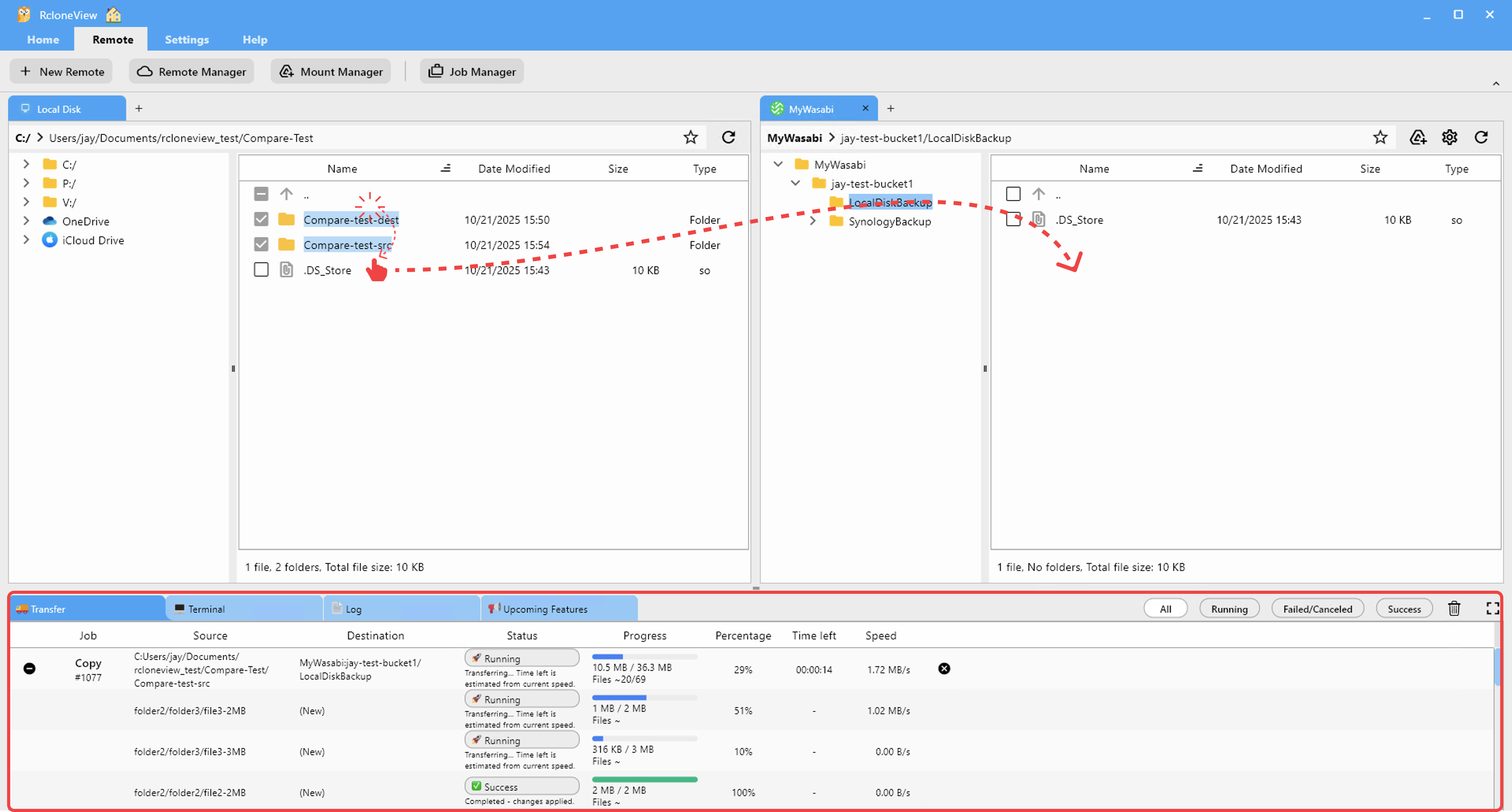
Back up to permanent storage
Uptobox accounts may have expiration policies. Back up important files to Google Drive or S3 for permanent retention:

Consolidate with other clouds
View Uptobox alongside all your other storage. Transfer files between any providers:

Schedule periodic transfers
Automatically move new Uptobox uploads to your primary cloud:

Getting Started
- Download RcloneView from rcloneview.com.
- Add Uptobox as a remote.
- Browse and organize your files.
- Sync to primary cloud for permanent storage.
Turn file hosting into part of your cloud ecosystem.
Related Guides:
Supported Cloud Providers





























