Best RaiDrive Alternatives — Cross-Platform Cloud Mount and Sync with RcloneView

RaiDrive is a solid Windows tool for mounting cloud storage as a network drive—but if you need macOS support, built-in sync, or free write access to object storage, it's worth comparing the alternatives.
RaiDrive earns its popularity by turning Google Drive, OneDrive, S3-compatible buckets, and FTP/SFTP servers into drive letters on Windows. Many users eventually hit its boundaries: it mounts only, has no macOS app, and puts object-storage write access behind higher tiers. This guide compares the strongest RaiDrive alternatives so you can match a tool to your workflow.

Manage & Sync All Clouds in One Place
RcloneView is a cross-platform GUI for rclone. Compare folders, transfer or sync files, and automate multi-cloud workflows with a clean, visual interface.
- One-click jobs: Copy · Sync · Compare
- Schedulers & history for reliable automation
- Works with Google Drive, OneDrive, Dropbox, S3, WebDAV, SFTP and more
Free core features. Plus automations available.
Why People Look Beyond RaiDrive
RaiDrive does one thing well—it streams and mounts cloud storage on Windows, and its media playback from the cloud without downloading first is genuinely handy. The limits show up as your needs grow. As of June 2026, RaiDrive is Windows-focused with no macOS app, it mounts but does not sync or compare folders, and its free Standard tier shows ads and caps you at 8 drives. Write access also unlocks in stages: consumer drives at Starter, business services at Individual, and object storage such as Amazon S3, Azure, and Backblaze B2 only at the Team tier. It also can't open multiple accounts of the same provider at once.

What to Look For in an Alternative
A good replacement should cover the platforms you use, do more than just mount, and not put basic storage behind a tier ladder. Three questions sort the field quickly: Do you need macOS or Linux as well as Windows? Do you need to sync and verify files, not only mount them? And do you connect S3-compatible or object storage that you need full read/write on?
RcloneView — Mount and Sync, Free, on Every OS
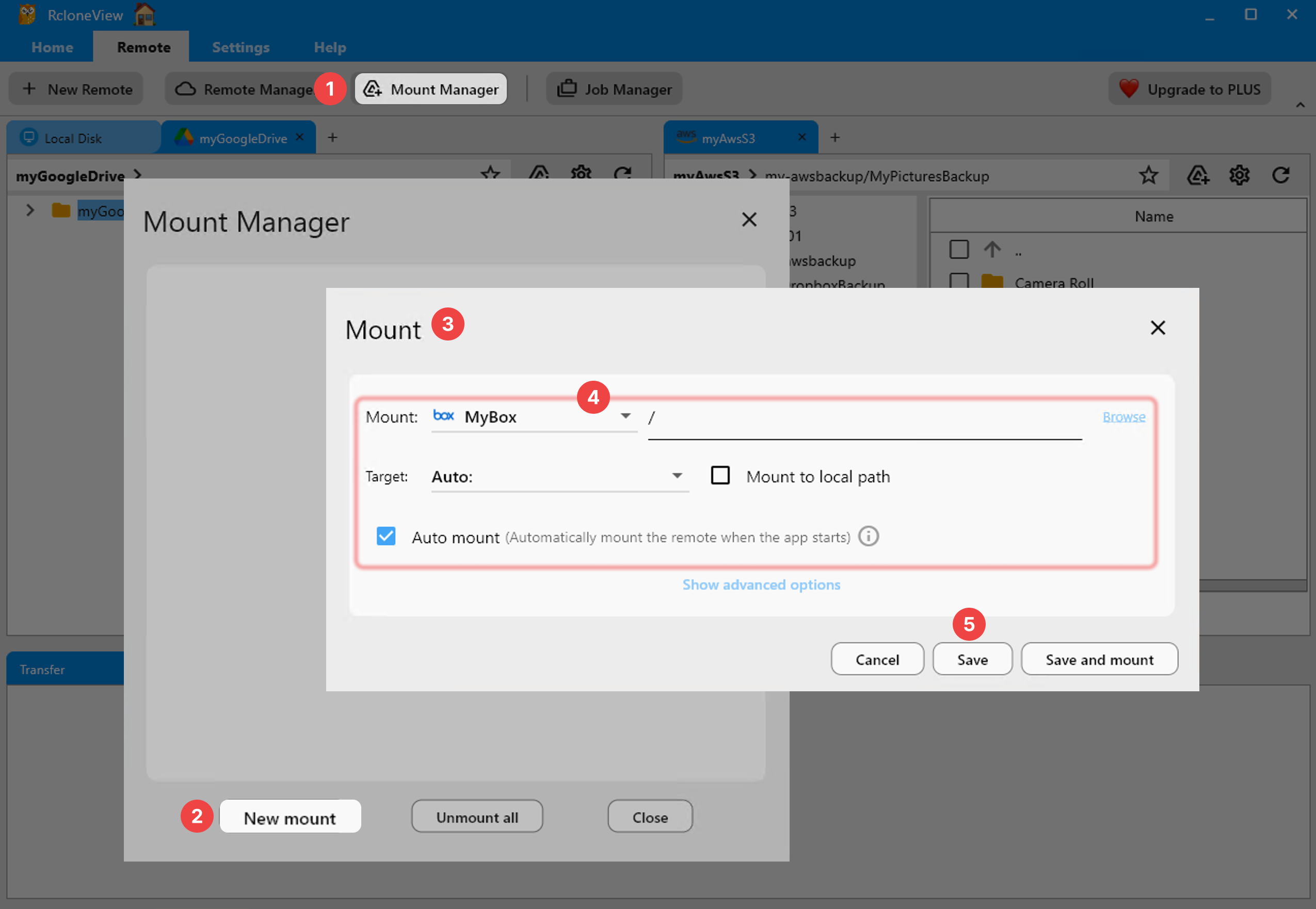
RcloneView is a GUI built on rclone that runs on Windows, macOS, and Linux. It mounts cloud storage as a local or virtual drive and adds one-way sync plus folder compare—on the FREE license. It connects 90+ providers, and read/write access to Amazon S3, Azure, and Backblaze B2 is available for free, with no ads. Its multi-panel explorer can open several accounts of the same provider side by side. Advanced extras—scheduled sync, multi-window, and batch operations (Beta)—are reserved for the PLUS license, while everything above is free.
Other Alternatives Worth Knowing
CloudMounter is a clean, security-focused mount tool for macOS and Windows with strong client-side encryption; it concentrates on mounting rather than sync. Mountain Duck, from the Cyberduck lineage, is a mature, lightweight mounting app for macOS and Windows with deep protocol support. ExpanDrive runs on Windows, macOS, and Linux, is free for personal use, and pairs mounting with a fast multi-threaded engine. Each is a capable mounter; the practical difference is that RcloneView combines mounting, sync, and folder compare with 90+ providers across all three operating systems.

Getting Started
- Download RcloneView from rcloneview.com.
- Add your cloud or object storage with New Remote—Google Drive, OneDrive, S3, Azure, Backblaze B2, and more.
- Mount it as a drive, or set up a sync job and preview changes with Dry Run before anything moves.
- Use Folder Compare to confirm both sides match after the transfer.
Pick the tool that fits your platforms and workflow—if you need mount and sync on more than just Windows, RcloneView covers the ground RaiDrive doesn't.
Related Guides:
- RcloneView vs RaiDrive — Cloud File Transfer Tool Comparison
- RcloneView vs CloudMounter — Cloud File Transfer Tool Comparison
- Mount Cloud Storage as a Local Drive with RcloneView
Supported Cloud Providers





























