Cloud Storage for Automotive Dealerships with RcloneView
Between vehicle photos, service histories, deal jackets, and compliance records, automotive dealerships produce an enormous volume of files that need to be organized, protected, and accessible across departments. RcloneView provides a visual multi-cloud manager that handles all of it without command-line complexity.
A modern automotive dealership is a data-intensive business. The sales floor needs high-quality vehicle photos for online listings. The service department maintains detailed repair histories. The finance office manages deal jackets, lending documents, and regulatory filings. And marketing teams produce videos, banners, and promotional materials for websites and social media.
All of this data tends to scatter across local servers, desktop folders, cloud drives, and third-party platforms. When a compliance audit arrives or a customer needs a service record, finding the right file should not require a treasure hunt. RcloneView connects to over 70 cloud and storage backends, giving your dealership a single two-pane file manager to browse, sync, and back up everything in one place.
This guide covers practical cloud storage workflows for dealerships of all sizes, from independent used car lots to multi-rooftop dealer groups.

Manage & Sync All Clouds in One Place
RcloneView is a cross-platform GUI for rclone. Compare folders, transfer or sync files, and automate multi-cloud workflows with a clean, visual interface.
- One-click jobs: Copy · Sync · Compare
- Schedulers & history for reliable automation
- Works with Google Drive, OneDrive, Dropbox, S3, WebDAV, SFTP and more
Free core features. Plus automations available.
Managing Vehicle Inventory Photos
Online shoppers expect dozens of high-quality photos per vehicle. A dealership with 200 units in stock might maintain 5,000 or more images at any given time, with new photos added daily as inventory turns.
RcloneView's drag-and-drop interface makes it easy to transfer photos from camera SD cards or a local photo station to cloud storage. Organize by stock number or VIN to keep your library searchable.
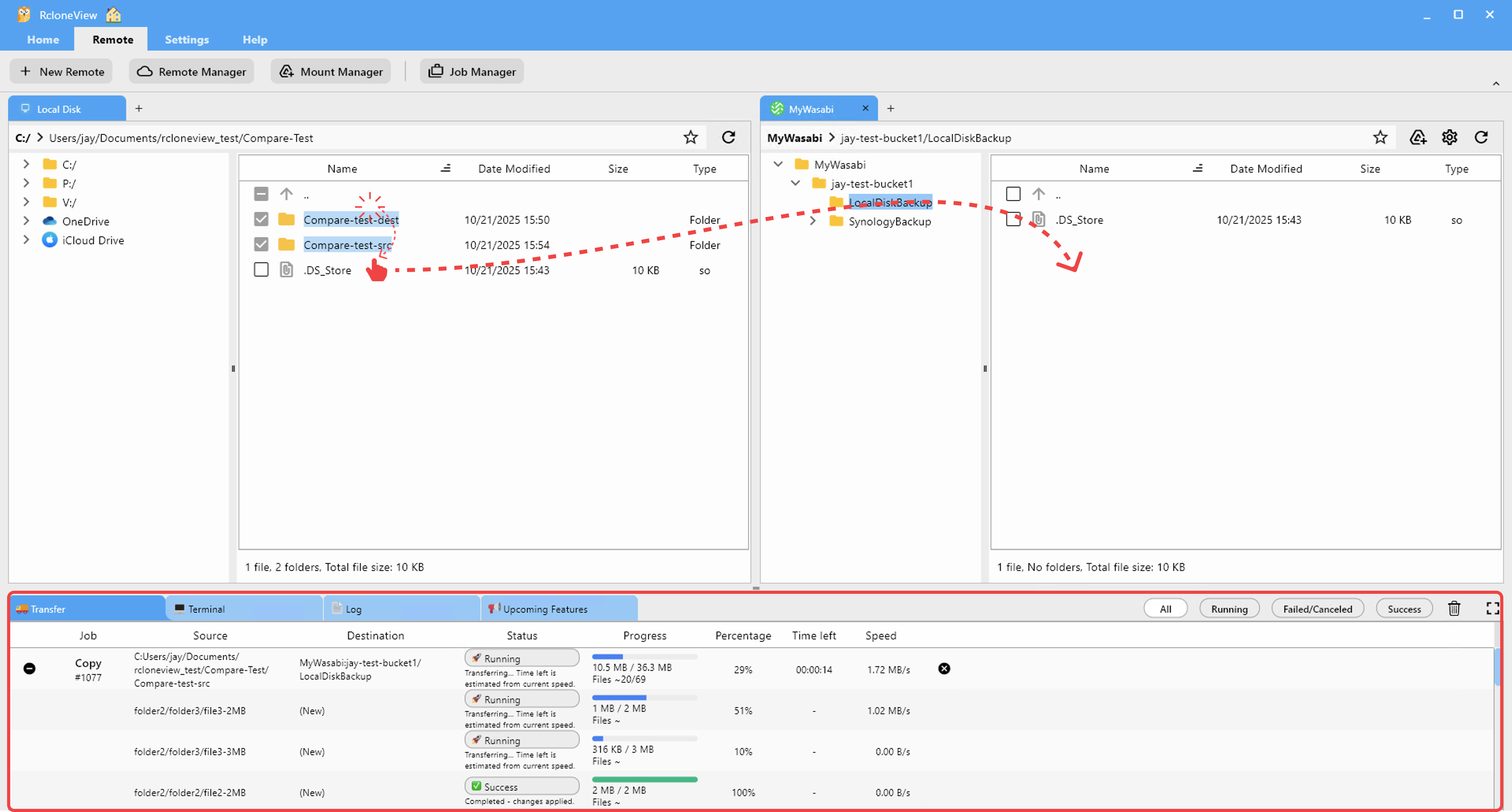
For dealerships that feed photos to multiple listing platforms (your website, AutoTrader, Cars.com), store the master library on a central cloud provider and sync copies to wherever they need to go. When a vehicle sells, archive its photos rather than deleting them, as you may need them for warranty claims or legal purposes.
Backing Up the Dealer Management System
Your DMS (CDK, Reynolds and Reynolds, Dealertrack, etc.) is the operational backbone of the dealership. It holds customer records, deal structures, parts inventory, and accounting data. Most DMS platforms offer scheduled data exports or backup files.
Set up a RcloneView sync job that automatically copies DMS exports to a cloud destination every night. Use two separate providers for redundancy: for example, Google Drive for quick access and an S3 bucket for long-term archival.

If your DMS ever goes down or data becomes corrupted, you have a recent backup ready to restore from.
Protecting Financial and Compliance Documents
Dealerships are subject to federal and state regulations that require retention of deal jackets, Form 8300 filings, Red Flags Rule documentation, OFAC screening records, and privacy notices. Some records must be kept for five years or more.
Store these documents on a secure cloud provider with versioning enabled. RcloneView can sync a local compliance folder to an encrypted cloud remote, ensuring that documents are protected both in transit and at rest. The job history panel provides an audit trail showing when backups occurred.

Syncing Across Multiple Dealership Locations
Dealer groups with multiple rooftops face the challenge of keeping operational documents, pricing guidelines, and marketing assets consistent across locations. Each store may use its own local server or cloud account.
RcloneView's compare feature lets you verify that two locations share the same set of critical files. Set up scheduled sync jobs to push updated documents from a central headquarters folder to each store's cloud drive automatically.

When corporate updates a trade-in valuation guide or compliance checklist, every location receives it without manual distribution.
Organizing Service Department Records
The service department generates repair orders, inspection reports, warranty claims, and recall documentation. These records are important for customer retention, legal protection, and manufacturer compliance.
Create a structured cloud folder hierarchy by year and month, then use RcloneView to sync completed service records from your local system to the cloud on a daily schedule. This keeps records accessible for customer inquiries while building a searchable long-term archive.

Managing Large Media Libraries for Marketing
Vehicle walk-around videos, promotional clips, and social media content add up fast. A single 4K walk-around video can be over 2 GB. Storing all of this on premium cloud storage becomes expensive quickly.
Use RcloneView to tier your media storage. Keep active marketing assets on Google Drive or Dropbox for team access, and archive older content to a cost-effective S3-compatible provider like Wasabi or Backblaze B2. The two-pane explorer makes moving files between tiers as simple as dragging from one side to the other.

CRM Data Protection
Your CRM system (VinSolutions, DealerSocket, Elead, etc.) contains customer contact information, lead history, and communication logs. Regular exports of this data should be backed up to a secure cloud location.
Schedule a RcloneView job to sync CRM exports to an encrypted cloud remote. If you ever need to switch CRM providers or recover lost data, your backup is ready. Encryption ensures that sensitive customer information stays protected even if the cloud account is compromised.
Monitoring and Verifying Transfers
With daily photo uploads, nightly DMS backups, and weekly compliance syncs all running, you need visibility into what succeeded and what failed. RcloneView's real-time transfer monitoring shows active uploads and their progress.

Review the job history each morning to confirm that overnight backups completed. If a transfer failed due to a network interruption, RcloneView makes it easy to retry just the failed files.
Getting Started
- Download RcloneView from rcloneview.com.
- Add your cloud storage accounts: Google Drive or OneDrive for daily operations, plus an S3-compatible provider for archival storage.
- Create sync jobs for your highest-priority data: DMS backups, compliance documents, and inventory photos.
- Set up a schedule so backups run automatically every night without staff intervention.
With RcloneView managing your dealership's cloud storage, your team can focus on selling and servicing vehicles instead of chasing files.
Related Guides:
Supported Cloud Providers





























