Cloud Storage for Construction and Architecture Firms — Streamline Files with RcloneView
Architecture and construction firms deal with enormous, versioned files — Revit models, AutoCAD drawings, point cloud scans — that demand reliable, scheduled cloud backups. RcloneView handles all of it from a single GUI.
A mid-sized architecture firm generates dozens of gigabytes of BIM (Building Information Modeling) data per active project. Revit files exceed 1 GB routinely; point cloud scans from LiDAR surveys can reach 50–100 GB per site. When a project spans 18 months and involves 20 collaborators across three office locations, the question isn't whether to use cloud storage — it's which storage tier to use and how to automate the workflow. RcloneView provides the missing layer between your file storage and 90+ cloud providers, without requiring IT staff to maintain custom scripts.

Manage & Sync All Clouds in One Place
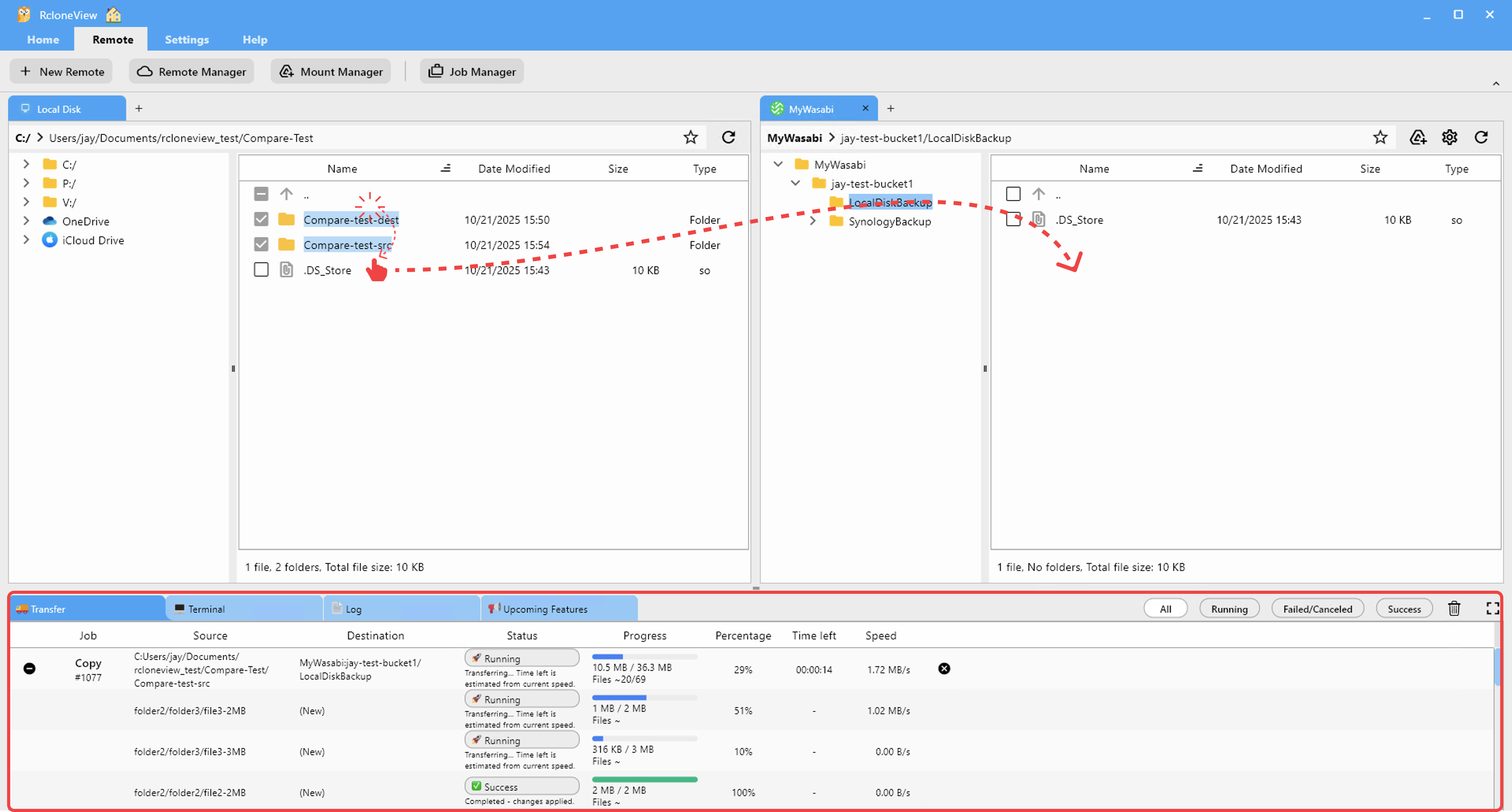
RcloneView is a cross-platform GUI for rclone. Compare folders, transfer or sync files, and automate multi-cloud workflows with a clean, visual interface.
- One-click jobs: Copy · Sync · Compare
- Schedulers & history for reliable automation
- Works with Google Drive, OneDrive, Dropbox, S3, WebDAV, SFTP and more
Free core features. Plus automations available.
Managing Project Archives Across Cloud Providers
Construction firms often use a tiered storage approach: active projects live on a NAS or shared server for fast local access, while completed project archives move to cost-effective cloud storage like Backblaze B2 or Amazon S3 Glacier. RcloneView manages both tiers from the same interface.
Set up a Sync job that mirrors NAS:/Projects/Active/ to Backblaze B2 nightly, and a separate Copy job that moves completed projects from B2 to an S3 Glacier-compatible deep archive when marked complete. The Job Manager handles the scheduling, and the Job History tab provides an audit trail that satisfies ISO 19650 documentation requirements for BIM data management.

Handling Large CAD and BIM Files Reliably
Revit and AutoCAD files are large, frequently locked during editing, and sensitive to partial transfers. RcloneView's sync engine, backed by rclone, skips files that are locked by another process and flags them in the Log tab — preventing corrupted uploads. For the largest files, enable the Chunker virtual remote in RcloneView to split files exceeding provider size limits into manageable chunks.
For firms using cloud-based BIM collaboration platforms (Autodesk Construction Cloud, BIM 360), RcloneView handles the backup of exported data packages — DWG exports, PDF sheet sets, IFC files — to secondary cloud storage as an offline safety net.
Site Photo and Drone Survey Storage
Construction documentation includes thousands of daily site photos and drone survey outputs — JPEG, RAW, and orthomosaic TIFF files that add up quickly. A site with daily photo documentation generates 5–15 GB per week. RcloneView's filter rules let you include only specific file types (.jpg, .tif, .raw) in a dedicated photo backup job, keeping it separate from technical drawing archives.
Use the 1:N sync feature to back up site photo directories to both Google Drive (for easy team sharing) and Amazon S3 (for long-term archiving) simultaneously. Both destinations receive the same files in a single job run, without doubling the upload bandwidth — RcloneView streams to both destinations from the source.

Getting Started
- Download RcloneView from rcloneview.com.
- Add your NAS, Backblaze B2, and Amazon S3 remotes in the Remote Manager.
- Create a nightly Sync job for active project archives and a Copy job for completed project migration.
- Add filter rules to include only CAD, BIM, and photo file types relevant to each job.
RcloneView turns ad-hoc cloud uploads into a structured, scheduled backup system — protecting irreplaceable project data without adding IT overhead.
Related Guides:
- Cloud Storage for Architecture and Engineering with RcloneView
- Cold Archive with S3 Glacier and RcloneView
- 1:N Sync — Multiple Destinations with RcloneView
Supported Cloud Providers





























