Migrate Box to Wasabi — Transfer Files with RcloneView

Move a Box account's files and folders directly into Wasabi's S3-compatible hot storage without routing everything through a local disk first.
Teams that adopted Box for document collaboration sometimes outgrow it for long-term storage, and Wasabi's S3-compatible object storage becomes the next home for archives, media libraries, or backup sets. RcloneView connects to both services from the same window, so the migration is a direct cloud-to-cloud transfer rather than a slow download-then-upload cycle through a local machine.

Manage & Sync All Clouds in One Place
RcloneView is a cross-platform GUI for rclone. Compare folders, transfer or sync files, and automate multi-cloud workflows with a clean, visual interface.
- One-click jobs: Copy · Sync · Compare
- Schedulers & history for reliable automation
- Works with Google Drive, OneDrive, Dropbox, S3, WebDAV, SFTP and more
Free core features. Plus automations available.
Connecting Box and Wasabi as Remotes
Box is added through OAuth — clicking New Remote in the Remote tab opens a browser window for account login, and RcloneView connects automatically once authentication completes. Business accounts that need the enterprise-wide view can set box_sub_type = enterprise during setup. Wasabi is added via the S3-compatible remote type, using an Access Key, Secret Key, and the Wasabi endpoint for the target region.
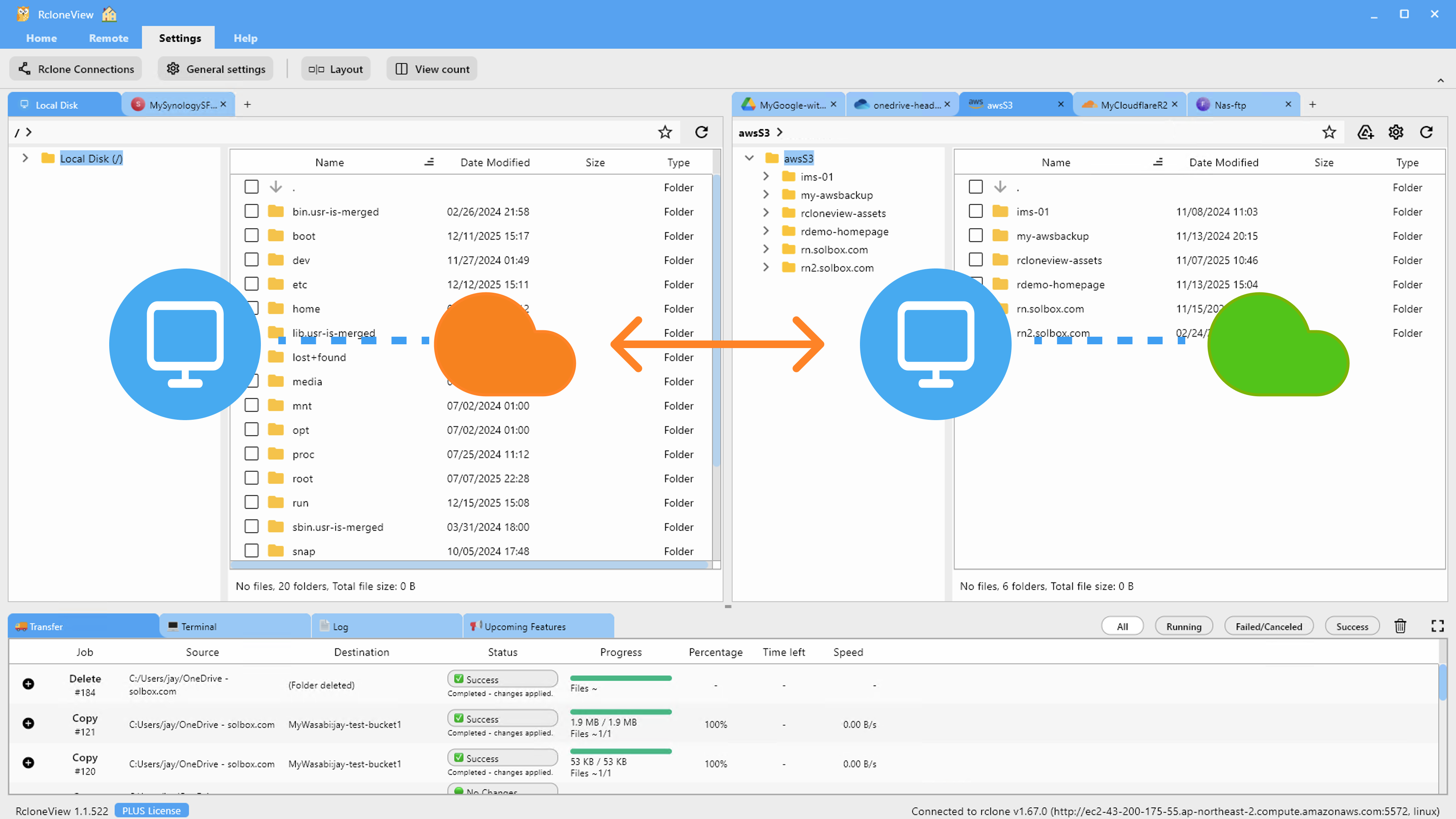
With both remotes configured, they show up as separate tabs in the Explorer, and you can open Box in one panel and Wasabi in the other to see both file trees side by side before moving anything.

Comparing Before You Transfer
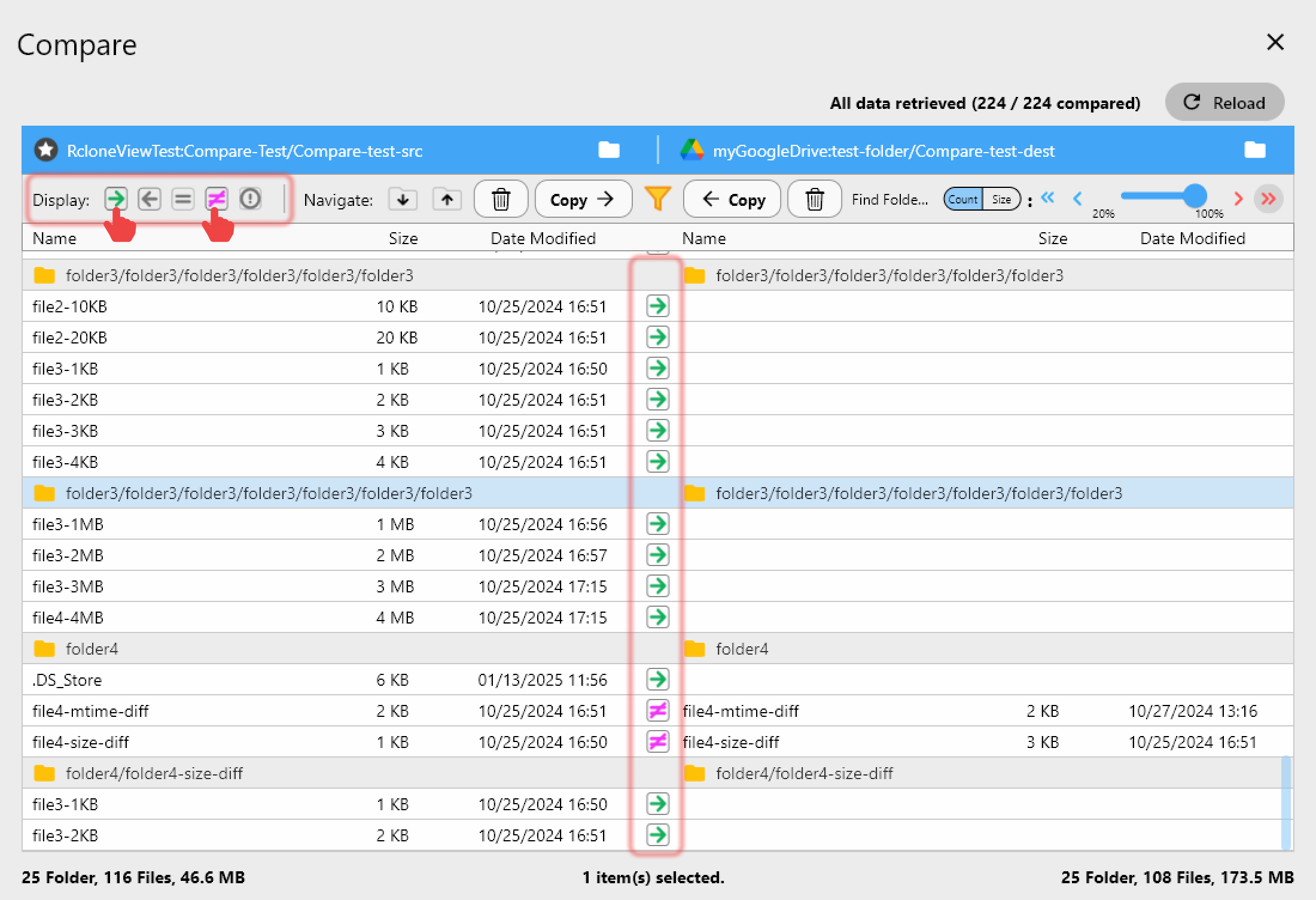
Folder Compare lays the Box source and Wasabi destination folders next to each other and flags what's missing on each side, what's already identical, and what differs by size. For a first-time migration, this is the fastest way to confirm the full Box library is accounted for before running a bulk sync, and it doubles as a verification pass once the transfer finishes — any file still marked "left-only" after copying needs a second look.
Copying from within Folder Compare only touches files that don't already exist on the destination or that differ in size, so a partially completed migration can be resumed without re-copying files that already made it to Wasabi.
Running the Migration with Sync
For the bulk transfer, the Sync wizard's four steps handle source/destination selection, transfer concurrency, and filtering — useful for excluding file types you don't want carried over to Wasabi, such as temporary Box collaboration files. Dry Run previews exactly which files will be copied before anything moves, which matters when a Box library has years of accumulated content and mistakes are expensive to undo.
RcloneView mounts and syncs across 90+ providers from one window on Windows, macOS, and Linux, so the same workflow used here for Box and Wasabi applies to any other remote pairing without learning a new tool. Once the sync job is saved in Job Manager, its history — status, size transferred, and duration — stays available for later reference.
Getting Started
- Download RcloneView from rcloneview.com.
- Add Box via OAuth login and Wasabi via S3-compatible credentials in Remote Manager.
- Run Folder Compare between the Box source and Wasabi destination to confirm scope before transferring.
- Create a Sync job with Dry Run enabled first, then run it for real and track progress in the Transferring tab.
With both remotes visible in the same explorer, moving a Box library to Wasabi becomes a single guided workflow instead of a multi-tool exercise.
Related Guides:
- Manage Box Storage — Sync and Backup Files with RcloneView
- Manage Wasabi Storage — Sync and Backup Files with RcloneView
- Migrate Box to Google Drive — Transfer Files with RcloneView
Supported Cloud Providers





























