RcloneView Slack 遠端控制:用手機管理雲端工作

將 RcloneView 變成一個 chatops 控制台:即使你不在電腦前,也能在 Slack 上接收工作通知、列出工作清單,並啟動或停止工作。
透過 Slack 遠端控制功能,RcloneView 會將工作開始、完成與錯誤的通知傳送到你的手機,並接受簡單的斜線指令來執行或停止工作。這對長時間的備份、通宵的同步,或是你仍想透過手機快速控制的遠端伺服器來說非常實用。
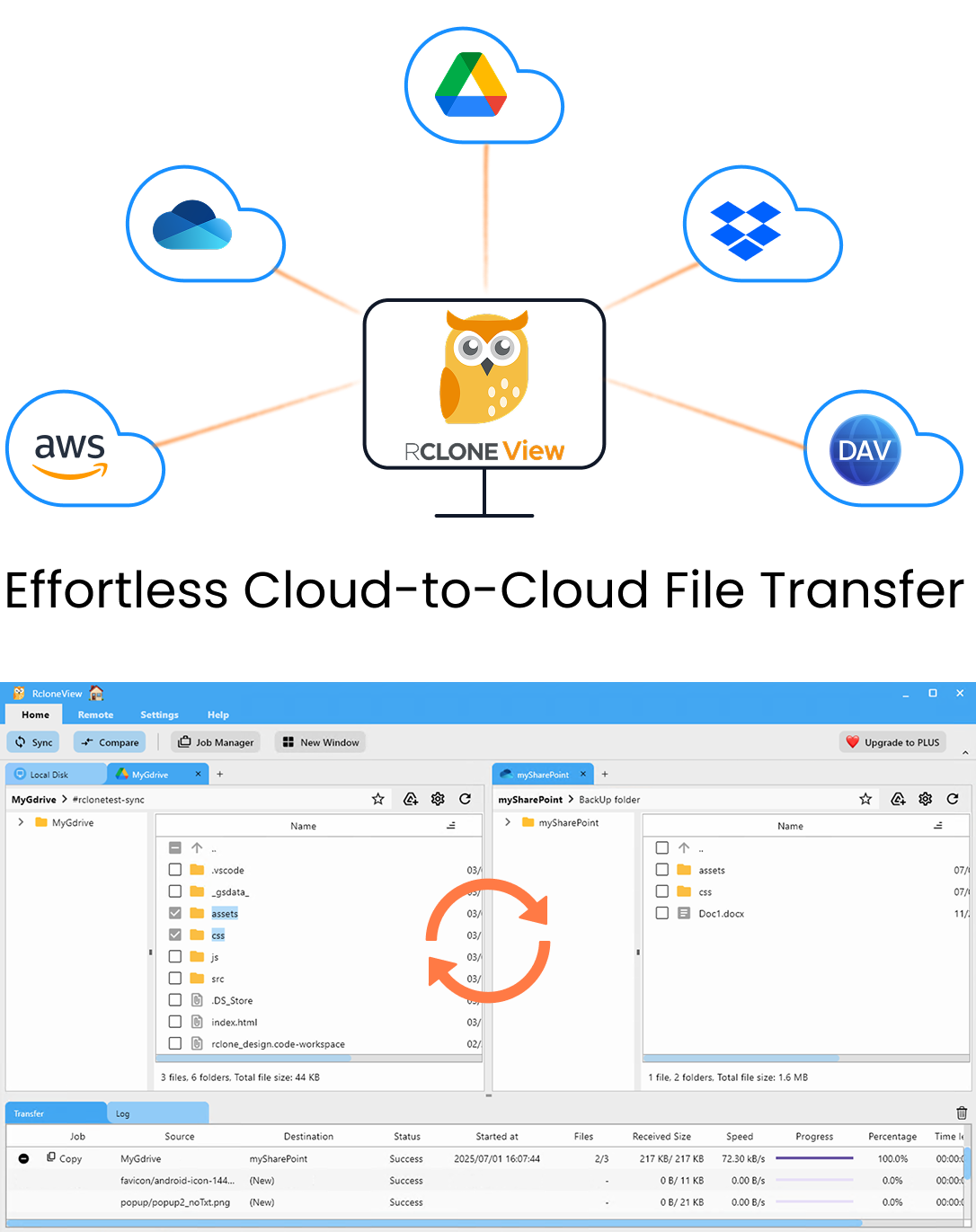
在同一處管理與同步所有雲端
RcloneView 是 rclone 的跨平台 GUI。透過清爽的視覺化介面比較資料夾、傳輸或同步檔案,並自動化多雲工作流程。
- 一鍵作業:複製 · 同步 · 比較
- 排程器與歷史記錄,打造可靠的自動化
- 支援 Google Drive、OneDrive、Dropbox、S3、WebDAV、SFTP 等
核心功能免費。Plus 提供自動化功能。
你可以在 Slack 上做什麼
- 即時通知:工作開始、完成或發生錯誤時立即收到提醒。
- 列出工作:以簡潔的清單檢視所有已註冊的 RcloneView 工作。
- 遠端工作控制:以名稱或索引(#N)啟動工作,或立即停止工作。
- 即時狀態查詢:隨時查看進度、傳輸速度以及預估剩餘時間。
注意:RcloneView 必須在你的電腦或伺服器上執行,才能處理 Slack 指令。
事前準備
- 已安裝並執行 RcloneView(桌面版或無介面版)。
- 擁有 Slack 帳號與自己的工作區(workspace)。
- 網際網路連線。
步驟 1:建立你的 Slack 應用程式(使用 Manifest)
為了最大程度的安全性,RcloneView 採用「私有應用程式」的方式,讓你自行建立機器人。這確保你的資料不會經過任何第三方伺服器——資料會直接從你的電腦傳送到 Slack。
-
前往 Slack API 儀表板,點選 [Create New App]。
-
選擇 [From a manifest]。
-
選擇你想安裝此應用程式的 Workspace,然後點選 [Next]。
-
選擇 [JSON] 分頁,刪除既有內容,並貼上以下程式碼:
{
    "display_information": {
        "name": "RcloneView",
        "description": "Effortlessly browse, organize, transfer files across your cloud storages.",
        "background_color": "#3f2f3f"
    },
    "features": {
        "bot_user": {
            "display_name": "RcloneView",
            "always_online": false
        },
        "slash_commands": [
            {
                "command": "/help",
                "description": "Show all commands",
                "should_escape": false
            },
            {
                "command": "/joblist",
                "description": "List jobs",
                "should_escape": false
            },
            {
                "command": "/start",
                "description": "Start a job (Enter number or name)",
                "usage_hint": "<#number> or <jobName>",
                "should_escape": false
            },
            {
                "command": "/stop",
                "description": "Stop a running job by JobId",
                "usage_hint": "<JobId>",
                "should_escape": false
            },
            {
                "command": "/jobstatus",
                "description": "Check status by JobId",
                "usage_hint": "<JobId>",
                "should_escape": false
            }
        ]
    },
    "oauth_config": {
        "scopes": {
            "bot": [
                "commands",
                "chat:write",
                "chat:write.public",
                "im:write",
                "app_mentions:read",
                "files:write"
            ]
        }
    },
    "settings": {
        "interactivity": {
            "is_enabled": true
        },
        "org_deploy_enabled": false,
        "socket_mode_enabled": true,
        "token_rotation_enabled": false
    }
}
- 點選 [Next],然後點選 [Create] 完成應用程式建立。
步驟 2:取得你的 Token
在設定 RcloneView 時,你需要兩種類型的 Token。請將這些 Token 視同密碼,切勿與他人分享。
① 取得 App Token(用於 Socket Mode)
- 在左側選單中,前往 [Basic Information]。
- 向下捲動至 [App-Level Tokens] 區塊,點選 [Generate Token and Scopes]。
- 將名稱設為
RcloneView,點選 [Add Scope],選擇connections:write,然後點選 [Generate]。 - 複製以
xapp-...開頭的 Token 並妥善保存。
② 取得 Bot Token(用於傳送訊息)
- 在左側選單中,前往 [Install App]。
- 點選綠色的 [Install to Workspace] 按鈕,然後點選 [Allow]。
- 複製以
xoxb-...開頭的 Bot User OAuth Token 並妥善保存。
步驟 3:啟用 Messages 分頁
- 在左側選單點選 App Home。
- 開啟
Messages Tab。 - 勾選
Allow users to send Slash commands and messages from the messages tab。
這樣一來,你就可以直接向機器人傳送斜線指令。
步驟 4:找出你的成員 ID
機器人需要你的唯一 ID,才能知道要將通知(DM)傳送給哪位使用者。
- 開啟你的 Slack 應用程式,點選你的個人頭像,選擇 [Profile]。
- 點選 [More (···)] 按鈕。
- 在選單底部選擇 [Copy member ID]。(範例:
U1234567890)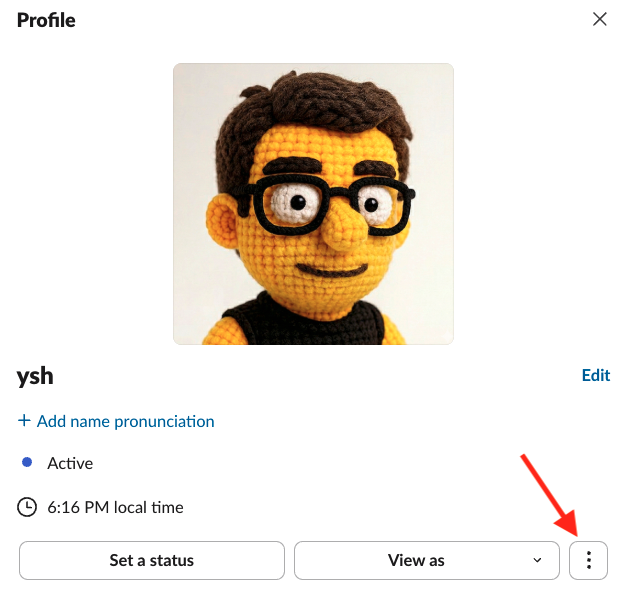
步驟 5:在 RcloneView 中啟用 Slack 控制
- 開啟 RcloneView,前往 Settings -> Interfaces & Notifications。
- 開啟 Slack Remote Control 開關。
- 在對應欄位輸入你的 App Token、Bot Token 與 Member ID。
- 點選 [Send Test Message],確認你的手機是否收到訊息。
⌨️ 指令指南(ChatOps)
在有機器人的任何聊天室中輸入以下指令:
/help- 顯示所有可用指令。/joblist- 列出目前連線下所有已註冊的工作。/start <jobName>- 以確切名稱啟動工作。/start #<number>- 使用/joblist中的索引啟動工作(例如:/start #1)。/stop <JobId>- 使用工作的 Job ID 停止執行中的工作。/jobstatus <JobId>- 查看指定工作的即時進度與統計資料。
安全與管理提醒
- 使用者識別:只有設定的 Member ID 有權限執行指令。
- Token 輪替:若你的 Token 曾經外洩,請立即前往 Slack API 頁面點選
Regenerate。 - 離線狀態:若 RcloneView 未在執行,Slack 機器人將不會回應任何指令。
相關資源
結語
Slack 讓 RcloneView 成為行動指揮中心:你能隨時收到通知、即時啟動或停止工作,並更快地應對失敗狀況。只需設定一次,妥善保管好 Token,即使不在辦公桌前,也能自信地管理你的雲端自動化。
支援的雲端服務商





























