Amazon S3 vs Backblaze B2 — Object Storage Comparison with RcloneView

Both Amazon S3 and Backblaze B2 are S3-compatible object storage platforms — but they serve different use cases. Here's what to know before choosing, and how RcloneView works with both.
Amazon S3 is the foundational cloud object storage service, known for its global infrastructure, deep AWS ecosystem integration, and feature set that spans simple storage to event-driven compute triggers. Backblaze B2 is a leaner, cost-focused alternative that supports the S3 API and is particularly attractive for backup-heavy workloads. RcloneView supports both natively, so you can use each where it makes sense — or run both simultaneously.

Manage & Sync All Clouds in One Place
RcloneView is a cross-platform GUI for rclone. Compare folders, transfer or sync files, and automate multi-cloud workflows with a clean, visual interface.
- One-click jobs: Copy · Sync · Compare
- Schedulers & history for reliable automation
- Works with Google Drive, OneDrive, Dropbox, S3, WebDAV, SFTP and more
Free core features. Plus automations available.
Core Differences to Understand Before Choosing
Ecosystem: Amazon S3 integrates with Lambda, CloudFront, EC2, and dozens of other AWS services. If your workflow relies on S3 events triggering functions or S3 as a CDN origin, AWS wins by default. Backblaze B2 integrates well with Cloudflare's network (free egress when paired), making it a strong choice for content delivery without AWS lock-in.
Global Reach: S3 offers regions across every major continent. B2 offers fewer regions but focuses on California and Amsterdam locations. For teams with strict data residency requirements in non-US regions, S3's regional coverage may be decisive.
Feature Depth: S3 offers Object Lock (WORM storage), Intelligent-Tiering, S3 Glacier integration, and lifecycle policies for automatic archiving. B2 offers Object Lock and lifecycle rules, but the feature set is more focused. For complex archiving workflows, S3 provides more native tools.

How RcloneView Works With Both
In RcloneView, both Amazon S3 and Backblaze B2 are configured as S3-compatible remotes. For S3, enter your AWS Access Key ID, Secret Access Key, and region. For B2, enter your Application Key ID and Application Key — RcloneView automatically maps B2 to the S3-compatible endpoint. Both remotes appear as browsable panels in the file explorer with identical UX.
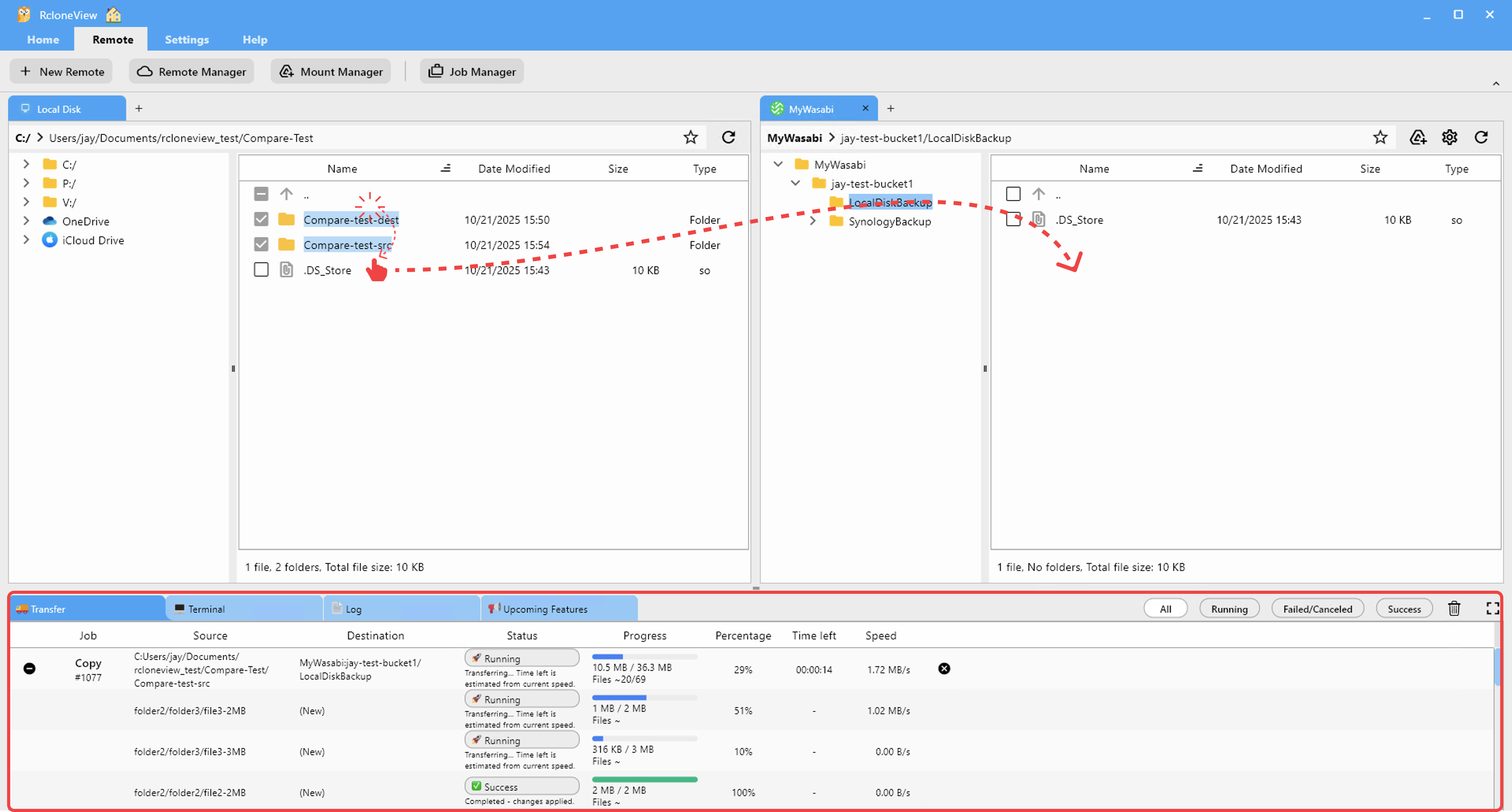
You can open an S3 bucket and a B2 bucket side by side and drag files between them, or create a Sync job to keep them in sync. This makes it trivially easy to run a dual-cloud backup strategy: primary data on S3, archive copy on B2.
Which Should You Choose for Backup Workloads?
For most pure backup and archiving use cases, Backblaze B2 offers compelling advantages: simpler pricing, generous free egress with Cloudflare, and solid performance for sequential reads and writes. For workloads that also need event processing, CDN integration with AWS services, or multi-region compliance, Amazon S3 is the more capable platform.
Many teams use both: S3 as the operational storage layer and B2 as the cost-effective disaster recovery copy. RcloneView's cloud-to-cloud sync makes maintaining this pattern effortless.

Getting Started
- Download RcloneView from rcloneview.com.
- Add Amazon S3 and Backblaze B2 as S3-compatible remotes with their respective credentials.
- Browse both buckets side by side and explore their contents.
- Create a Sync job to replicate data from one to the other as a backup strategy.
Whether you choose S3, B2, or both, RcloneView gives you a unified GUI for managing, migrating, and automating your object storage.
Related Guides:
- Manage Amazon S3 Cloud Storage with RcloneView
- Manage Backblaze B2 Cloud Storage with RcloneView
- Wasabi vs Backblaze B2 vs IDrive E2 — Comparison
Supported Cloud Providers





























