Cloud Storage for Drone Survey and Mapping Companies — Manage Large Datasets with RcloneView

Raw flight captures, processed orthomosaics, and point clouds pile up fast — RcloneView keeps them organized across every cloud your team relies on.
A single drone survey flight can produce tens of thousands of raw images, and processed outputs like orthomosaics and LiDAR point clouds routinely reach tens of gigabytes per site. Survey and mapping companies typically split this data across a fast local drive for active processing, cloud storage for client delivery, and a cheaper archive tier for completed projects — which means files need to move between locations constantly. RcloneView manages that movement from one interface instead of juggling separate upload tools per provider.

Manage & Sync All Clouds in One Place
RcloneView is a cross-platform GUI for rclone. Compare folders, transfer or sync files, and automate multi-cloud workflows with a clean, visual interface.
- One-click jobs: Copy · Sync · Compare
- Schedulers & history for reliable automation
- Works with Google Drive, OneDrive, Dropbox, S3, WebDAV, SFTP and more
Free core features. Plus automations available.
Organizing Raw Captures and Processed Deliverables
Set up separate remotes for your raw capture archive, your processing workspace, and the cloud location where finished deliverables get shared with clients. RcloneView's multi-panel explorer lets you view up to four locations side by side, so you can confirm a processed orthomosaic matches its source flight folder before archiving the raw images off local disk.

Connect S3, Azure, or Backblaze B2 with full read/write access on the FREE license, which matters for survey companies moving large processed datasets into object storage for long-term client access without a per-seat cost.
Syncing Large Flight Datasets Without Manual Uploads
Configure a sync job with the source set to your local capture folder and the destination set to cloud storage, then tune the number of concurrent file transfers in Advanced Settings to match your upload bandwidth — thousands of small raw images benefit from higher concurrency than a handful of large processed files. Use the max file age filter to sync only recent flights during active field days, keeping bandwidth free for time-sensitive deliverables.
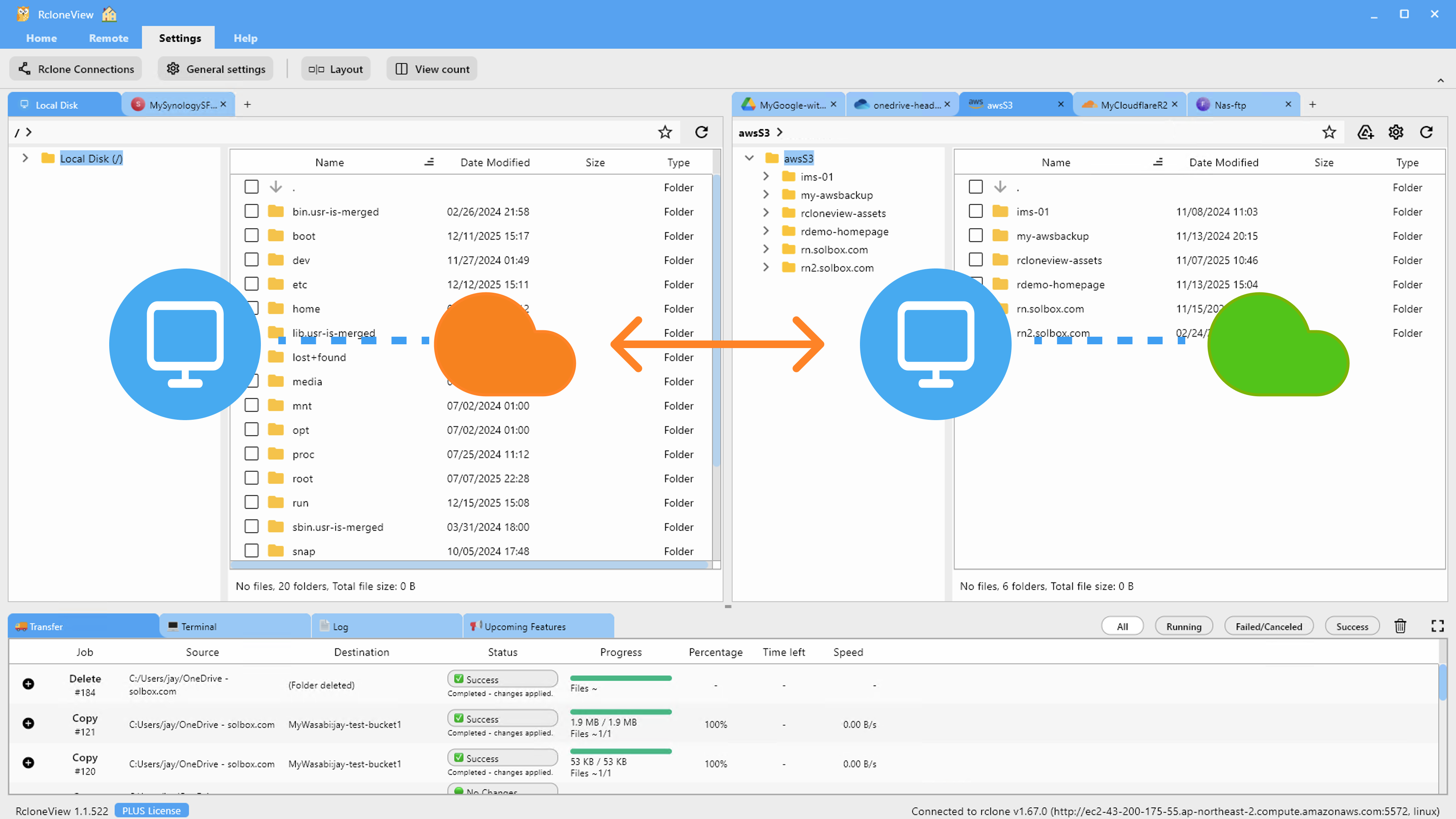
Run Dry Run before the first sync of a new site to confirm the folder structure and file count match what you expect from the flight log, catching a missed folder before it becomes a client-facing gap.
Verifying Deliverables with Folder Compare
Before handing a project off to a client or archiving it, use Folder Compare to check that everything uploaded to cloud storage matches the local processing folder. It flags files that exist only on one side and files with different sizes, which catches an interrupted upload before a client discovers a missing tile in their orthomosaic.
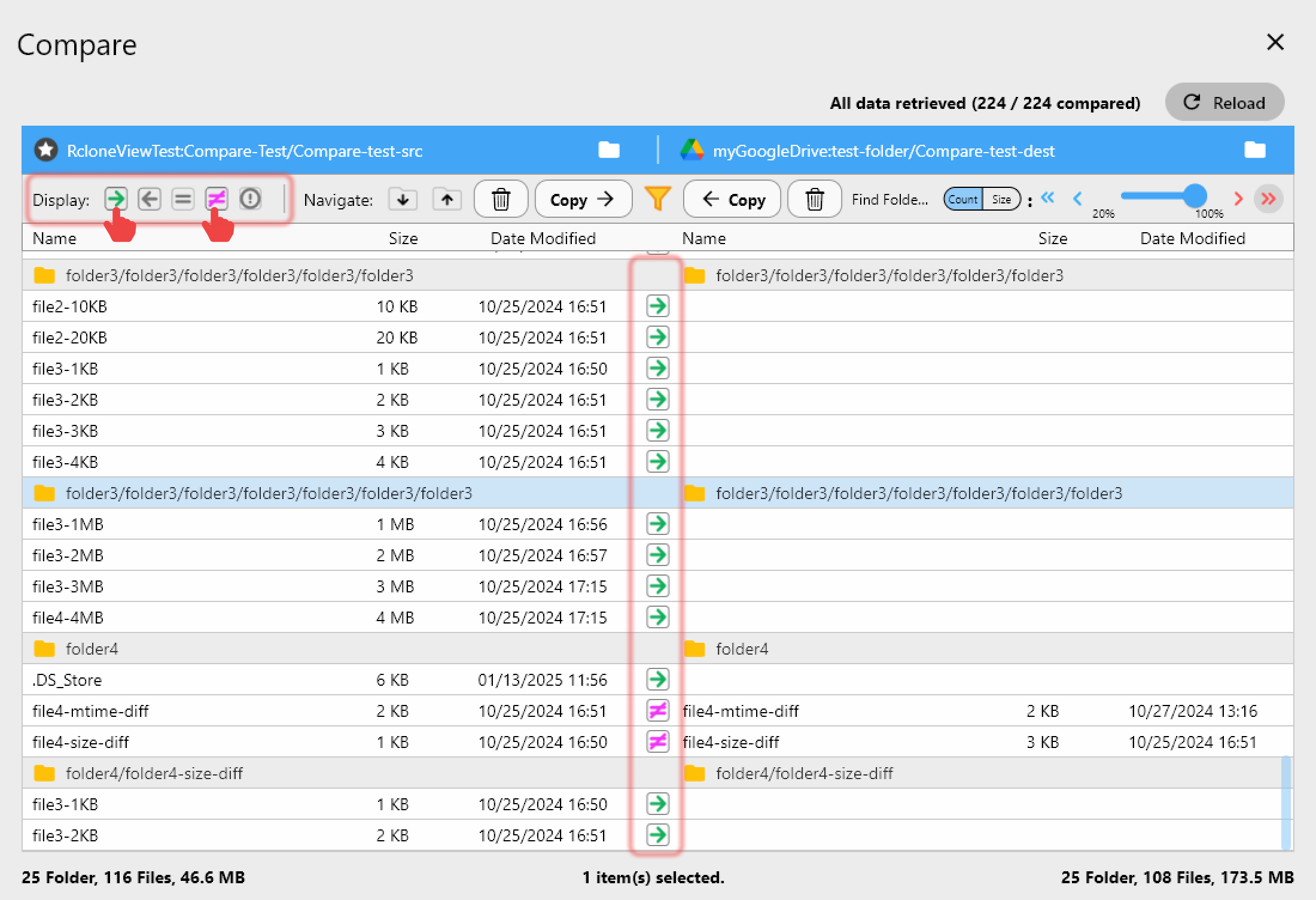
For recurring survey clients, save these as scheduled sync jobs (PLUS license) so each new flight's data lands in the right client folder on the schedule you configure, with Job History giving you a record of exactly when each dataset was delivered.
Getting Started
- Download RcloneView from rcloneview.com.
- Add remotes for your local capture drive, processing workspace, and client delivery cloud storage.
- Configure a sync job with transfer concurrency tuned to your typical flight dataset size.
- Run Folder Compare after each upload to confirm the dataset transferred completely before archiving raw captures.
Keeping flight data organized across storage tiers means less time hunting for files and more confidence that every client delivery is complete.
Related Guides:
- Cloud Storage for Agriculture and Farming — Manage Field Data with RcloneView
- Cloud Storage for Construction Project Management with RcloneView
- Accelerate Large Cloud Transfers with RcloneView
Supported Cloud Providers





























