Cloud Storage for Genealogy Researchers — Preserve Family History Archives with RcloneView
Decades of research can sit on one laptop drive. RcloneView copies it to several clouds and checks that every copy matches.
Genealogy archives grow in odd shapes. A family historian might hold 40,000 TIFF scans of parish registers, a few GEDCOM exports of the family tree, hours of WAV interviews with elderly relatives, and raw DNA data files. Volunteer genealogy societies keep the same mix on shared drives and spare USB disks. RcloneView gives both groups one desktop app for copying that archive to the cloud storage they already use and keeping the copies current.
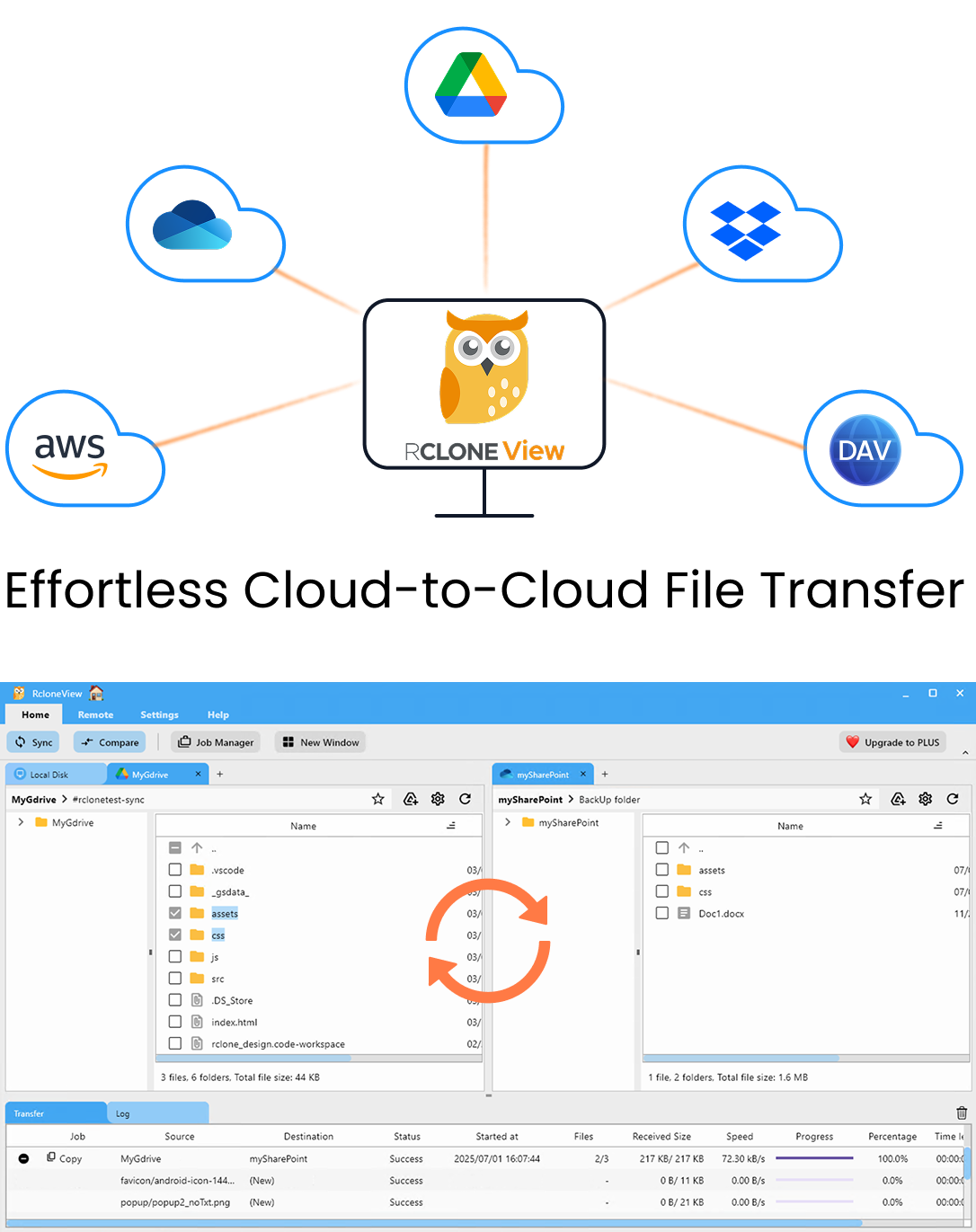
Manage & Sync All Clouds in One Place
RcloneView is a cross-platform GUI for rclone. Compare folders, transfer or sync files, and automate multi-cloud workflows with a clean, visual interface.
- One-click jobs: Copy · Sync · Compare
- Schedulers & history for reliable automation
- Works with Google Drive, OneDrive, Dropbox, S3, WebDAV, SFTP and more
Free core features. Plus automations available.
Put Every Archive Location in One Window
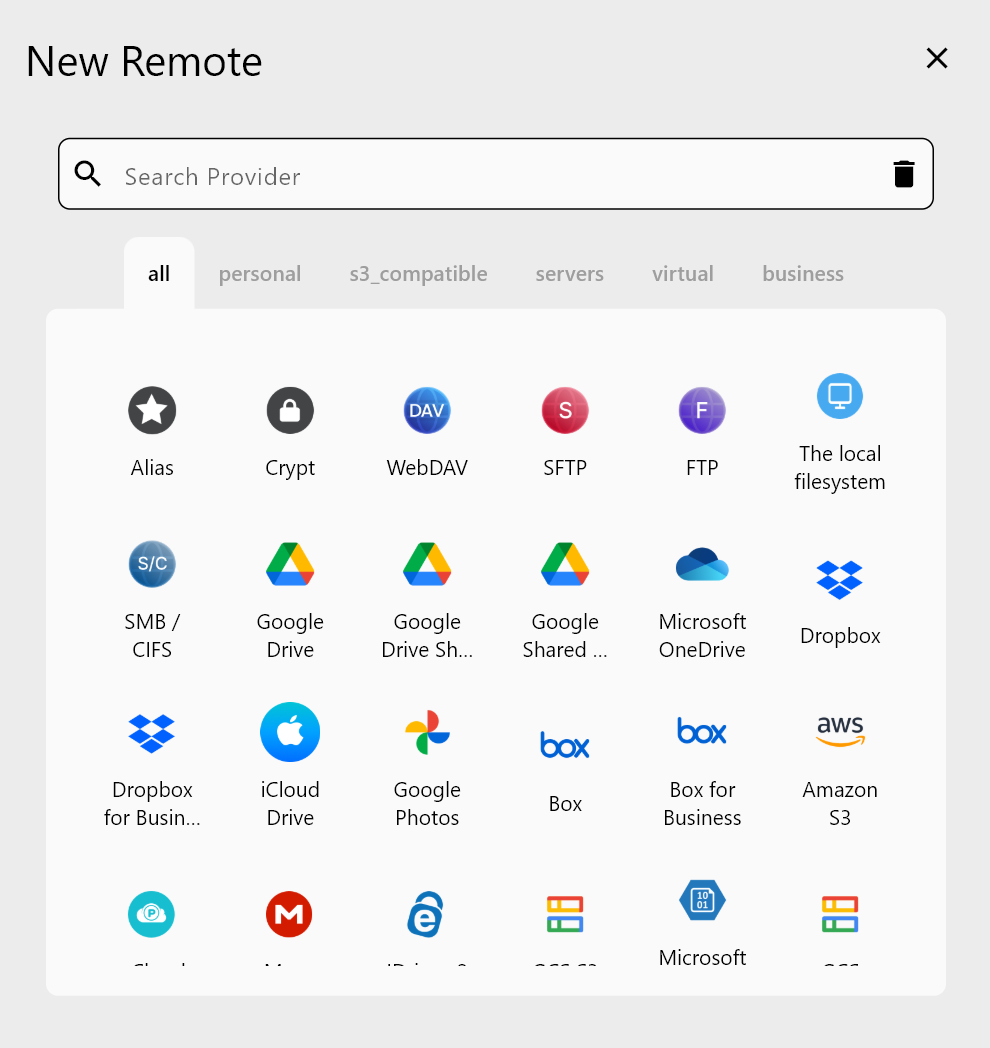
Most researchers spread material across services: a Google Drive folder shared with cousins, a Dropbox link from a distant archive, and an external drive of master scans. In RcloneView you add each one as a remote. Google Drive, Dropbox, OneDrive, and pCloud connect through a browser login. Backblaze B2 needs an Application Key ID and key. A Synology NAS can be detected on the local network.
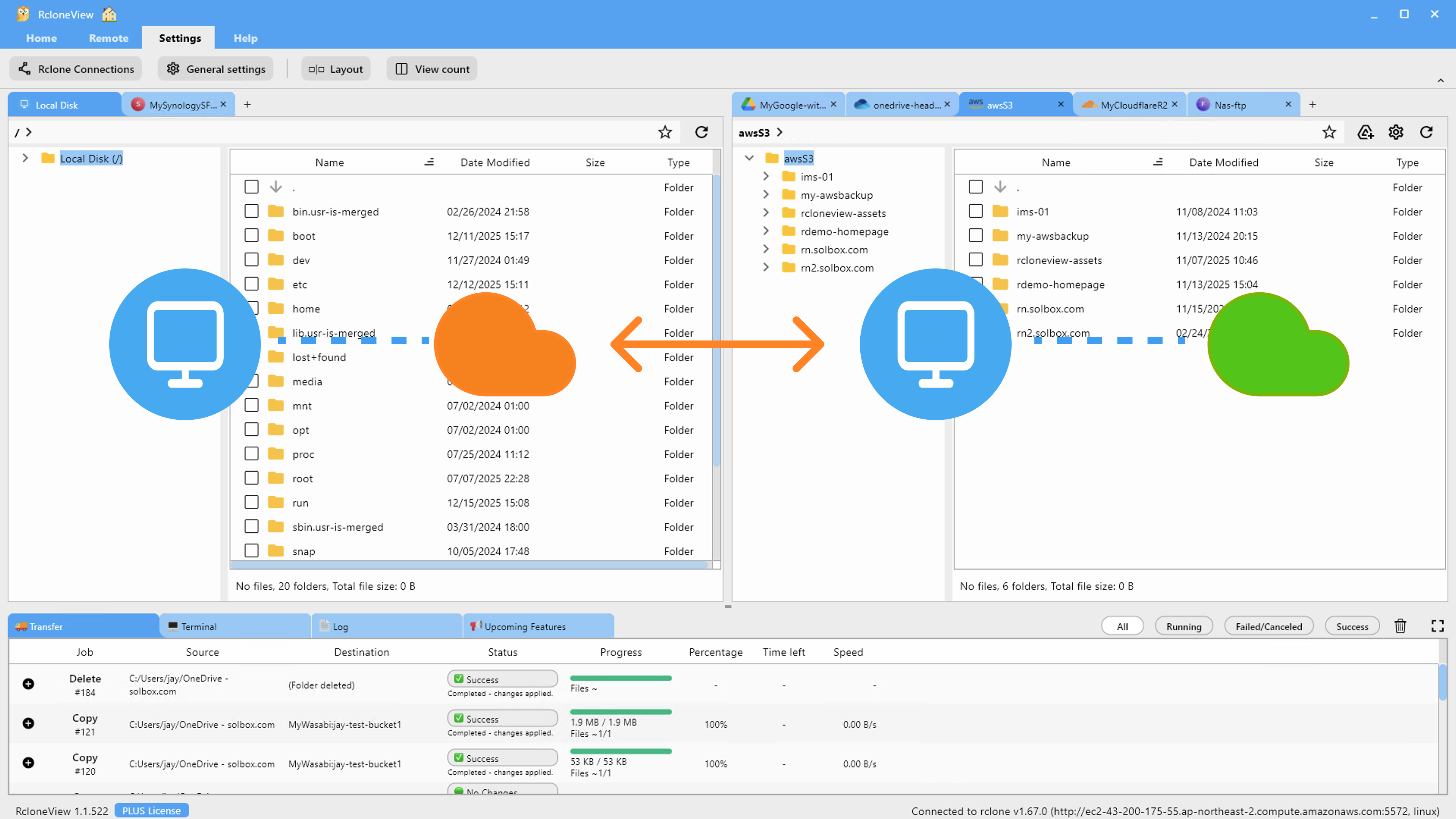
Open up to four Explorer panels side by side and drag a folder of scans from the external drive to a cloud remote. Dragging between different remotes copies, so the originals stay where they are.
Keep More Than One Copy of Irreplaceable Scans
A rescanned census page is an inconvenience. A lost recording of a grandparent's voice is gone for good. Use 1:N synchronization to send one source folder to several destinations in one job, for example a master scans folder to both pCloud and a Backblaze B2 bucket. Connect S3, Azure, or Backblaze B2 with full read/write on the FREE license.
Before the first run, use Dry Run to list what will be copied and deleted. One-way sync changes only the destination, so the master folder on your drive is never touched.
Protect DNA Data and Living Relatives' Records
Raw DNA files and records about living people need more care than a 19th-century marriage register. Wrap a cloud folder in a Crypt remote and RcloneView encrypts file names, folder names, and contents before upload. The provider stores only encrypted data, and you browse it decrypted in RcloneView as usual. Keep the Crypt password somewhere safe: without it, the files cannot be decrypted.
Verify Copies and Automate Updates
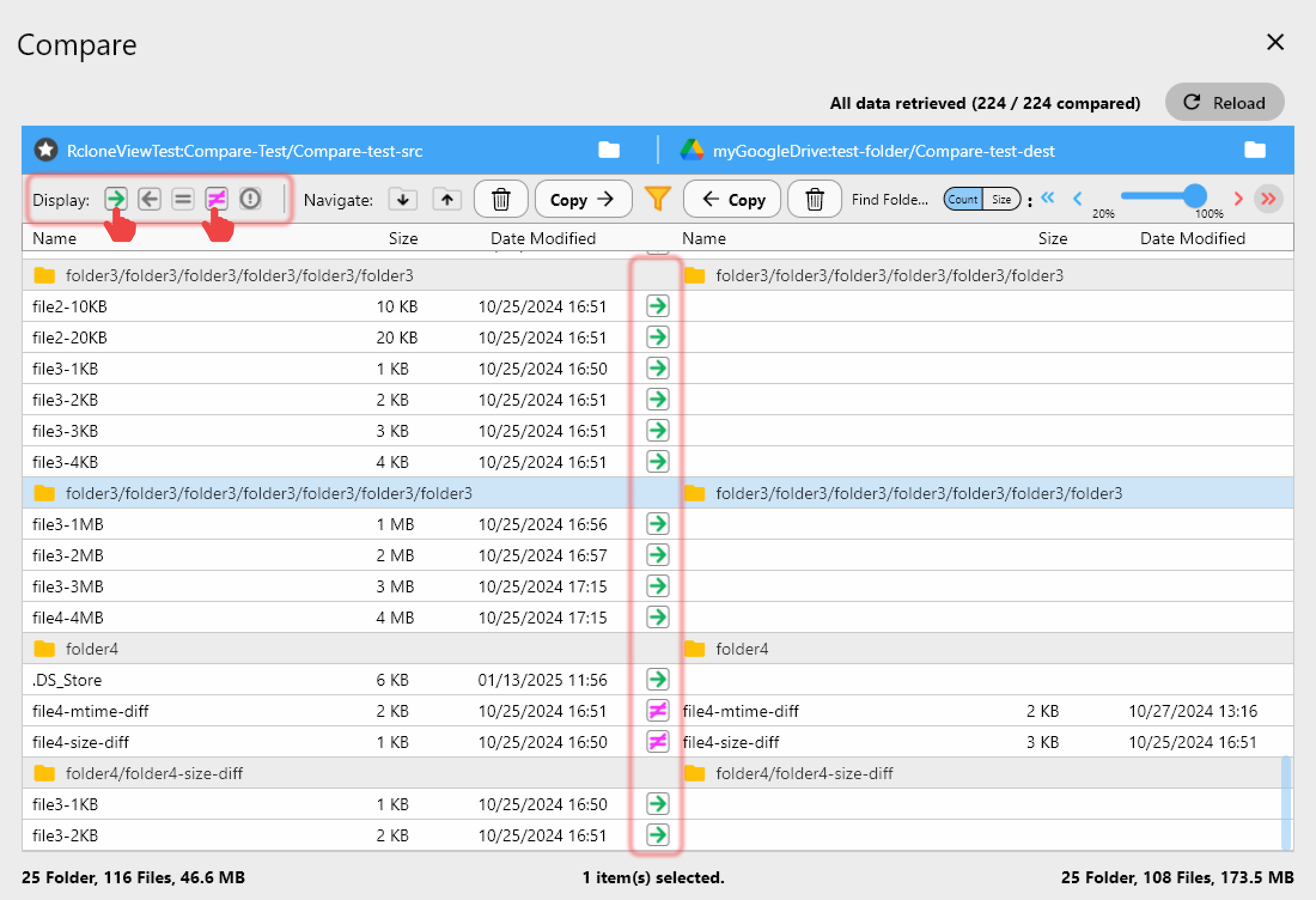
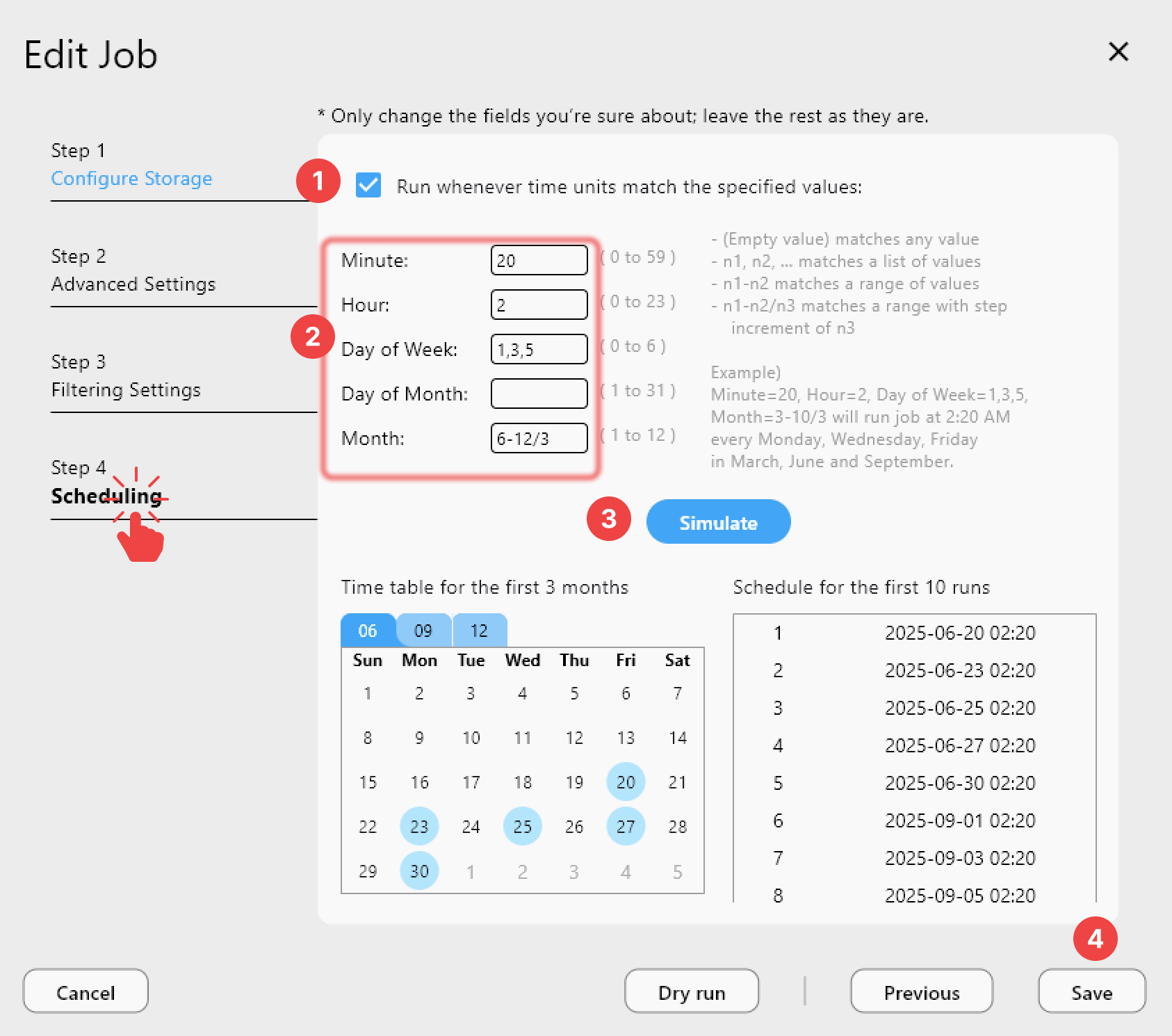
Use Folder Compare to check the local master against each cloud copy. Filters show files that exist on only one side or differ in size, and Copy right or Copy left fixes a gap in one click. With a PLUS license, a crontab-style schedule can run the sync every Sunday night, and Job History records each run's status, size, and file count.
Getting Started
- Download RcloneView from rcloneview.com.
- Add your external drive or NAS and two cloud remotes, such as pCloud and Backblaze B2.
- Create a sync job from your master archive folder with both clouds as destinations, then run a Dry Run.
- Add a Crypt remote for DNA files and records of living people, and check the copies with Folder Compare.
With two verified copies off-site, your research outlives any single drive.
Related Guides:
- Cloud Storage for Museums and Archives
- One-to-Many Sync to Multiple Destinations
- Encrypt Cloud Backups with a Crypt Remote
Supported Cloud Providers