Cloud Storage for Performing Arts Theaters — Protect Scripts, Cues, and Rehearsal Footage with RcloneView
Opening night depends on files: the right script revision, the final sound cues, and the lighting plot the designer signed off on.
A regional theater company juggles a surprising amount of data. Directors share script revisions in Google Drive, the sound designer delivers cue stacks over Dropbox, rehearsal video piles up on a Synology NAS in the booth, and the archive of past seasons sits on aging external drives. RcloneView brings all of these into one window so the production team can sync, compare, and back up every show folder without juggling separate apps.
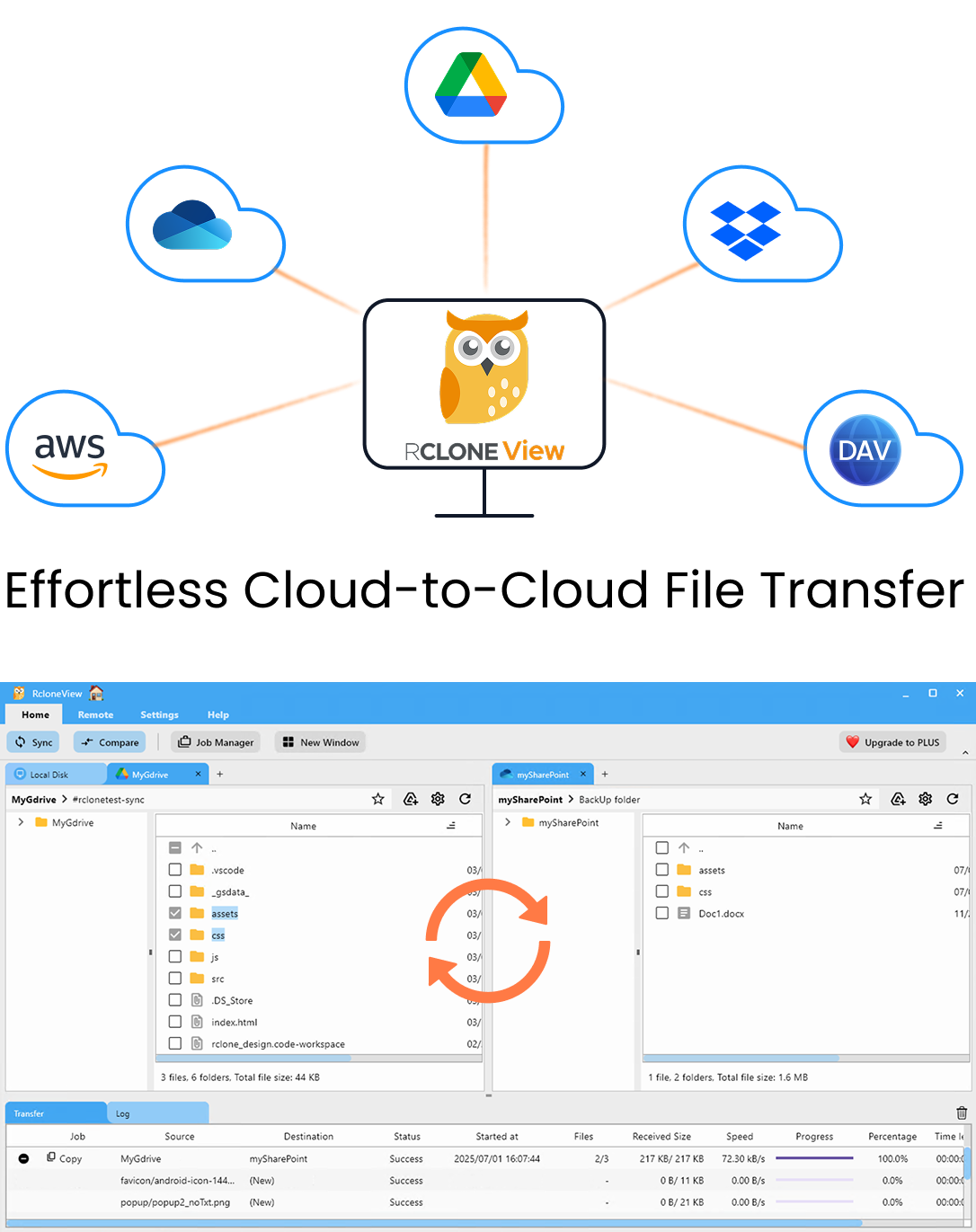
Manage & Sync All Clouds in One Place
RcloneView is a cross-platform GUI for rclone. Compare folders, transfer or sync files, and automate multi-cloud workflows with a clean, visual interface.
- One-click jobs: Copy · Sync · Compare
- Schedulers & history for reliable automation
- Works with Google Drive, OneDrive, Dropbox, S3, WebDAV, SFTP and more
Free core features. Plus automations available.
Connect Every Storage Location the Production Uses
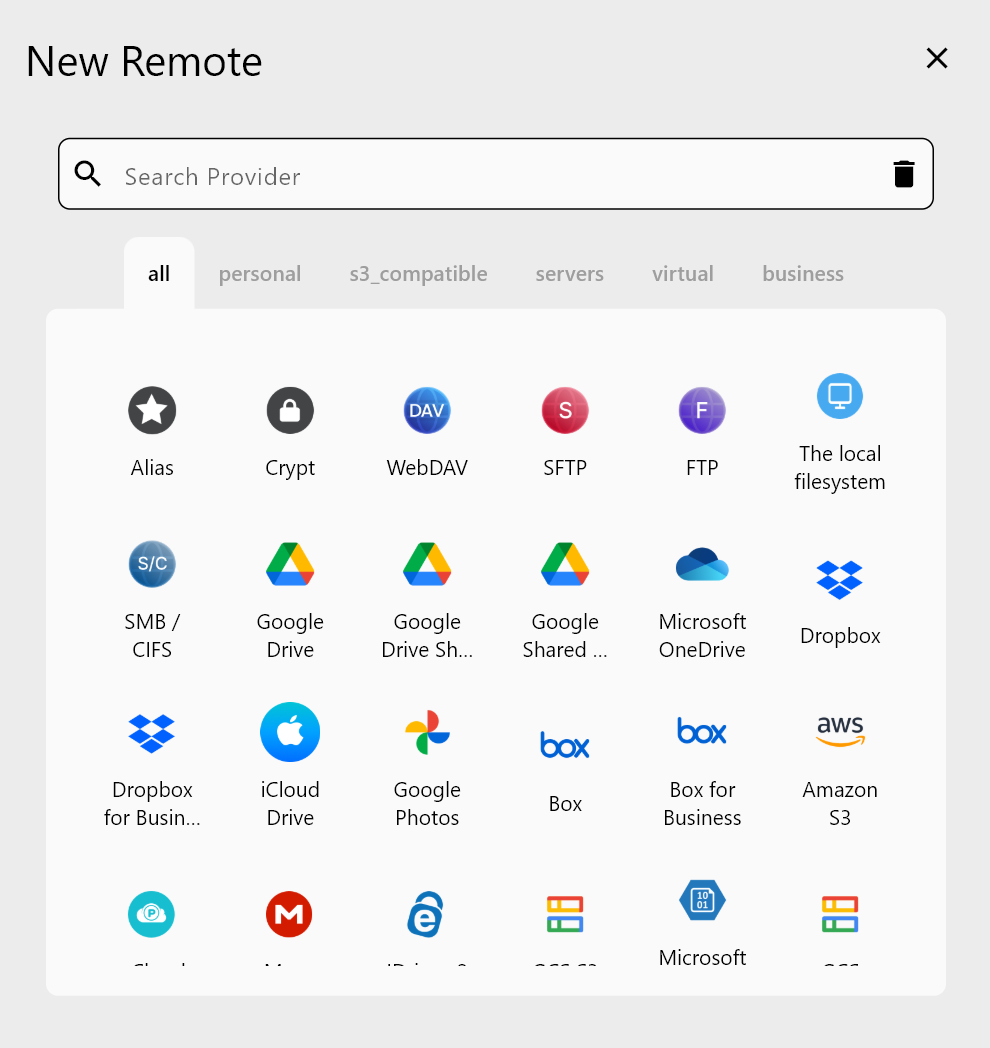
Each department tends to pick its own tool, so the first step is getting everything visible. In RcloneView, add Google Drive and Dropbox with a browser login, connect the booth NAS through Synology auto-detection, and add an object storage bucket such as Backblaze B2 or Wasabi for the long-term archive. Shared folders that outside designers send through Google Drive can be added as a Google Drive Shared with Me remote.
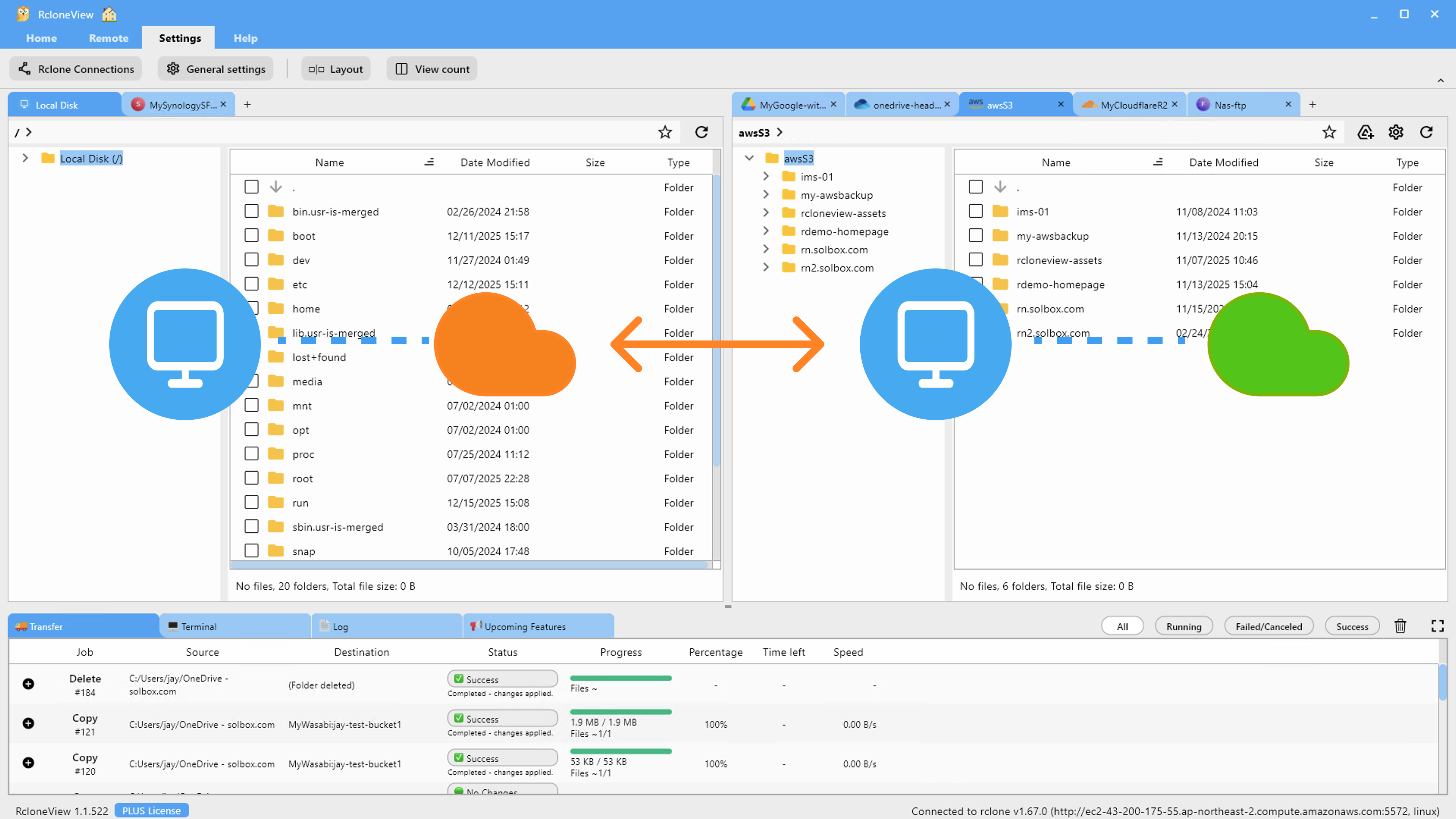
With up to four explorer panels open side by side, a stage manager can drag the latest prompt book from Drive into the NAS show folder, or pull a designer's renderings from Dropbox into the archive bucket. Dragging between different remotes copies files, so the original stays where the designer left it.
Keep Cue Files and Scripts Consistent Before Tech Week
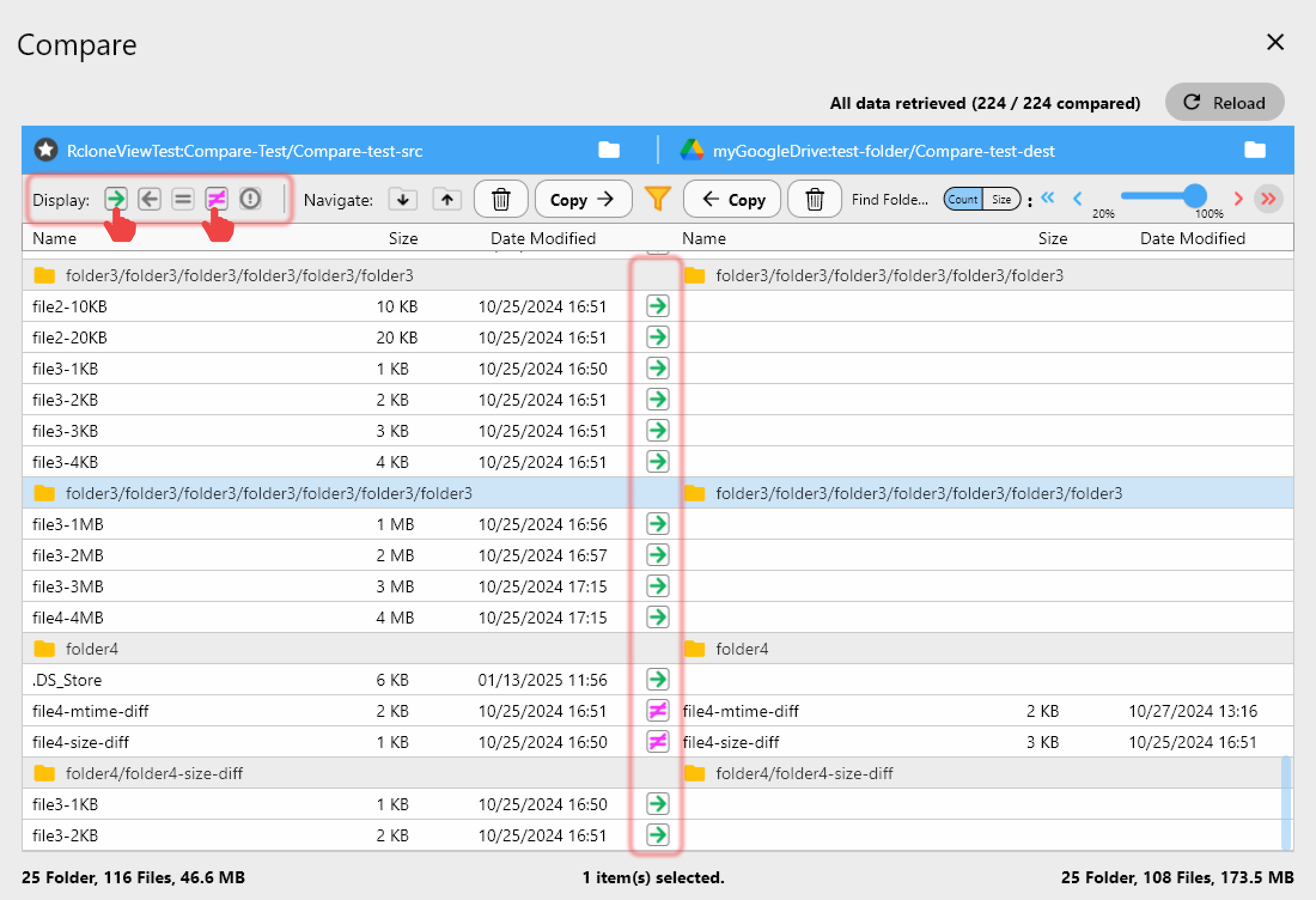
The classic tech-week mistake is running the show from an outdated cue file. RcloneView's Folder Compare puts the sound designer's delivery folder next to the booth copy and highlights files that exist on one side only or differ in size. Copy the changed cue files across in one click, and they are marked as equal in the comparison view.
For the full show folder, a Sync job with Dry Run first shows exactly what will be copied or deleted, which matters when a director has quietly reorganized the script folder.
Back Up Rehearsal Video to Two Destinations at Once
Rehearsal and archival recordings are large and irreplaceable. RcloneView's 1:N synchronization mirrors one source folder to several destinations in a single job, so the NAS video folder can go to both a B2 bucket and a second cloud. Unlike mount-only tools, RcloneView also syncs and compares folders — on the FREE license.
Actor contracts and payroll exports deserve extra care. Wrap a cloud folder in a Crypt remote so file names and contents are encrypted before they leave the office.
Automate Nightly Backups Through the Run
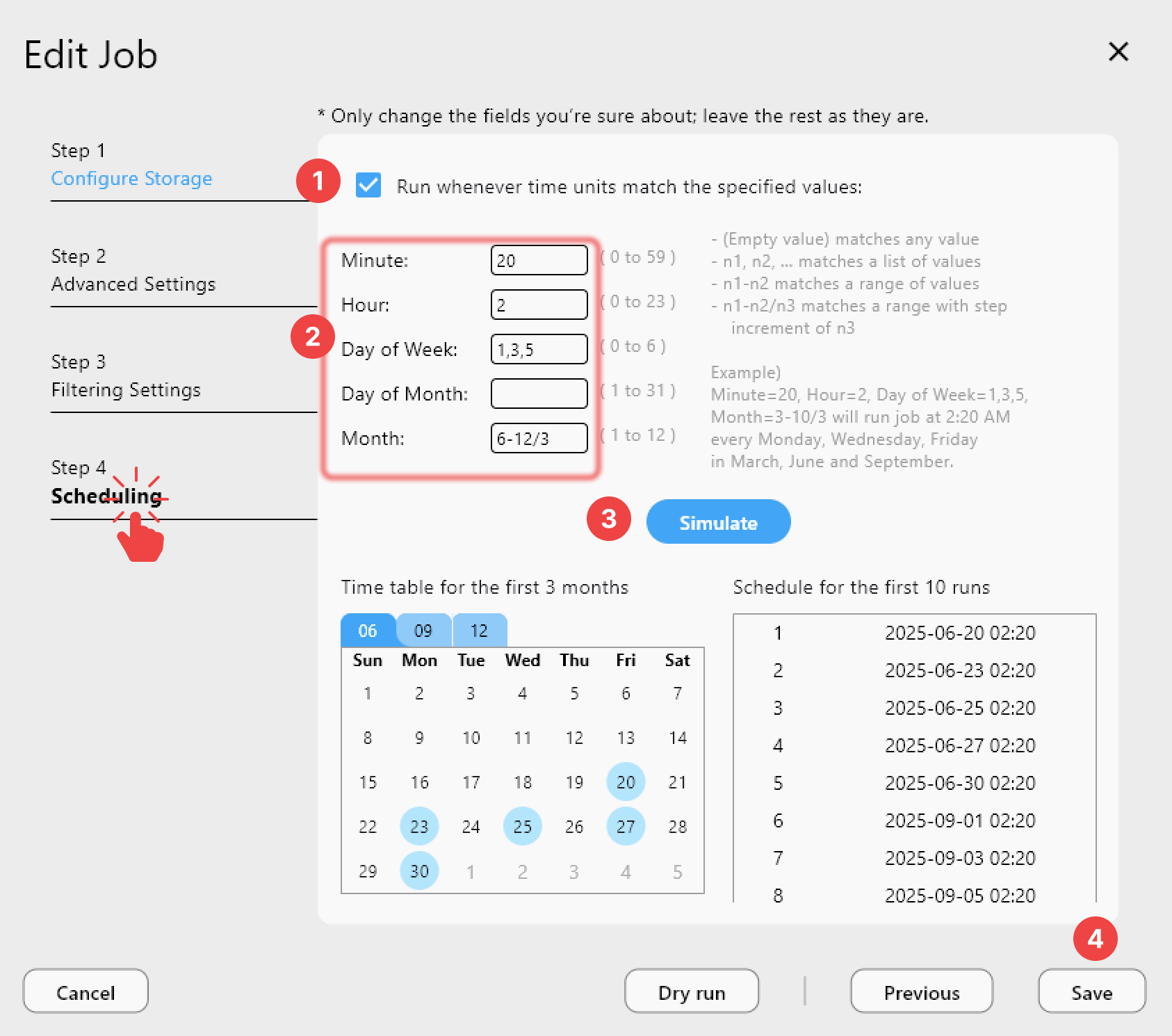
With a PLUS license, the job wizard's crontab-style scheduler runs backups after each evening's performance, for example at 1:00 AM, and Simulate schedule previews the next run times. Job History records every run with status, size, and file count, giving the production manager a clear record if a question comes up mid-run.
Getting Started
- Download RcloneView from rcloneview.com.
- Add the remotes your departments already use: Google Drive, Dropbox, your NAS, and an archive bucket.
- Use Folder Compare to confirm the booth copy of cue files matches the designer's latest delivery.
- Create a 1:N Sync job for rehearsal video and schedule it nightly with PLUS.
When the files are protected, the crew can stay focused on the show.
Related Guides:
- Best Cloud Storage Workflow for Video Production Teams — Sync Dailies, Proxies, and Finals with RcloneView
- Cloud Storage for Music Production — Manage Sessions, Stems, and Backups with RcloneView
- 1:N Synchronization — Sync One Source to Multiple Destinations in RcloneView
Supported Cloud Providers