Cloud Storage for Staffing & Recruiting Agencies — Manage Candidate Files with RcloneView

Staffing agencies live and die by how fast they can find, share, and protect candidate files — RcloneView keeps every resume, contract, and background check organized across clouds.
A staffing or recruiting agency generates a constant stream of documents: resumes, offer letters, signed contracts, background check reports, timesheets, and client intake forms. Multiply that across branch offices or recruiters who each favor a different cloud provider, and file sprawl becomes a daily operational risk. RcloneView gives agencies a single window to browse, transfer, and back up candidate files across every cloud account in use, without forcing a migration to one provider.

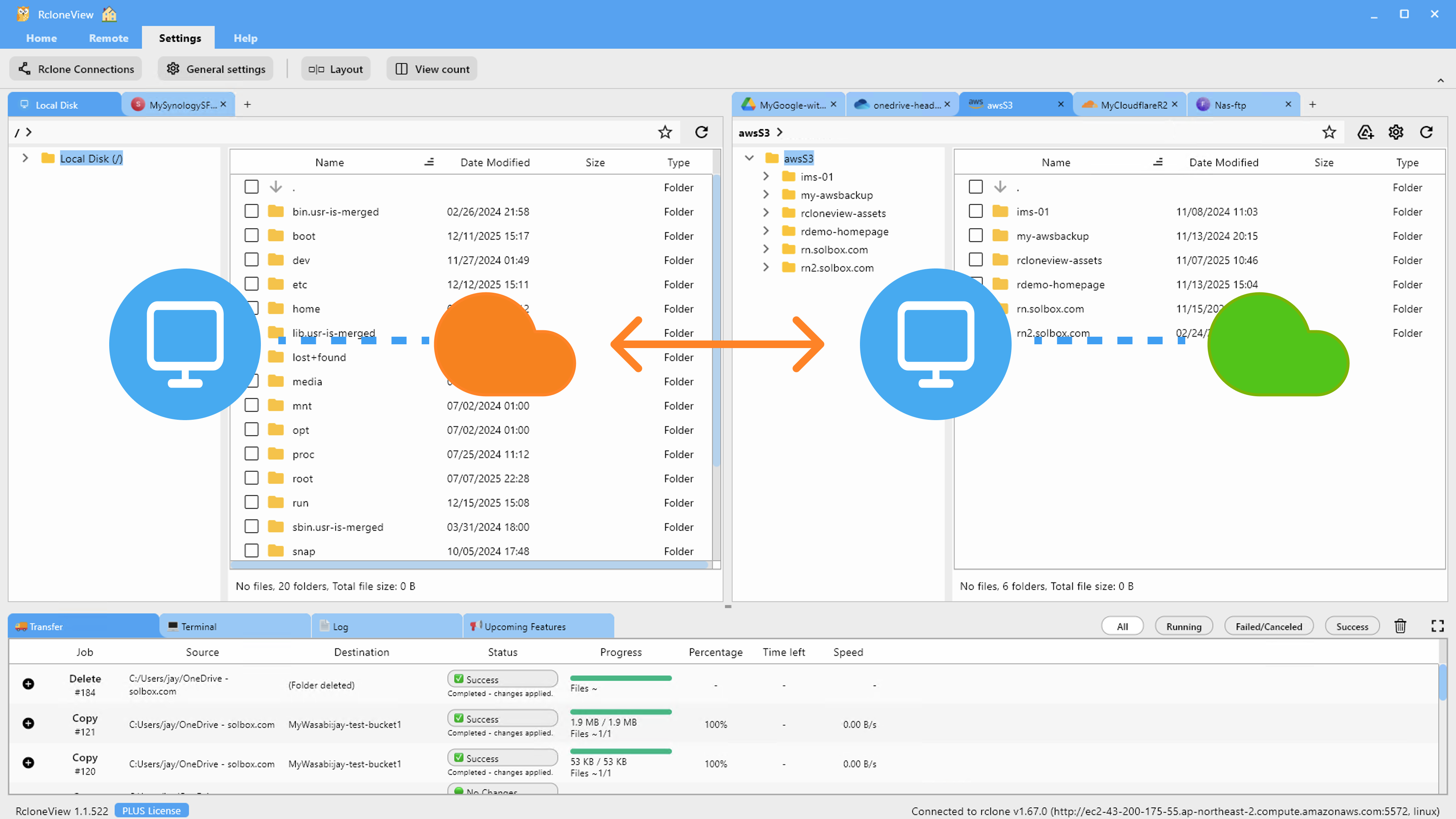
Manage & Sync All Clouds in One Place
RcloneView is a cross-platform GUI for rclone. Compare folders, transfer or sync files, and automate multi-cloud workflows with a clean, visual interface.
- One-click jobs: Copy · Sync · Compare
- Schedulers & history for reliable automation
- Works with Google Drive, OneDrive, Dropbox, S3, WebDAV, SFTP and more
Free core features. Plus automations available.
One View Across Every Branch's Cloud Accounts
Recruiting teams rarely standardize on a single storage provider organically — a branch office might run on OneDrive because it's tied to Microsoft 365, while another team relies on Google Drive or Dropbox for candidate-facing document sharing. RcloneView's multi-panel explorer lets a compliance or operations lead open several remotes side by side, browse candidate folders from each branch, and move files between them without juggling separate browser tabs and logins. Unlike mount-only tools, RcloneView also syncs and compares folders — on the FREE license — so the same window that browses files can also keep branch archives consistent.

Keeping Candidate Records Backed Up and Current
Losing a signed contract or a background check report isn't just inconvenient — it can create a compliance gap. RcloneView's sync jobs handle one-way backups from a working folder to an archive remote, with dry run available to preview exactly what would be copied or deleted before anything happens. For agencies handling high candidate volume, 1:N synchronization mirrors a single source folder — say, a shared "Active Candidates" directory — to multiple destinations at once, keeping a live copy and a cold backup in sync automatically.
Scheduling Routine Archival Without Manual Steps
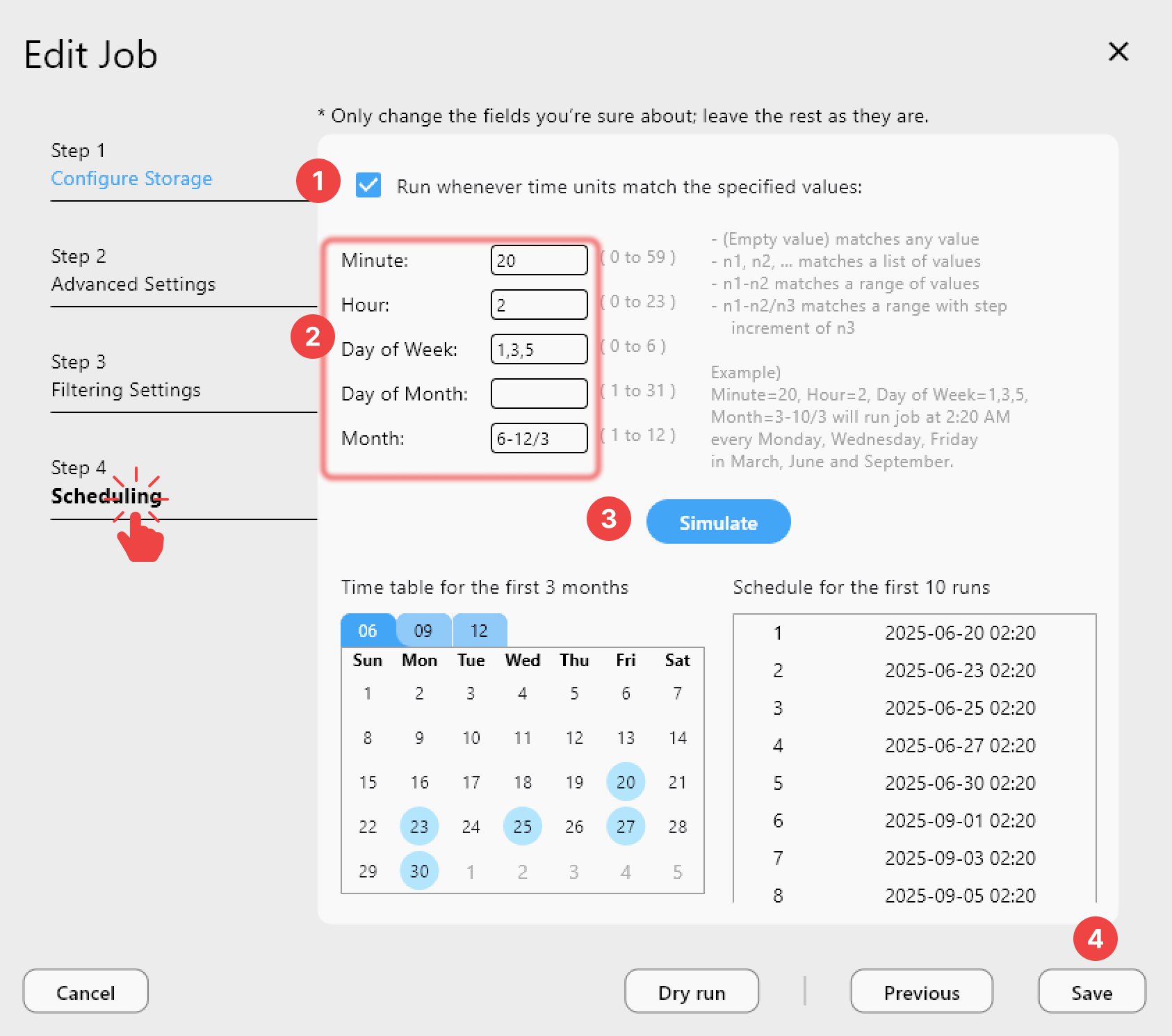
Placement documentation tends to pile up fast during hiring surges, and manually archiving completed candidate folders is easy to postpone indefinitely. RcloneView's Job Manager supports scheduled sync jobs on the PLUS license, so a nightly or weekly job can move closed-out candidate files from an active workspace into long-term storage automatically, with job history tracking exactly what ran and when for audit purposes.
Getting Started
- Download RcloneView from rcloneview.com.
- Connect each branch's cloud storage account as a separate remote in Remote Manager.
- Set up a sync job from your active candidate folder to a backup remote, and run a dry run first to confirm the file list.
- Add a schedule (PLUS license) so completed candidate records move to archive storage automatically.
For a staffing agency, organized and backed-up candidate files aren't just good practice — they're the difference between a smooth audit and a scramble.
Related Guides:
- Cloud Storage for Human Resources with RcloneView
- Cloud Storage for Consulting Firms with Rcloneview
- Multi-Cloud Backup Strategy with RcloneView
Supported Cloud Providers





























