FREE vs PLUS License — Feature Comparison in RcloneView

Know exactly what each RcloneView license unlocks before you build your cloud storage workflow around it.
Choosing between the FREE and PLUS license shouldn't require guesswork. RcloneView splits its feature set cleanly: the FREE license already covers full file management, sync, and mounting across 90+ providers, while PLUS adds automation and multi-instance capabilities for power users and teams. This guide breaks down exactly what's in each tier so you can match the license to how you actually work.

Manage & Sync All Clouds in One Place
RcloneView is a cross-platform GUI for rclone. Compare folders, transfer or sync files, and automate multi-cloud workflows with a clean, visual interface.
- One-click jobs: Copy · Sync · Compare
- Schedulers & history for reliable automation
- Works with Google Drive, OneDrive, Dropbox, S3, WebDAV, SFTP and more
Free core features. Plus automations available.
What the FREE License Already Includes
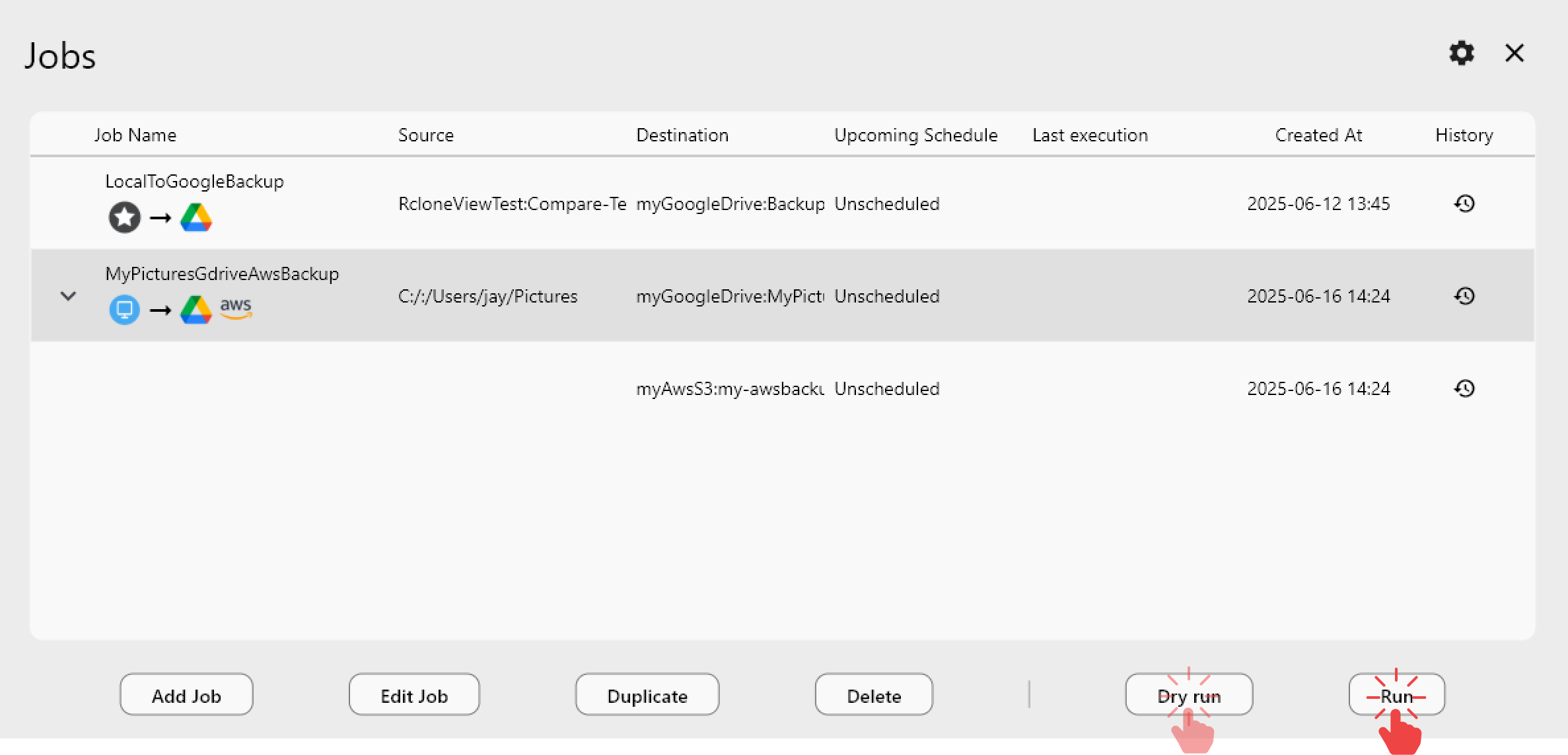
The FREE license is not a stripped-down trial — it's a complete daily-driver toolset. Mounting and unmounting cloud drives, full file explorer operations (copy, move, delete, rename), basic Folder Compare, and the entire Sync & Job Management system are all included at no cost. That means 1:N synchronization (one source mirrored to multiple destinations), Job History with detailed logs, Dry Run previews before executing a sync, and Export/Import of job configurations all work on FREE.
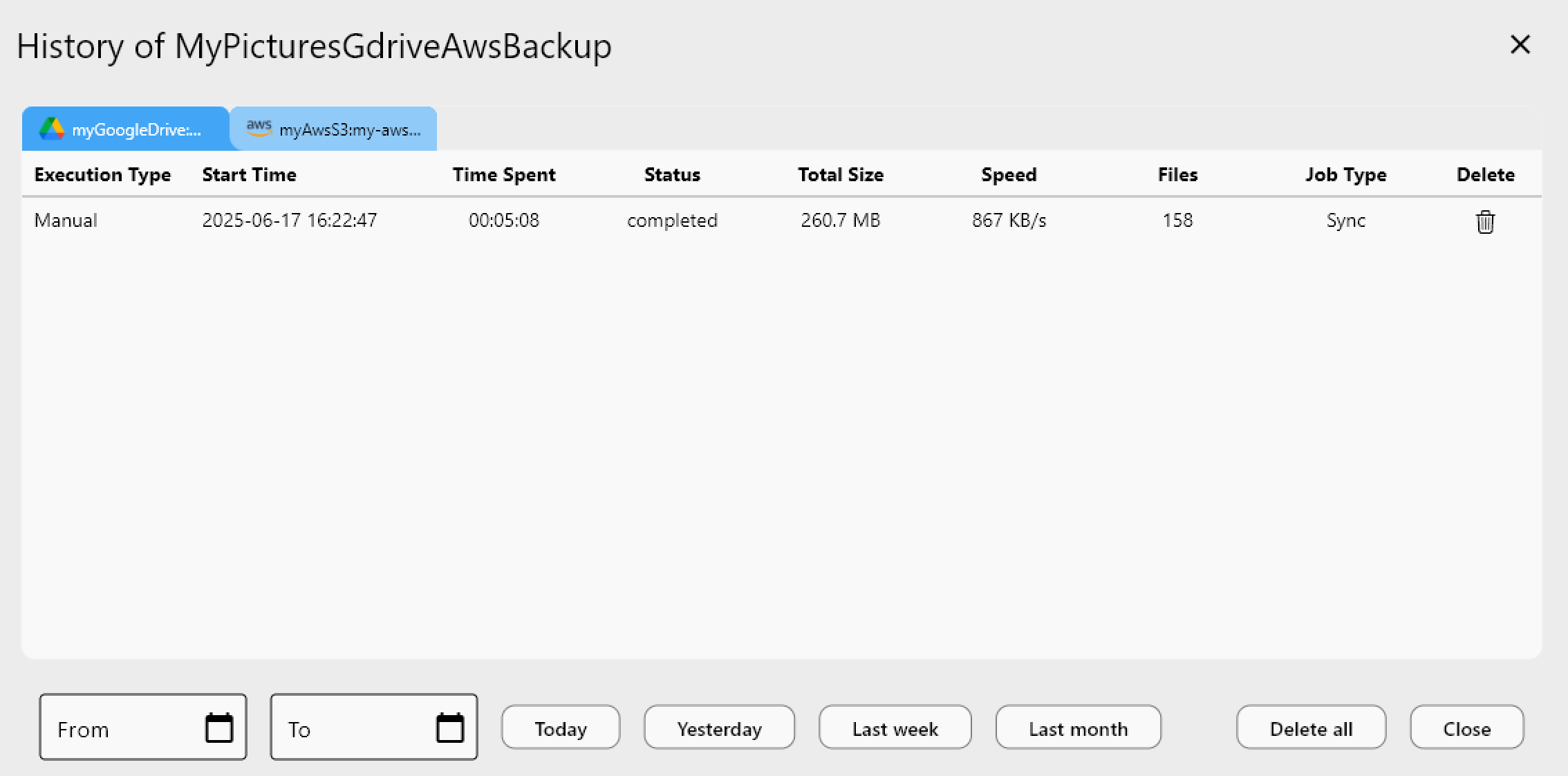
Unlike mount-only tools, RcloneView also syncs and compares folders — on the FREE license — across the same 90+ cloud providers, connected through Remote Manager with OAuth or credential-based setup depending on the service.
What PLUS Unlocks
PLUS is built for people who need RcloneView to run unattended or across multiple contexts at once. The headline feature is Schedule-Based Sync: crontab-style scheduling with minute, hour, day-of-week, day-of-month, and month fields, plus a schedule simulator to preview the next execution times before committing.
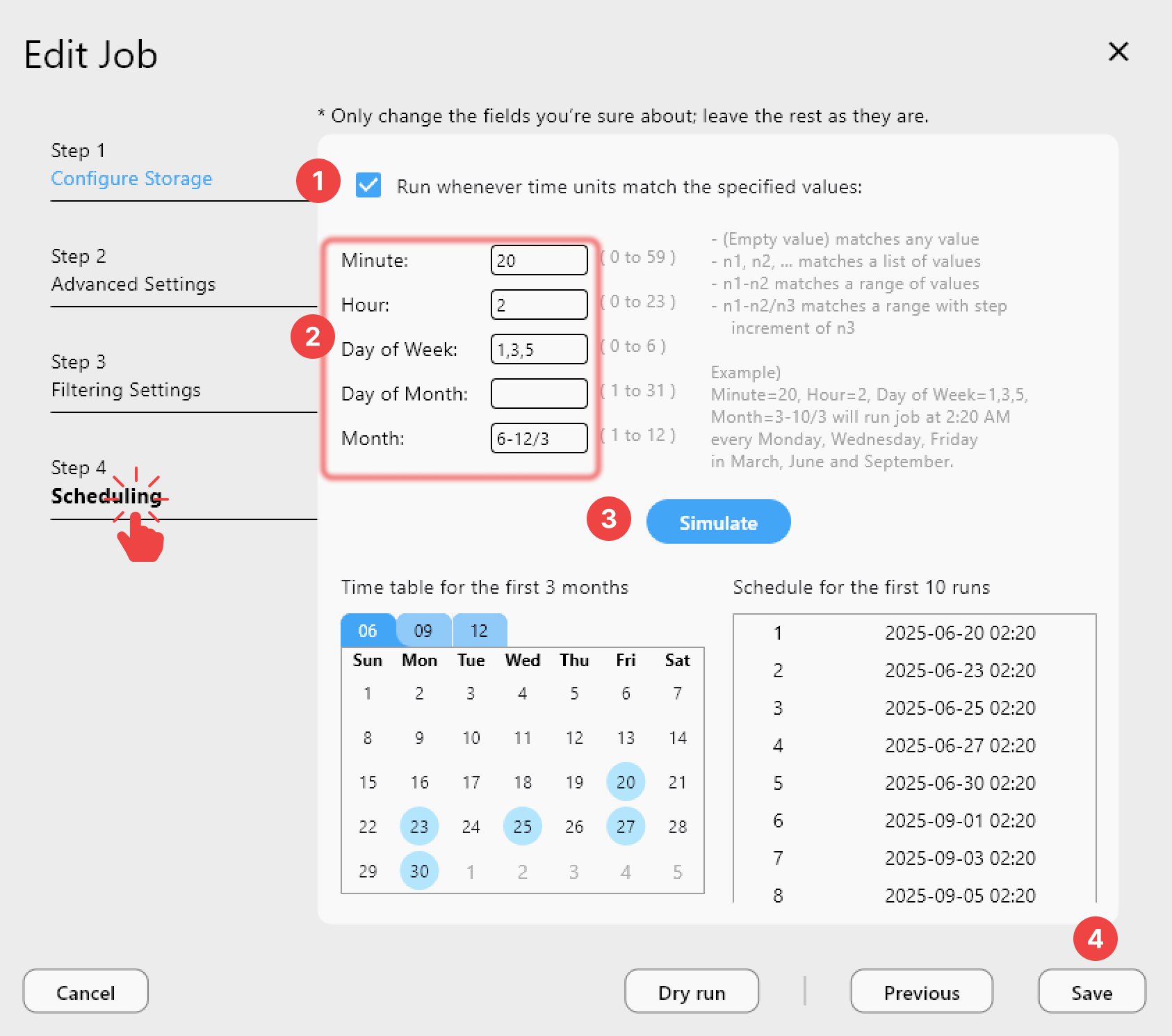
Alongside scheduling, PLUS adds Auto Mount on Startup (so mounted drives are ready the moment your machine boots), Auto Start Schedule on Startup, Multi-Window support for running independent RcloneView instances with their own state, and Folder Compare with Filter for restricting comparisons by folder name or file type.
Choosing the Right License for Your Workflow
If you manually trigger transfers, browse cloud storage like a file manager, and occasionally run a compare or sync, FREE covers the entire workflow. If you need sync jobs to fire on a schedule without you opening the app, drives to be mounted automatically after a reboot, or multiple independent RcloneView windows for separate projects, PLUS removes the manual steps.
Getting Started
- Download RcloneView from rcloneview.com.
- Set up your remotes and run a manual sync or mount to confirm the FREE feature set fits your daily use.
- If you find yourself repeating the same transfer at the same time each day, try building a schedule to see whether PLUS scheduling fits.
- Activate a license key under Help > Activate License once you've decided which tier matches your workflow.
Matching the license to your actual habits — not the other way around — keeps your cloud storage setup simple and predictable.
Related Guides:
- Schedule Best Practices — Cron and Retry in RcloneView
- Multi-Window Parallel Explorer in RcloneView
- Folder Compare with Filter in RcloneView
Supported Cloud Providers





























