Cloud Storage for Translation & Localization Agencies — Centralize Multilingual Files with RcloneView

Stop logging into five different client cloud accounts to deliver the same translation project — manage them all from one window.
Translation and localization agencies juggle a specific kind of cloud storage chaos: every client hands off source files through their own platform — one uses Google Drive, another insists on Dropbox, a third shares a Box folder — while freelance translators and reviewers scattered across time zones need reliable access to the right version of every document. RcloneView connects all of those accounts in a single interface, so project managers stop context-switching between browser tabs just to move files where they need to go.

Manage & Sync All Clouds in One Place
RcloneView is a cross-platform GUI for rclone. Compare folders, transfer or sync files, and automate multi-cloud workflows with a clean, visual interface.
- One-click jobs: Copy · Sync · Compare
- Schedulers & history for reliable automation
- Works with Google Drive, OneDrive, Dropbox, S3, WebDAV, SFTP and more
Free core features. Plus automations available.
One Window for Every Client's Platform
A mid-size localization agency might run active projects on Google Drive, Dropbox, OneDrive, and Box simultaneously, one per client. RcloneView's multi-panel Explorer lets a project manager open several of these remotes side by side, dragging source documents, translation memories, and glossaries between them without downloading anything to a local machine first. Drag and drop between two different remotes performs a direct cloud-to-cloud copy, so a 500-file subtitle batch never has to round-trip through a laptop's hard drive.
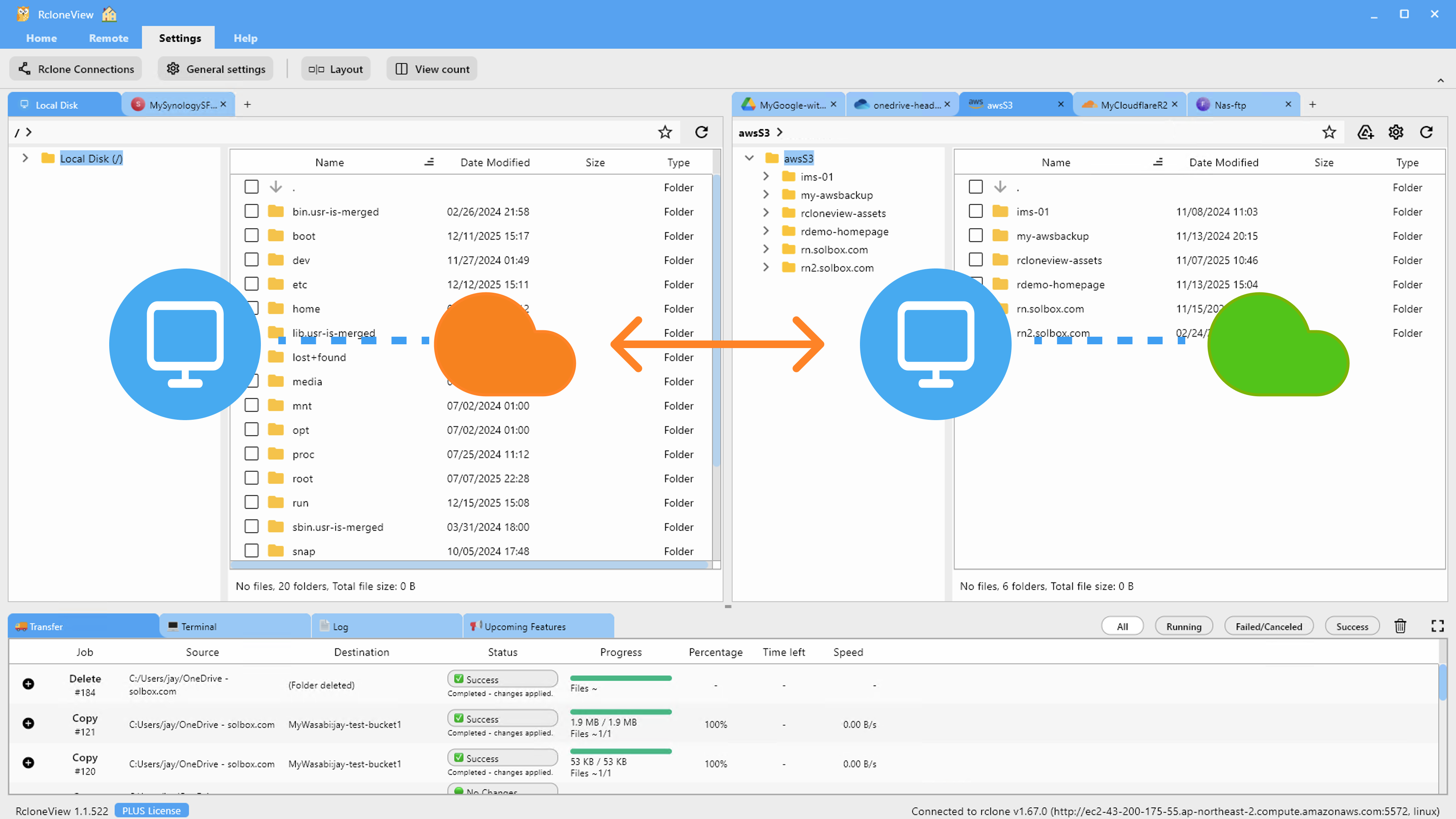
RcloneView mounts AND syncs 90+ providers from one window, on Windows, macOS, and Linux — useful when translators on different operating systems all need the same client-facing folder structure.
Verifying Delivery Before You Hand Off
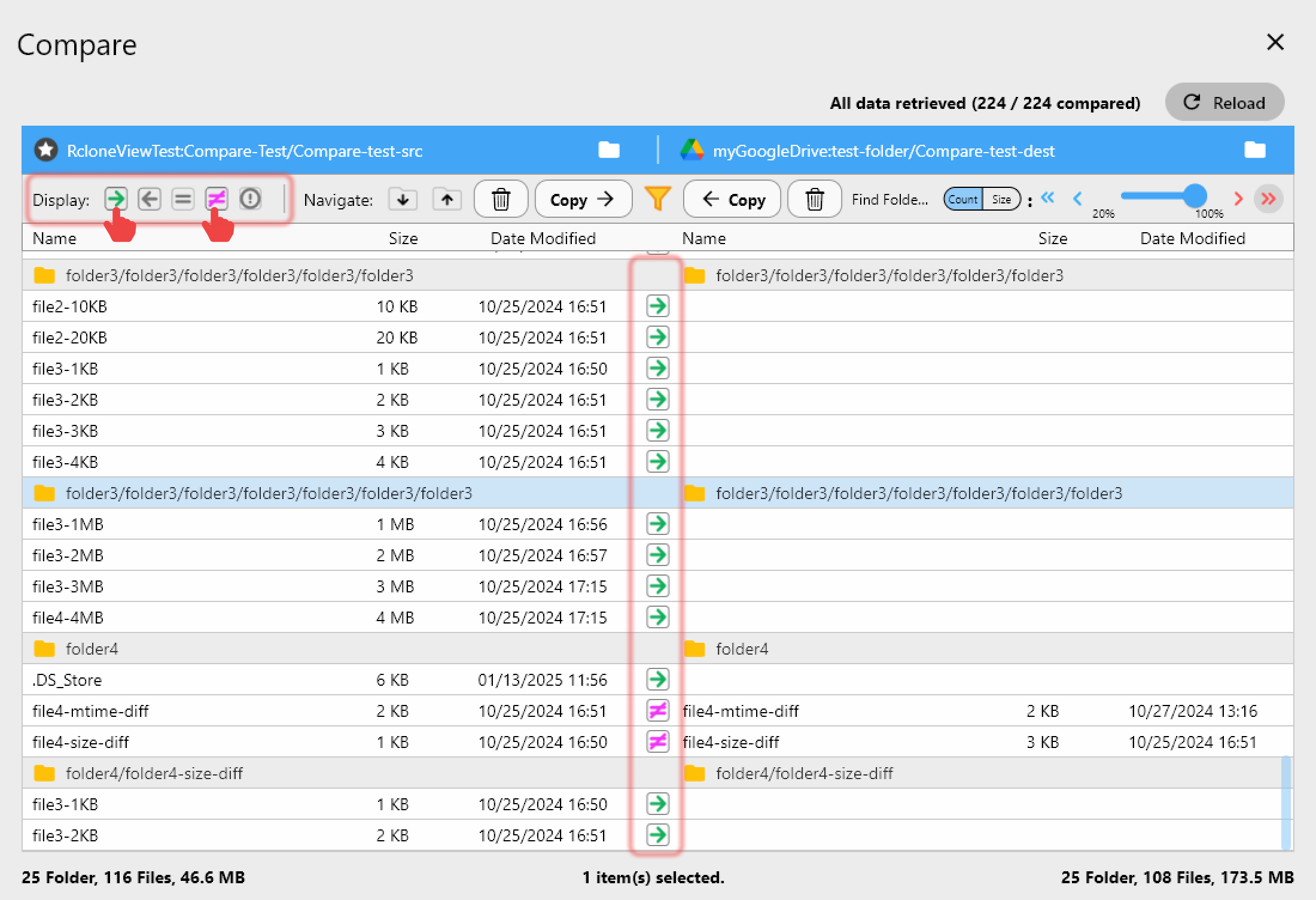
Missing a single file in a multilingual deliverable — say, one language pair out of twelve — is the kind of error that damages client trust. Folder Compare gives project managers a visual, side-by-side check between the agency's working folder and the client's delivery folder before final handoff, flagging files that exist only on one side or that differ in size. Predefined filters for Document and Google Docs file types keep the comparison focused on translated content instead of temp files or cache artifacts.
Protecting Confidential Source Material
Legal contracts, medical records, and patent filings routinely pass through translation agencies under strict confidentiality agreements. A Crypt virtual remote wraps an existing cloud folder with file name, folder name, and content encryption, so even if a client's storage account is compromised, the agency's working copies stay unreadable without the encryption password.
Getting Started

- Download RcloneView from rcloneview.com.
- Add a remote for each client's cloud platform via Remote Manager — most connect with a single OAuth login.
- Set up a Sync job to mirror completed deliverables from your working remote to the client's delivery folder, with Dry Run enabled first to preview the transfer.
- Run Folder Compare before every handoff to catch missing language files ahead of the client.
Fewer accounts to babysit means more time spent on the actual translation work.
Related Guides:
- Cloud Storage for Remote Teams — Distributed Workflow with RcloneView
- Multilingual Interface — 9 Languages in RcloneView
- Cloud Storage for Freelancers & Independent Contractors with RcloneView
Supported Cloud Providers





























