Manage Arvan Cloud Storage — Sync and Backup Files with RcloneView

Browse, sync, and back up Arvan Cloud object storage buckets alongside every other remote you manage, all from one desktop window.
Arvan Cloud's object storage speaks the S3 protocol, which means it drops into any tool built around Access Key + Secret Key + Endpoint credentials — including RcloneView. Instead of juggling a separate S3 client just for this one region-focused provider, you can add it as a remote and treat it exactly like Amazon S3, Wasabi, or any other bucket-based storage in your existing workflow.

Manage & Sync All Clouds in One Place
RcloneView is a cross-platform GUI for rclone. Compare folders, transfer or sync files, and automate multi-cloud workflows with a clean, visual interface.
- One-click jobs: Copy · Sync · Compare
- Schedulers & history for reliable automation
- Works with Google Drive, OneDrive, Dropbox, S3, WebDAV, SFTP and more
Free core features. Plus automations available.
Connecting Arvan Cloud as an S3-Compatible Remote
Arvan Cloud is accessed through rclone's S3 backend, so setup follows the same credential-entry pattern as every other S3-compatible service RcloneView supports: Access Key, Secret Key, and a custom endpoint pointing at Arvan's object storage service. There's no OAuth browser flow here — you generate the key pair from your Arvan Cloud console and paste it directly into the New Remote wizard.
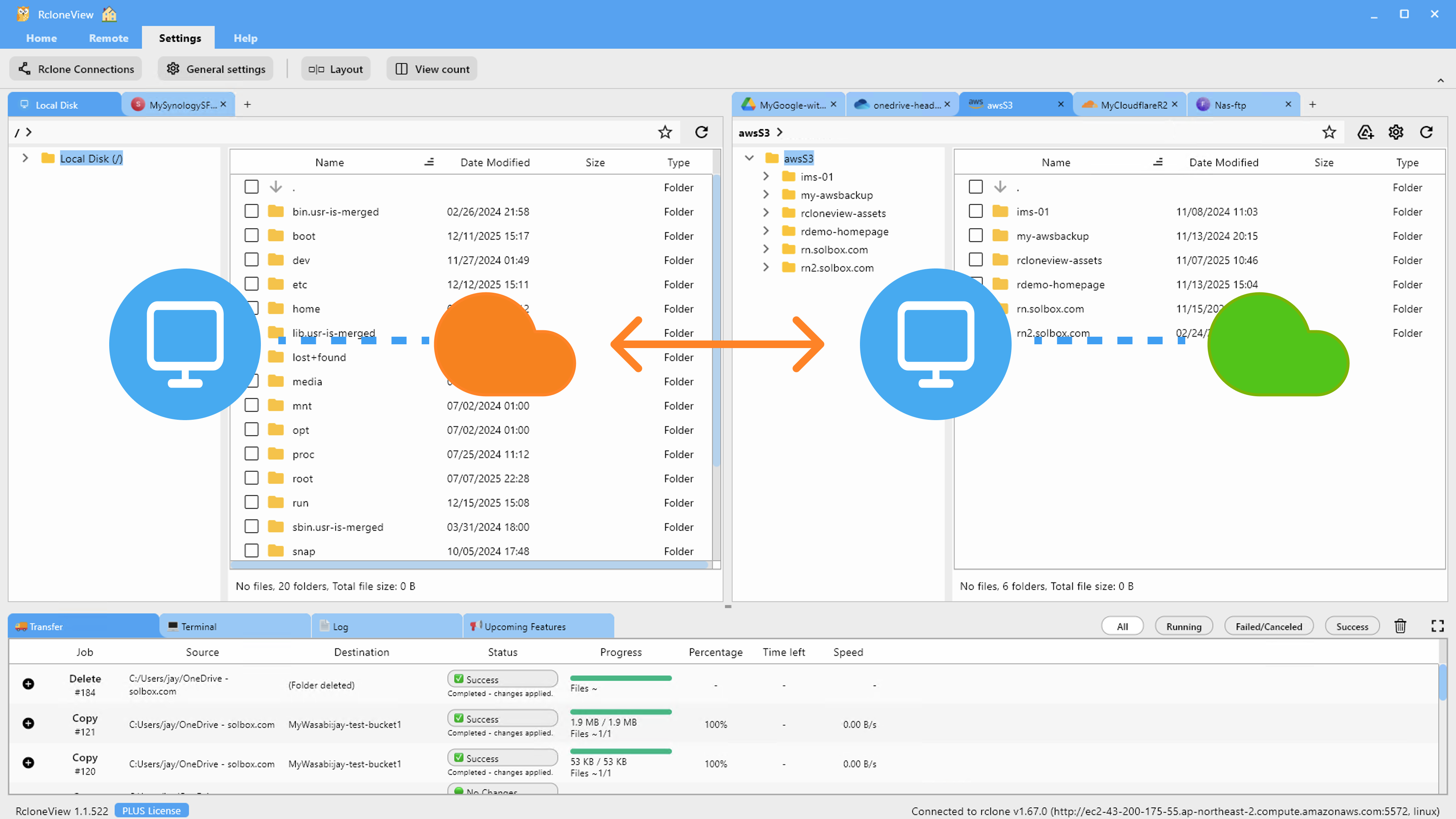
Once the remote is added, it behaves like any other panel in the Explorer: folder tree navigation, thumbnail previews for image-heavy buckets, and the same right-click file operations (copy, move, rename, get size) you'd use on local disk. RcloneView mounts AND syncs 90+ providers from one window, on Windows, macOS, and Linux, so Arvan Cloud sits next to your other clouds rather than living in its own siloed app.

For teams already standardized on S3 tooling, this means bucket policies, prefixes, and folder structures translate directly — nothing about the object storage model changes just because the provider does.
Syncing and Backing Up Arvan Cloud Buckets
With the remote connected, use the Sync wizard to configure a one-way job that mirrors a local folder — or another cloud remote — into an Arvan Cloud bucket. Set concurrent transfer counts and equality checkers in the Advanced Settings step, and use filters to exclude file types or folders you don't want counted toward transfer volume, such as .iso images or nested .git directories.
Dry Run lets you preview exactly which files will be copied or deleted before committing to the job, which matters most on your first sync against an existing bucket where you're not certain what's already there.
Scheduling Recurring Backups
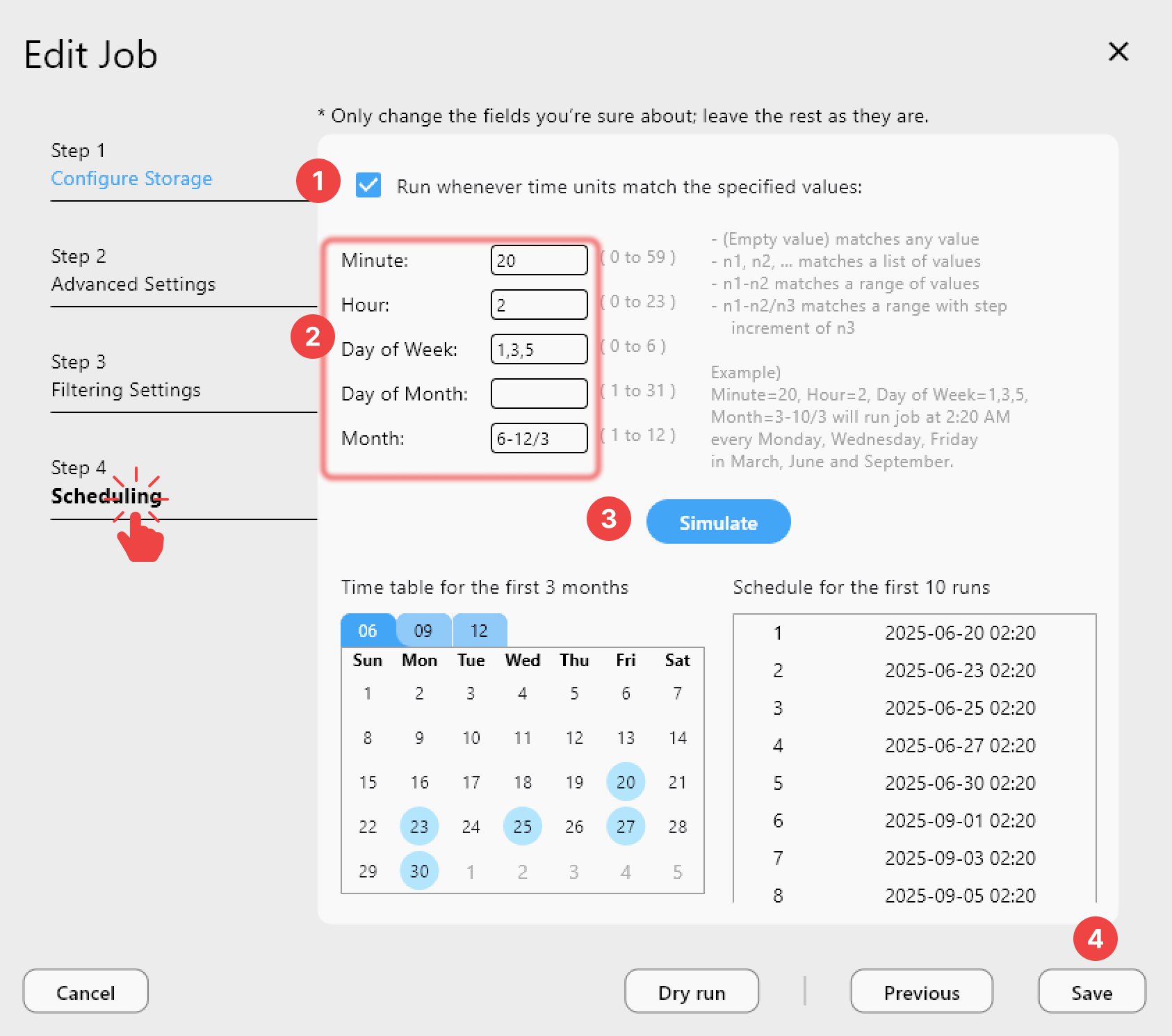
Once a sync job is validated, save it in the Job Manager and, on a PLUS license, attach a crontab-style schedule so backups to Arvan Cloud run automatically without you triggering them by hand. Job History then tracks each run's duration, transfer speed, file count, and completion status, giving you a record to check when verifying that scheduled backups actually completed.
Getting Started
- Download RcloneView from rcloneview.com.
- Generate an Access Key and Secret Key from your Arvan Cloud object storage console.
- In RcloneView, create a new S3-compatible remote using those credentials and Arvan Cloud's endpoint.
- Run a Dry Run first, then save a scheduled sync job for ongoing backups.
Treating Arvan Cloud as just another S3 endpoint means one less specialized tool to maintain in your cloud storage stack.
Related Guides:
- Manage Wasabi Storage — Sync and Backup Files with RcloneView
- Manage Selectel Storage — Sync and Backup Files with RcloneView
- Fix S3 Access Denied — Permission Errors with RcloneView
Supported Cloud Providers





























