Telegram Bot Notifications — Live Cloud Sync Alerts in RcloneView

Stop tabbing back to your desktop to check on a transfer — let a Telegram message tell you the moment a cloud sync job finishes, fails, or needs attention.
Long-running cloud jobs rarely finish while you are sitting in front of the screen. A multi-hundred-gigabyte backup to Backblaze B2 might run overnight; a scheduled sync between two remotes might fire while you are commuting. RcloneView includes a Telegram Bot integration in its Notification & Remote Control settings so job status updates reach your phone the instant something happens, instead of you having to go check.

Manage & Sync All Clouds in One Place
RcloneView is a cross-platform GUI for rclone. Compare folders, transfer or sync files, and automate multi-cloud workflows with a clean, visual interface.
- One-click jobs: Copy · Sync · Compare
- Schedulers & history for reliable automation
- Works with Google Drive, OneDrive, Dropbox, S3, WebDAV, SFTP and more
Free core features. Plus automations available.
Why Telegram Beats Checking In Manually
Desktop popups are useful while you are at your machine, but they disappear the moment you walk away. Telegram notifications solve a different problem: they follow you. Whether you are away from your desk, traveling, or simply working in another app on another device, a Telegram message lands the same way a text message would.
This matters most for unattended workflows — nightly backups, scheduled syncs between a NAS and cloud storage, or large one-off migrations kicked off before you leave the office. Unlike mount-only tools, RcloneView also syncs and compares folders on the FREE license, and pairing that with a mobile alert channel means you can trust background jobs to run without babysitting them.

Setting Up the Telegram Bot in RcloneView
Getting alerts flowing takes two pieces of information: a Bot Token and a Chat ID.
- Create a bot. In Telegram, message
@BotFather, run/newbot, and follow the prompts. BotFather returns a Bot Token — copy it. - Get your Chat ID. Send any message to your new bot, then check the bot's update feed (or use a small helper bot like
@getidsbot) to find your numeric Chat ID. - Enter both values in RcloneView. Open Settings tab > Notification & Remote Control, select Telegram, and paste in the Bot Token and Chat ID.
- Save and test. Trigger a job manually to confirm the message arrives.
Once configured, RcloneView posts job status updates — completion, failure, or both, depending on how you configure the trigger — directly to that chat.
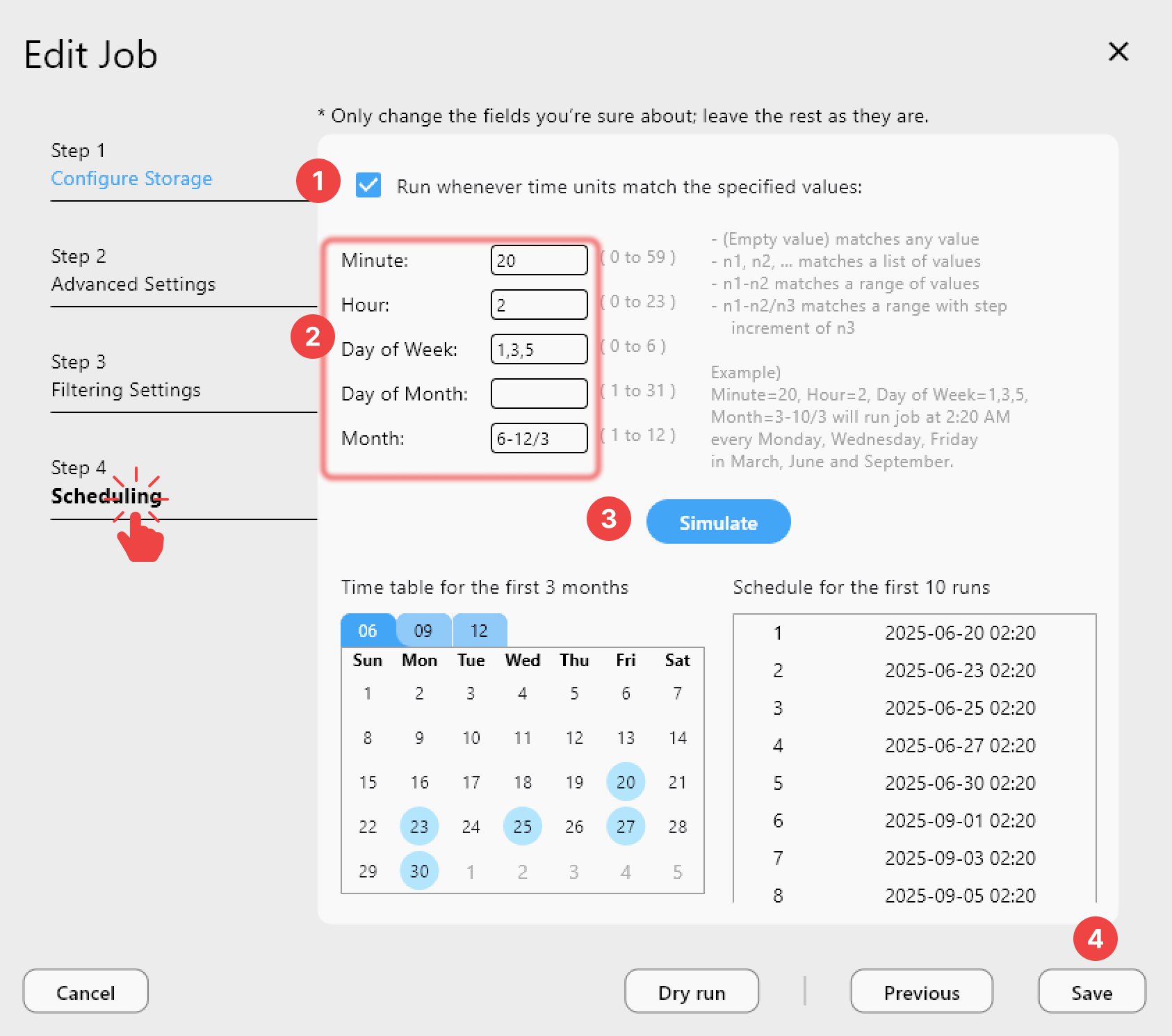
Pairing Telegram Alerts with Scheduled Jobs
Telegram notifications are most valuable when combined with RcloneView's job scheduling. Set a sync or backup job to run on a crontab-style schedule, enable the Telegram trigger, and the job becomes fully hands-off: it runs at the scheduled time, and you only need to glance at your phone to confirm the outcome.
For jobs you run manually, the same alert fires the moment the transfer wraps up — handy for large one-time migrations where you don't want to leave a browser tab or terminal window open just to watch a progress bar.
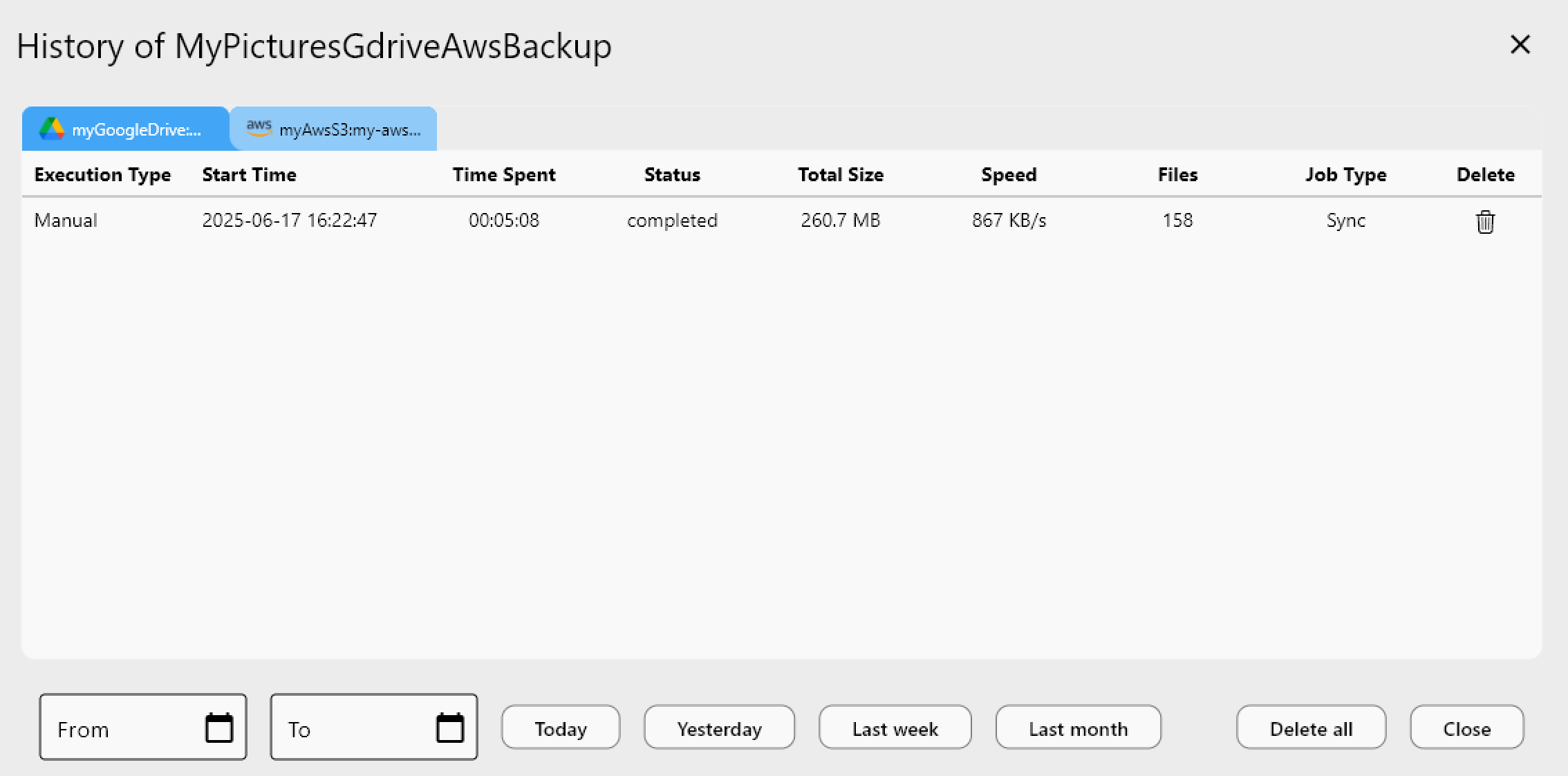
If a Telegram alert reports a failure, the Job History panel gives you the full picture — error details, transfer duration, and how many files completed before the job stopped.
Getting Started
- Download RcloneView from rcloneview.com.
- Create a Telegram bot via
@BotFatherand note the Bot Token. - Open Settings > Notification & Remote Control and enter your Bot Token and Chat ID.
- Attach the notification to a job — scheduled or one-time — and run a test to confirm delivery.
With Telegram wired in, unattended cloud sync stops being a leap of faith and becomes something you can check from anywhere.
Related Guides:
- Set Up Notifications and Alerts for Cloud Sync in RcloneView
- Automate Cloud Sync with Slack Notifications
- Email SMTP Job Notifications
Supported Cloud Providers





























