Cloud Storage for Aviation and Flight Schools — Records Backup with RcloneView

Keep flight logs, maintenance records, and training footage backed up and accessible across every location a flight school or charter operator runs from.
A flight school running out of two airfields ends up with training videos, student logbooks, and aircraft maintenance records scattered across whatever cloud each instructor or office happens to use, and a charter operator has the same problem multiplied by regulatory retention requirements for weight-and-balance sheets and inspection paperwork. Losing track of which folder holds the current version of a maintenance log isn't just inconvenient — it's the kind of gap an audit turns up at the worst possible time. RcloneView gives every location a shared view into the same cloud storage without a dedicated IT team to manage it.

Manage & Sync All Clouds in One Place
RcloneView is a cross-platform GUI for rclone. Compare folders, transfer or sync files, and automate multi-cloud workflows with a clean, visual interface.
- One-click jobs: Copy · Sync · Compare
- Schedulers & history for reliable automation
- Works with Google Drive, OneDrive, Dropbox, S3, WebDAV, SFTP and more
Free core features. Plus automations available.
Centralizing Records Across Locations
Connect the cloud storage each office already uses as a remote in RcloneView — Google Drive for shared training curricula, a Backblaze B2 or Wasabi bucket for the bulk of archived flight footage, OneDrive if the school runs on Microsoft 365 for administrative paperwork. RcloneView mounts AND syncs 90+ providers from one window, on Windows, macOS, and Linux, so a front-desk PC at one airfield and an instructor's laptop at another can both browse the same remotes without any provider lock-in forcing everyone onto the same platform.

Once each remote is connected, use Folder Compare to spot where the same maintenance folder has drifted between two locations — a common problem when two people update local copies of the same aircraft's records independently before either gets uploaded.
Archiving Training Footage and Flight Logs
Flight training footage accumulates fast, and most of it only needs to be reviewed once before it's archived rather than actively edited. Set up a scheduled sync job that moves footage from a local recording drive into a cost-effective S3-compatible bucket like Wasabi or Backblaze B2, connected with full read/write access on the FREE license, so it doesn't sit on local drives eating up space needed for the next batch of lessons.
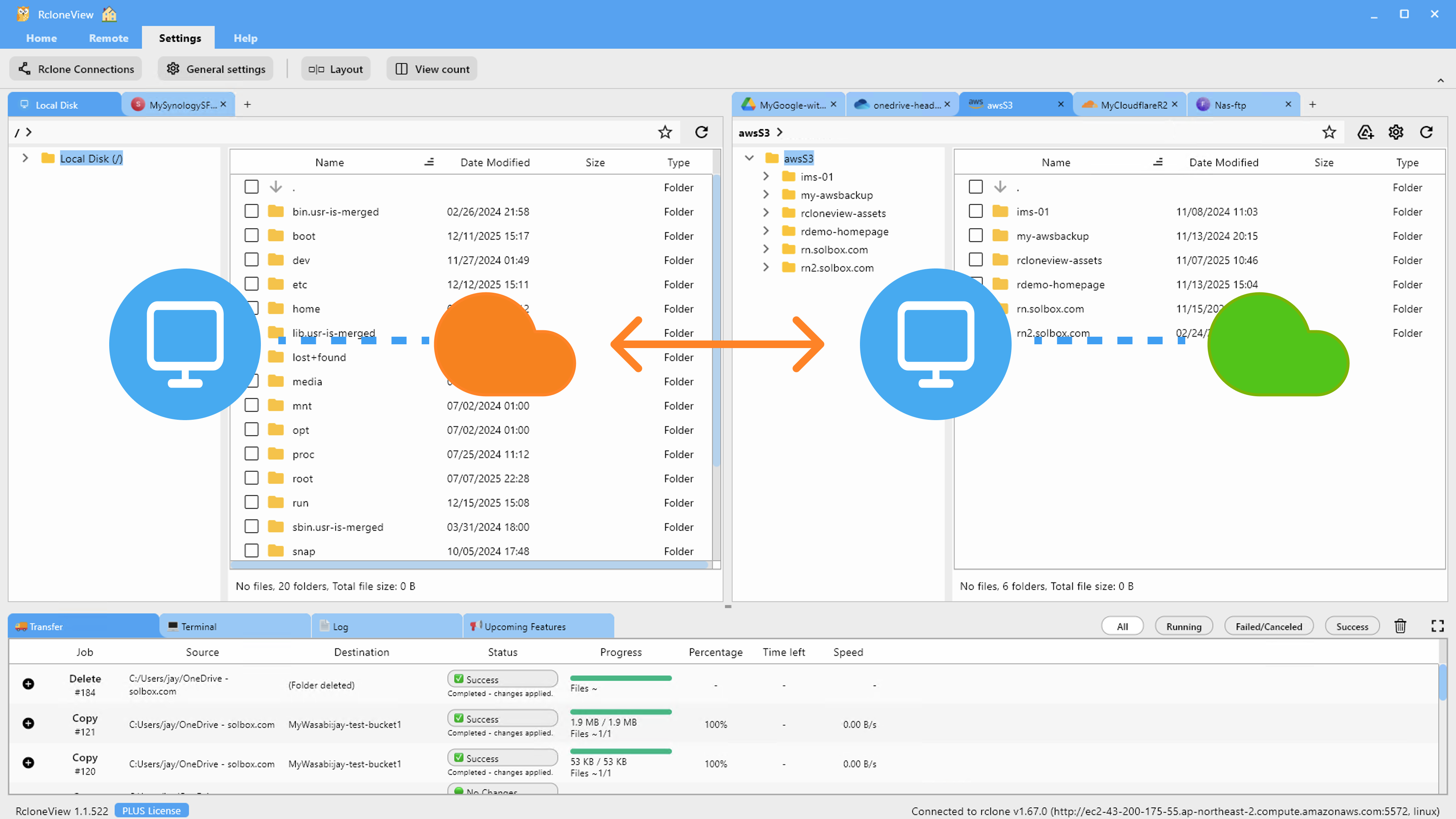
Predefined filters let you separate video files from documents in the same sync job, so raw footage lands in the archive bucket while logbooks and completed checklists route to the storage tier your record-retention policy actually requires for paperwork.
Protecting Maintenance and Compliance Records
Maintenance records and inspection logs are the documents you can least afford to lose, since regulators expect them retained for years and reconstructing them afterward isn't really possible. Schedule a nightly sync that mirrors the current maintenance folder to a second remote on a different provider, so a single account issue or outage doesn't leave you without the documents an inspection depends on.
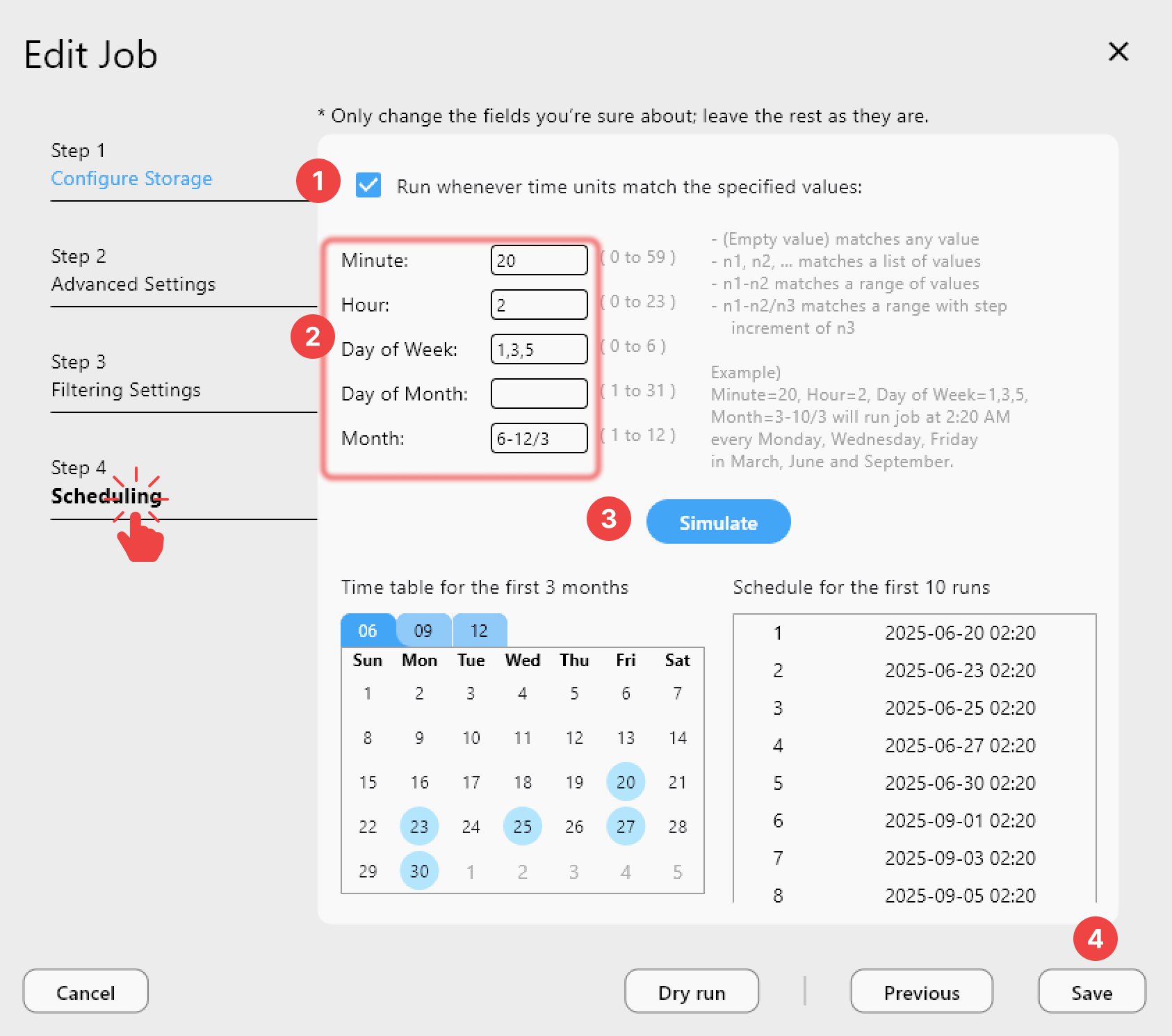
Job History keeps a dated record of every backup run, which is worth having on hand if you ever need to demonstrate that records were being consistently backed up over a given period.
Getting Started
- Download RcloneView from rcloneview.com.
- Connect each location's cloud storage as a remote and use Folder Compare to reconcile drifted maintenance folders.
- Build a scheduled sync to archive training footage into cost-effective object storage.
- Set up a nightly backup of maintenance and compliance records to a second, independent provider.
Keeping flight records straight across multiple locations and providers doesn't need a dedicated ops person once the syncs are scheduled — it just needs to run.
Related Guides:
- Cloud Storage for Maritime and Shipping — RcloneView
- Cloud Storage for Logistics and Supply Chain — RcloneView
- Schedule Best Practices — Cron and Retry Settings with RcloneView
Supported Cloud Providers





























