Cloud Storage for Maritime and Shipping — Centralize Fleet Data with RcloneView

Keep vessel certificates, cargo manifests, and inspection photos synchronized across every office and cloud your fleet depends on.
A shipping company running a dozen vessels typically ends up with documentation scattered across whatever each office or chartering partner already uses — one region on Google Drive, another on OneDrive, survey photos shot on a tablet in port and uploaded wherever was fastest. Compliance audits and crew changeovers both require pulling that data back together quickly. RcloneView connects every account from one window and keeps them synchronized without forcing the whole company onto a single provider.

Manage & Sync All Clouds in One Place
RcloneView is a cross-platform GUI for rclone. Compare folders, transfer or sync files, and automate multi-cloud workflows with a clean, visual interface.
- One-click jobs: Copy · Sync · Compare
- Schedulers & history for reliable automation
- Works with Google Drive, OneDrive, Dropbox, S3, WebDAV, SFTP and more
Free core features. Plus automations available.
Bringing Scattered Fleet Documents into One View
Crew certificates, class survey reports, and port state control inspection photos often live in whichever cloud account the person on-site happened to have open. Add each office's remote in RcloneView and browse them side by side in split panels — up to four at once — instead of logging into separate web portals to find one file. Connect S3, Azure, or Backblaze B2 with full read/write access on the FREE license if a region also archives records in object storage.

Folder Compare then shows exactly which office has the latest version of a given vessel's file set, so nobody has to guess before an inspection.
Scheduled Backups for Compliance Records
Regulatory retention requirements mean cargo manifests and safety records need a backup that runs on its own, not one someone remembers to trigger manually. With a PLUS license, set up crontab-style scheduling so records sync overnight to a second cloud on a fixed schedule, keeping a copy independent of whichever account an auditor might request first.
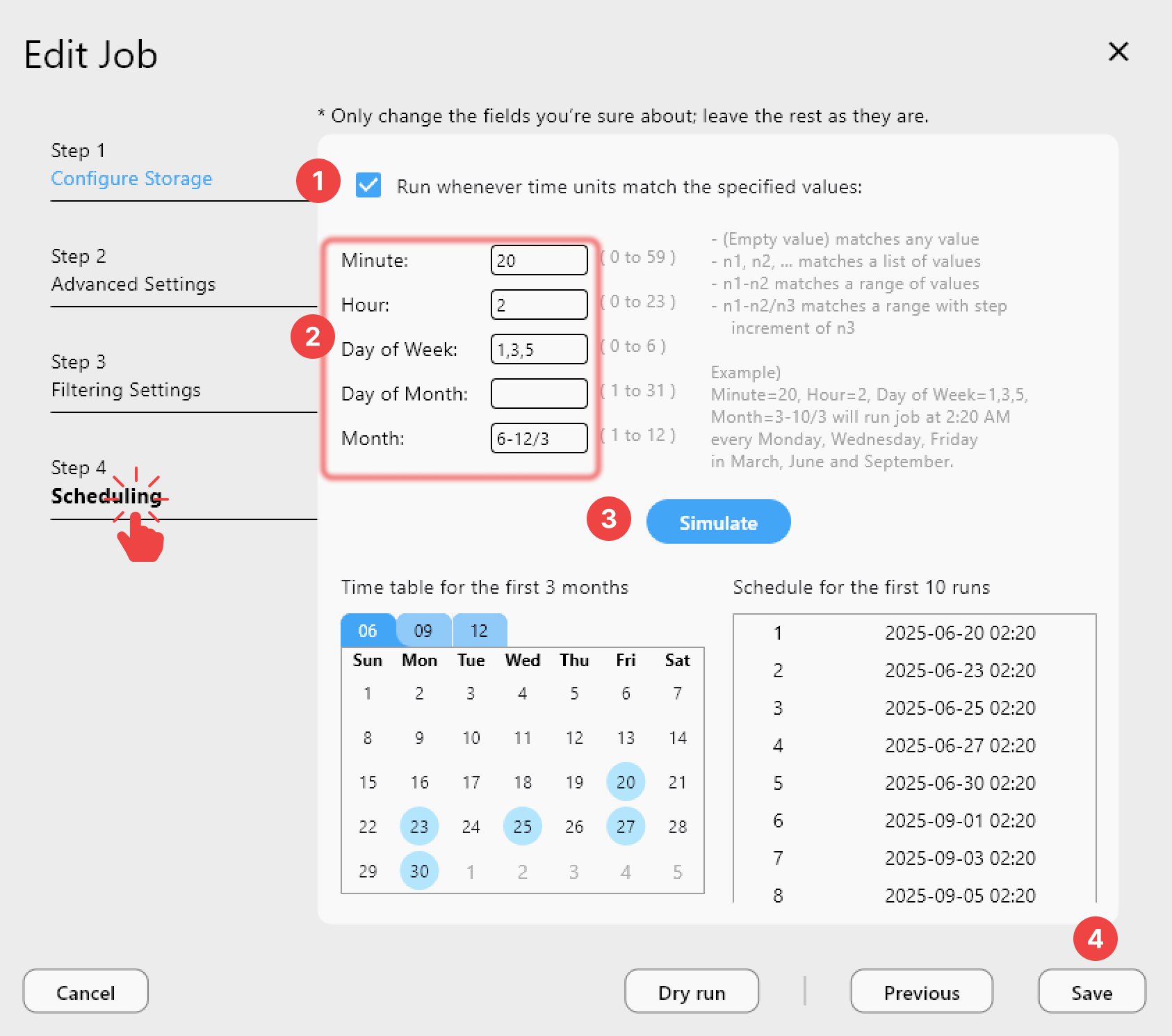
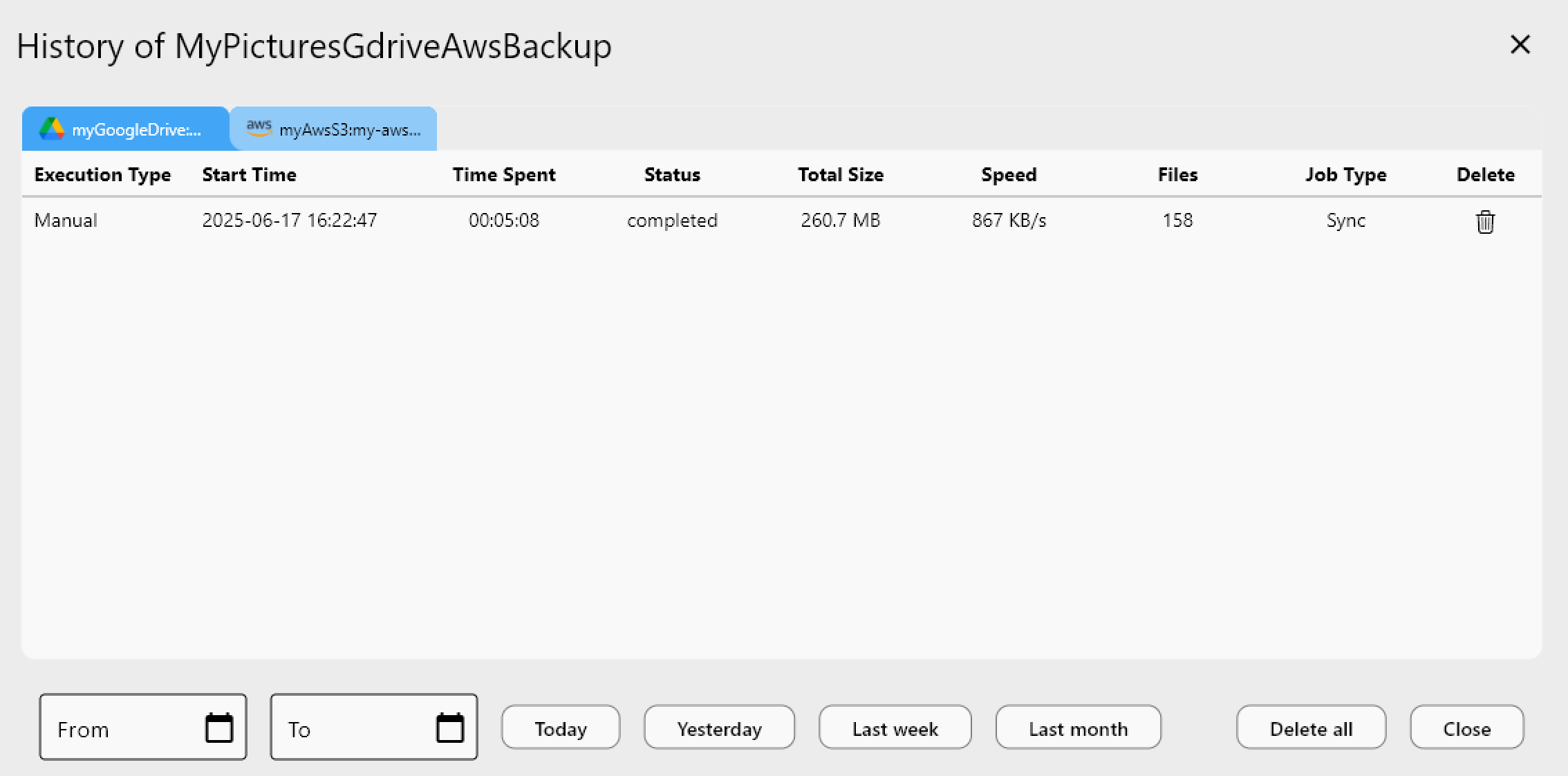
Job History logs every run — start time, file count, and status — giving you a clean audit trail if a regulator asks when a specific record was last backed up.
Working with Unreliable Ship-to-Shore Uploads
Photos and paperwork uploaded from a vessel over satellite links don't always finish in one attempt. RcloneView's sync jobs include a configurable retry count, so an interrupted transfer from ship to shore office resumes and completes rather than leaving a partial upload behind. Run a Dry Run before a scheduled sync to confirm which files are queued, particularly useful when a vessel's connectivity window is short.
Getting Started
- Download RcloneView from rcloneview.com.
- Connect each office's or vessel's cloud account as a separate remote.
- Run Folder Compare to identify which location holds the current version of each document set.
- Set up a scheduled sync to consolidate records into your compliance archive.
A fleet's paperwork moves as often as its ships do — a centralized sync keeps it from getting lost in the process.
Related Guides:
- Cloud Storage for Logistics and Supply Chain — RcloneView
- Hybrid Cloud File Transfer — NAS to Public Cloud with RcloneView
- Offline-First Sync — Cloud to External Drive with RcloneView
Supported Cloud Providers





























