Cloud Storage for Churches and Religious Organizations — Manage Multi-Campus Files with RcloneView

Between sermon recordings, worship media, member directories, and finance records spread across whatever cloud each campus happened to sign up for, most churches end up with file sprawl no single admin can see all of. RcloneView brings it into one view.
A single-site congregation might get by with one shared Google Drive folder, but multi-campus churches, denominational offices, and larger ministries typically accumulate a mix of storage: a media team on Dropbox for sermon video, a finance office on OneDrive for giving records, and a volunteer-run archive sitting on whatever free-tier account someone set up years ago. RcloneView connects to all of it from a single desktop app, so staff and volunteers can browse, back up, and reorganize files without learning a different interface — or asking IT for a new login — for each campus's storage.

Manage & Sync All Clouds in One Place
RcloneView is a cross-platform GUI for rclone. Compare folders, transfer or sync files, and automate multi-cloud workflows with a clean, visual interface.
- One-click jobs: Copy · Sync · Compare
- Schedulers & history for reliable automation
- Works with Google Drive, OneDrive, Dropbox, S3, WebDAV, SFTP and more
Free core features. Plus automations available.
Centralizing Sermon and Worship Media
Weekly sermon recordings, worship set videos, and livestream archives are often the largest and fastest-growing files a church accumulates, and they're frequently the files least protected against loss — a media volunteer's personal cloud account is not a backup plan. In RcloneView, set up a scheduled sync job that copies the media team's working folder to a second remote automatically, so recordings are never dependent on one person's account staying active or one drive not filling up.

Because RcloneView mounts and syncs 90+ providers from the same window on Windows, macOS, and Linux, a media team already invested in one provider for editing doesn't need to migrate anywhere — a backup job can run to whatever second provider the finance office already has budget for, without changing the team's daily workflow.
Coordinating Multi-Campus File Access
Multi-site churches often have each campus manage its own storage independently, which makes it hard for a central office to get a clear picture of what's backed up, what's outdated, or what's duplicated across locations. RcloneView's Folder Compare tool lets an administrator visually compare one campus's folder structure against a template or against another campus, spotting missing files or divergent naming conventions before they become a real problem during an audit or a leadership transition.
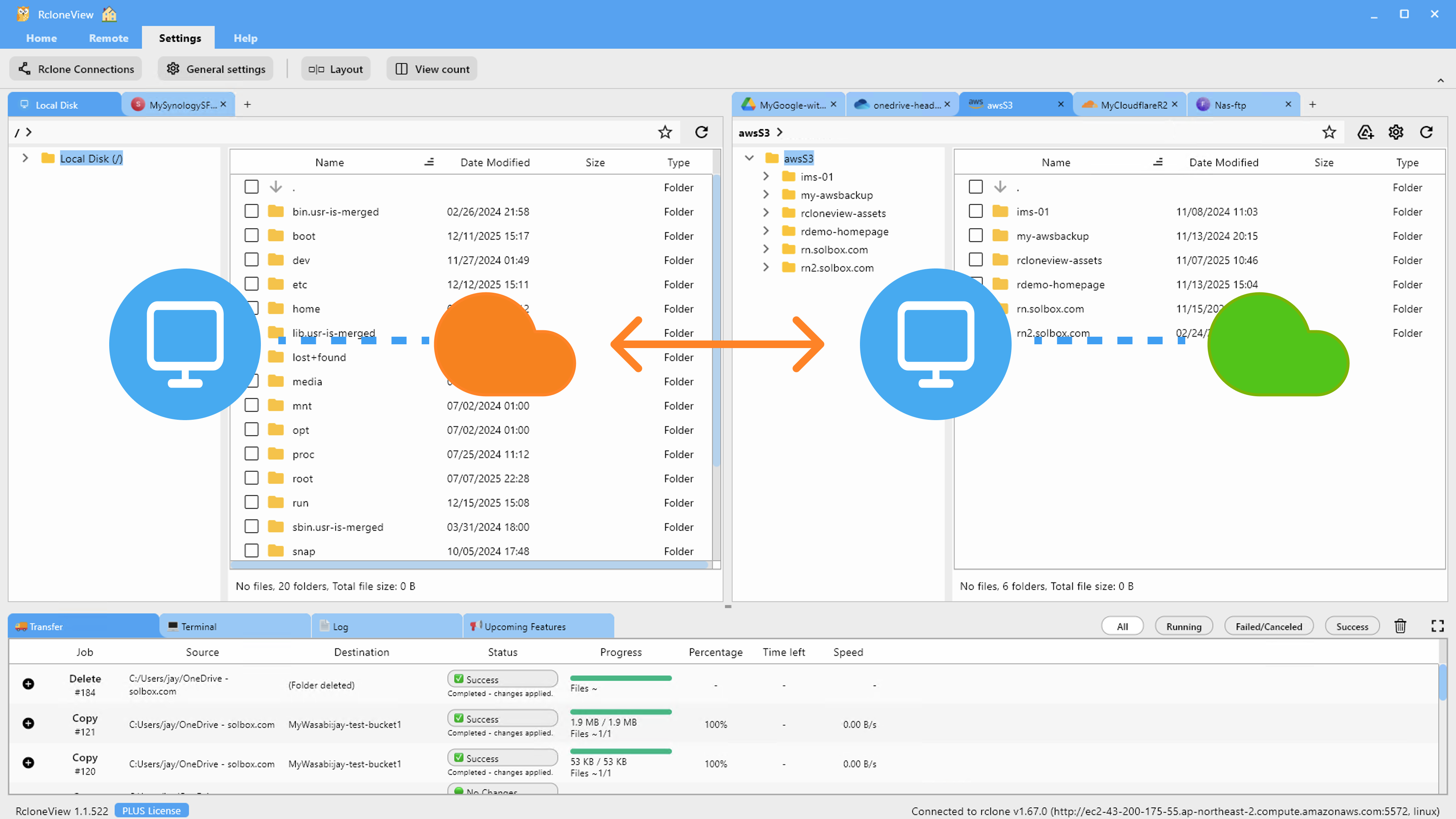
For campuses standardizing on a shared provider going forward, RcloneView's cloud-to-cloud transfer moves files directly between remotes without a local download-then-upload round trip, which matters when moving years of accumulated media and records off a legacy account.
Protecting Member Records and Finance Files
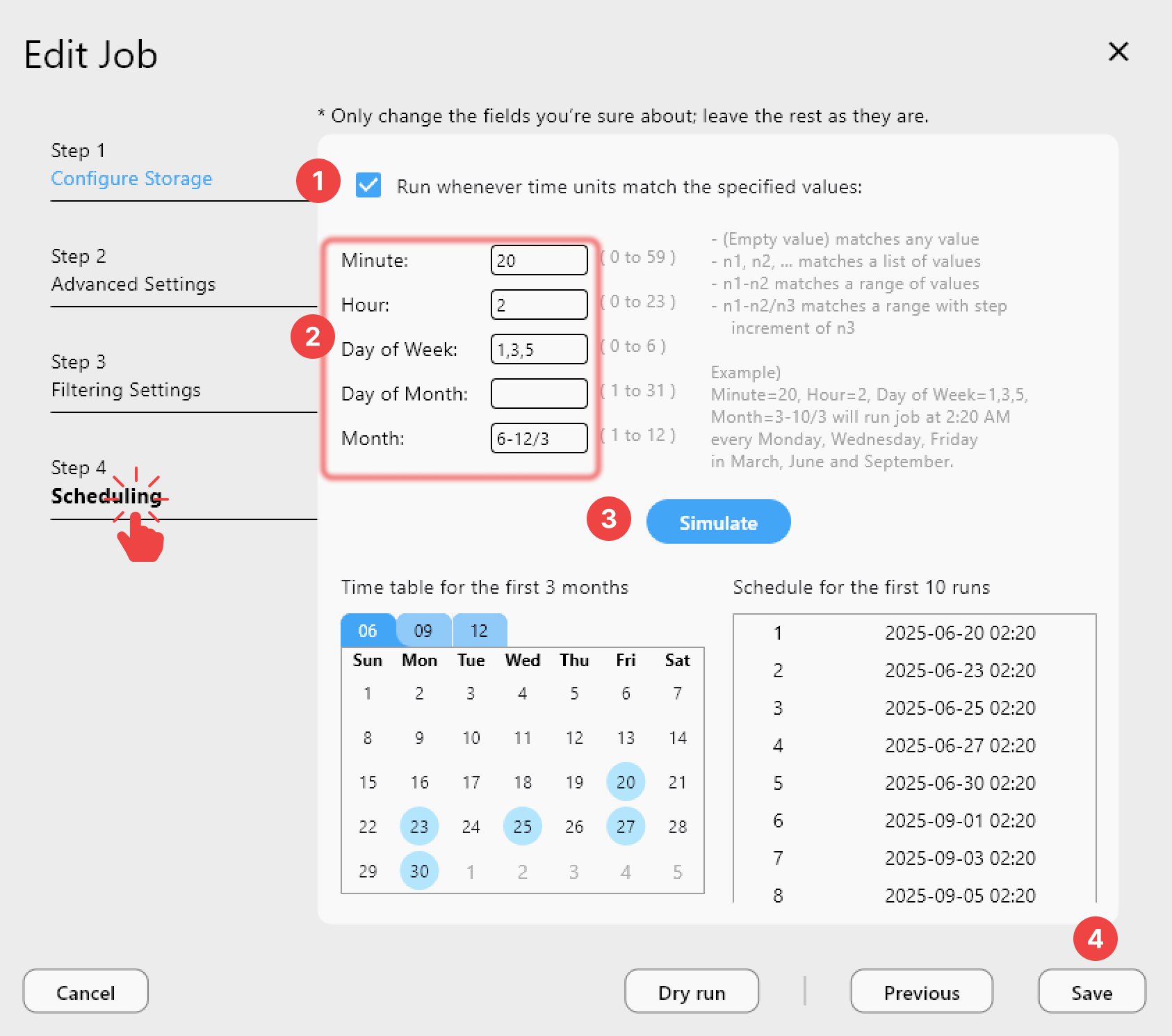
Membership directories, counseling notes, and giving records carry a higher sensitivity bar than sermon media, and many smaller organizations don't have a dedicated IT person enforcing where these files can and can't live. Pairing a cloud remote with RcloneView's Crypt virtual remote encrypts file names and contents before they leave the local machine, so even a compromised cloud account credential doesn't expose readable member data. Scheduled sync jobs (available on the PLUS License) can then run those backups automatically overnight rather than depending on someone remembering to do it manually.
Getting Started
- Download RcloneView from rcloneview.com.
- Connect each campus's or department's cloud accounts as separate remotes in Remote Manager.
- Use Folder Compare to audit what's actually backed up across campuses before assuming everything is covered.
- Set up a Crypt remote for member and finance records, then schedule an automated nightly sync.
With every campus's storage visible from one interface, a volunteer team can keep sermon archives, media libraries, and sensitive records backed up reliably without needing a dedicated IT department to manage it.
Related Guides:
- Cloud Storage for Nonprofits and NGOs — Manage Donor Files, Grants, and Field Data with RcloneView
- Cloud Storage for Event Management — Organize and Backup Media with RcloneView
- 1:N Synchronization — Sync One Source to Multiple Destinations in RcloneView
Supported Cloud Providers





























