Cloud Storage for Esports Organizations — Manage VODs and Sponsor Assets with RcloneView

Between tournament VODs, player stream recordings, and sponsor deliverables, an esports org generates a steady flow of large media files that need to land in the right cloud folder without anyone babysitting the upload.
An esports organization's media output doesn't look like a typical business archive — it's hours of raw match footage, per-player POV recordings, edited highlight reels, and branded assets that sponsors expect delivered on a deadline. Coordinators often end up juggling several cloud accounts across content creators, broadcast partners, and marketing, with files scattered depending on who uploaded what and where. RcloneView connects to all of those cloud accounts from one desktop app and moves files between them without a scripted pipeline. RcloneView mounts AND syncs 90+ providers from one window, on Windows, macOS, and Linux, so the same setup works whether the team edits on a Mac or a Windows rig.

Manage & Sync All Clouds in One Place
RcloneView is a cross-platform GUI for rclone. Compare folders, transfer or sync files, and automate multi-cloud workflows with a clean, visual interface.
- One-click jobs: Copy · Sync · Compare
- Schedulers & history for reliable automation
- Works with Google Drive, OneDrive, Dropbox, S3, WebDAV, SFTP and more
Free core features. Plus automations available.
Centralizing Match VODs from Multiple Sources
Tournament VODs and player POV recordings often start out scattered — a production partner's Google Drive, a coach's personal Dropbox, a broadcast booth's local capture drive. RcloneView opens each of these as a separate tab in its Explorer panels, so a content coordinator can browse every source side by side instead of switching between browser tabs and desktop apps. Once a match's footage is identified across sources, a Copy or Sync job consolidates it into the org's canonical cloud archive, keeping the folder structure organized by tournament and match date.

This matters most right after a tournament weekend, when footage from three or four separate accounts needs to land in one place before the editing team can start cutting highlights.
Delivering Sponsor Assets on a Predictable Schedule
Sponsors expect branded overlays, recap clips, and performance reports delivered on a set cadence, and missing a delivery window damages a relationship that took months to build. RcloneView's Job Manager lets a media team save the sponsor-delivery transfer as a named job — source folder, destination remote, and any file-type filters — so it runs the same way every time instead of being reassembled manually. With a PLUS license, that job can run on a crontab-style schedule so weekly sponsor packages go out automatically after the content team finishes editing.
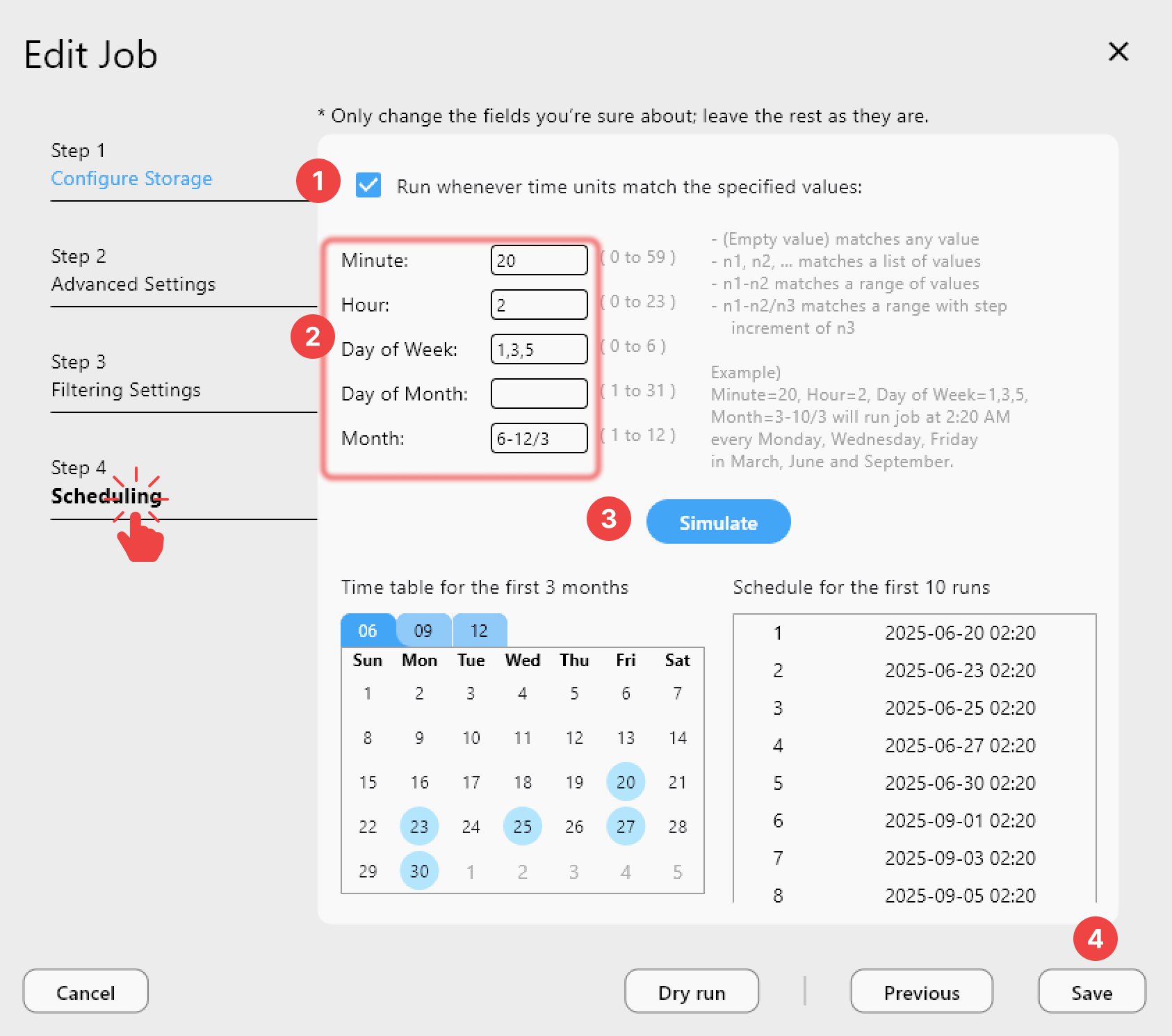
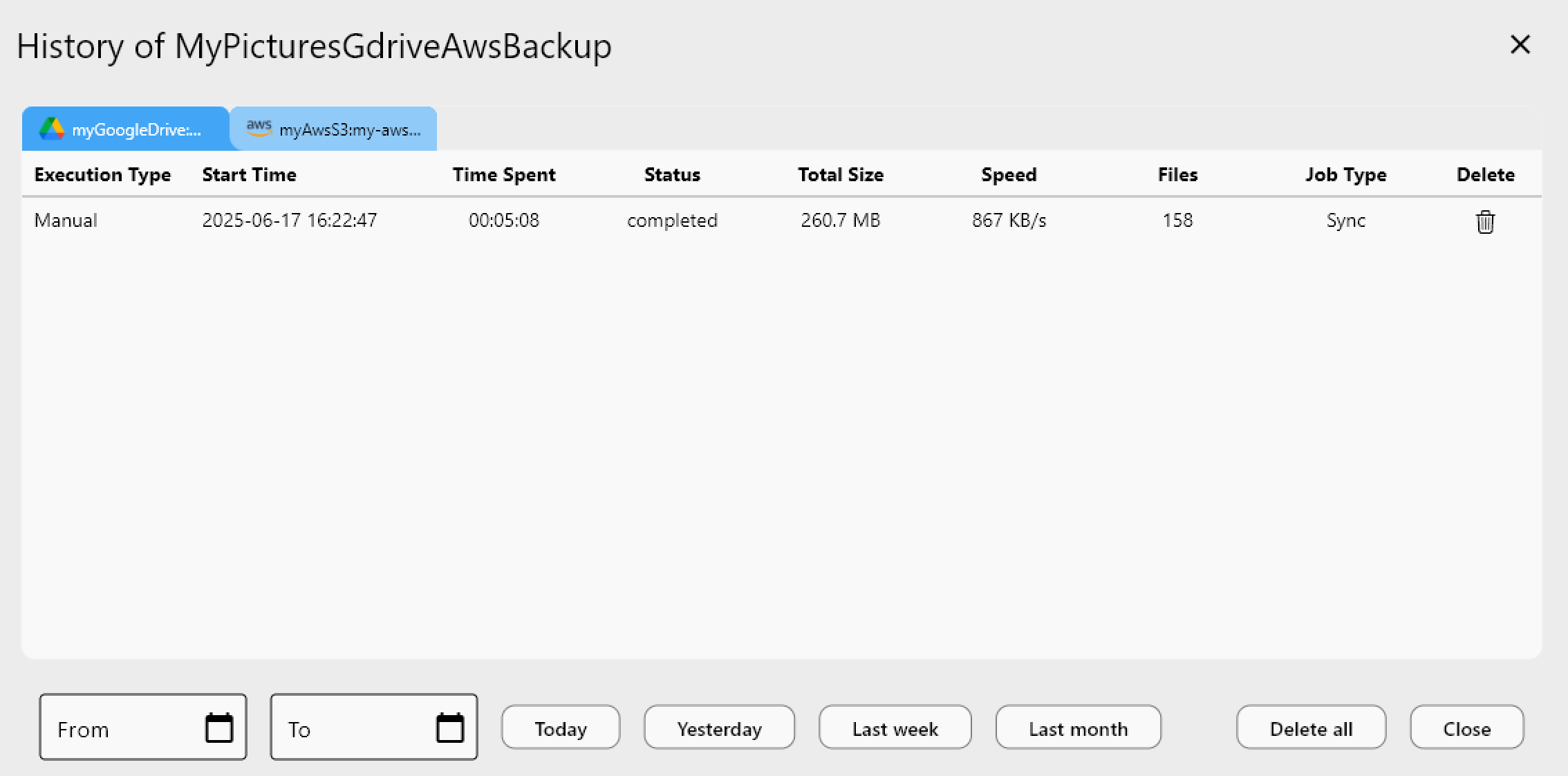
Job History then gives a manager a record of every delivery — timestamp, file count, and total size — which is useful when a sponsor asks whether an asset was actually sent.
Distributing Highlight Clips to Multiple Platforms at Once
A highlight clip rarely goes to just one place — it might need to land in a public-facing Google Drive for fans, a private Backblaze B2 bucket for long-term archival, and a partner's S3 bucket for a broadcast rebroadcast. RcloneView's 1:N sync pushes one source folder to multiple destinations in a single job run, so the editing team doesn't have to repeat the same upload three separate times after finishing a cut.
Getting Started
- Download RcloneView from rcloneview.com.
- Add each content source and destination — Google Drive, Dropbox, S3, or Backblaze B2 — as a remote.
- Use Folder Compare to confirm nothing is missing before consolidating VOD footage into the archive.
- Save recurring sponsor deliveries and highlight distribution as named jobs in Job Manager.
With footage consolidation and sponsor delivery running as repeatable jobs instead of manual uploads, the content team can spend tournament weekends editing instead of chasing files across accounts.
Related Guides:
- Cloud Storage for Video Game Studios — Asset Sync and Backup with RcloneView
- Cloud Storage for Sports Organizations — Team File Management with RcloneView
- 1:N Synchronization — Sync One Source to Multiple Destinations in RcloneView
Supported Cloud Providers





























