Cloud Storage for Environmental Consulting Firms — Organize Field Data with RcloneView
Environmental consultants juggle GIS layers, soil sample logs, and permitting documents scattered across whatever cloud each client or field team happens to use — RcloneView brings it all into one window.
A single site assessment can generate gigabytes of drone imagery, groundwater monitoring logs, and shapefiles, often uploaded to whichever cloud a subcontractor or regulatory agency prefers. Environmental consulting firms end up with project data spread across Google Drive, Dropbox, and SFTP servers used by government partners, with no single place to check that everything is backed up before a report deadline. RcloneView connects to all of these storage types from one desktop app so project managers can browse, compare, and archive field data without juggling five different logins.

Manage & Sync All Clouds in One Place
RcloneView is a cross-platform GUI for rclone. Compare folders, transfer or sync files, and automate multi-cloud workflows with a clean, visual interface.
- One-click jobs: Copy · Sync · Compare
- Schedulers & history for reliable automation
- Works with Google Drive, OneDrive, Dropbox, S3, WebDAV, SFTP and more
Free core features. Plus automations available.
Centralizing Multi-Site Project Archives
A consulting firm running concurrent site assessments typically has one project folder per client, but the underlying storage varies: a phase I environmental site assessment might live in the firm's Google Drive, while a client-mandated data room sits on SFTP or Box. RcloneView's multi-panel Explorer lets a project lead open several remotes side by side, so a phase I report drafted from local files can be uploaded directly into the client's SFTP data room while a duplicate copy syncs to the firm's own archive.
Unlike mount-only tools, RcloneView also syncs and compares folders — on the FREE license. That matters for consulting work because field data frequently needs verification: a technician uploads raw sensor logs from a laptop in the field, and the office needs confirmation the cloud copy matches before deleting the local originals.

Setting up a remote for a regulatory agency's SFTP portal or a client's Box account takes a few minutes, and once configured, that connection persists across every future project with the same client.
Verifying Field Data Integrity with Folder Compare
Before archiving a completed assessment, consultants need certainty that every water sample photo, chain-of-custody form, and lab report uploaded from the field matches what's stored centrally. RcloneView's Folder Compare view lays two folders side by side — say, a field laptop's local project folder and the firm's cloud archive — and flags files that differ in size or exist only on one side.
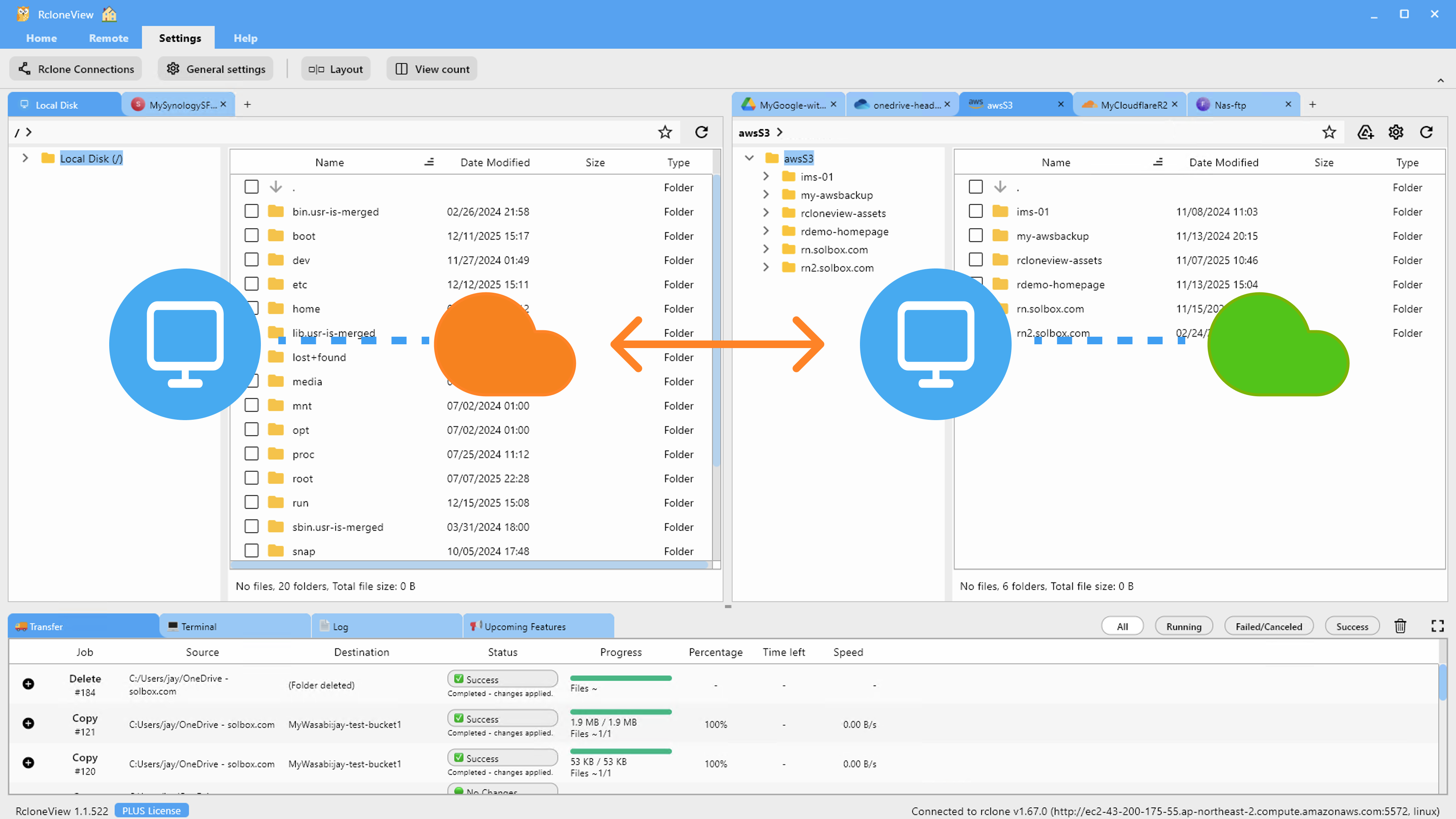
This catches the common failure mode where a large orthomosaic image from drone survey work fails to fully upload over a spotty field connection — the discrepancy shows up immediately in the compare results rather than surfacing months later when a regulator requests the original file.
Scheduling Recurring Backups for Monitoring Data
Long-term environmental monitoring projects — groundwater wells, air quality stations, remediation sites under consent decree — generate a steady stream of sensor readings and photos that need consistent backup without someone remembering to do it manually. RcloneView's Job Manager supports recurring sync jobs with crontab-style scheduling on the PLUS license, so a folder of daily monitoring exports can sync to a second cloud automatically overnight.
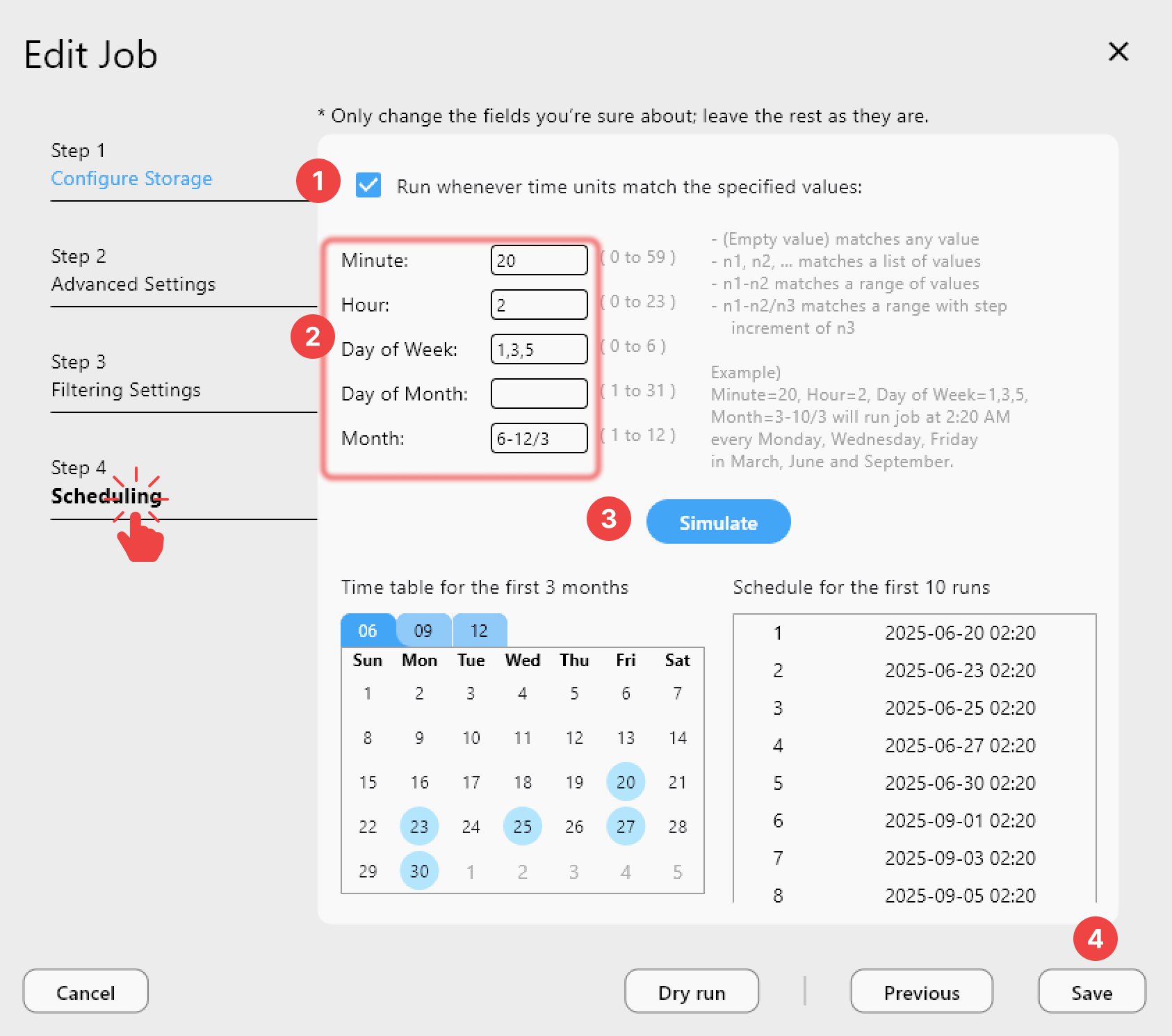
Job History then gives the compliance team a timestamped record of every sync, which is useful when demonstrating data retention practices during an audit.
Getting Started
- Download RcloneView from rcloneview.com.
- Add remotes for each cloud your firm and its clients use — Google Drive, Dropbox, SFTP, and Box are all supported via OAuth or credential entry.
- Use Folder Compare to verify field uploads against your central archive before closing out a site visit.
- Set up a scheduled sync job for any monitoring project that generates recurring data exports.
Keeping every client's environmental data organized and verifiably backed up protects the firm when a report gets challenged years later.
Related Guides:
- Cloud Storage for Drone Survey and Mapping — Manage Aerial Data with RcloneView
- Cloud Storage for Surveying Firms — Manage Field Data with RcloneView
- Cloud Storage for Research and Academia — Organize Data with RcloneView
Supported Cloud Providers





























