Cloud Storage for Fashion Brands — Streamline Design and Product Asset Management with RcloneView
Fashion brands juggle tech packs, sample photography, and campaign assets across design studios, overseas production partners, and retail teams — RcloneView keeps it all in one browsable window.
A single seasonal collection can generate thousands of files: tech packs with fabric and measurement specs, sample photography from fittings, revision after revision of lookbooks, and final campaign assets destined for retail partners. These files rarely live in one place — a design studio might use Google Drive, a factory partner shares over Dropbox or FTP, and marketing keeps finished assets on Box or S3. RcloneView gives design, production, and marketing teams one interface to browse, compare, and move files between all of them without learning each provider's own client.

Manage & Sync All Clouds in One Place
RcloneView is a cross-platform GUI for rclone. Compare folders, transfer or sync files, and automate multi-cloud workflows with a clean, visual interface.
- One-click jobs: Copy · Sync · Compare
- Schedulers & history for reliable automation
- Works with Google Drive, OneDrive, Dropbox, S3, WebDAV, SFTP and more
Free core features. Plus automations available.
Centralizing Tech Packs and Sample Photography
Tech packs and sample images tend to scatter across whichever cloud a given production partner or freelancer prefers to use. RcloneView mounts AND syncs 90+ providers from one window, on Windows, macOS, and Linux, so a design lead can add every partner's remote — Dropbox for an overseas factory, Google Drive for the in-house design team, Box for a licensing partner — and browse them side by side in split panels instead of switching applications for each vendor relationship.

Reviewing Sample Photography Faster
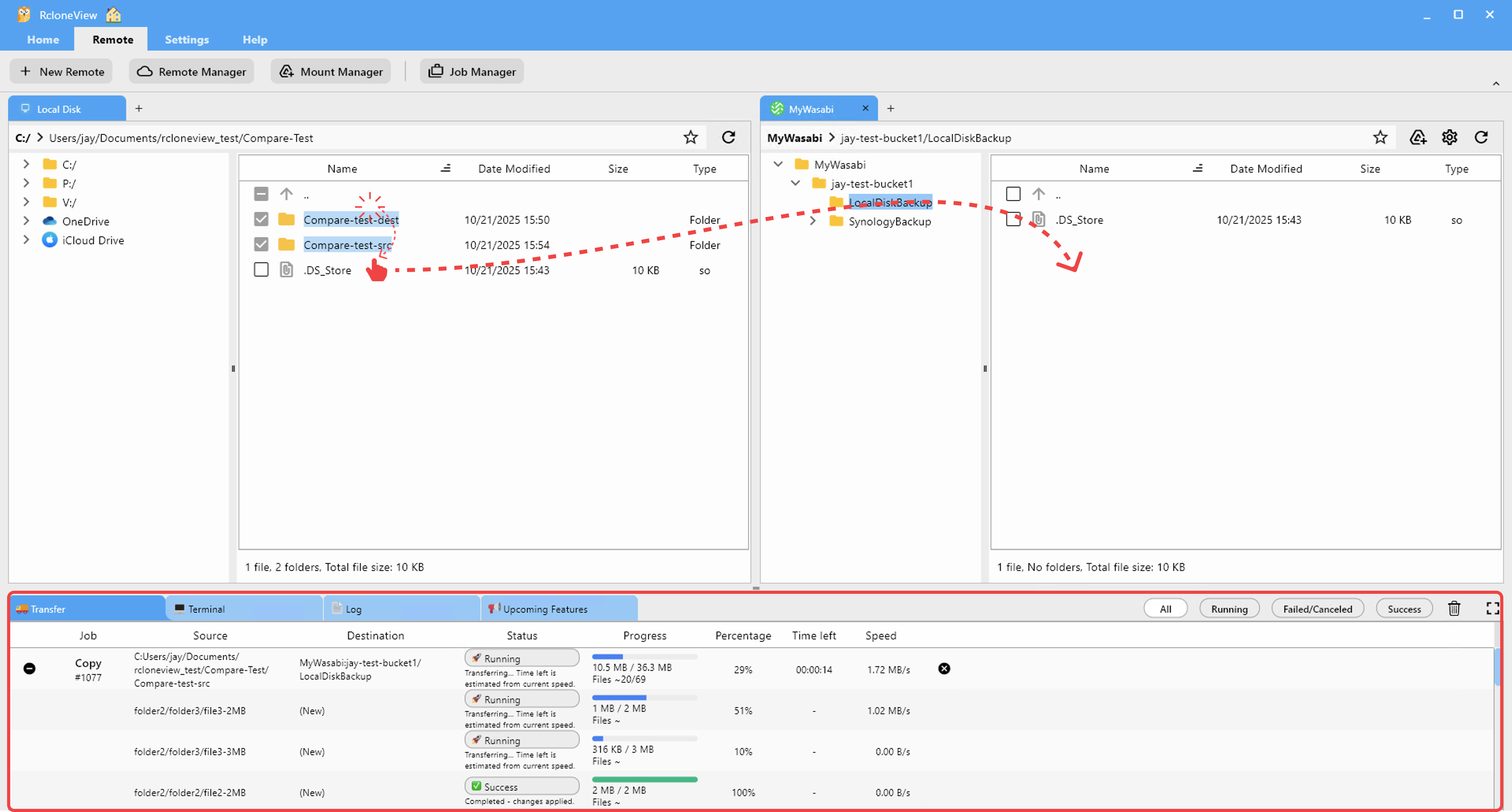
Fitting sessions and sample shoots generate large batches of near-identical images that need quick visual review rather than a file-by-file open-and-check process. Thumbnail view turns any connected remote into an image preview grid, so a design team can scan through a folder of fitting photos and pick the shots that go into the next revision round without downloading each one first. Drag-and-drop between panels moves the selected images straight into the folder shared with pattern makers or the marketing team.
Distributing Approved Assets to Regional Teams
Once a lookbook or product photo set is finalized, it typically needs to reach several destinations at once — a retail partner's shared drive, the brand's own archive, and a regional marketing team's storage. RcloneView's 1:N sync sends one approved source folder to multiple destinations in a single job, available on the FREE license, so a single "final assets" folder can push out to every downstream team without manually repeating the transfer for each one.
Getting Started
- Download RcloneView from rcloneview.com.
- Add remotes for each production partner, design studio, and marketing storage location your brand works with.
- Use Thumbnail view to review sample and product photography batches quickly.
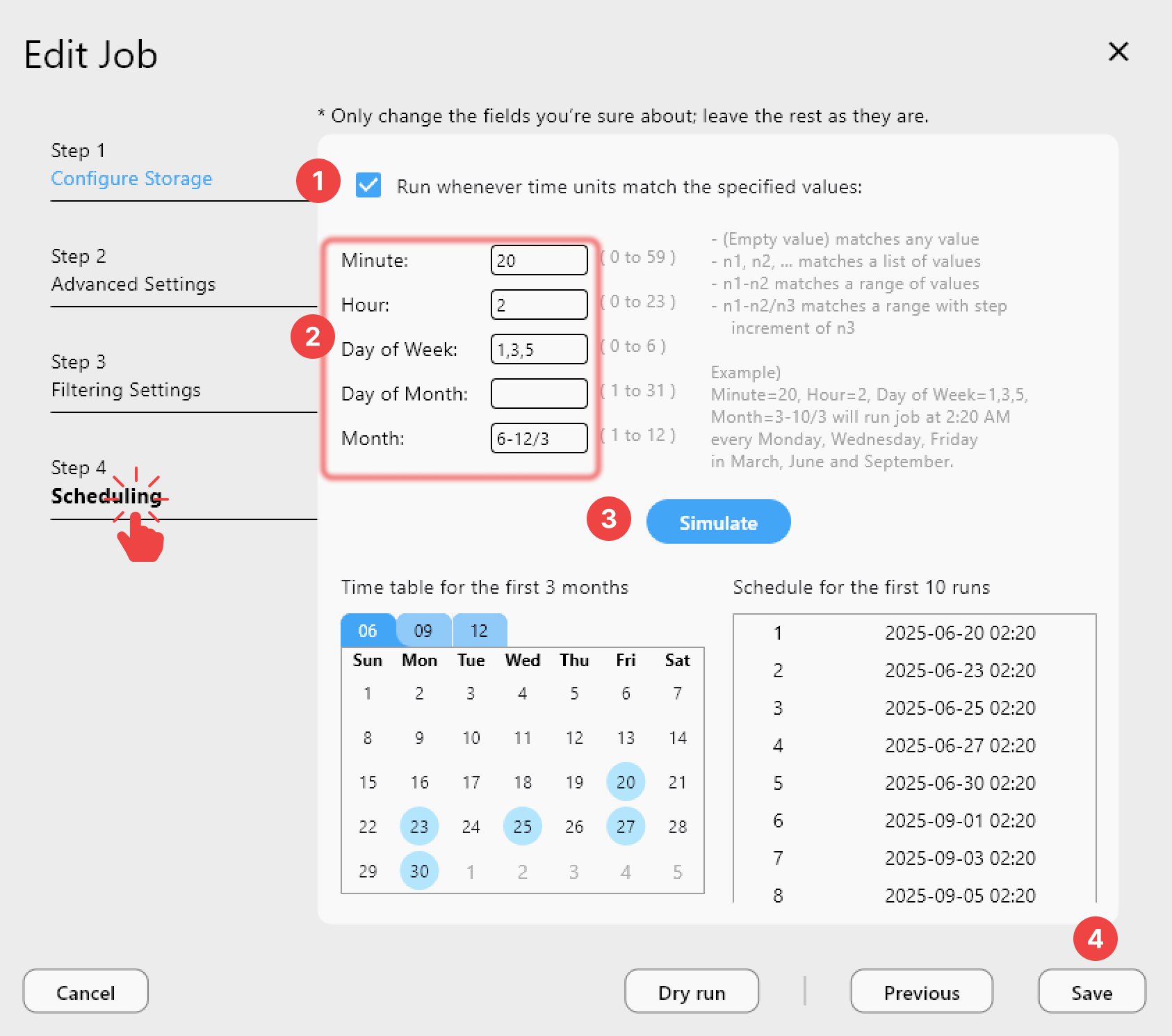
- Set up a 1:N sync job to distribute finalized assets to retail and regional partners in one run.
Fashion production moves in tight seasonal windows, and a single window for every partner's storage keeps design and production teams from losing time chasing files across scattered cloud accounts.
Related Guides:
- Cloud Storage for Photographers — Back Up RAW Files, Sync Lightroom Catalogs, and Deliver to Clients
- Cloud Storage for Graphic Designers — Manage and Backup Design Files with RcloneView
- Cloud Storage for Creative Agencies — Asset Management with RcloneView
Supported Cloud Providers





























