Cloud Storage for Hotels and Hospitality: Manage Property Files with RcloneView
Hotels generate a constant stream of guest data exports, event photography, vendor contracts, seasonal menus, and brand compliance documents — often spread across properties with no unified system. RcloneView connects them all.
A hotel group with even a handful of properties faces a file management problem that most industries do not: each property operates semi-independently with its own PMS (Property Management System), its own event calendar, its own vendor relationships, and often its own preferred cloud storage. Corporate headquarters needs visibility into all of it. Individual properties need access to brand standards, marketing assets, and shared templates. RcloneView bridges this gap by letting you connect every property's storage — whether it is Google Drive, OneDrive, a local NAS, or an S3 bucket — and manage transfers, backups, and syncs from one interface.

Manage & Sync All Clouds in One Place
RcloneView is a cross-platform GUI for rclone. Compare folders, transfer or sync files, and automate multi-cloud workflows with a clean, visual interface.
- One-click jobs: Copy · Sync · Compare
- Schedulers & history for reliable automation
- Works with Google Drive, OneDrive, Dropbox, S3, WebDAV, SFTP and more
Free core features. Plus automations available.
The Hospitality File Landscape
| File Type | Frequency | Typical Storage |
|---|---|---|
| PMS guest data exports | Daily/Weekly | Local server / SFTP |
| Event & banquet photos | Per event | Photographer Dropbox / Google Drive |
| Vendor contracts | Ongoing | OneDrive / SharePoint |
| Menus & F&B documents | Seasonal | Google Drive / local |
| Brand standards & logos | Updated annually | Corporate SharePoint |
| Franchise compliance docs | Quarterly | Franchise portal / email |
| Training materials | Updated periodically | Corporate LMS / Drive |
| Maintenance & inspection logs | Ongoing | Local / property NAS |
Each property might use different tools, and staff turnover in hospitality is high. A system that does not depend on any single employee's knowledge of folder structures is essential.
Multi-Property File Synchronization
Pushing brand assets to all properties
Corporate headquarters maintains brand standards — logos, photography guidelines, menu templates, marketing collateral, and training decks. When these are updated, every property needs the latest versions.
- Set up a corporate remote pointing to the headquarters' Google Drive or SharePoint.
- Create a remote for each property — these might be separate Google Workspace accounts, OneDrive instances, or NAS devices.
- Schedule a weekly Sync job from the corporate brand folder to each property's local brand folder.

Collecting property reports at headquarters
Properties generate daily revenue reports, occupancy summaries, and maintenance logs. Use RcloneView to pull these to a central location:
Source: property-miami-nas:/reports/daily/
Destination: corporate-s3:reports/miami/2026/04/
Set this as a nightly job for each property, and headquarters always has current data without chasing emails.

Event and Photography Management
Hotels host weddings, conferences, galas, and corporate retreats — each generating hundreds of event photos and videos. Managing this media is a recurring challenge:
Event photo workflow
- Photographer delivers photos to a Dropbox folder or Google Drive shared folder.
- RcloneView copies selected photos to the hotel's marketing asset library on S3 or Google Drive.
- Archive the full event folder to low-cost storage (Backblaze B2 or Wasabi) after 30 days.
- Share curated albums by syncing a selection to a guest-facing Dropbox or Google Drive folder.
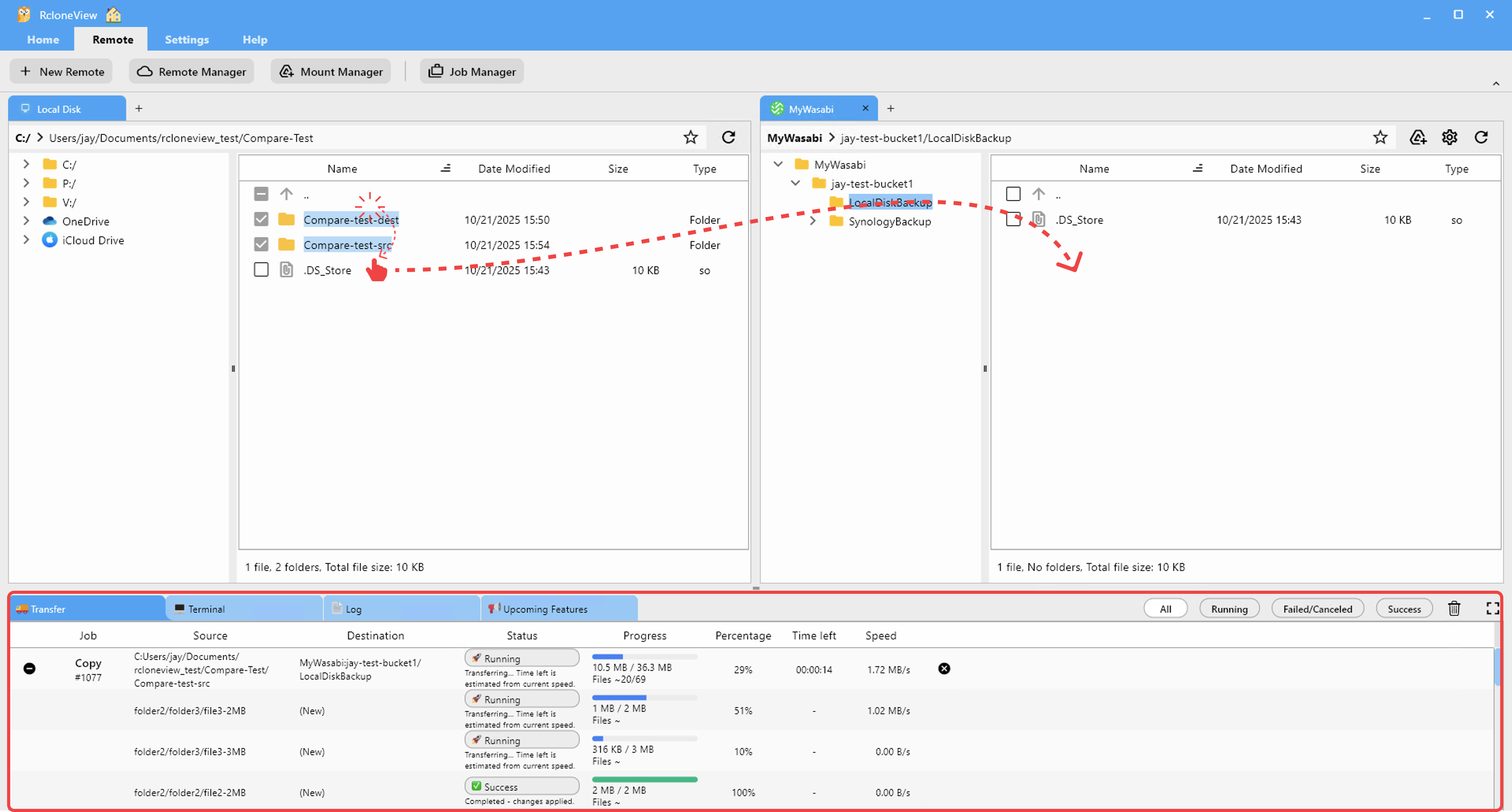
This keeps your marketing team supplied with fresh content while keeping storage costs under control by archiving high-resolution originals to affordable object storage.
Backup Strategies for Hospitality
PMS data protection
Your PMS holds reservation data, guest profiles, billing records, and loyalty information. Regular exports should be backed up automatically:
- Daily PMS exports copied from the property server to a cloud remote via SFTP or local path.
- Encrypted backups using a Crypt remote for guest data protection — especially important for GDPR and PCI compliance.
- 30-day rolling retention on active storage with long-term copies on archive storage.
Vendor contracts and legal documents
Vendor agreements, insurance certificates, and lease documents are infrequently accessed but critical when needed. Store them in a dedicated archive folder with annual backups:
Source: property-drive:/legal/contracts/
Destination: archive-b2:legal/[property-name]/2026/
Seasonal Archive Management
Hospitality is inherently seasonal. Holiday menus, seasonal promotional materials, event-specific decorations catalogs, and seasonal staffing documents cycle in and out of active use.
End-of-season archiving
At the end of each season, use RcloneView to:
- Move seasonal menus, promotional PDFs, and event plans from active Google Drive to cold archive storage.
- Free up Drive quota for the next season's materials.
- Tag by season and year for easy retrieval when the season comes around again:
archive-bucket:seasonal/summer-2026/menus/
archive-bucket:seasonal/summer-2026/promotions/
archive-bucket:seasonal/summer-2026/events/
Pre-season restoration
When a new season approaches, copy last year's templates back from archive to active storage as a starting point:
Source: archive-bucket:seasonal/summer-2025/menus/
Destination: property-drive:/active/menus/summer-2026-drafts/

Getting Started
- Download RcloneView from rcloneview.com.
- Connect each property's storage as a separate remote — Google Drive, NAS, SFTP, or S3.
- Set up brand sync jobs to push corporate assets to every property.
- Schedule daily PMS backups with encryption for guest data.
- Create seasonal archive jobs to manage storage costs year-round.
Hospitality never stops. Your file management should run just as reliably — automated, organized, and always available when a guest, auditor, or franchise inspector comes asking.
Related Guides:
- Cloud Storage for E-commerce Businesses
- Automate Daily Cloud Backups
- Cloud-to-NAS Bridge: Back Up to Synology
Supported Cloud Providers





























