Cloud Storage for Media and Entertainment Studios — Manage Massive Files Across Clouds with RcloneView
A single VFX project can generate 50 TB of data. Active projects need fast storage, completed projects need affordable archives, and client deliveries need accessible platforms. One cloud can't do it all.
Media and entertainment studios operate at a scale that breaks most file management tools. Individual files routinely exceed 10 GB. Projects generate terabytes of renders, raw footage, and composites. And everything needs to flow between fast working storage, long-term archives, and client-facing delivery platforms. RcloneView provides the multi-cloud management layer that media studios need.

Manage & Sync All Clouds in One Place
RcloneView is a cross-platform GUI for rclone. Compare folders, transfer or sync files, and automate multi-cloud workflows with a clean, visual interface.
- One-click jobs: Copy · Sync · Compare
- Schedulers & history for reliable automation
- Works with Google Drive, OneDrive, Dropbox, S3, WebDAV, SFTP and more
Free core features. Plus automations available.
The Multi-Tier Storage Challenge
Media studios typically need three storage tiers running simultaneously:
| Tier | Purpose | Provider Examples | Priority |
|---|---|---|---|
| Hot | Active project files | S3, Google Drive, Azure | Speed |
| Warm | Recent projects, on-demand access | Wasabi, Backblaze B2 | Balance |
| Cold | Completed project archives | S3 Glacier, Azure Archive | Cost |
RcloneView connects all three tiers in a single interface.
Key Workflows
Move completed projects to archive
When a project wraps, move it from hot storage to cold archive. Drag entire project folders from S3 to Glacier:

Deliver to clients
Copy final deliverables from your production storage to a client-accessible platform like Google Drive or Dropbox:
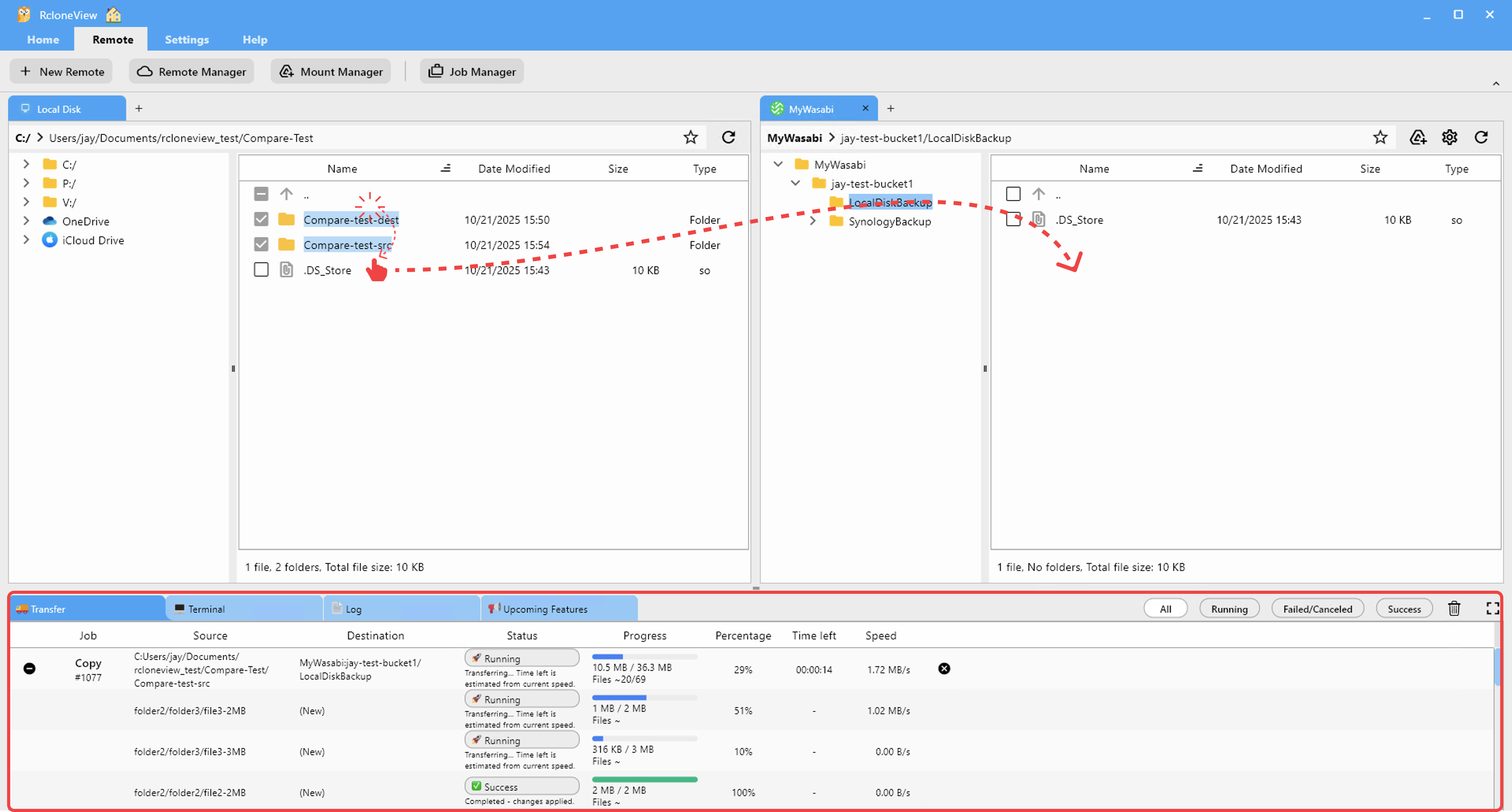
Monitor large transfers
Media file transfers take time. Monitor progress with real-time speed and ETA:

Schedule overnight archival
Run archival jobs overnight to avoid competing with active production work:

Verify archive integrity
Use Folder Comparison to confirm that archived projects are complete before deleting from hot storage:

Cost Optimization
Media storage costs add up fast at scale. Strategic tiering saves significantly:
- Active projects on fast storage (~$23/TB/month on S3 Standard)
- Recent projects on warm storage (~$6/TB/month on Wasabi)
- Archives on cold storage (~$1/TB/month on Glacier Deep Archive)
RcloneView automates the movement between tiers with scheduled jobs.
Getting Started
- Download RcloneView from rcloneview.com.
- Connect all storage tiers — hot, warm, and cold.
- Create archival jobs for completed projects.
- Schedule overnight transfers to avoid production disruption.
- Verify everything before cleaning up hot storage.
Your storage should work as hard as your team.
Related Guides:
Supported Cloud Providers





























