Rclone RC API로 RcloneView 원격 제어하기
rclone에 내장된 RC API를 사용하여 클라우드 스토리지 작업을 프로그래밍 방식으로 제어하고, RcloneView와 완벽하게 통합하세요.
Rclone은 RC(Remote Control)라는 강력한 REST API를 내장하고 있습니다. 이 API는 거의 모든 rclone 작업을 HTTP 엔드포인트로 노출하여, 어떤 프로그래밍 언어나 자동화 도구에서든 전송을 시작하고, 진행 상황을 모니터링하고, 마운트를 관리하고, 통계를 조회할 수 있게 해줍니다. RcloneView는 GUI 작업을 위해 내부적으로 동일한 RC API를 사용하므로, 인터페이스에서 할 수 있는 모든 작업은 프로그래밍 방식으로도 수행할 수 있습니다. 이 가이드는 RC API의 기본 원리부터 고급 자동화까지 다루며, 클라우드 스토리지 작업을 위한 커스텀 통합, 모니터링 대시보드, 자동화된 워크플로우를 구축하는 데 필요한 지식을 제공합니다.
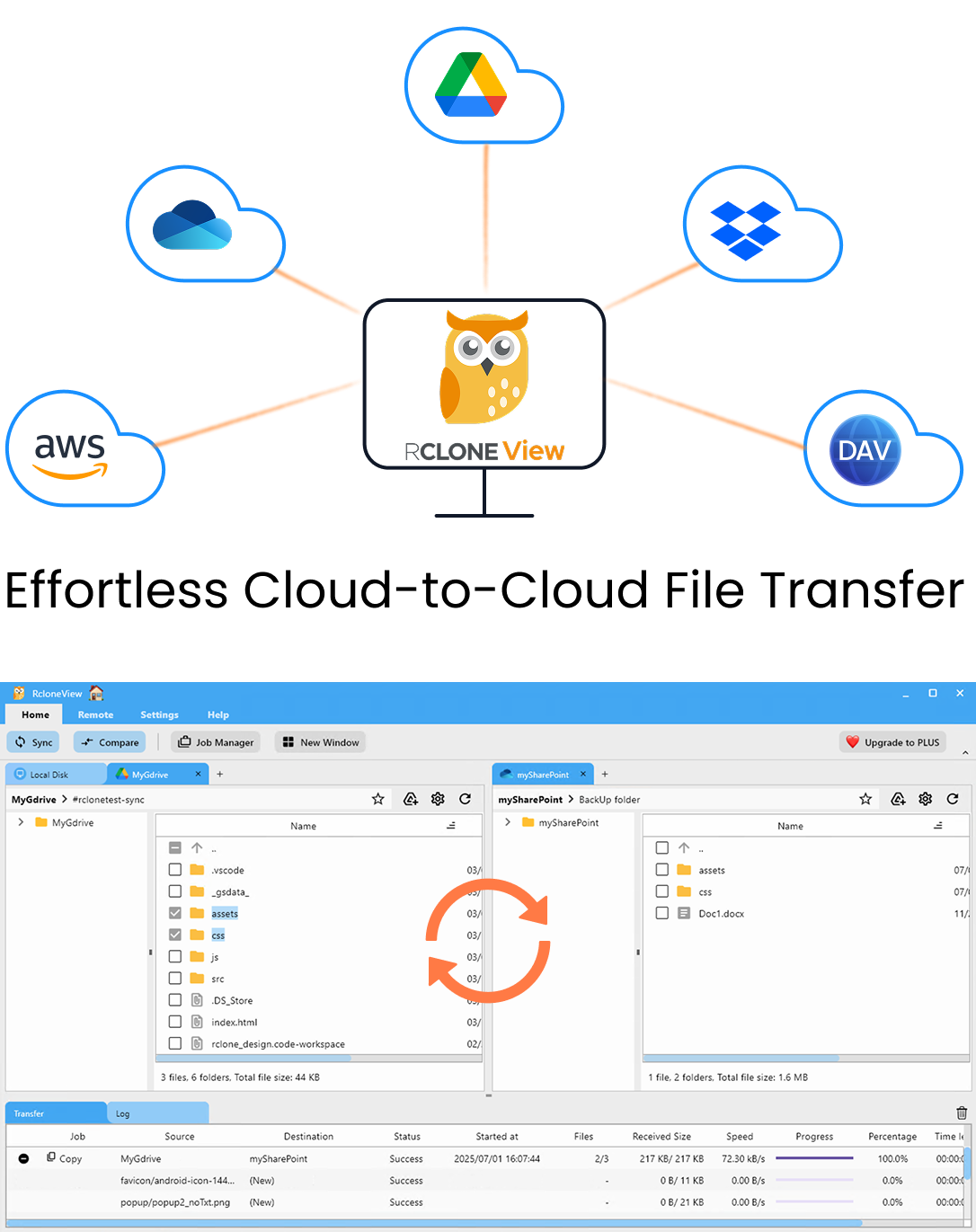
모든 클라우드를 한 곳에서 관리하고 동기화하세요
RcloneView는 rclone의 크로스플랫폼 GUI입니다. 폴더를 비교하고, 파일을 전송·동기화하고, 깔끔한 시각적 인터페이스로 멀티 클라우드 워크플로를 자동화하세요.
- 원클릭 작업: 복사 · 동기화 · 비교
- 안정적인 자동화를 위한 스케줄러와 작업 이력
- Google Drive, OneDrive, Dropbox, S3, WebDAV, SFTP 등 지원
핵심 기능은 무료. Plus로 자동화 기능 이용 가능.
Rclone RC 아키텍처 이해하기
rclone RC API는 rclone 프로세스 내에 내장되어 실행되는 HTTP 서버 형태의 JSON 기반 REST API입니다. --rc 플래그를 사용하여 rclone을 시작하거나 rclone rcd 명령을 사용하면, 포트(기본값 5572)를 열고 HTTP 요청을 수신 대기합니다.
RcloneView가 RC API를 사용하는 방식:
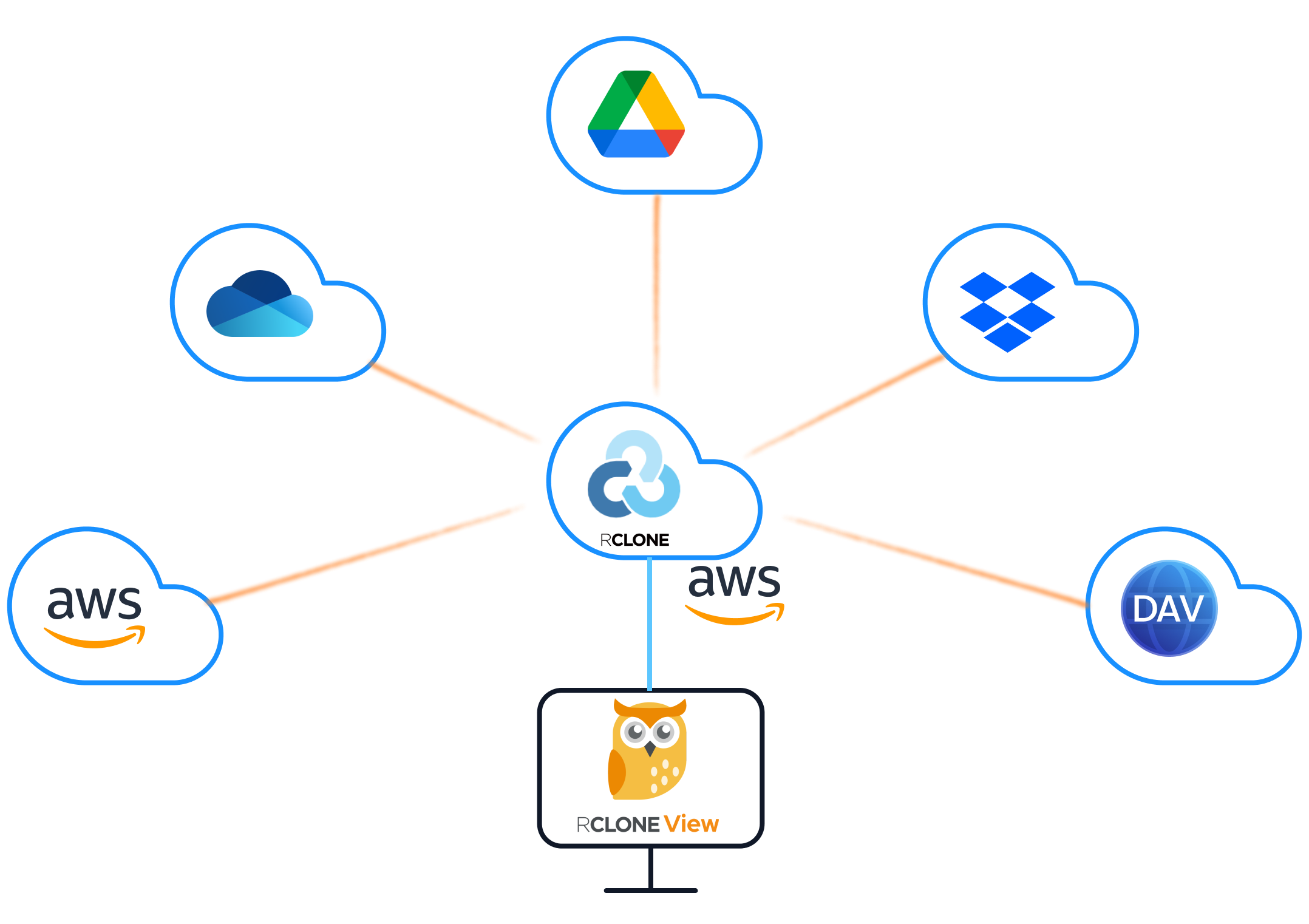
RcloneView는 오직 이 RC 인터페이스를 통해서만 rclone과 통신합니다. GUI에서 버튼을 클릭하여 동기화를 시작하거나, 디렉터리를 탐색하거나, 전송 진행 상황을 확인할 때, RcloneView는 백그라운드에서 rclone RC API로 HTTP 요청을 보냅니다. 이 아키텍처는 다음을 의미합니다:
- RcloneView는 원격 머신에서 실행 중인 rclone 인스턴스를 제어할 수 있습니다
- 여러 클라이언트가 동일한 rclone 인스턴스에 연결할 수 있습니다
- 모든 작업은 상태를 저장하지 않으며(stateless) 자동화할 수 있습니다
- GUI와 프로그래밍 방식 액세스는 동일한 기반 메커니즘을 사용합니다
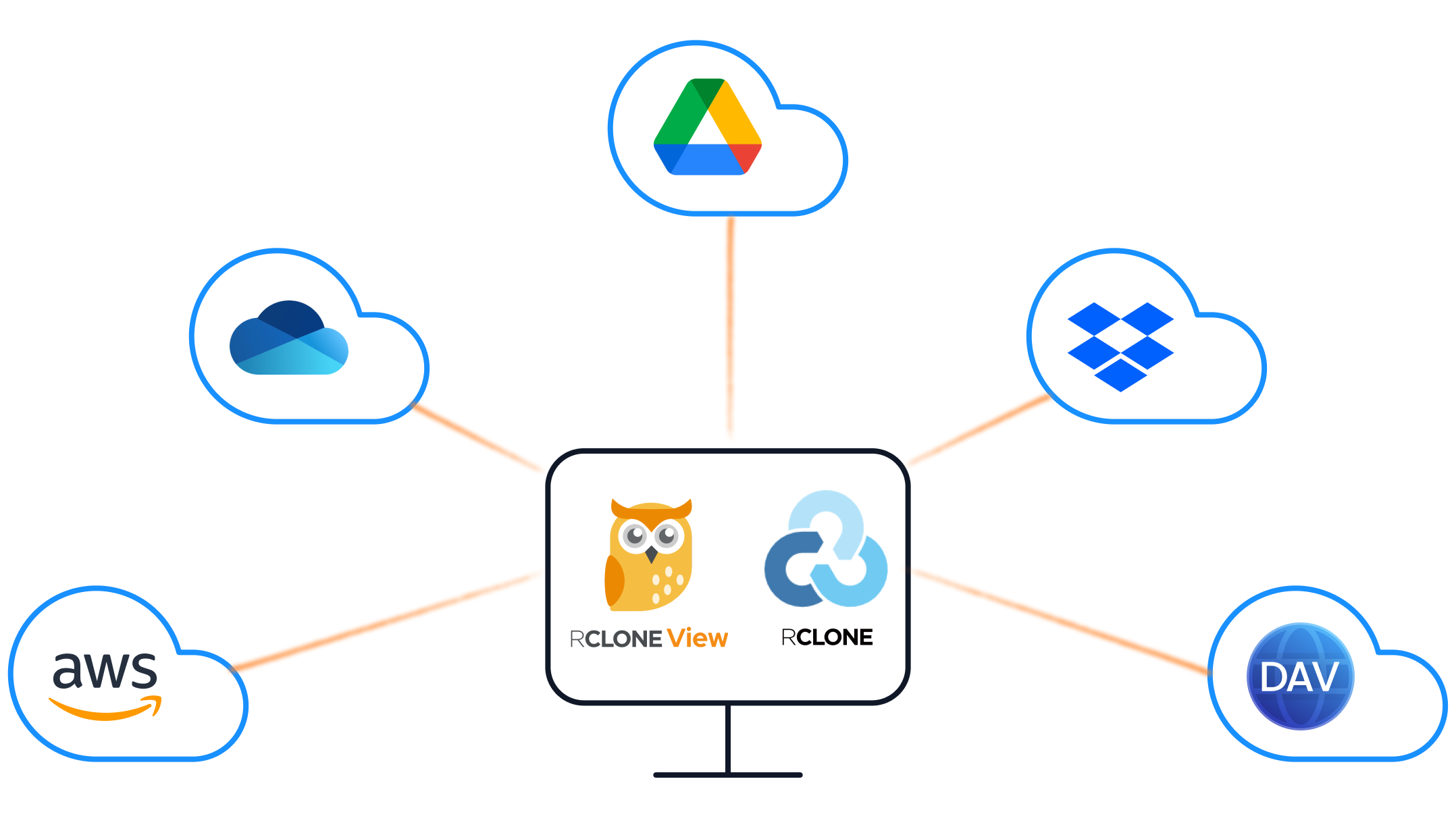
내장 방식 vs. 외부 rclone:
내장 모드에서는 RcloneView가 자체 rclone 프로세스를 시작하고 RC 연결을 자동으로 관리합니다. 외부 모드에서는 rclone을 별도로 시작하고 RcloneView가 이를 가리키도록 설정합니다. 외부 모드는 NAS나 클라우드 서버에서 실행 중인 rclone 인스턴스를 제어하는 것과 같은 원격 관리 시나리오에 필수적입니다.
RC 데몬 시작하기
RC API를 사용하려면 RC 인터페이스가 활성화된 rclone 인스턴스가 실행 중이어야 합니다.
기본 시작:
rclone rcd --rc-addr :5572
이렇게 하면 인증 없이 모든 인터페이스의 5572 포트에서 대기하는 RC 데몬이 시작됩니다. 이는 로컬 개발 용도로만 적합합니다.
인증 시작 (권장):
rclone rcd --rc-addr :5572 --rc-user admin --rc-pass your-secure-password
TLS 암호화 사용:
rclone rcd --rc-addr :5572 \
  --rc-user admin \
  --rc-pass your-secure-password \
  --rc-cert /path/to/cert.pem \
  --rc-key /path/to/key.pem
웹 GUI 활성화:
rclone rcd --rc-addr :5572 --rc-web-gui --rc-user admin --rc-pass your-secure-password
일반적인 시작 플래그:
| 플래그 | 용도 |
|---|---|
--rc-addr | 수신 대기할 주소와 포트 |
--rc-user / --rc-pass | 기본 인증 자격 증명 |
--rc-allow-origin | 브라우저 기반 액세스를 위한 CORS 오리진 |
--rc-serve | RC API를 통해 원격 객체 제공 |
--rc-no-auth | 인증 비활성화 (로컬 사용 전용) |
--rc-cert / --rc-key | TLS 인증서 및 개인 키 |
데몬 실행 확인:
curl http://localhost:5572/rc/noop
# Expected response: {}
인증이 활성화된 경우:
curl -u admin:your-secure-password http://localhost:5572/rc/noop
필수 API 엔드포인트
RC API는 카테고리별로 정리된 수십 개의 엔드포인트를 제공합니다. 다음은 일상적으로 사용하기에 가장 중요한 엔드포인트들입니다.
핵심 작업:
# Get rclone version and build info
curl -X POST http://localhost:5572/core/version

# Get current transfer statistics
curl -X POST http://localhost:5572/core/stats

# Get memory statistics
curl -X POST http://localhost:5572/core/memstats

# Trigger garbage collection
curl -X POST http://localhost:5572/core/gc

# Gracefully shut down rclone
curl -X POST http://localhost:5572/core/quit
동기화 및 복사 작업:
# Copy files from source to destination
curl -X POST http://localhost:5572/sync/copy \
  -H "Content-Type: application/json" \
  -d '{"srcFs": "gdrive:/Documents", "dstFs": "s3:my-bucket/documents"}'

# Sync (mirror) source to destination
curl -X POST http://localhost:5572/sync/sync \
  -H "Content-Type: application/json" \
  -d '{"srcFs": "gdrive:/Photos", "dstFs": "b2:photo-backup"}'

# Move files from source to destination
curl -X POST http://localhost:5572/sync/move \
  -H "Content-Type: application/json" \
  -d '{"srcFs": "local:/tmp/uploads", "dstFs": "s3:incoming-bucket"}'
파일 작업:
# List files in a directory
curl -X POST http://localhost:5572/operations/list \
  -H "Content-Type: application/json" \
  -d '{"fs": "gdrive:", "remote": "Documents"}'

# Get information about a specific file
curl -X POST http://localhost:5572/operations/stat \
  -H "Content-Type: application/json" \
  -d '{"fs": "gdrive:", "remote": "Documents/report.pdf"}'

# Delete a file
curl -X POST http://localhost:5572/operations/deletefile \
  -H "Content-Type: application/json" \
  -d '{"fs": "gdrive:", "remote": "temp/old-file.txt"}'

# Create a directory
curl -X POST http://localhost:5572/operations/mkdir \
  -H "Content-Type: application/json" \
  -d '{"fs": "gdrive:", "remote": "NewFolder"}'

# Get disk usage info
curl -X POST http://localhost:5572/operations/about \
  -H "Content-Type: application/json" \
  -d '{"fs": "gdrive:"}'
마운트 작업:
# Mount a remote as a local drive
curl -X POST http://localhost:5572/mount/mount \
  -H "Content-Type: application/json" \
  -d '{"fs": "gdrive:", "mountPoint": "/mnt/gdrive"}'

# List active mounts
curl -X POST http://localhost:5572/mount/listmounts

# Unmount
curl -X POST http://localhost:5572/mount/unmount \
  -H "Content-Type: application/json" \
  -d '{"mountPoint": "/mnt/gdrive"}'
프로그래밍 방식으로 전송 모니터링하기
RC API의 가장 유용한 활용법 중 하나는 실시간 전송 모니터링입니다.
전송 통계 폴링:
curl -X POST http://localhost:5572/core/stats
이는 다음을 포함하는 JSON 객체를 반환합니다:
{
  "bytes": 1234567890,
  "checks": 150,
  "deletedDirs": 0,
  "deletes": 0,
  "elapsedTime": 45.2,
  "errors": 0,
  "eta": 120,
  "fatalError": false,
  "renames": 0,
  "speed": 27434842,
  "totalBytes": 9876543210,
  "totalChecks": 500,
  "totalTransfers": 200,
  "transferTime": 42.1,
  "transfers": 85,
  "transferring": [
    {
      "bytes": 52428800,
      "eta": 30,
      "group": "sync/copy",
      "name": "Photos/vacation-2025/IMG_4521.jpg",
      "percentage": 65,
      "size": 80530636,
      "speed": 1048576,
      "speedAvg": 983040
    }
  ]
}
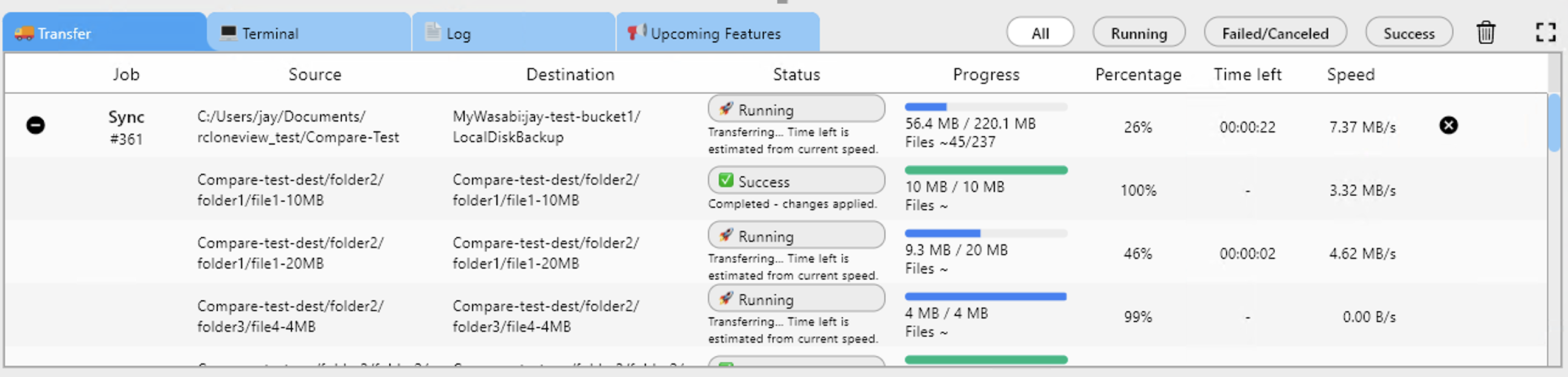
작업(job) 관리:
모든 비동기 작업(동기화, 복사, 이동)은 추적할 수 있는 작업(job)을 생성합니다:
# List all running jobs
curl -X POST http://localhost:5572/job/list

# Get status of a specific job
curl -X POST http://localhost:5572/job/status \
  -H "Content-Type: application/json" \
  -d '{"jobid": 1}'

# Stop a running job
curl -X POST http://localhost:5572/job/stop \
  -H "Content-Type: application/json" \
  -d '{"jobid": 1}'
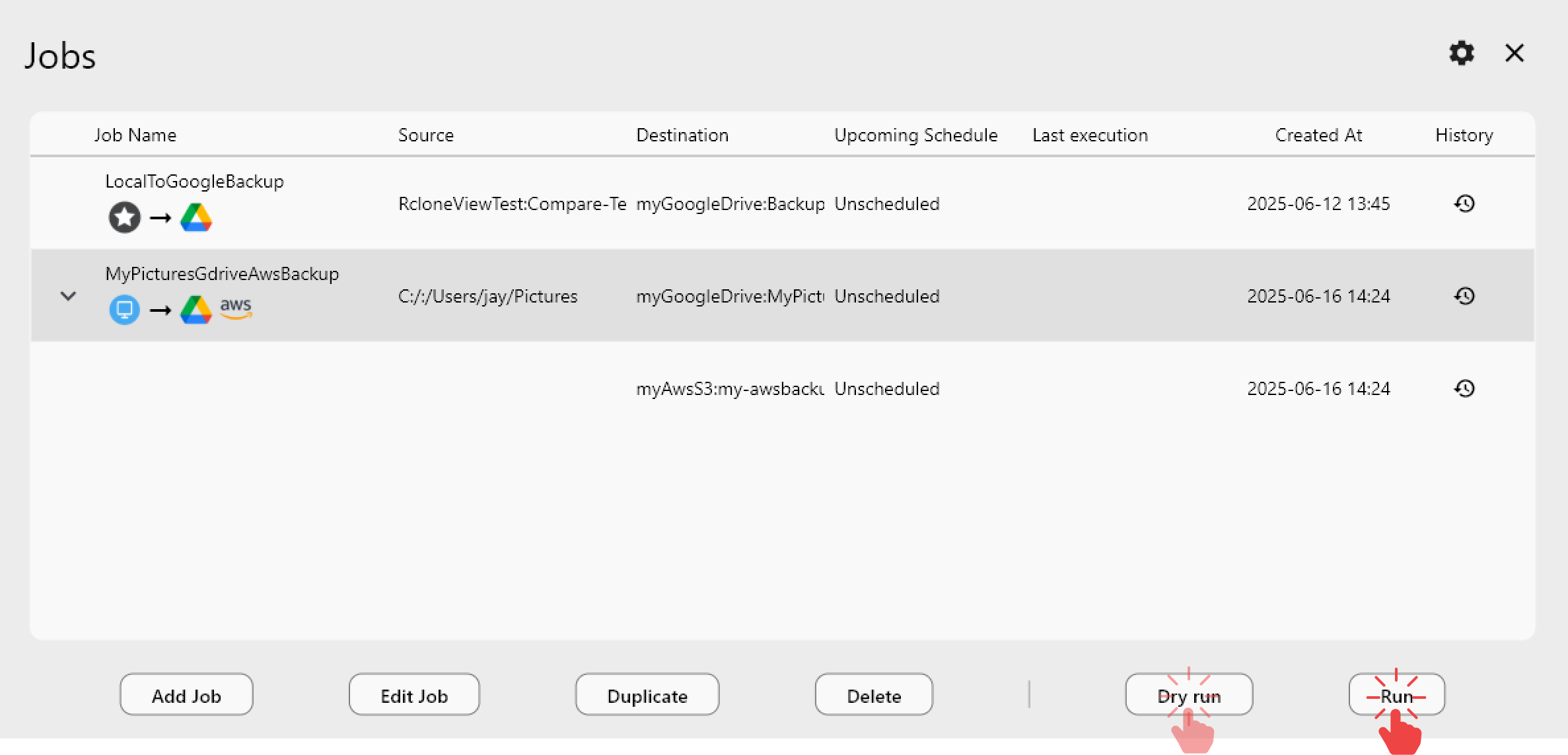
간단한 모니터링 스크립트 만들기:
import requests
import time
import json

RC_URL = "http://localhost:5572"
AUTH = ("admin", "your-secure-password")

def get_stats():
    resp = requests.post(f"{RC_URL}/core/stats", auth=AUTH)
    return resp.json()

def monitor_transfers(interval=5):
    while True:
        stats = get_stats()
        speed_mb = stats.get("speed", 0) / 1024 / 1024
        transferred = stats.get("transfers", 0)
        total = stats.get("totalTransfers", 0)
        errors = stats.get("errors", 0)

        print(f"Speed: {speed_mb:.1f} MB/s | "
              f"Progress: {transferred}/{total} | "
              f"Errors: {errors}")

        if transferred >= total and total > 0:
            print("Transfer complete!")
            break

        time.sleep(interval)

monitor_transfers()
자동화 스크립트 구축하기
RC API는 GUI만으로는 제공할 수 없는 강력한 자동화 시나리오를 가능하게 합니다.
오류 처리를 포함한 자동 백업:
#!/bin/bash
RC_URL="http://localhost:5572"
AUTH="admin:your-secure-password"

# Start backup
RESPONSE=$(curl -s -u "$AUTH" -X POST "$RC_URL/sync/sync" \
  -H "Content-Type: application/json" \
  -d '{"srcFs": "gdrive:/Important", "dstFs": "b2:backup-bucket/important", "_async": true}')

JOBID=$(echo "$RESPONSE" | jq -r '.jobid')
echo "Started backup job: $JOBID"

# Monitor until complete
while true; do
  STATUS=$(curl -s -u "$AUTH" -X POST "$RC_URL/job/status" \
    -H "Content-Type: application/json" \
    -d "{\"jobid\": $JOBID}")

  FINISHED=$(echo "$STATUS" | jq -r '.finished')
  SUCCESS=$(echo "$STATUS" | jq -r '.success')

  if [ "$FINISHED" = "true" ]; then
    if [ "$SUCCESS" = "true" ]; then
      echo "Backup completed successfully"
    else
      ERROR=$(echo "$STATUS" | jq -r '.error')
      echo "Backup failed: $ERROR"
      # Send alert notification
      curl -X POST "https://hooks.slack.com/services/YOUR/WEBHOOK/URL" \
        -d "{\"text\": \"Backup job $JOBID failed: $ERROR\"}"
    fi
    break
  fi

  sleep 10
done
다중 리모트 동기화 오케스트레이션:
import requests
import time

RC_URL = "http://localhost:5572"
AUTH = ("admin", "your-secure-password")

SYNC_JOBS = [
    {"srcFs": "gdrive:/Documents", "dstFs": "s3:backup/documents"},
    {"srcFs": "gdrive:/Photos", "dstFs": "b2:photo-archive"},
    {"srcFs": "onedrive:/Work", "dstFs": "s3:backup/work"},
]

def start_sync(src, dst):
    resp = requests.post(f"{RC_URL}/sync/sync", auth=AUTH,
                        json={"srcFs": src, "dstFs": dst, "_async": True})
    return resp.json().get("jobid")

def wait_for_job(jobid):
    while True:
        resp = requests.post(f"{RC_URL}/job/status", auth=AUTH,
                            json={"jobid": jobid})
        status = resp.json()
        if status.get("finished"):
            return status.get("success", False)
        time.sleep(5)

# Run all syncs sequentially
for job in SYNC_JOBS:
    print(f"Syncing {job['srcFs']} -> {job['dstFs']}")
    jobid = start_sync(job["srcFs"], job["dstFs"])
    success = wait_for_job(jobid)
    print(f"  Result: {'Success' if success else 'Failed'}")
스토리지 사용량 보고 자동화:
#!/bin/bash
RC_URL="http://localhost:5572"
AUTH="admin:your-secure-password"

REMOTES=("gdrive:" "s3:my-bucket" "b2:my-bucket" "onedrive:")

echo "Storage Usage Report - $(date)"
echo "================================"

for REMOTE in "${REMOTES[@]}"; do
  RESULT=$(curl -s -u "$AUTH" -X POST "$RC_URL/operations/about" \
    -H "Content-Type: application/json" \
    -d "{\"fs\": \"$REMOTE\"}")

  TOTAL=$(echo "$RESULT" | jq -r '.total // "unlimited"')
  USED=$(echo "$RESULT" | jq -r '.used // "unknown"')
  FREE=$(echo "$RESULT" | jq -r '.free // "unknown"')

  echo "$REMOTE: Used=$USED, Free=$FREE, Total=$TOTAL"
done
웹훅 통합 및 알림
RC API를 웹훅과 결합하여 이벤트 기반 워크플로우를 만들 수 있습니다.
전송 완료 시 Slack 알림:
import requests
import time

RC_URL = "http://localhost:5572"
RC_AUTH = ("admin", "your-secure-password")
SLACK_WEBHOOK = "https://hooks.slack.com/services/YOUR/WEBHOOK/URL"

def notify_slack(message):
    requests.post(SLACK_WEBHOOK, json={"text": message})

def run_sync_with_notification(src, dst, label):
    # Start sync
    resp = requests.post(f"{RC_URL}/sync/sync", auth=RC_AUTH,
                        json={"srcFs": src, "dstFs": dst, "_async": True})
    jobid = resp.json().get("jobid")
    notify_slack(f"Started: {label} (Job #{jobid})")

    # Wait for completion
    while True:
        status = requests.post(f"{RC_URL}/job/status", auth=RC_AUTH,
                              json={"jobid": jobid}).json()
        if status.get("finished"):
            # Get final stats
            stats = requests.post(f"{RC_URL}/core/stats", auth=RC_AUTH).json()

            if status.get("success"):
                notify_slack(
                    f"Completed: {label}\n"
                    f"Files: {stats.get('transfers', 0)} | "
                    f"Size: {stats.get('bytes', 0) / 1024 / 1024:.1f} MB | "
                    f"Errors: {stats.get('errors', 0)}"
                )
            else:
                notify_slack(f"FAILED: {label}\nError: {status.get('error')}")
            break
        time.sleep(10)

run_sync_with_notification(
    "gdrive:/Backups", "b2:disaster-recovery",
    "Nightly Google Drive Backup"
)
가동 시간 모니터링을 위한 헬스 체크 엔드포인트:
RC API를 Uptime Kuma나 Healthchecks.io 같은 모니터링 도구를 위한 헬스 체크 엔드포인트로 사용할 수 있습니다:
# Simple health check - returns 200 if rclone is running
curl -s -o /dev/null -w "%{http_code}" http://localhost:5572/rc/noop
이를 모니터링 스택에 통합하면 rclone 데몬이 중단될 경우 알림을 받을 수 있습니다.
보안 모범 사례
RC API를 노출할 때, 특히 네트워크를 통해 노출할 때는 보안이 매우 중요합니다.
인증: 프로덕션 환경에서는 항상 --rc-user와 --rc-pass를 사용하세요. 네트워크에 접근 가능한 인터페이스에서는 절대 --rc-no-auth로 실행하지 마세요.
TLS 암호화: --rc-cert와 --rc-key를 사용하여 API 트래픽을 암호화하세요. 내부 사용에는 자체 서명 인증서로 충분하며, 공개적으로 노출되는 인스턴스에는 Let's Encrypt를 사용하세요.
네트워크 제한: 로컬 액세스만 필요한 경우 localhost에 바인딩하세요:
rclone rcd --rc-addr 127.0.0.1:5572
원격 액세스가 필요한 경우, rclone을 직접 노출하기보다는 적절한 TLS 종료와 속도 제한을 갖춘 리버스 프록시(nginx, Caddy)를 사용하세요.
방화벽 규칙: RC 포트에 대한 액세스를 제한하세요:
# Allow only specific IPs
sudo ufw allow from 192.168.1.0/24 to any port 5572
토큰 기반 인증 대안: 스크립트의 경우, 자격 증명을 하드코딩하는 대신 환경 변수에 저장하는 것을 고려하세요:
export RCLONE_RC_USER="admin"
export RCLONE_RC_PASS="your-secure-password"
시작하기
rclone RC API는 RcloneView를 독립형 애플리케이션에서 클라우드 스토리지 자동화를 구축하기 위한 플랫폼으로 변화시킵니다. 간단한 전송 모니터링이든, 복잡한 다중 리모트 오케스트레이션이든, 기존 DevOps 도구 체인과의 통합이든, RC API는 그 기반을 제공합니다. 먼저 RC 데몬을 활성화하고, core/stats와 operations/list를 실험하며 응답 형식을 이해한 다음, 수동 개입 없이 일상적인 클라우드 스토리지 작업을 처리하는 자동화된 워크플로우로 점차 발전시켜 나가세요.
관련 가이드:
지원 클라우드 제공업체





























