Hybrid Cloud File Transfer Between On-Prem NAS and Public Cloud Using RcloneView
Bridge on-prem NAS and public clouds without CLI gymnastics. RcloneView lets you add SMB/SFTP/WebDAV, open clouds side-by-side, Compare changes, mount drives, and schedule nightly syncs — so hybrid storage stays tidy and predictable.

Manage & Sync All Clouds in One Place
RcloneView is a cross-platform GUI for rclone. Compare folders, transfer or sync files, and automate multi-cloud workflows with a clean, visual interface.
- One-click jobs: Copy · Sync · Compare
- Schedulers & history for reliable automation
- Works with Google Drive, OneDrive, Dropbox, S3, WebDAV, SFTP and more
Free core features. Plus automations available.
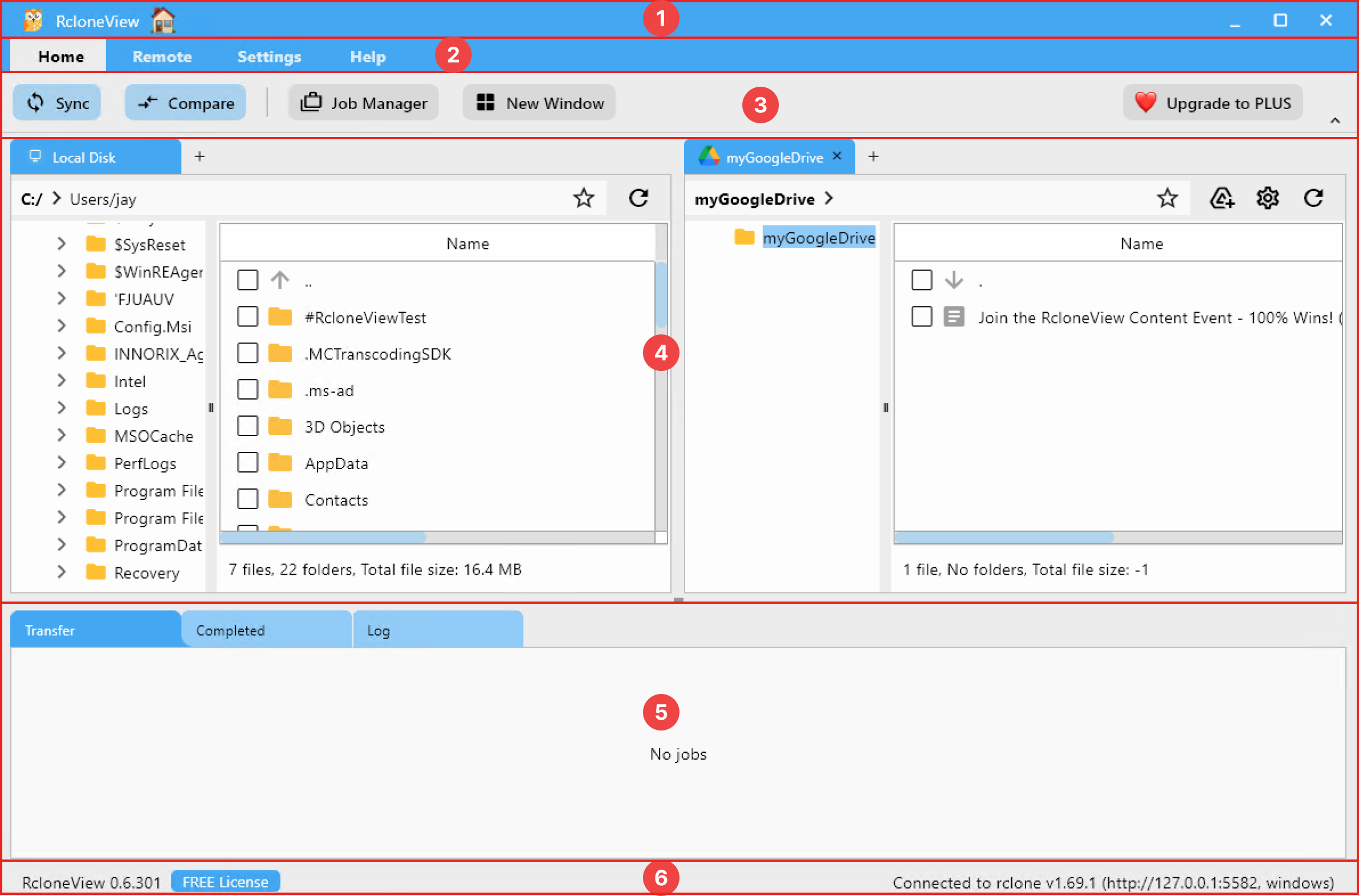
Why hybrid cloud is hard (and worth it)
- On-prem NAS gives fast LAN access for editors and render nodes, but lacks off-site resilience.
- Public cloud (S3/Wasabi/Drive/Dropbox) adds durability and global sharing, but bandwidth and costs matter.
- Teams juggle mixed permissions (ACLs on NAS vs. OAuth/cloud RBAC) and different folder conventions.
- Copying manually risks overwrites, missing versions, and late-night scrambles.
- A GUI that unifies both sides cuts cognitive load and lets you automate confidently.
Local FS vs. remote FS in one pane
- Local/NAS (SMB/SFTP/WebDAV): POSIX-like, permission-sensitive, low latency on LAN.
- Cloud: object storage (S3/Wasabi) or drive-style (Google Drive/Dropbox); needs OAuth or keys.
- RcloneView treats each as a remote you can open, compare, mount, and sync in a single interface.
Add your on-prem NAS remote (SMB/SFTP/WebDAV)
- Click Remote → + New Remote or the + button in Explorer.
- Choose SMB (for Windows/NAS share) or SFTP (Linux/UNIX servers).
- Enter server address, share/path, and credentials (add domain if SMB needs it).
- Save and test browsing in the two-pane Explorer.
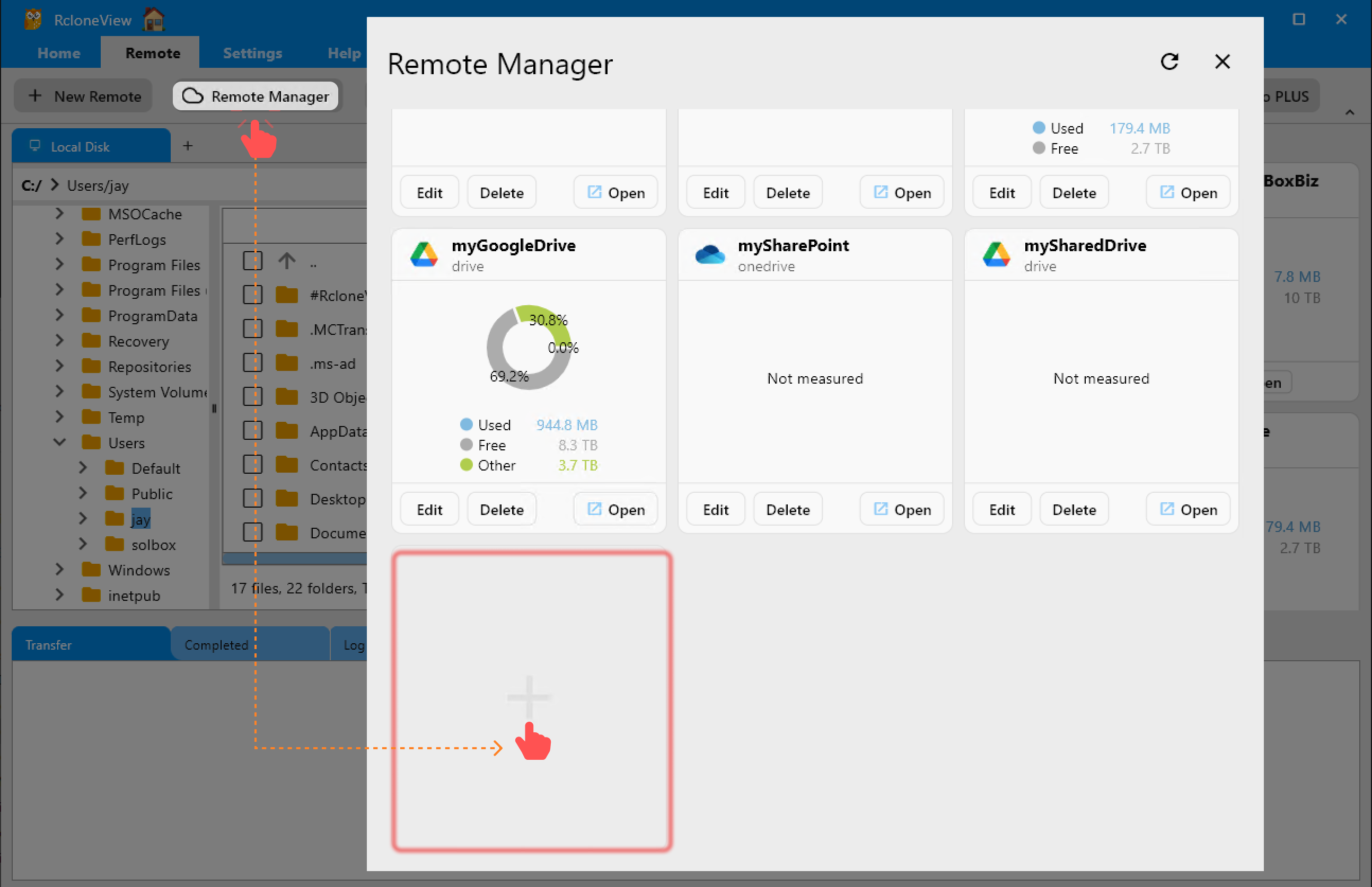
Add your public cloud remotes
- S3/Wasabi/B2/R2: use access/secret keys; pick region and bucket.
- Google Drive/Dropbox: click Connect to finish OAuth; no tokens to paste.
- WebDAV endpoints: paste the URL and auth.
- Keep both NAS and cloud remotes saved in Remote Manager for reuse.
Mount remote file systems like local drives
Mounts help apps that insist on local paths (NLEs, DAWs, CAD). RcloneView’s mount manager keeps you away from CLI flags.
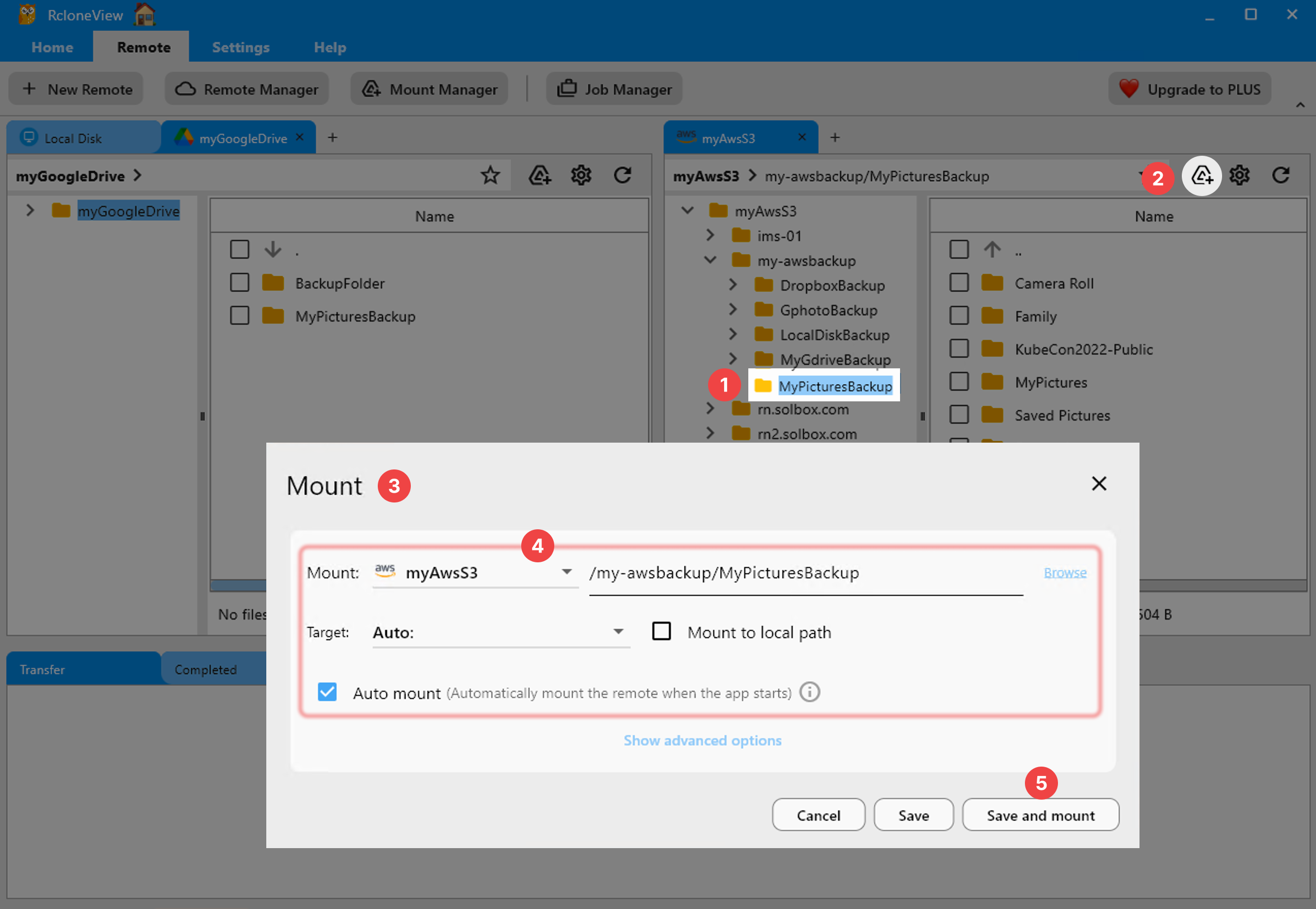
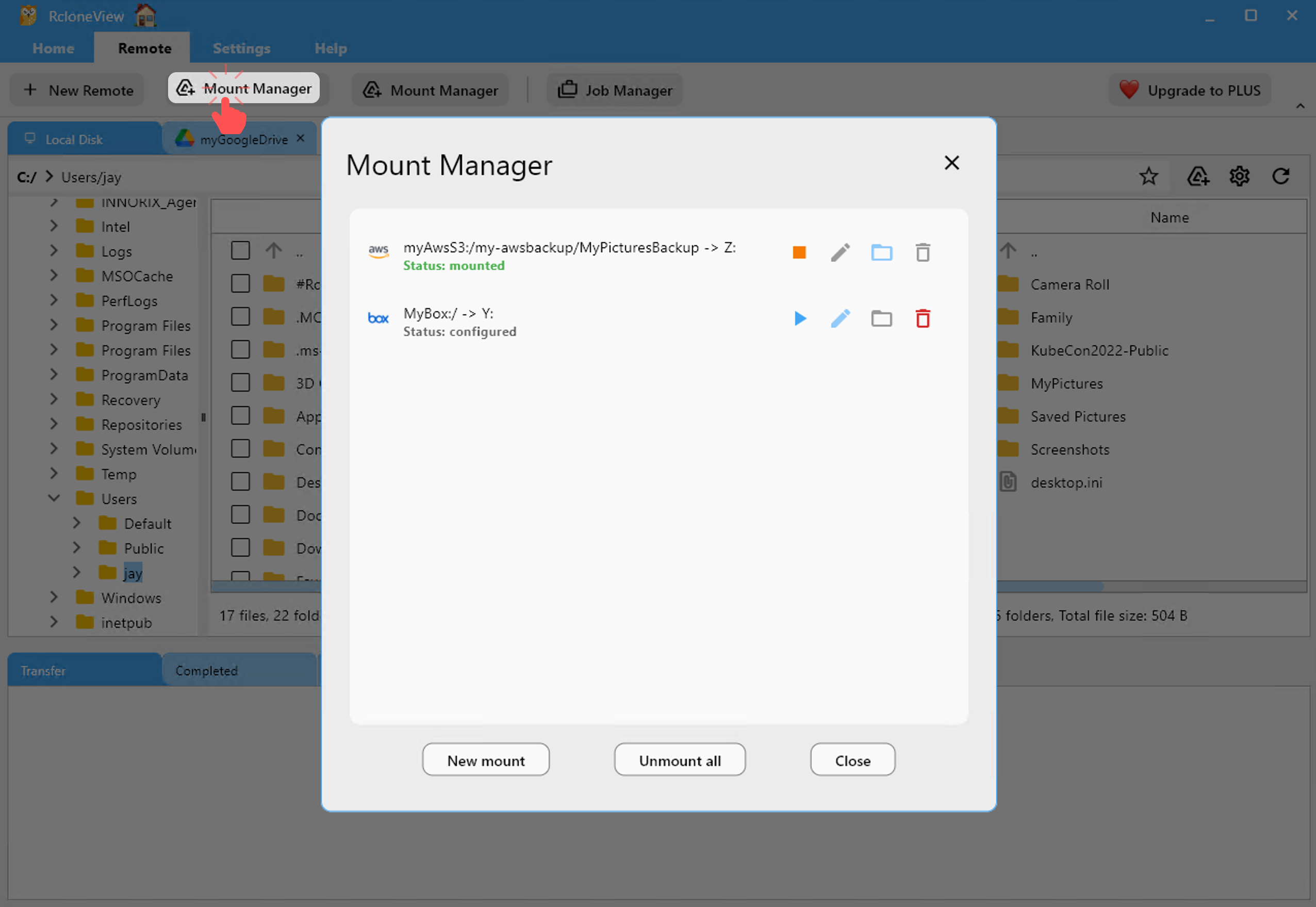
- Mount from the remote card or toolbar, choose drive letter/path, and set cache/buffer.
- Start/stop mounts in Mount Manager without rebooting.
- Ideal for editing directly from SFTP/SMB or exposing S3 as a folder for light tasks.
Compare before you copy
Hybrid moves can get messy; Compare makes deltas obvious.
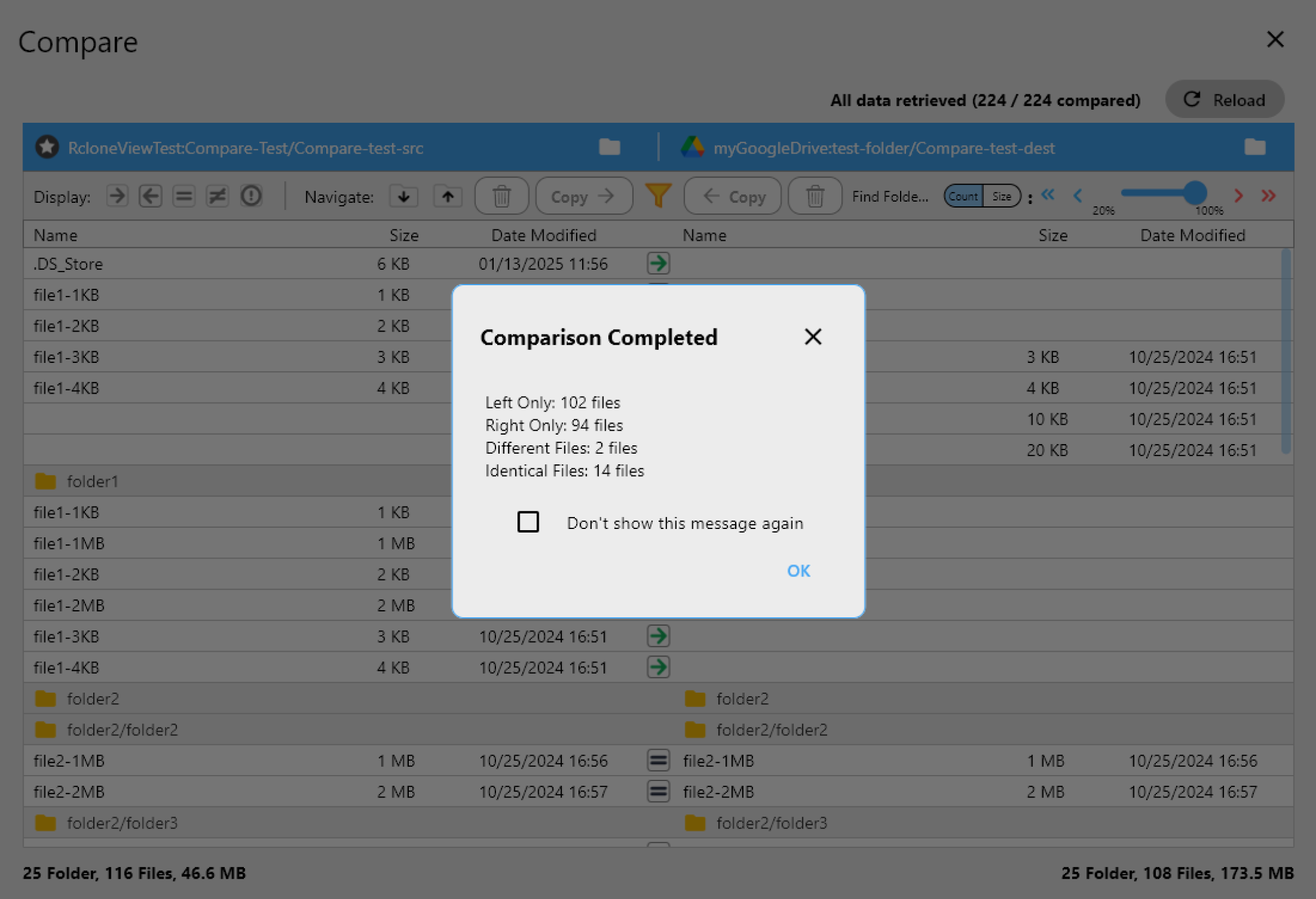
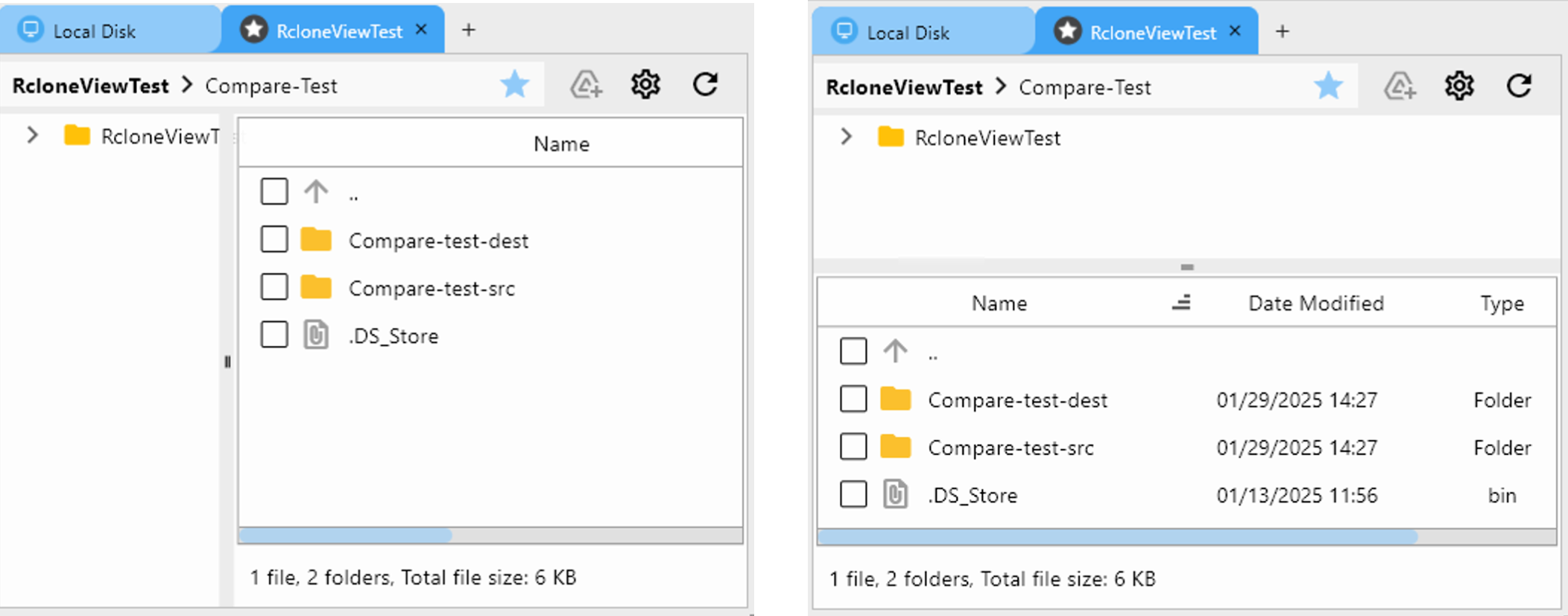
- Open NAS on the left, cloud bucket on the right, then hit Compare.
- Highlights missing, size-different, and matching files.
- Copy only the delta from NAS → cloud (or reverse) to avoid overwriting newer edits.
Sync and copy flows that fit hybrid cloud
- One-way copy for backups/archives; do not delete at destination.
- One-way sync with delete when you intentionally mirror NAS to cloud.
- Two-way sync sparingly (only if both sides actively change).
- Use include/exclude filters to skip cache, proxies, and temp renders.
Handle permissions without drama
- SMB: align domain/workgroup; ensure share ACLs and filesystem ACLs allow writes.
- SFTP: verify UID/GID and folder ownership on the server; adjust
chmodserver-side if needed. - WebDAV: some hosts block MOVE/DELETE; use copy-only if unsure.
- If a mount is read-only, remount with proper user or adjust mount options in the dialog.

- Check Logs for 401/403/550/permission-denied clues and retry after fixes.
Performance tips for NAS ↔ cloud
- Schedule large jobs off-hours; cap bandwidth during business hours.
- For S3/Wasabi, keep concurrency moderate to avoid throttling; enable checksum when supported.
- For SFTP over WAN, reduce parallel transfers if packet loss appears; consider compression only if CPU allows.
- Avoid double-mounting the same SMB share on shaky networks.
Automate with Jobs and schedules
- Save any Sync/Copy as a Job (e.g.,
nas-to-s3-nightly). - Open Job Manager → Add Job, pick the saved job, and schedule 02:00 daily.
- Stagger multiple jobs (NAS → S3, NAS → Drive, Drive → NAS) to minimize contention.

Example job set
- NAS (SMB) → Wasabi (one-way copy): weekly archive of RAW/PROJECT.
- NAS (SFTP) → Google Drive Shared Drive (one-way sync): daily EDIT/EXPORT for collaboration.
- S3 → NAS (one-way copy): pull cold archive slices for local restore tests monthly.
Dry-run and verification
- Run dry-run on first execution to confirm what will move.
- After sync, re-open Compare; only expected differences should remain.
- For S3/Wasabi, keep versioning + lifecycle rules to control cost and retain history.
Organize your hybrid folder strategy
- Standardize a template (e.g.,
Project/RAW,EDIT,EXPORT,ARCHIVE) on both NAS and cloud. - Keep proxies on cloud for quick sharing; keep RAW on NAS/S3 for fidelity.
- Use Copy for archives, Sync for active workspaces, Mount for app compatibility.
- Document which remote is the “source of truth” per folder to avoid accidental deletes.
Real-world workflow (step-by-step)
- Connect remotes: add SMB/SFTP for NAS, add S3/Wasabi and Google Drive.
- Open two panes: NAS left, cloud right; confirm listings.
- Compare small pilot folder: ensure deltas look right.
- Run one-way copy to cloud: start with non-destructive backup.
- Save as Job + schedule: nightly 02:00 for deltas only.
- Mount for apps: mount NAS or S3 when editors need path-based access.
- Log review: check retries, throttling messages, or permissions in Logs.
- Periodic restore test: copy back from cloud to a scratch NAS folder to verify integrity.
- Refine filters: exclude caches/renders; include only masters and project files for archives.
- Team handoff: share the folder template and job schedule so everyone follows the same map.
Troubleshooting quick list
- Seeing 403/550? Re-check credentials, share ACLs, or bucket policies.
- Slow WAN? Lower concurrency and enable bandwidth limits; schedule overnight.
- Mount not writing? Remount with correct user or adjust SMB permissions.
- WebDAV deletes failing? Copy then prune manually; some hosts block MOVE/DELETE.
- Duplicate copies? Use Compare to prune safely; avoid two-way sync unless required.
Checklist to go live
- NAS remote (SMB/SFTP/WebDAV) added and browsable.
- Cloud remote (S3/Wasabi/Drive/Dropbox) added and authenticated.
- Folder template mirrored on both sides.
- Pilot Compare and dry-run completed.
- Job saved and scheduled (02:00 suggested).
- Checksums enabled where supported; logs monitored.
- Restore test performed and documented.
Summary
RcloneView turns hybrid cloud work into a repeatable workflow: add NAS and cloud remotes, compare before copying, mount when apps demand local paths, and automate backups with Jobs and schedules. With visible logs, retries, and checksum support, you can keep on-prem performance and cloud resilience without touching the CLI.
Supported Cloud Providers





























