Run RcloneView on FreeBSD — Cloud Sync and Backup for BSD Systems
FreeBSD users can harness RcloneView's power for cloud synchronization and backup. Learn how to set up RcloneView on your BSD systems today.
FreeBSD powers many production servers and workstations, but cloud synchronization tools are sometimes overlooked for BSD systems. RcloneView runs natively on FreeBSD, giving BSD users the same multi-cloud management capabilities as Linux and Windows users.

Manage & Sync All Clouds in One Place
RcloneView is a cross-platform GUI for rclone. Compare folders, transfer or sync files, and automate multi-cloud workflows with a clean, visual interface.
- One-click jobs: Copy · Sync · Compare
- Schedulers & history for reliable automation
- Works with Google Drive, OneDrive, Dropbox, S3, WebDAV, SFTP and more
Free core features. Plus automations available.
FreeBSD Compatibility
RcloneView is built on rclone, which has strong FreeBSD support through the FreeBSD ports collection. You can install rclone via pkg or ports, and RcloneView's interface works seamlessly on FreeBSD.
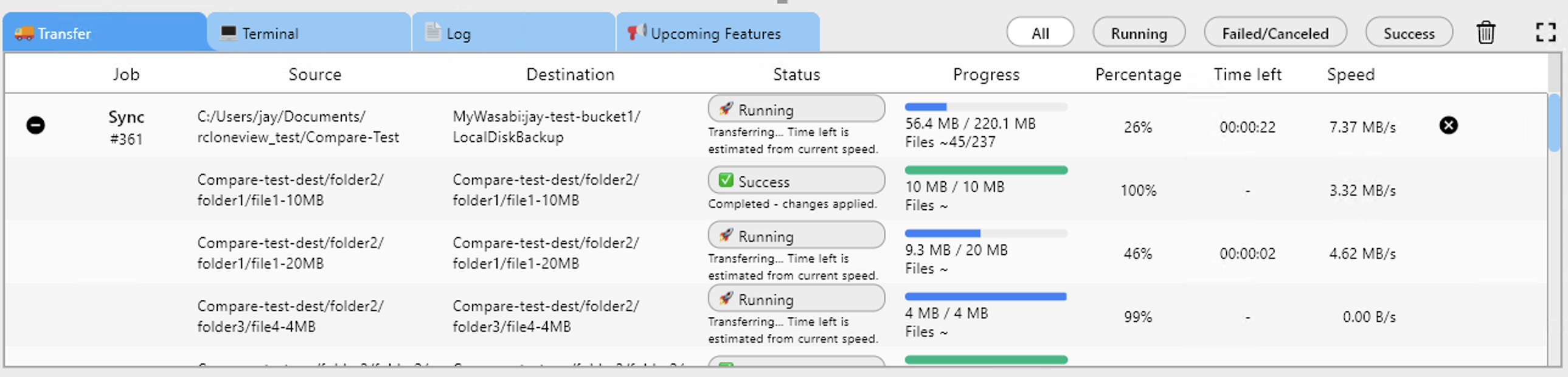
Whether you're running FreeBSD on servers, NAS appliances, or desktops, RcloneView connects to cloud storage providers and automates backup workflows. FreeBSD's robust architecture and stability make it an excellent choice for long-running cloud sync operations.
Server Deployment
FreeBSD is popular for NAS and storage servers, from FreeNAS/TrueNAS to custom build-your-own-NAS systems. RcloneView helps you back up your FreeBSD storage to cloud providers, creating redundancy and disaster recovery options.
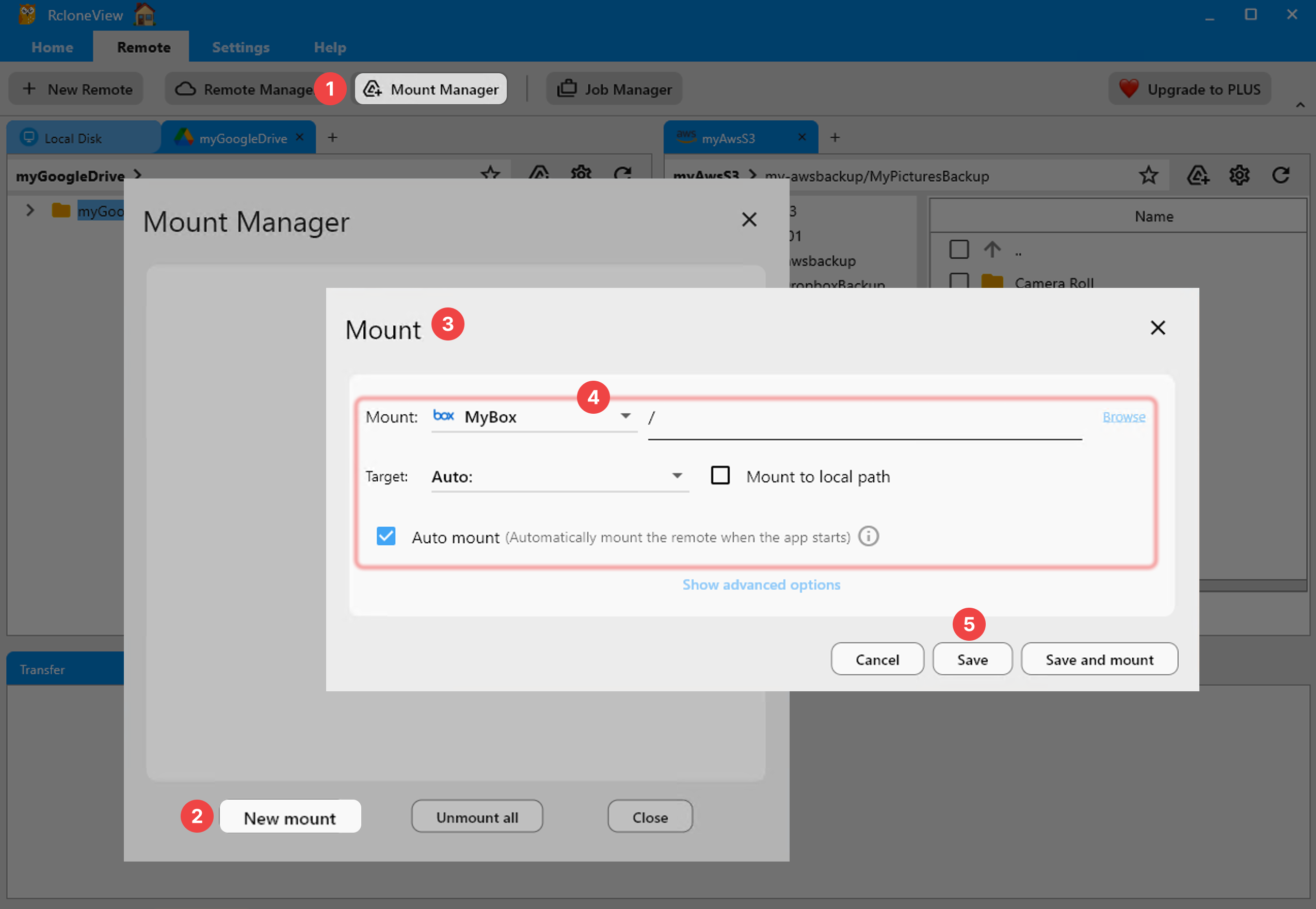
Use RcloneView to schedule cloud backups, sync data between FreeBSD and cloud storage, and manage multi-cloud operations across your BSD infrastructure. The command-line integration allows for cron-based scheduling and automated workflows.
Desktop and Workstation Use
FreeBSD desktop users benefit from RcloneView's ability to sync files across multiple cloud providers. Keep your work synchronized across cloud accounts without manual file management. The lightweight nature of RcloneView makes it ideal for BSD systems with limited resources.
Getting Started
- Download RcloneView from rcloneview.com.
- Install rclone on FreeBSD via
pkg install rcloneor ports. - Launch RcloneView and connect to your cloud storage accounts.
- Schedule cloud backups and syncs appropriate for your FreeBSD deployment.
Bring cloud management to your BSD systems with confidence.
Related Guides:
- RcloneView on ARM Linux
- RcloneView on WSL (Windows Subsystem for Linux)
- Run RcloneView in Docker Container
Supported Cloud Providers





























