Cloud Storage for Property Management — Centralize Listings and Documents with RcloneView
Keep lease agreements, inspection photos, and vendor invoices synced across every property and every cloud account from a single desktop app.
A property management company juggling a portfolio of buildings often ends up with files scattered across multiple cloud accounts — one per property, one per owner relationship, or one inherited from an acquired portfolio. Finding a signed lease or an inspection photo shouldn't mean logging into five different web dashboards. RcloneView connects all of those accounts in one explorer, so staff can search, copy, and back up documents across properties without switching tools.

Manage & Sync All Clouds in One Place
RcloneView is a cross-platform GUI for rclone. Compare folders, transfer or sync files, and automate multi-cloud workflows with a clean, visual interface.
- One-click jobs: Copy · Sync · Compare
- Schedulers & history for reliable automation
- Works with Google Drive, OneDrive, Dropbox, S3, WebDAV, SFTP and more
Free core features. Plus automations available.
One Explorer for Every Property's Cloud Account
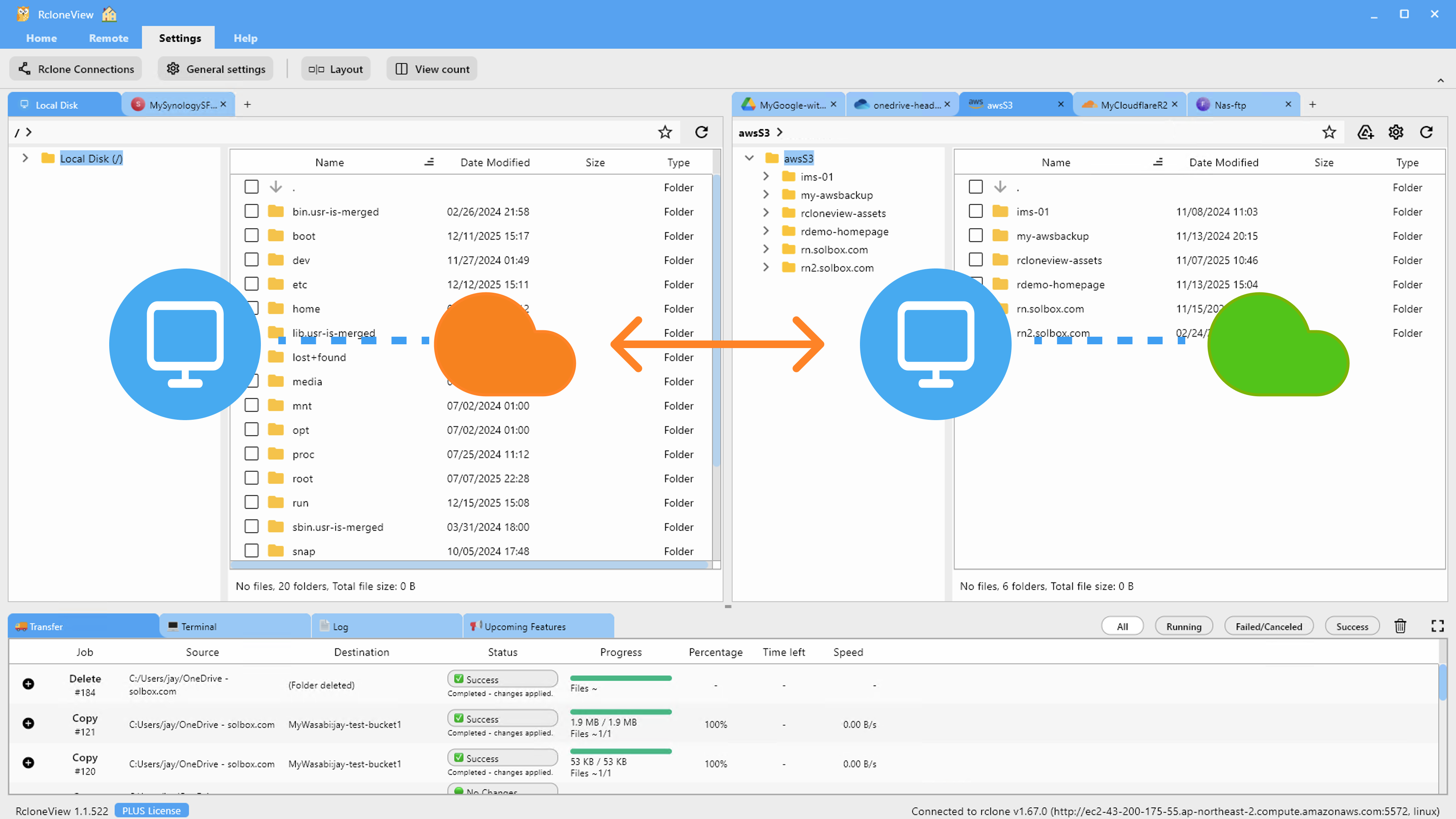
Property managers frequently inherit separate cloud drives per building owner, since each owner may have their own Google Drive, Dropbox, or OneDrive account for financial and legal documents. RcloneView's multi-panel explorer lets you open several of these remotes side by side, browse folder structures, and move files between them with drag and drop — copying between remotes, moving within one, exactly as you'd expect from a native file manager.
Connect S3, Azure, or Backblaze B2 with full read/write on the FREE license, which matters for larger management companies that archive older lease files and inspection records in lower-cost object storage rather than paying premium rates across every owner's personal cloud plan.

Backing Up Inspection Photos and Signed Leases
Move-in/move-out inspection photos and signed lease PDFs are the documents you least want to lose in a single-account failure. Set up a Sync job in RcloneView's Job Manager to mirror each property's working folder to a central backup remote — a company-wide S3 bucket, an external drive at the office, or a second cloud account — so a compromised or deleted owner account doesn't take irreplaceable documentation with it. The 1:N sync option lets one source folder push to multiple backup destinations simultaneously, useful if company policy requires both an offsite cloud copy and a local archive copy.
Filtering settings let you exclude irrelevant file types (raw video walkthroughs over a certain size, for instance) so backup jobs stay focused on the documents that matter, rather than duplicating every large media file across every destination.
Comparing Folders Before Handing Off a Property
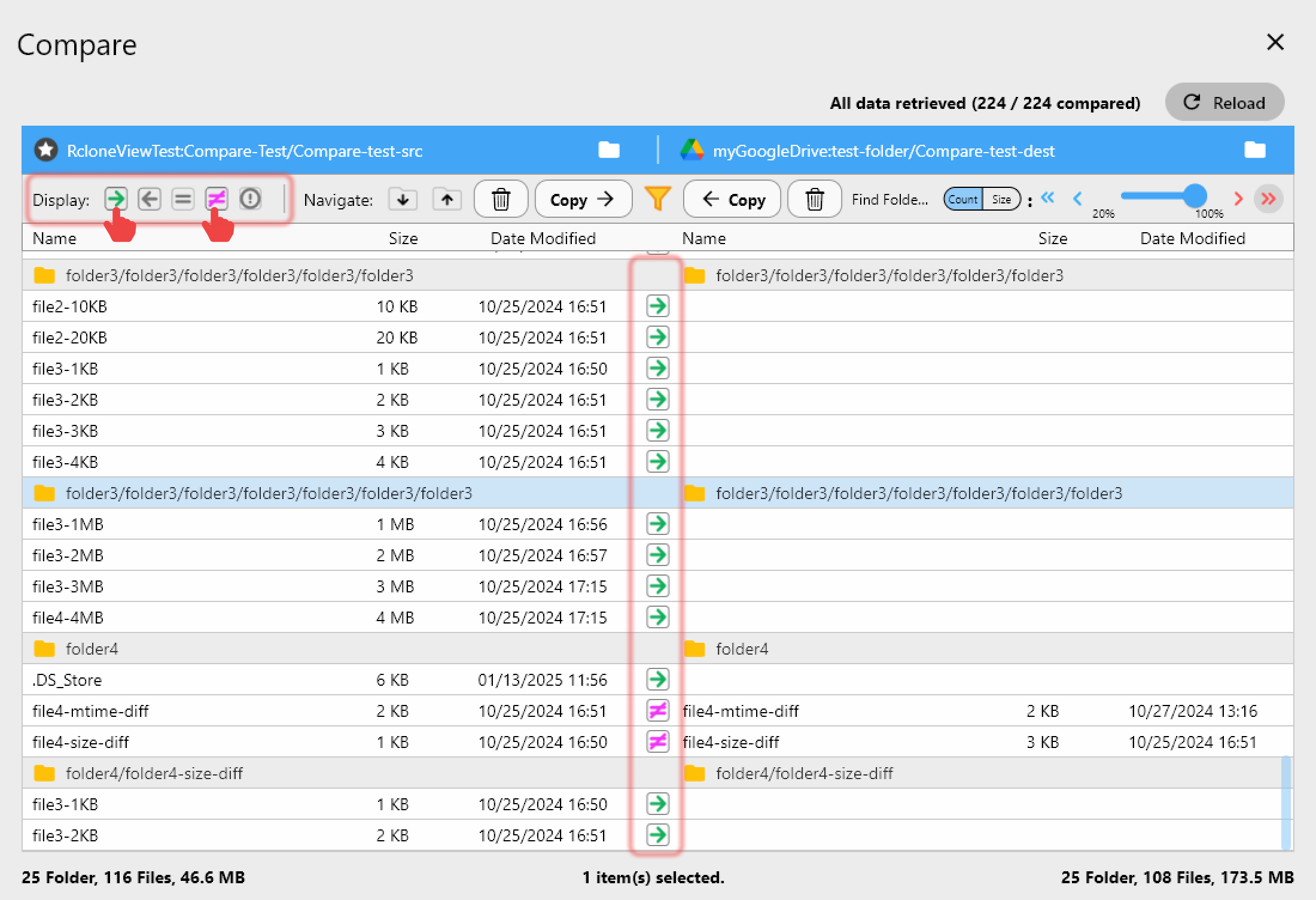
When a property changes management companies or an owner requests their full file history back, Folder Compare shows exactly what differs between the working folder and the archive — files that exist on one side only, files with different sizes, or files that match exactly. That makes handoffs auditable instead of a manual folder-by-folder guessing game.
Getting Started
- Download RcloneView from rcloneview.com.
- Add each property owner's cloud account as a separate remote in the Remote Manager.
- Set up a Sync job to back up lease and inspection documents to a central archive.
- Use Folder Compare before any handoff to confirm the archive matches the working folder.
Centralizing document flow across every property you manage reduces the risk of losing critical paperwork when an owner account changes hands or a portfolio grows.
Related Guides:
- Cloud Storage for Real Estate Agencies with RcloneView
- Cloud Storage for Construction Project Management with RcloneView
- Manage Multiple Cloud Accounts with RcloneView
Supported Cloud Providers





























