Using the Copy Full Path Feature in RcloneView
The Copy Full Path feature lets you grab the entire folder path — optionally with the remote name — in a single action. It’s perfect for writing rclone commands, running Terminal tests, sharing exact cloud paths, and avoiding mistakes in scripts.
Where to Find Copy Full Path
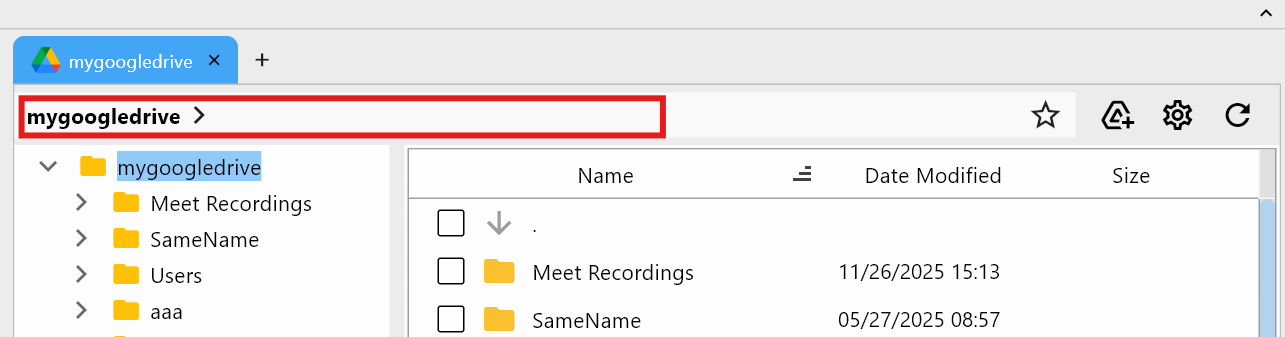
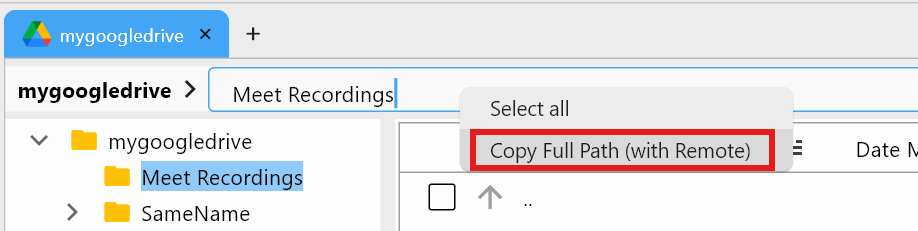
You can access Copy Full Path from the Path bar at the top of the Remote File Browser.
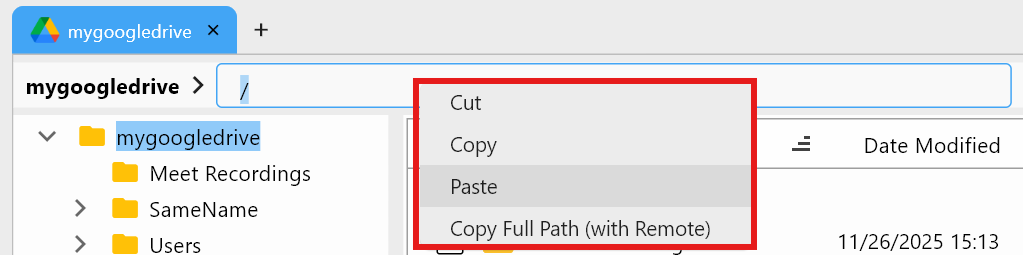
Right-click the Path bar to see these options:
- Cut
- Copy
- Paste
- Copy Full Path (with Remote)
- Select All
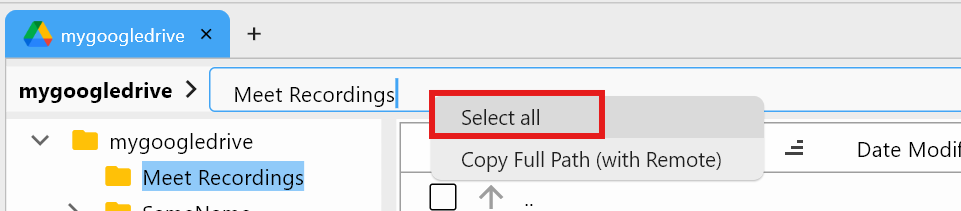
Select All — Highlight the Entire Path
Choosing Select All highlights the entire text in the Path field so you can copy it quickly.
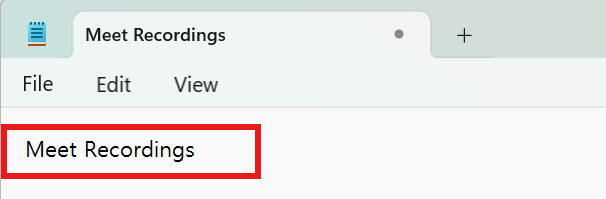
After copying and pasting (e.g., into Notepad), the local folder name (e.g., Meet recordings) appears exactly as shown.
Copy Full Path (with Remote) — Remote + Folder Path
Copy Full Path (with Remote) captures:
- Remote name
- Full folder path
- Exact
remote:pathformat forrclone
Example result:
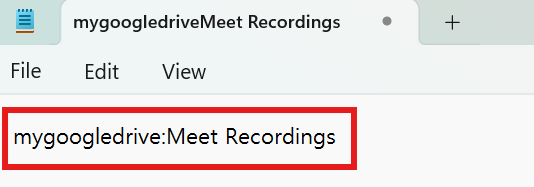
mygoogledrive:Meet recordings
Pasting into Notepad shows the ready-to-use path:
This format works directly in commands such as:
rclone copy "mygoogledrive:Meet recordings" /local/backup
When to Use This Feature
- Writing
rclonecommands: Paste accurate remote paths instantly. - Testing paths in Terminal: Use
remote:pathwithout retyping. - Avoiding script mistakes: Prevent typos in automation or batch jobs.
- Sharing paths with teammates: Send precise locations for support or collaboration.
Quick Reference
| Action | What It Does |
|---|---|
| Copy | Copies selected text in the Path bar |
| Select All | Selects the entire path text |
| Copy Full Path (with Remote) | Copies remote:path format (recommended) |
| Paste | Inserts clipboard text into the Path bar |
The Copy Full Path feature looks simple, but for automation, scripting, and precise transfers, it’s one of the fastest productivity boosters in RcloneView.