Virtual Remote Overview and Setup
Virtual Remotes add functional layers on top of existing cloud remotes. They do not store data themselves; instead, they make your current remotes more convenient, faster, safer, or more flexible.
What is a Virtual Remote?
A Virtual Remote is a feature layer that:
- Extends existing remotes without moving data.
- Keeps storage in the original remote while adding convenience.
- Helps with faster access, privacy, or unified views.
Types of Virtual Remotes
RcloneView provides nine Virtual Remote types:
-
Alias
Shortcut to jump directly to a specific cloud folder.
Example: bookmark a deep Google Drive path for instant access.
👉 See: Alias Remote Guide -
Crypt
Encrypt filenames, contents, and folders for privacy.
👉 See: Crypt Remote Guide -
Memory
Stores data in RAM for ultra-fast temporary usage; clears when closed. -
Cache
Speeds up slow remotes with caching; faster repeated reads and streaming. -
Chunker
Splits large files into chunks to bypass service size limits and improve stability. -
Combine
Shows multiple folders under one remote as separate subfolders.
👉 See: Combine Remote Guide -
Union
Merges multiple folders into one unified view.
👉 See: Union Remote Guide -
Hasher
Adds hashing where the backend lacks it; useful for integrity checks. -
Compress
Compresses files before upload to save space.
How to Add a Virtual Remote
All Virtual Remotes are created from New Remote > Virtual.
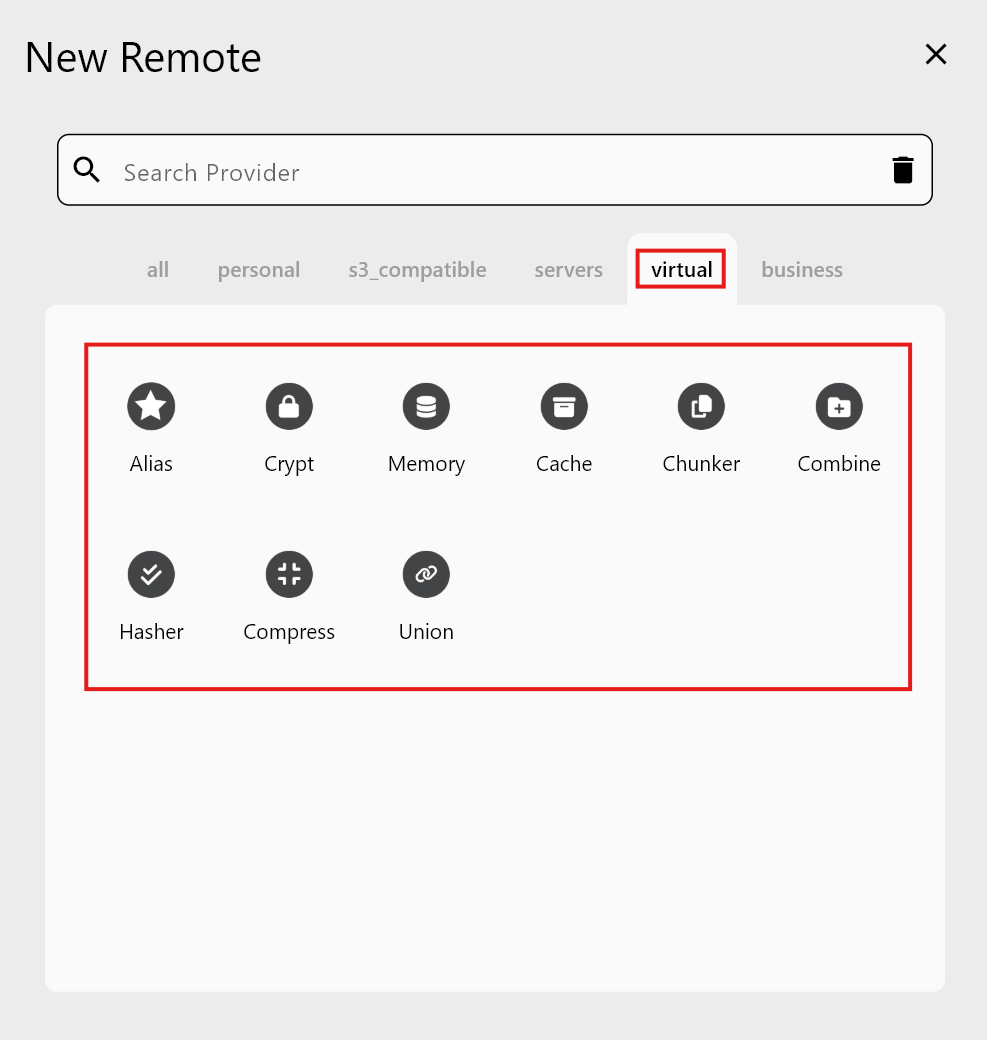
Step 1 — Open New Remote
- From the top menu:
Remote>New Remote. - Choose the
Virtualtab to see all Virtual Remote types.
Step 2 — Pick the Virtual Remote type
Each type has its own required fields. Examples:
- Alias: name + target folder.
- Crypt: encryption password + target folder.
- Union: multiple
Remote:Pathupstreams. - Combine: directory labels + remote paths list.
- Chunker: source remote + chunk settings.
RcloneView guides you through the required inputs for each type.
Step 3 — Use the Virtual Remote
After creation, the Virtual Remote appears just like any remote in:
- Remote Manager
- Explorer file browser
- Sync / Compare / Job dialogs
Remember: Virtual Remotes are feature layers. Actual files stay in the underlying remote paths.
When to Use Virtual Remotes
| Need | Recommended Virtual Remote |
|---|---|
| Strengthen cloud security | Crypt |
| View multiple folders together | Union |
| Bookmark or tidy complex paths | Alias |
| Organize complex projects | Combine |
| Upload very large files | Chunker |
| Speed up repeated reads | Cache |
| Verify data integrity | Hasher |
| Save storage with compression | Compress |
Quick Reference
| Virtual Remote | Role |
|---|---|
| Alias | Folder shortcut |
| Crypt | Encrypted storage |
| Memory | RAM-based temporary storage |
| Cache | Speed boost via caching |
| Chunker | Chunk large files for upload |
| Combine | Group multiple folders as separate views |
| Union | Merge multiple folders into one view |
| Hasher | Add hashing for integrity checks |
| Compress | Compress files before upload |
Virtual Remotes make cloud workflows more powerful and flexible. In RcloneView, you can enable these capabilities with just a few clicks—no complicated setup required.