iCloud Drive
目前 iCloud 遠端只能透過 Rclone CLI 新增。
資訊
目前,像 iCloud 這類支援互動式雙重驗證(2FA)的遠端,只能透過 CLI 進行設定。透過 UI 設定這些遠端的支援將在未來版本中實作。
如何使用 Rclone CLI 新增 iCloud Drive(Windows)
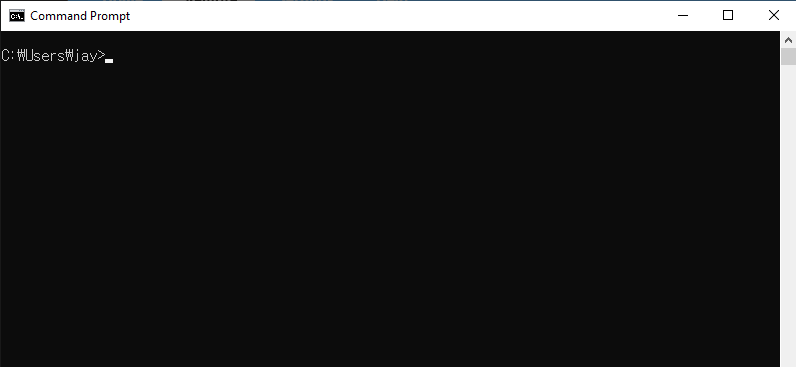
步驟 1:開啟命令提示字元
- 按下 Win + R,輸入 cmd,然後按下 Enter。
步驟 2:啟動 Rclone 設定
開啟命令提示字元並啟動 Rclone 的設定流程:
rclone config
您會看到以下選單:
No remotes found - make a new one
n) New remote
s) Set configuration password
q) Quit config
n/s/q> n
輸入 n 並按下 Enter 以建立新的遠端。
步驟 3:設定 iCloud Drive 遠端
依照提示進行:
- 名稱:為您的新遠端指定一個名稱(例如 icloud)。
Enter name for new remote.
name> Myicloud
- 儲存類型:從儲存選項清單中,輸入
iclouddrive或其對應的編號(通常是59)以選擇 iCloud Drive。如果清單中沒有列出,請確認您使用的是 Rclone v1.69 或更新版本。
Storage> iclouddrive
- Apple ID:輸入您的 Apple ID 電子郵件地址。
apple_id> your_email@icloud.com
- 密碼:選擇輸入您自己的密碼。
y) Yes, type in my own password
g) Generate random password
y/g> y
- 出現提示時輸入您的 Apple ID 密碼。
Enter the password
password:
Confirm the password
password:
- 進階設定:除非您有特定需求,否則可以略過進階設定。
Edit advanced config? (y/n)
y/n> n
- 雙重驗證(2FA):如果您的 Apple ID 已啟用 2FA(建議啟用),系統會提示您輸入傳送至受信任裝置的 2FA 驗證碼。
Two-factor authentication: please enter your 2FA code
Enter a value.
config_2fa> 123456
- 確認設定:檢視設定並確認。
y) Yes this is OK (default)
e) Edit this remote
d) Delete this remote
y/e/d> y
您的 iCloud Drive 遠端現已設定完成。
您可以依照下方所示確認 iCloud Drive 已成功新增。輸入 q 以離開 rclone config。
Current remotes:

Name                 Type
====                 ====
Myicloud             iclouddrive

e) Edit existing remote
n) New remote
d) Delete remote
r) Rename remote
c) Copy remote
s) Set configuration password
q) Quit config
e/n/d/r/c/s/q> q
步驟 4:測試連線
若要確認設定是否成功,請列出您 iCloud Drive 中的內容:
rclone lsd Myicloud:
您應該會看到 iCloud Drive 中的目錄清單。
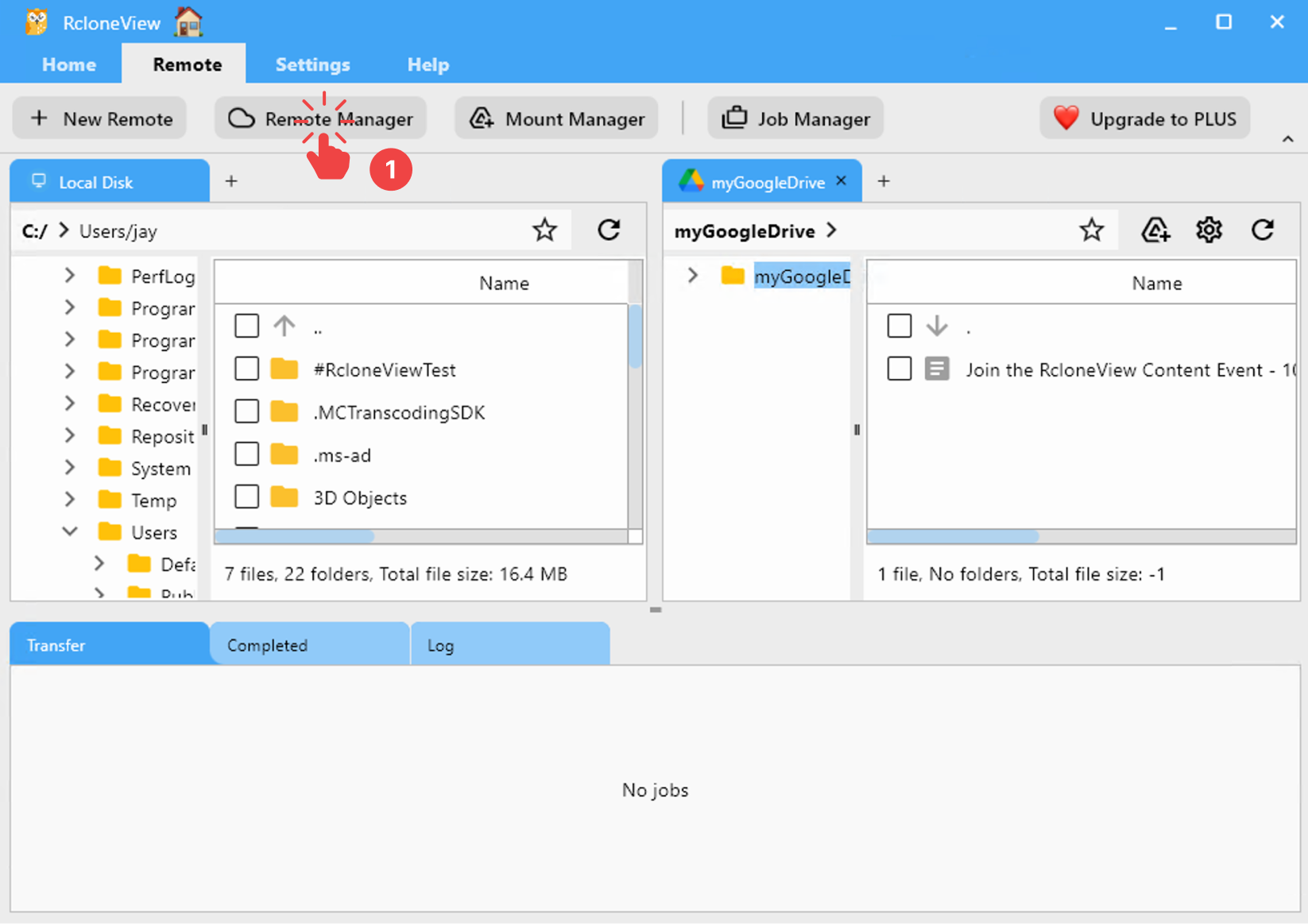
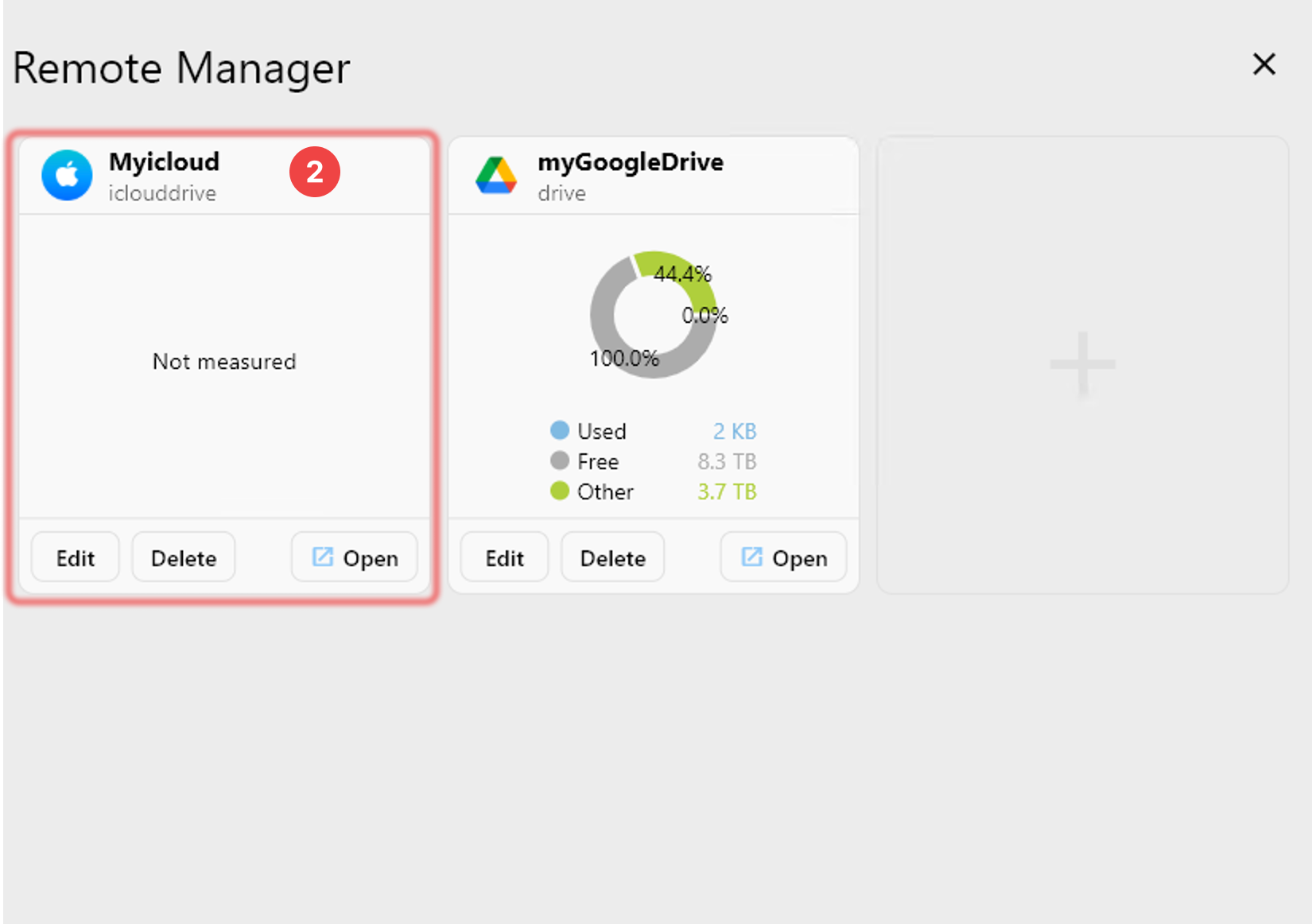
步驟 5:在 RcloneView 中確認已新增的 iCloud Drive
啟動 RcloneView。
- 在選單列中,於 Remote 分頁下點擊 Remote Manager。
- 確認您的 iCloud Drive 出現在 Remote Manager 視窗中。
Important Considerations
- 進階資料保護:如果您已在 Apple ID 上啟用 進階資料保護(Advanced Data Protection,ADP),Rclone 將無法存取您的 iCloud Drive。若要在 iCloud Drive 上使用 Rclone,您必須停用 ADP。您可以在 iPhone 上依照下列路徑進行操作:
Settings > [Your Name] > iCloud > Advanced Data Protection
-
請確認「進階資料保護」已關閉。此外,「在網頁上存取 iCloud 資料」必須為啟用狀態。
-
工作階段有效期:設定過程中取得的信任權杖(trust token)有效期為 30 天。此期限過後,您需要使用以下指令重新進行驗證:
rclone reconnect Myicloud:
- 應用程式專用密碼:目前 Rclone 不支援 iCloud Drive 使用應用程式專用密碼。您必須在設定過程中使用您的一般 Apple ID 密碼並搭配 2FA。
如需更詳細的資訊,請參閱 Rclone 官方文件中關於 iCloud Drive 的說明。