Use an Encrypted Rclone Config File
Rclone can encrypt its configuration file (rclone.conf) so that remote credentials are not stored in plain text. RcloneView fully supports encrypted config files — you just need to tell it the password.
This tutorial covers:
- Why encrypt your rclone config
- How to encrypt your existing config with
rclone config - How to enter the config password in RcloneView
Why encrypt your rclone config?
Your rclone.conf file contains credentials (tokens, passwords, API keys) for every remote you have configured. By default these are stored in plain text. Encrypting the config file protects those credentials if someone gains access to your machine or backup.
- Prevents plain-text credential exposure.
- Adds a security layer on shared or multi-user systems.
- Works with all rclone remotes and features — nothing changes except the file is encrypted at rest.
Step 1: Encrypt your rclone config
Open a terminal and run:
rclone config
You will see a menu of options. Select s to Set configuration password:
s) Set configuration password
q) Quit config
s/q> s
Enter your desired password when prompted, then confirm it. Rclone will encrypt the existing config file in place.
If you already have remotes configured, they will continue to work. Rclone re-encrypts the entire file with your new password.
Remember this password. If you lose it, you will need to reconfigure your remotes from scratch.
Step 2: Enter the config password in RcloneView
- Open Settings (from the top menu).
- Go to the Embedded Rclone tab.
- Scroll down to Advanced Options.
- In the Config Password field, enter the same password you set in Step 1.
- Click Restart Embedded Rclone.
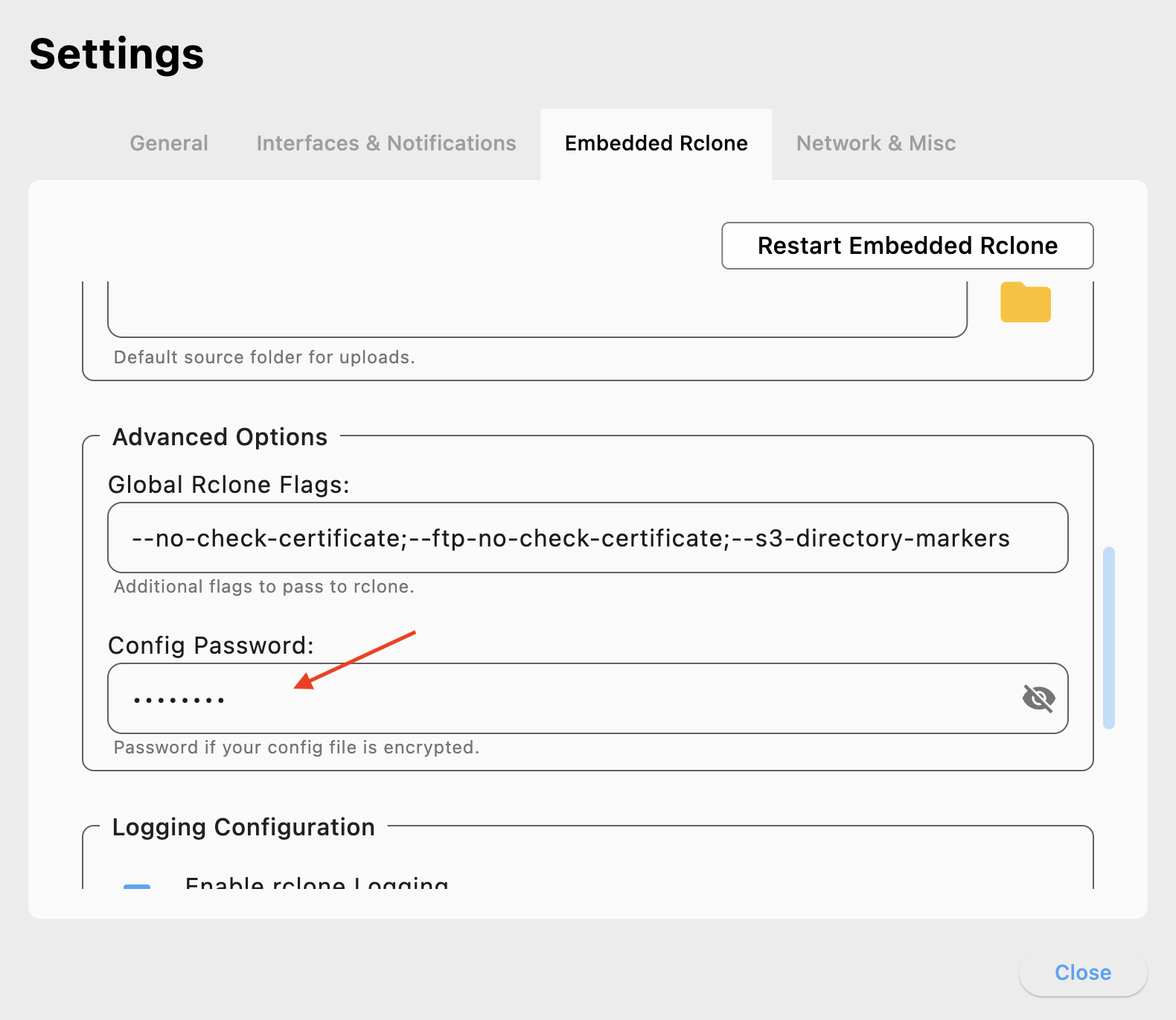
That's it — RcloneView will decrypt and use your encrypted config seamlessly. Your remotes will appear and work as usual.
Summary
| Item | Description |
|---|---|
| Function | Use an encrypted rclone config file with RcloneView |
| Encrypt | Run rclone config → s) Set configuration password |
| RcloneView setup | Settings → Embedded Rclone → Advanced Options → Config Password |
| Apply | Click Restart Embedded Rclone after entering the password |
| Best for | Protecting credentials on shared or sensitive systems |