Gofile
如何使用 RcloneView 添加 Gofile(Windows)
步骤 1:打开新建远程配置窗口
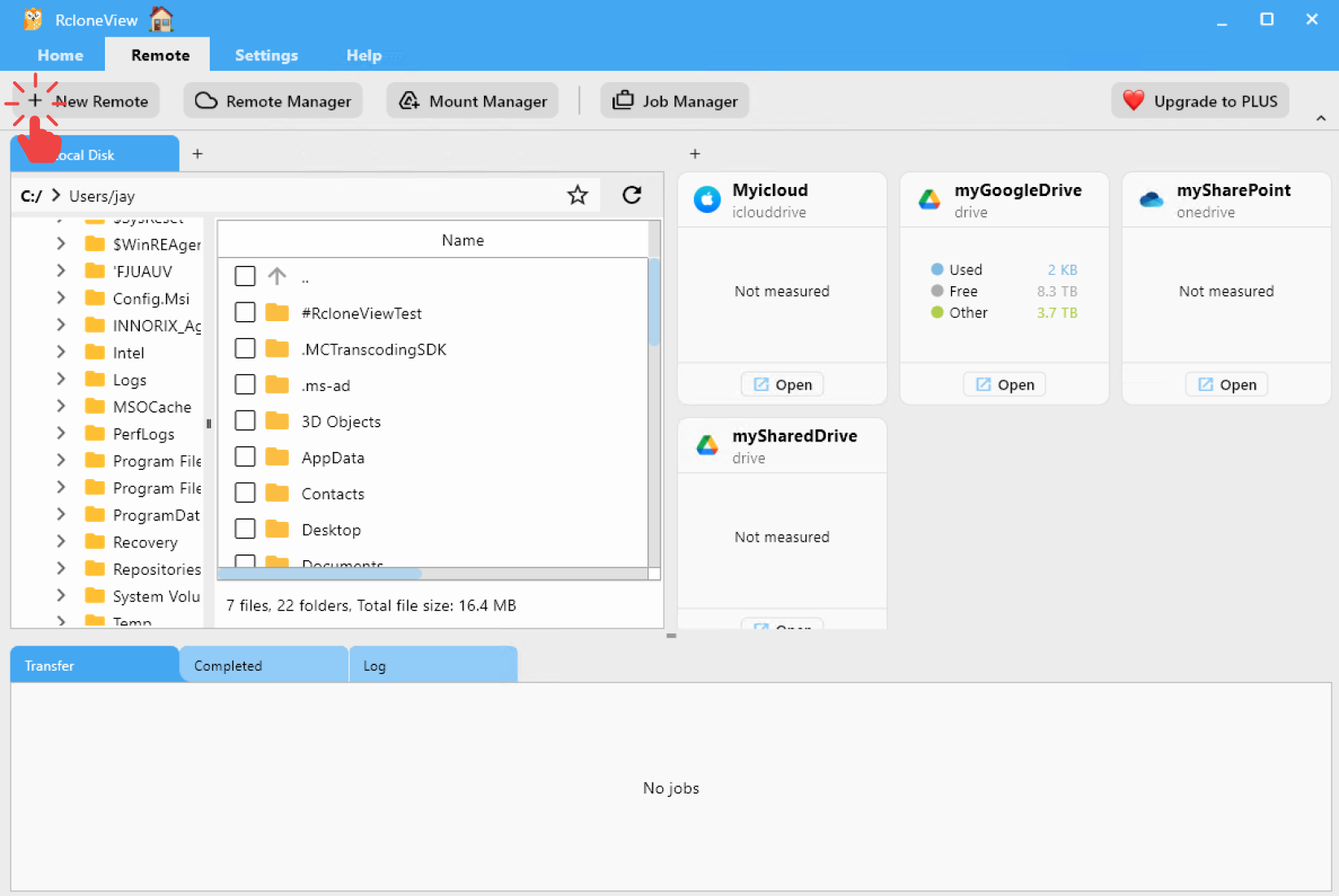
- 点击顶部菜单
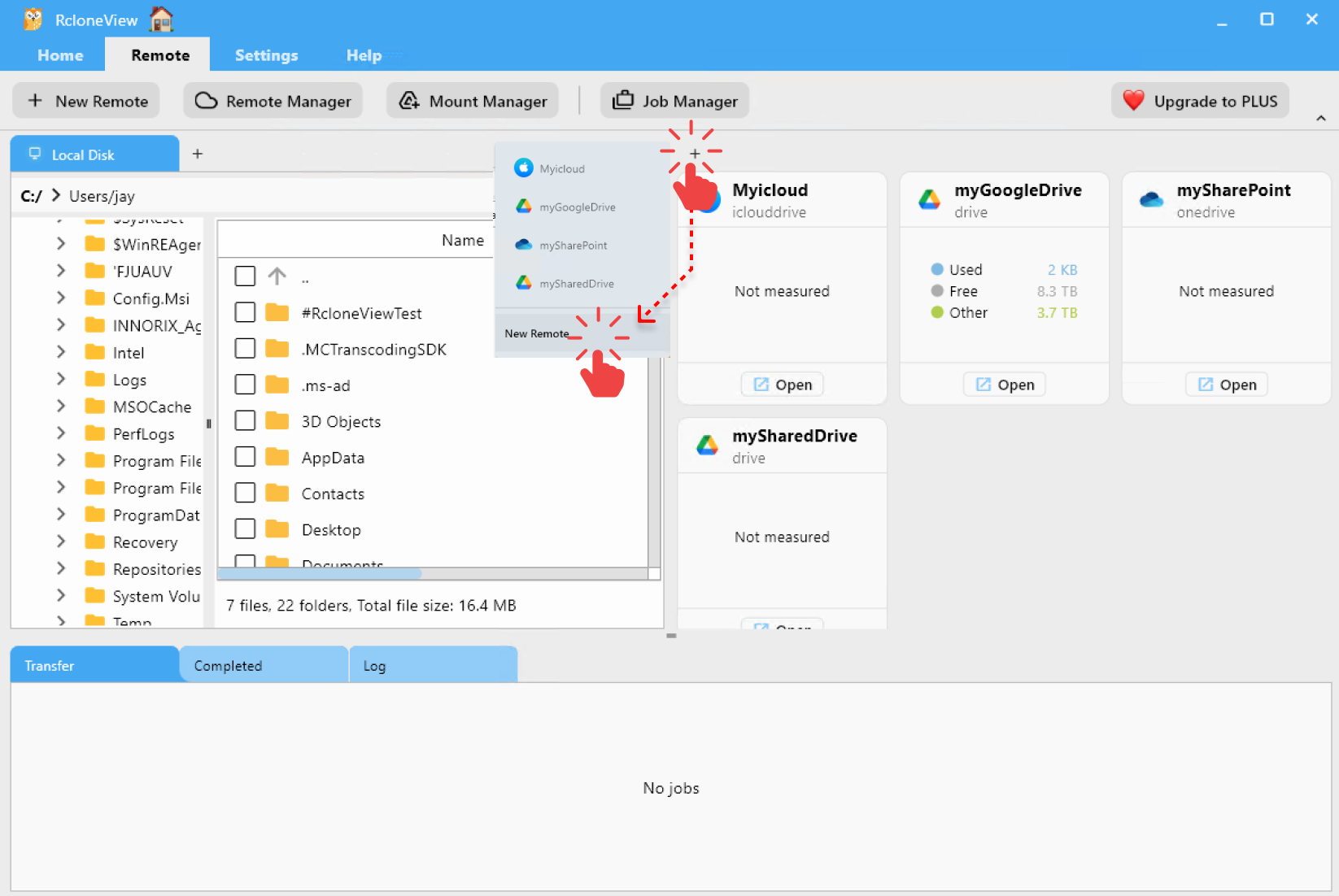
Remote下的+ New Remote。 - 或者,点击资源管理器窗格中的
+按钮,选择New Remote开始远程配置。
步骤 2:添加 Gofile 远程
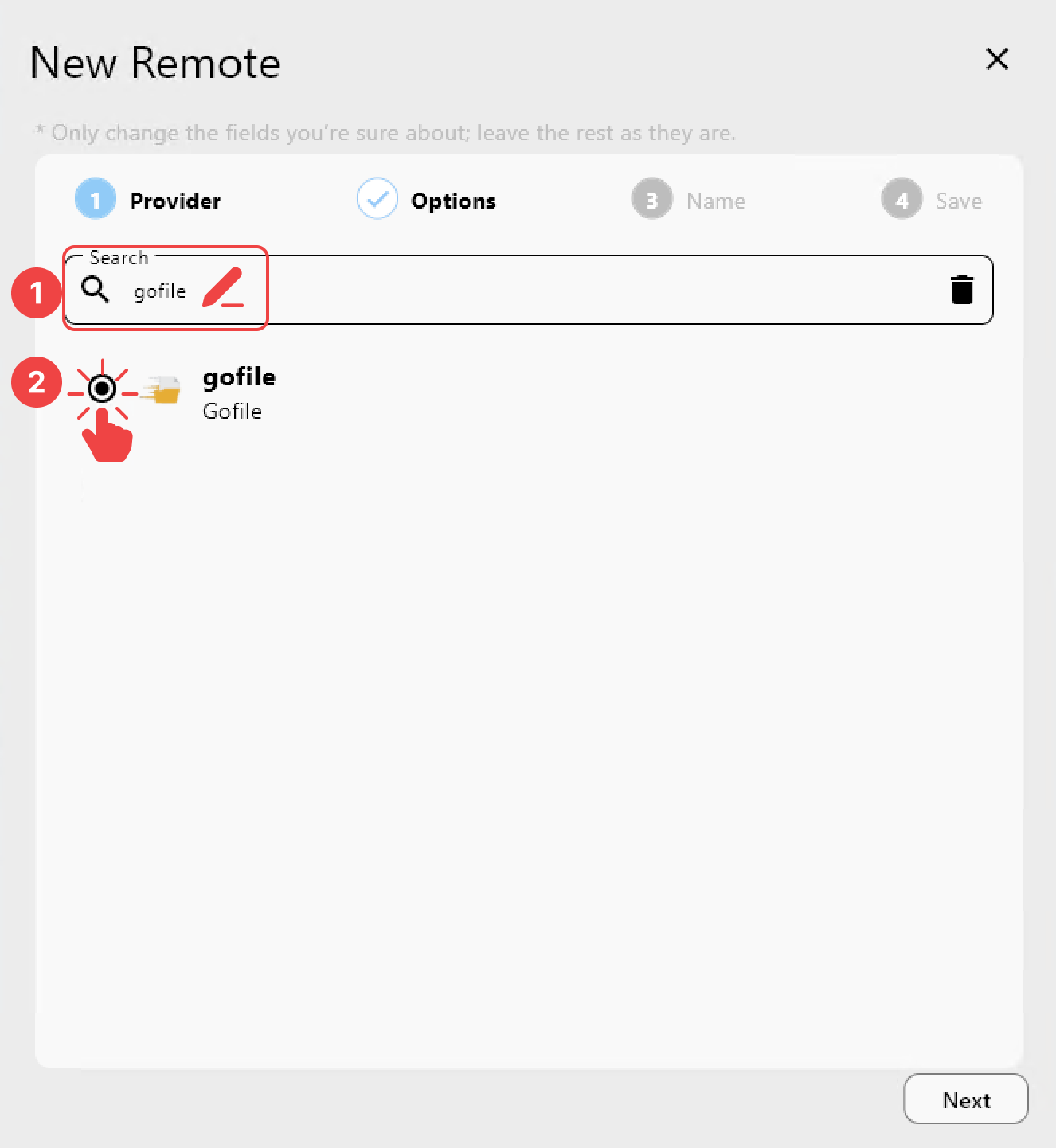
在 Provider 标签页中:
- 搜索
gofile。 - 从列表中选择
Gofile。
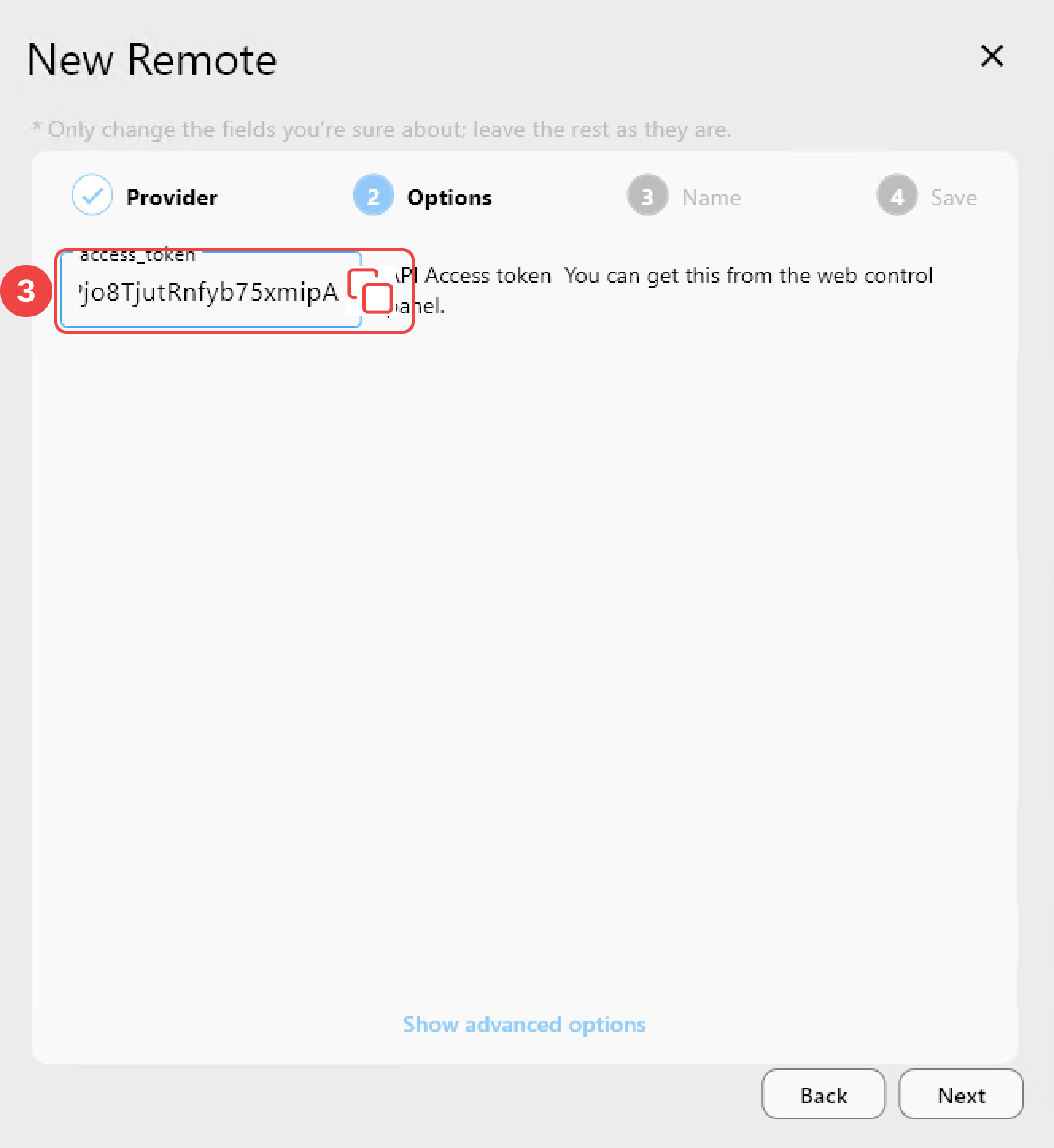
在 Options 标签页中:
- 输入您的 Access Token。
如何获取 Access Token
- 访问 https://gofile.io/myprofile
- 登录您的 Gofile 账户。
- 向下滚动找到
Account API Token并复制它。
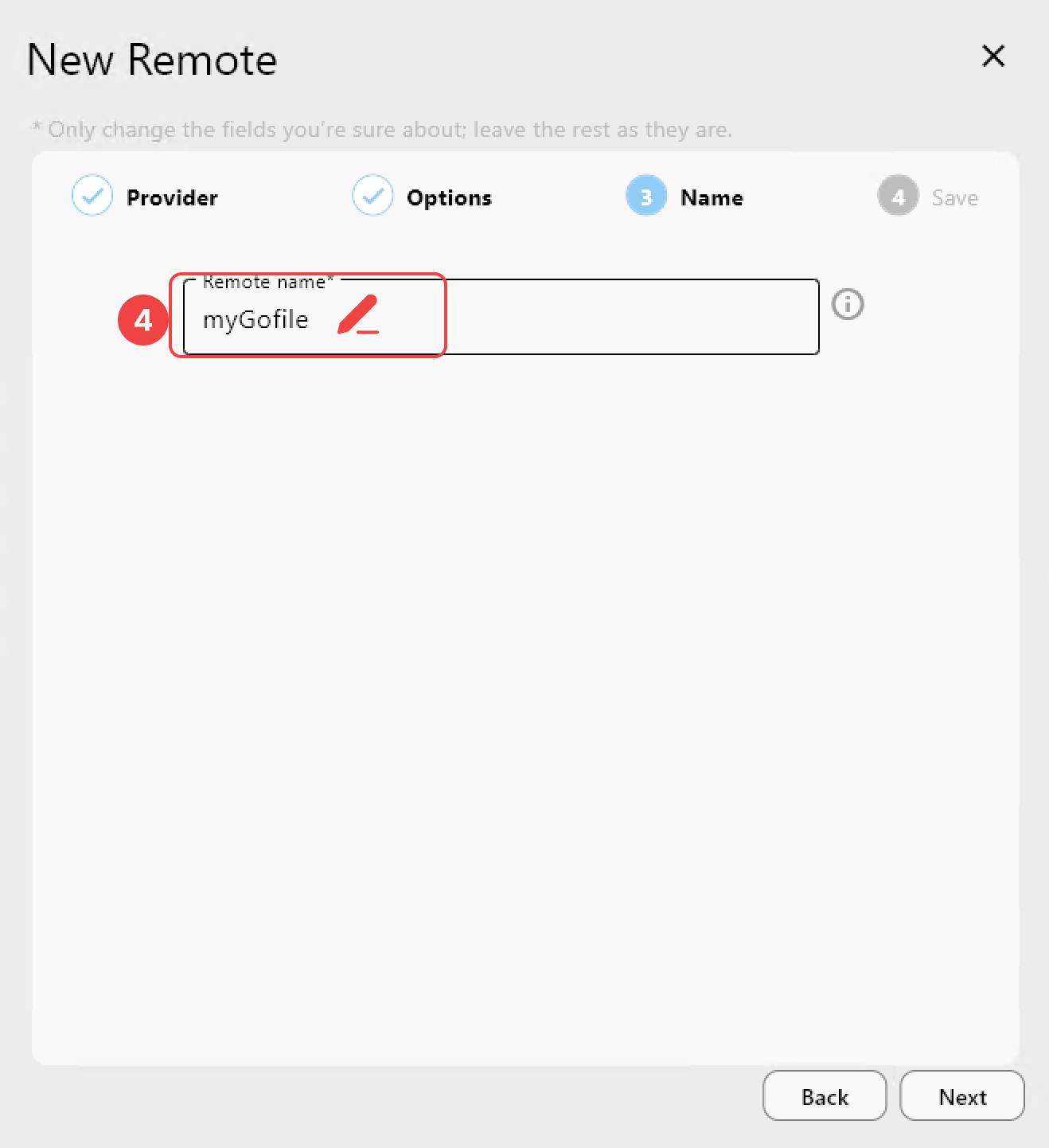
在 Name 标签页中:
- 为此远程分配一个
Remote name(例如,myGofile)。
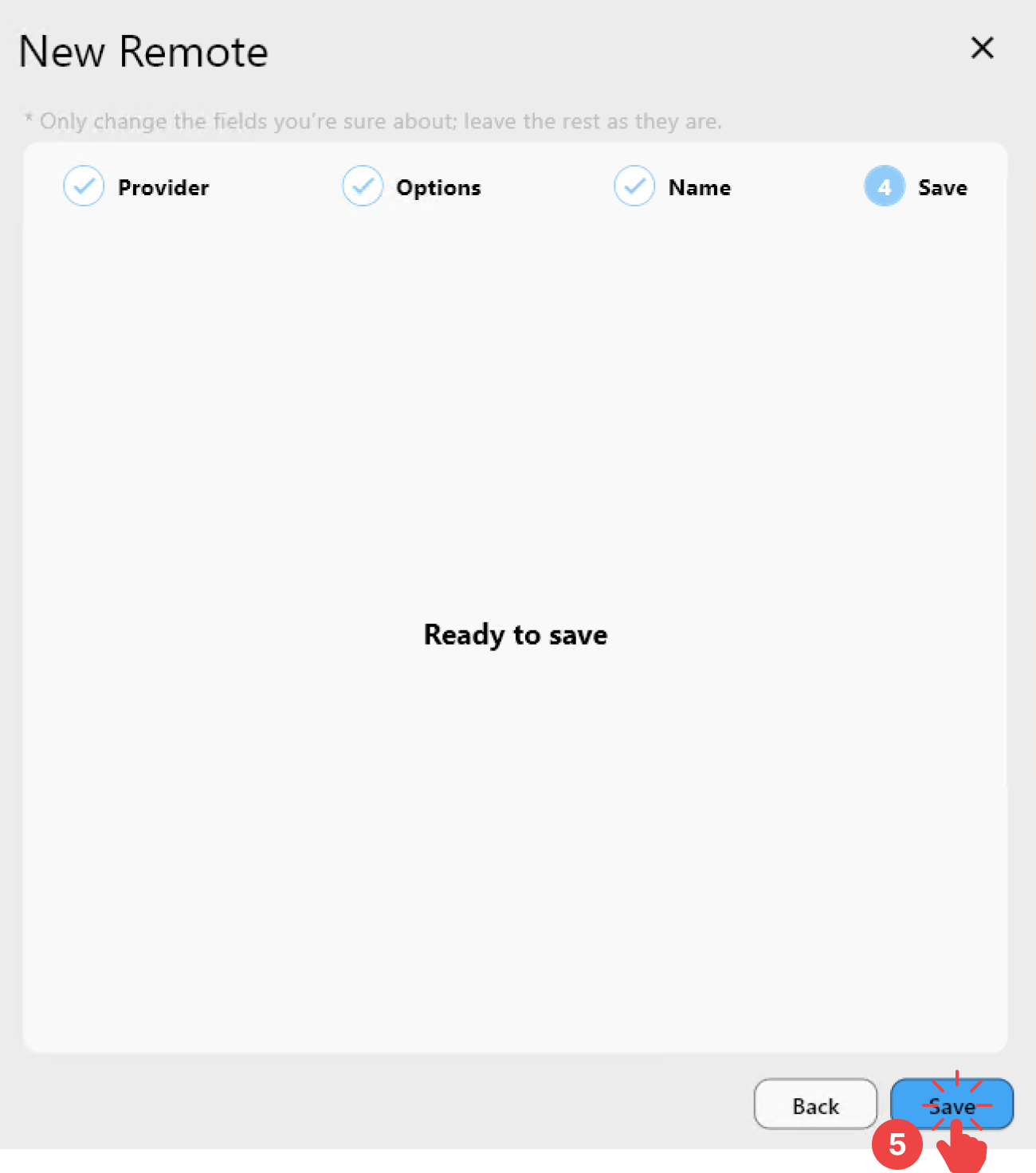
在 Save 标签页中:
- 点击
Save完成添加远程。
步骤 3:在 RcloneView 中验证已添加的 Gofile 远程
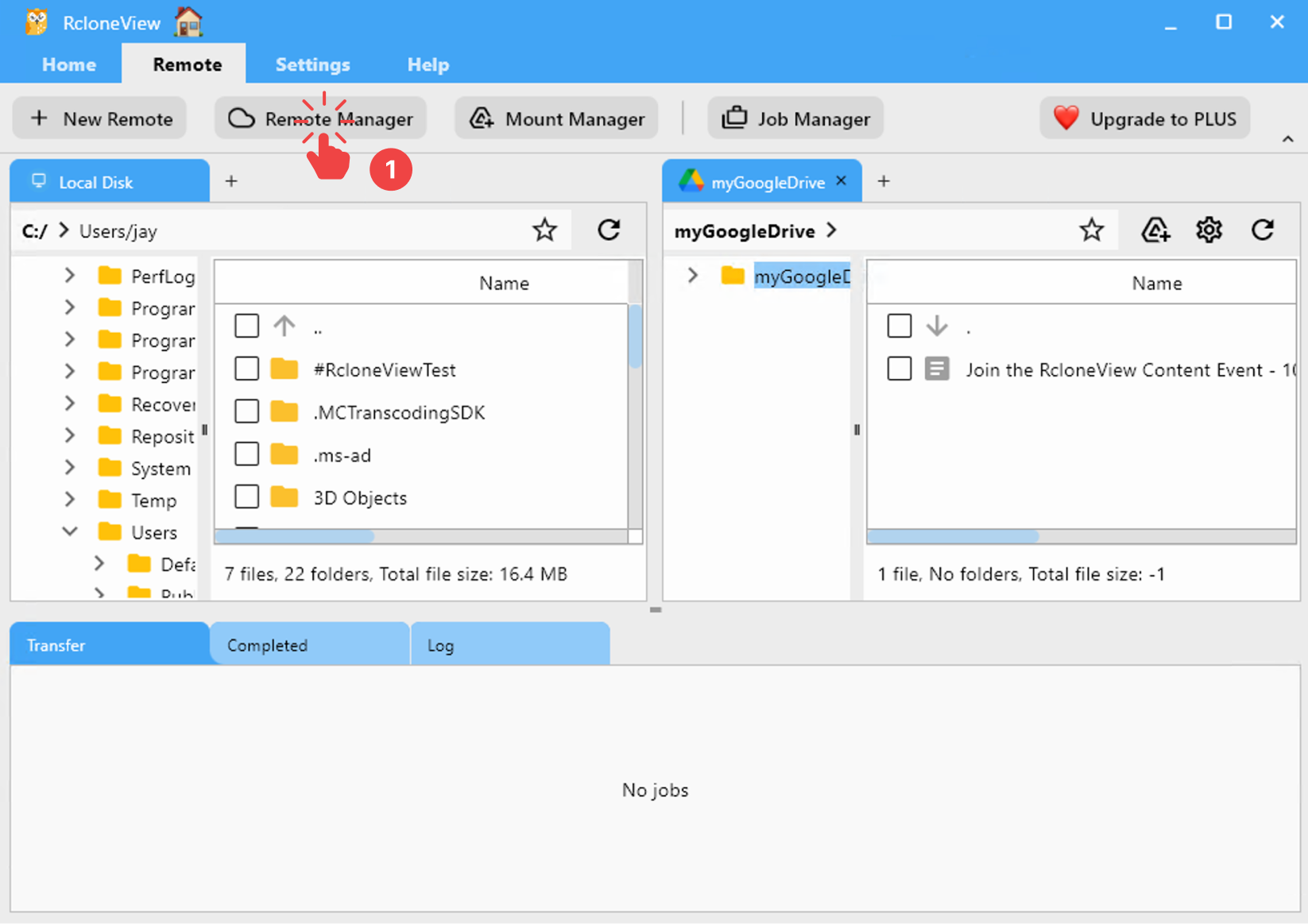
启动 RcloneView。
- 在菜单栏中,点击
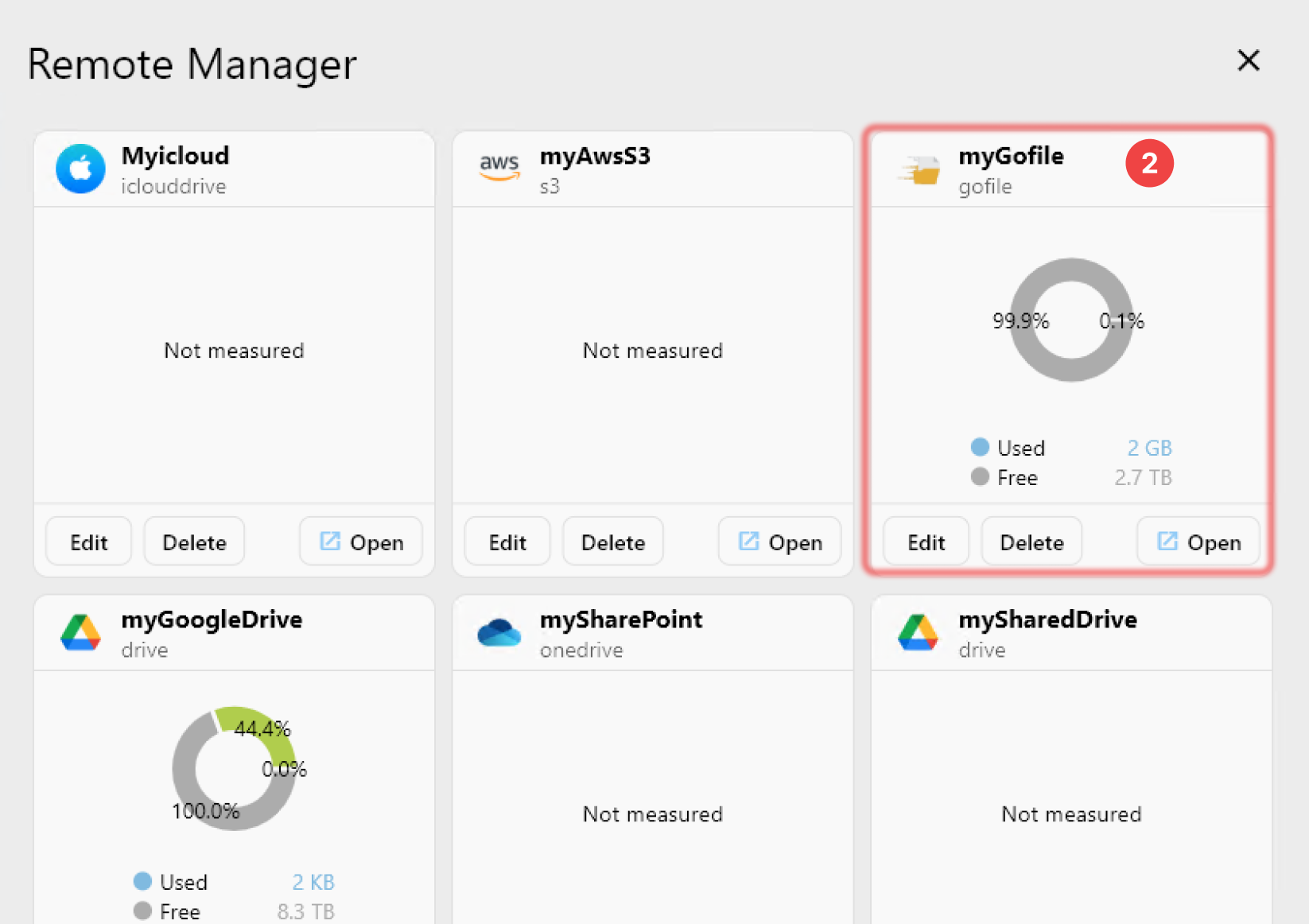
Remote标签页下的Remote Manager。 - 确认您的
Gofile远程出现在Remote Manager窗口中。
✅ 完成! 您的 Gofile 远程现已成功配置,可以在 RcloneView 中使用了。
🔗 更多资源
- 🔐 获取您的令牌:https://gofile.io/myprofile