Union
How to Add Union Using RcloneView
A Union Remote merges folders from multiple cloud remotes into a single unified folder. It is different from Combine:
- Combine shows folders side by side.
- Union merges multiple folders into one view.
Union is useful for:
- Accessing data across remotes as if it were one folder.
- Single-pane browsing and multi-cloud backup layouts.
- Building a virtual filesystem without copying or moving data.
Create a Union Remote
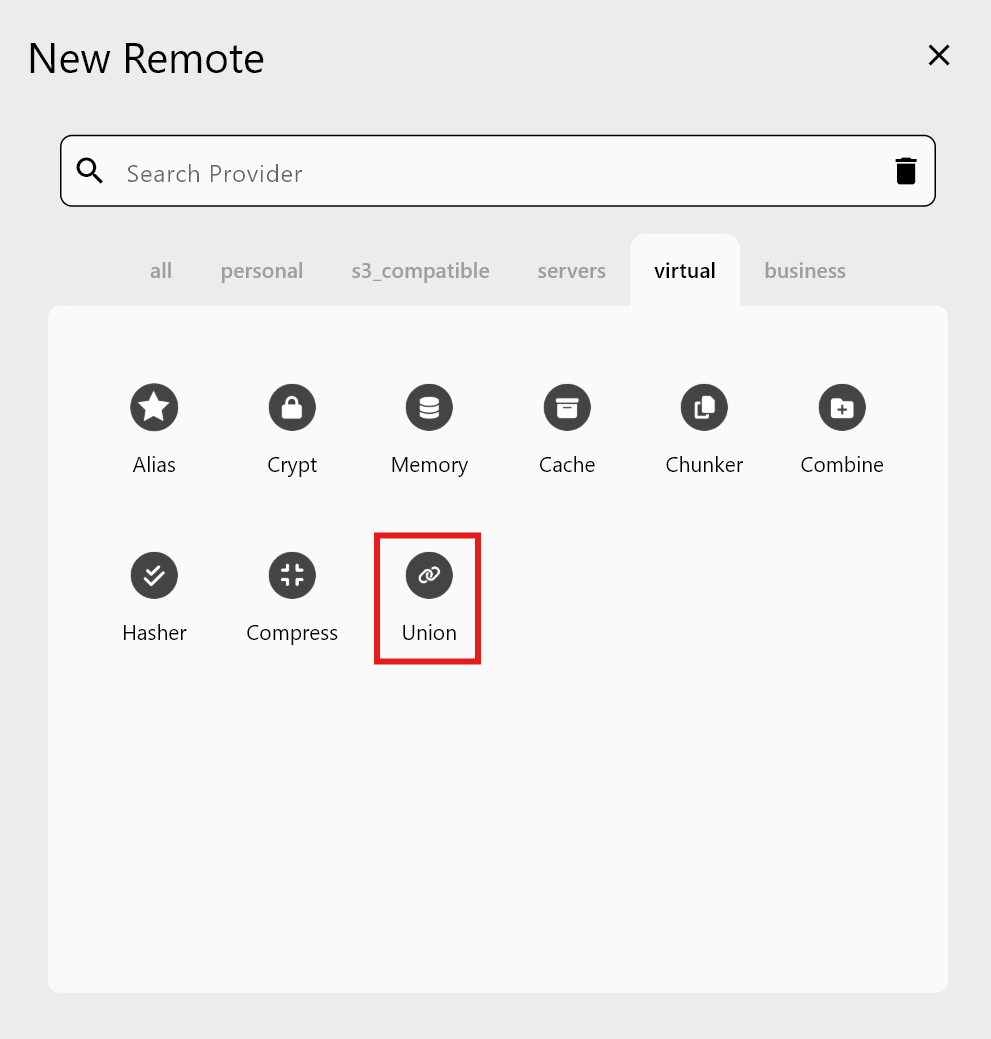
Step 1 — New Remote → Virtual → Union
Step 2 — Enter Union details
Fill in:
- Remote name: e.g.,
MyUnion. - Upstreams (Remote:Path): Each Upstream is one actual folder location.
Add the first Upstream by selecting a remote and folder:

To add another Upstream, click Add Remote and pick the next folder:
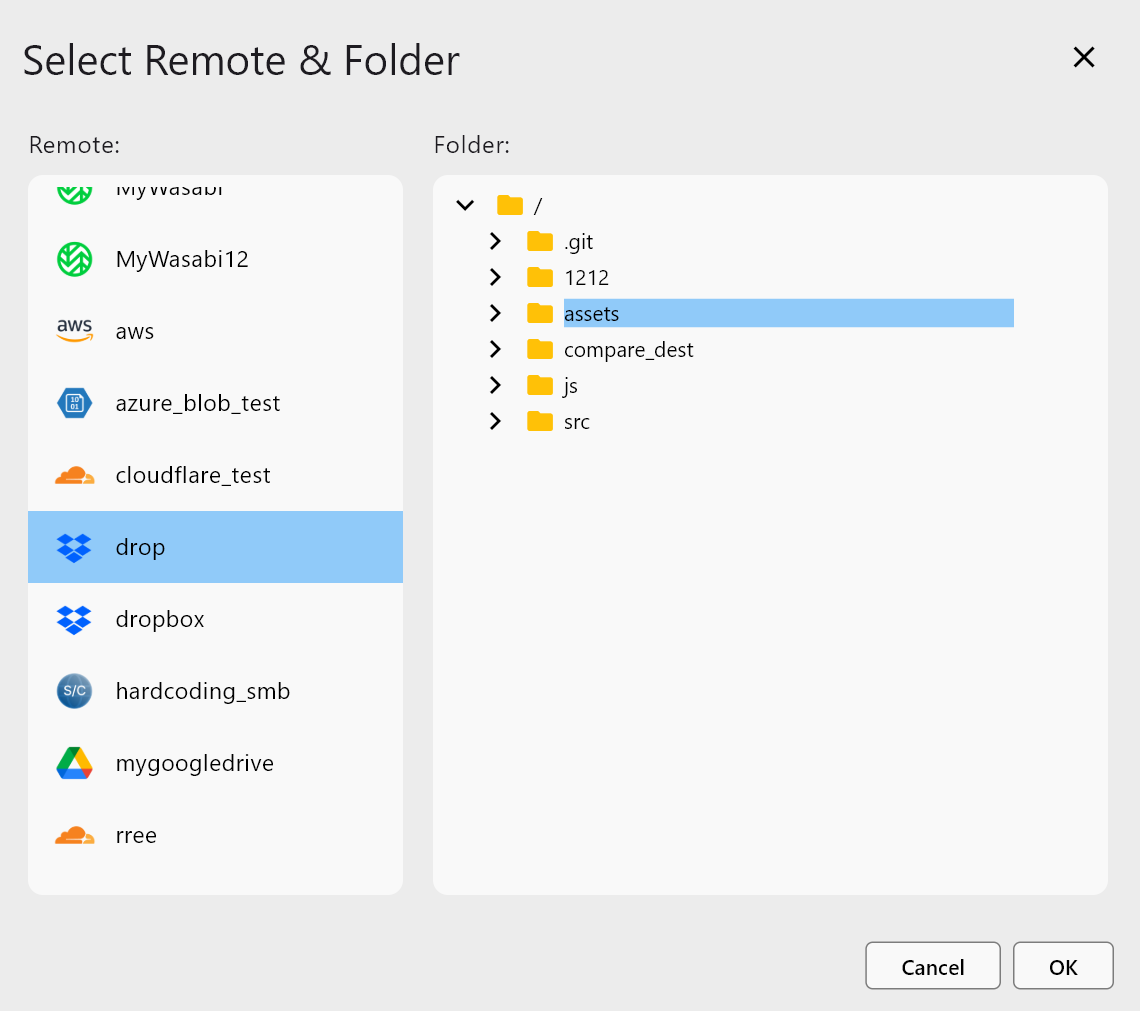
Add as many Upstreams as needed, then review the settings:
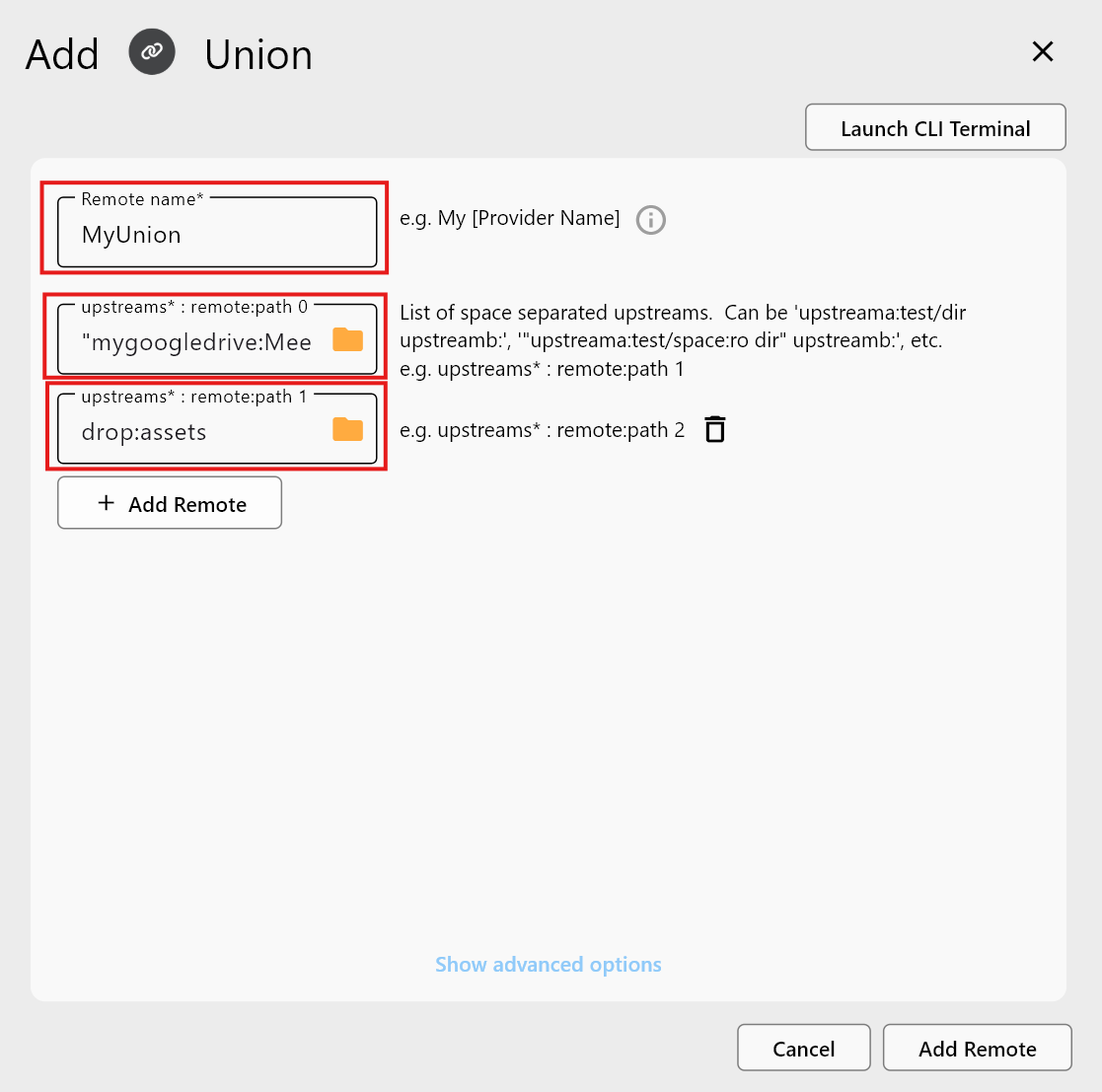
Click Add Remote to create the Union remote.
Step 3 — Confirm in Remote Manager
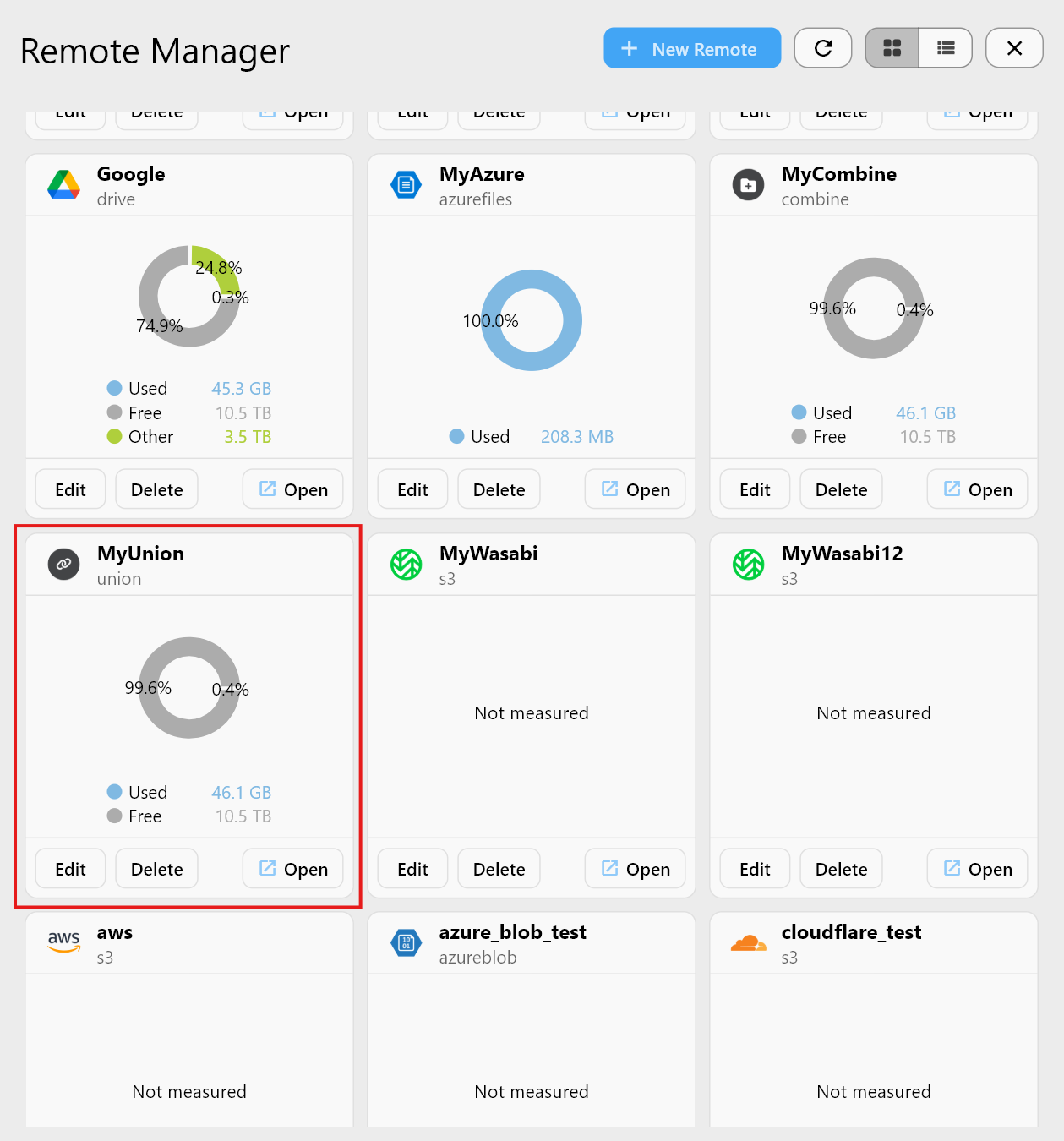
Check the Union in Explorer
Open the Union remote in the Explorer. Contents from all Upstreams appear as one merged folder.
Upstreams 1 — Google Drive example
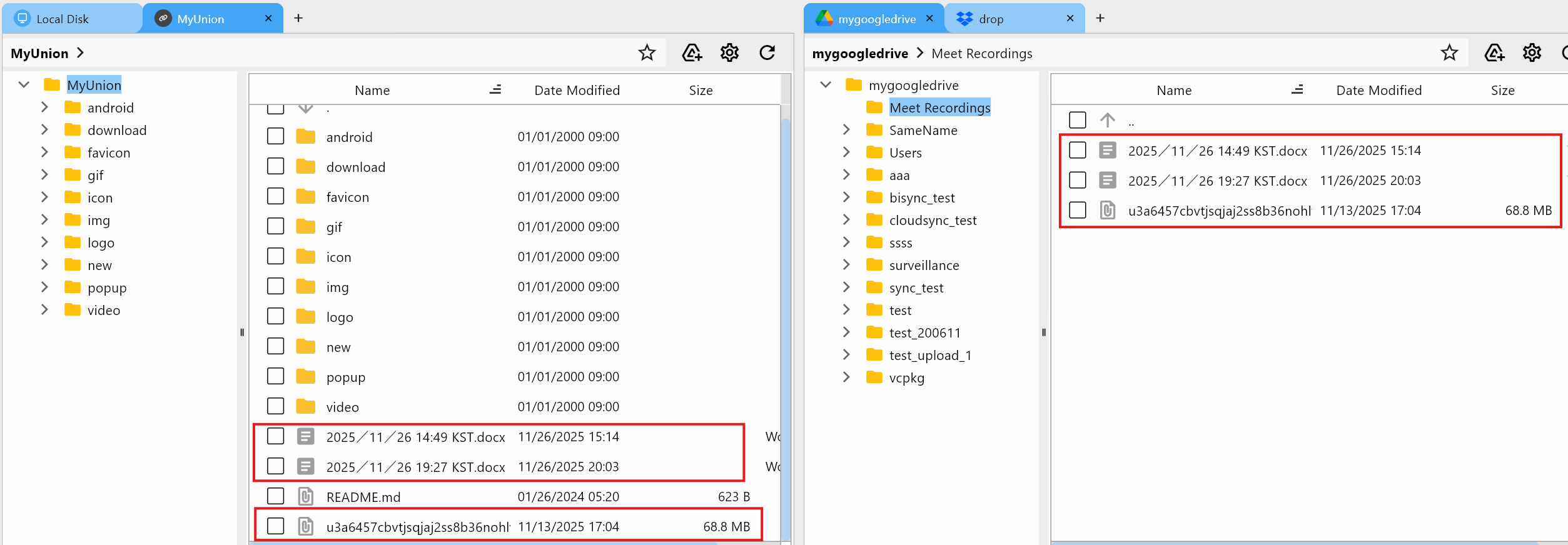
Matches mygoogledrive:Meet Recordings.
Upstreams 2 — Dropbox example
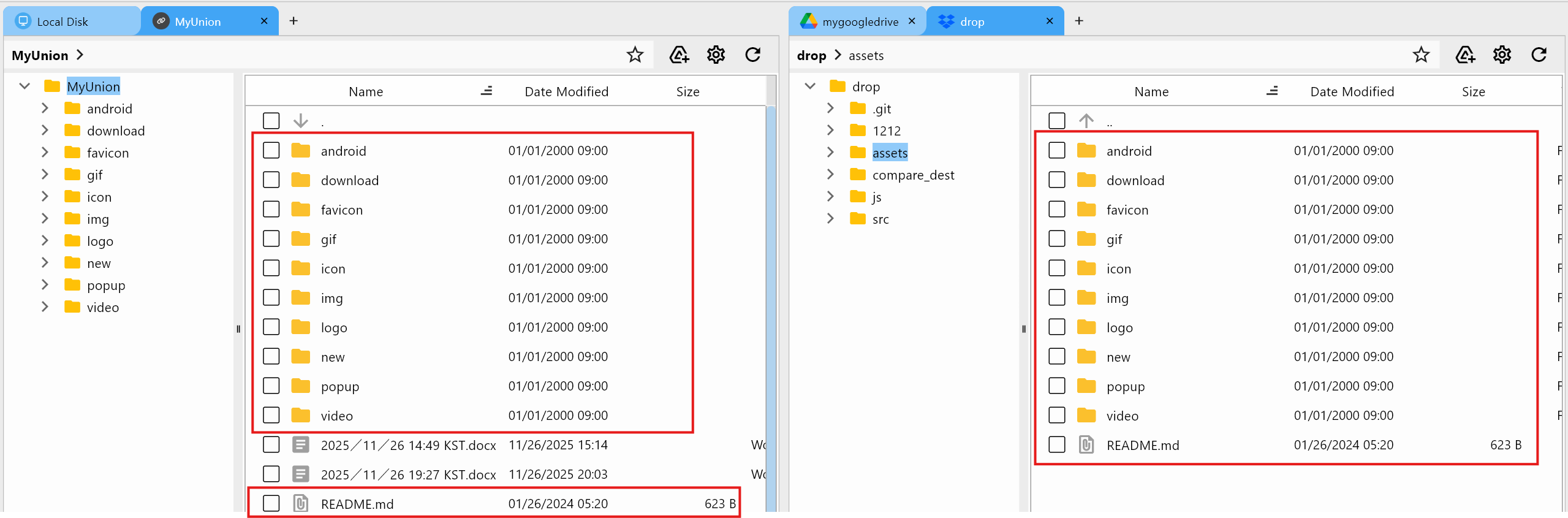
Matches drop:assets.
Combine vs Union (Key Differences)
| Feature | Combine Remote | Union Remote |
|---|---|---|
| Viewing style | Shows multiple folders separately | Shows a single merged view |
| Writing rules | Not merged; separate folders | New writes follow Union policies |
| File structure | Folder1 / Folder2 | One combined virtual folder |
| Best for | Organization | Multi-cloud merging and unified usage |
When to Use Union
- View data from several clouds at once in a single folder.
- Projects split across remotes that need a unified view.
- Run Sync/backup jobs against one virtual remote.
- Provide a merged view without duplicating storage.
Summary
| Feature | Description |
|---|---|
| Union Remote | Merges multiple Remote:Path entries into one view |
| Upstreams | Actual remote folders that form the union |
| Benefits | Multi-cloud consolidation, single-pane access |
| Purpose | Unified browsing, backups/Sync, project unification |
Union Remote is a powerful virtual remote for managing multi-cloud environments through one merged folder view.