Combine
How to Add Combine Using RcloneView
A Combine Remote merges folders from multiple cloud remotes into one virtual view. It does not copy or move data— it simply lets you browse several locations as a single folder.
Why it’s useful:
- See data scattered across clouds in one place.
- Treat project folders from different services as a single workspace.
- Run backup/Sync jobs as if it were one remote.
- No extra storage or duplicate files.
Combine Remote is effectively a multi-cloud viewer.
Create a Combine Remote
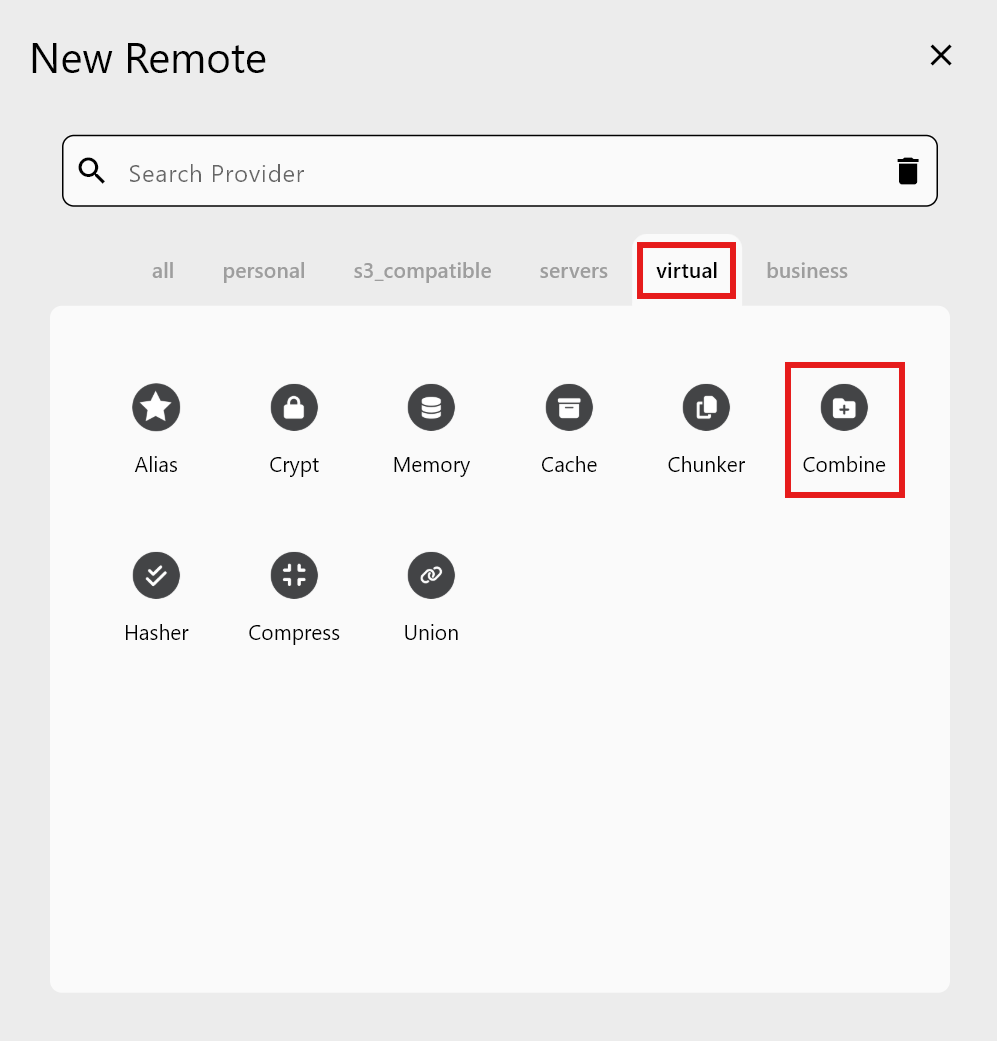
Step 1 — New Remote → Virtual → Combine
Step 2 — Enter Combine details
You need three fields for each entry:
- Remote name: Name of the Combine remote (e.g.,
MyCombine). - Directory: Folder name as it will appear inside the Combine view (e.g.,
Folder1). - Remote Path: Actual cloud path to include. Click the folder icon to pick from registered remotes.
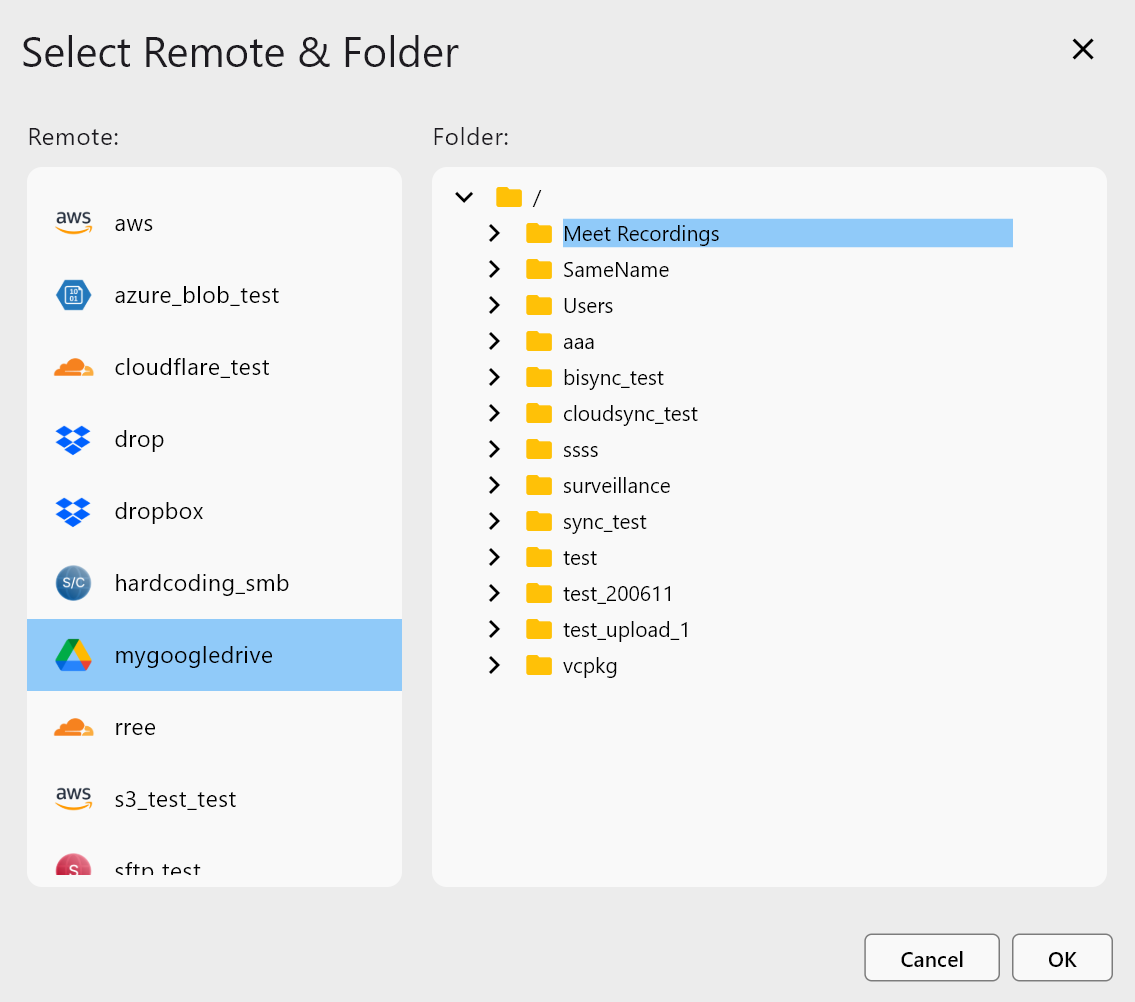
After picking the first path:
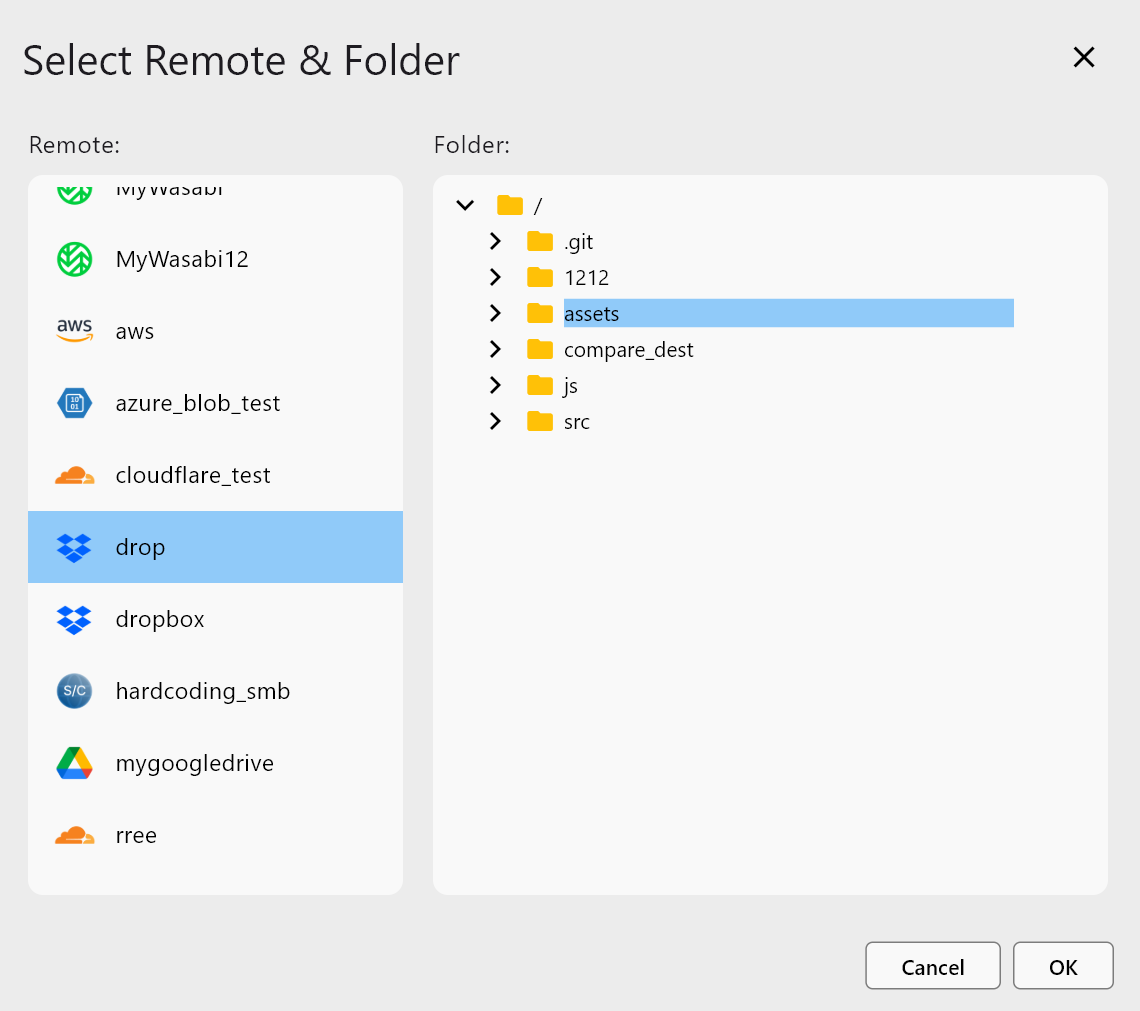
Use Add Remote to add Folder2, Folder3, and more.
When all entries are set:
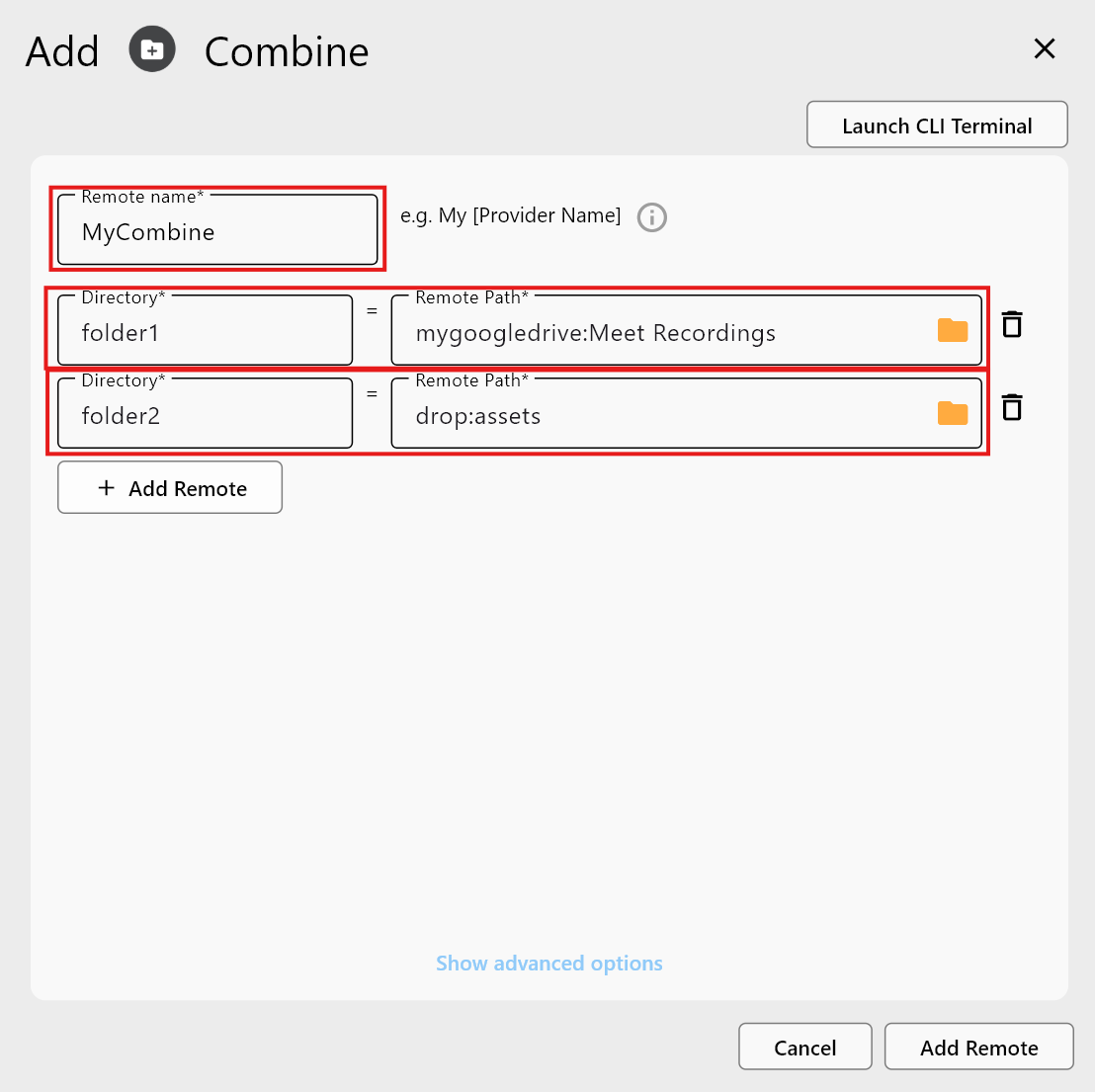
Click Add Remote to create the Combine remote.
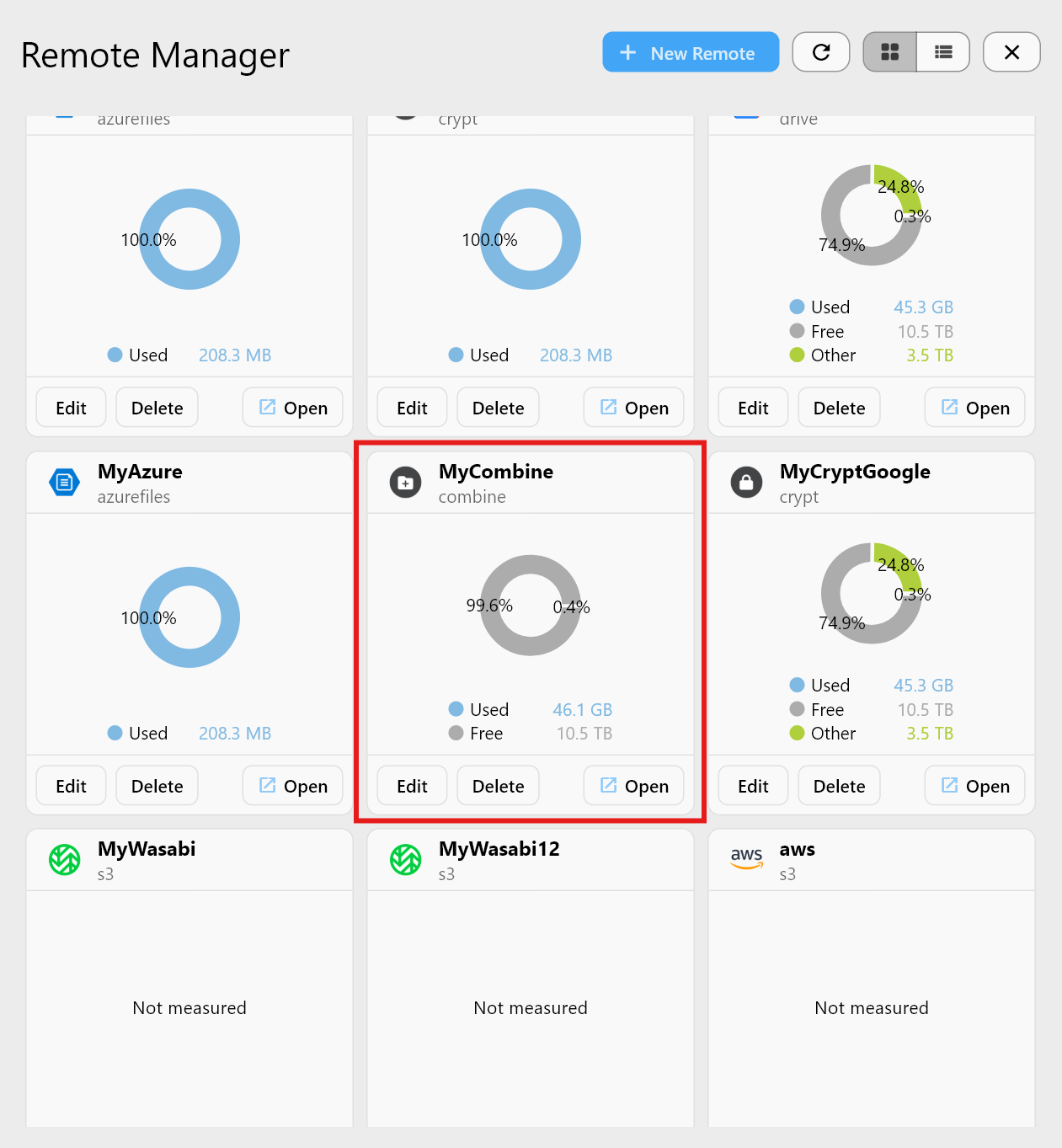
Step 3 — Confirm in Remote Manager
Check Combined Folders in Explorer
Open the Combine remote in the Explorer to see each added folder.
Folder1 — Google Drive example

Shows the same contents as mygoogledrive:Meet Recordings.
Folder2 — Dropbox example
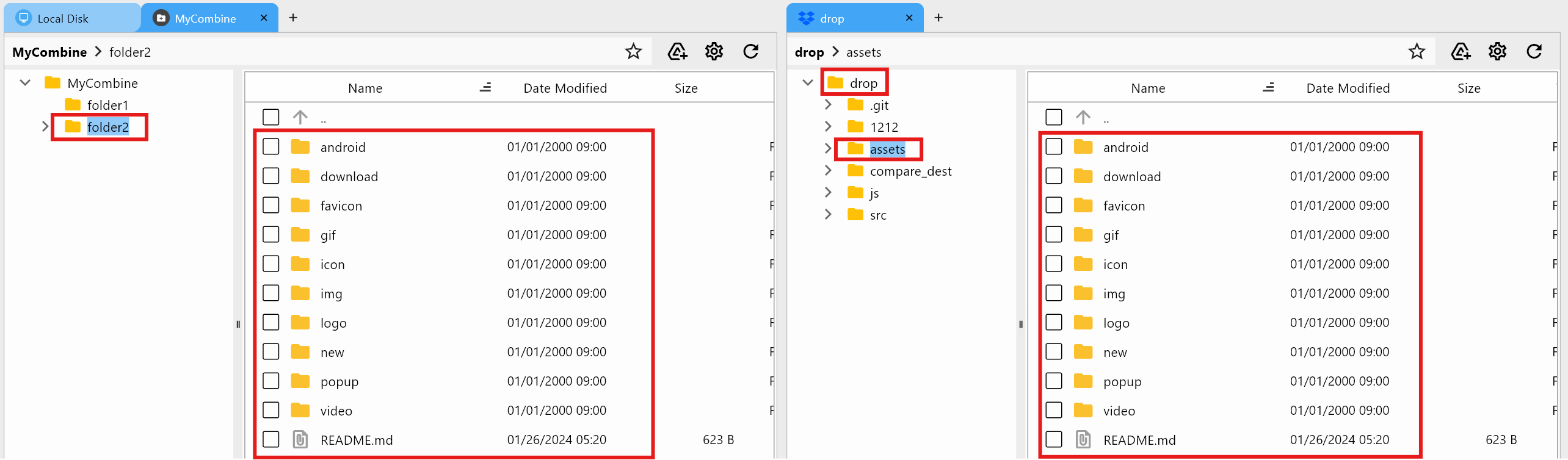
Shows the same contents as drop:assets.
When to Use Combine
- View data across multiple clouds at once.
- Consolidate project folders split across remotes.
- Manage backup or Sync jobs through a single virtual remote.
- Keep original structures intact while unifying the view.
- Avoid duplicate storage while gaining a combined workspace.
Summary
| Feature | Description |
|---|---|
| Combine Remote | Merge multiple folders into one virtual view |
| No data duplication | Files stay in their original locations |
| Add various remotes | Works with Drive, Dropbox, OneDrive, S3, etc. |
| Use cases | Unified browsing, multi-cloud backup, projects |
Combine Remote lets you manage multi-cloud data as if it lived in one place—without moving or duplicating files.