Reduce Cloud Storage Costs with Compare-Only Transfers in RcloneView
Cloud storage looks cheap until API calls and repeated syncs inflate the bill. Compare-first workflows cut unnecessary traffic while keeping migrations safe.
Most cost surprises are not caused by storage itself. They come from blind sync behavior: full scans, repeated metadata checks, and transfers that move nothing new. The fix is simple: Compare first, transfer only when changes exist.

Manage & Sync All Clouds in One Place
RcloneView is a cross-platform GUI for rclone. Compare folders, transfer or sync files, and automate multi-cloud workflows with a clean, visual interface.
- One-click jobs: Copy · Sync · Compare
- Schedulers & history for reliable automation
- Works with Google Drive, OneDrive, Dropbox, S3, WebDAV, SFTP and more
Free core features. Plus automations available.
Cloud storage is cheap - until it isn't
Storage is only one part of your bill. Real costs include:
- API request volume
- Repeated metadata scans
- Egress/ingress traffic
- High-frequency sync jobs
In multi-cloud environments, these costs scale quickly. The more accounts and regions you sync, the more expensive “just sync everything” becomes.
The real problem: blind transfers
Blind sync means you launch a sync without knowing:
- What changed
- How many files will move
- How much data will transfer
That creates unpredictable bills and unnecessary traffic. Compare-first turns sync into a controlled decision.
What is Compare-only transfer?
Compare is not just a safety tool. It is a cost-control tool.
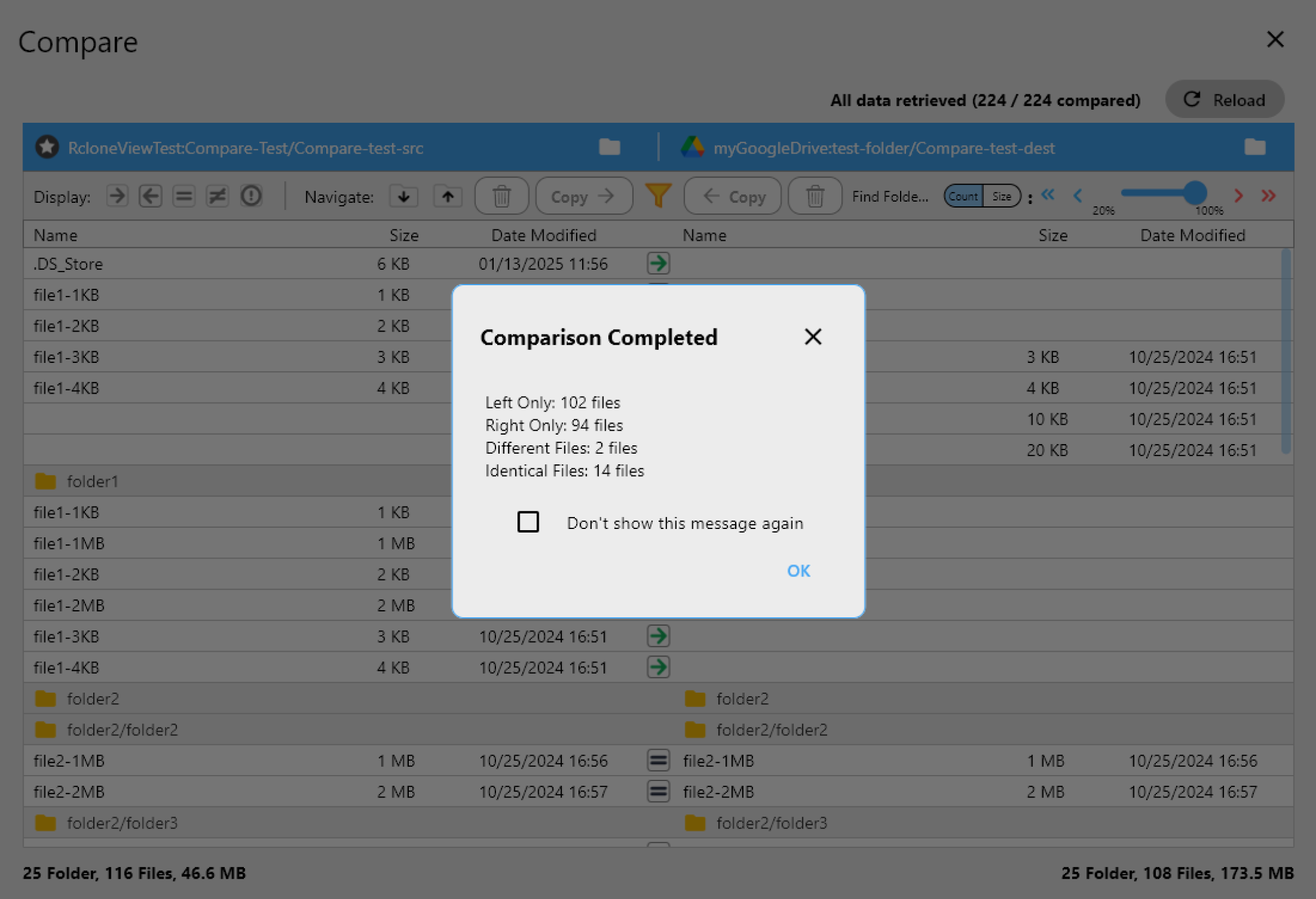
What Compare does
- Compares source and destination folders
- Identifies only changed files
- Produces a transfer candidate list
If Compare finds no changes, you transfer nothing.

Why Compare-first cuts cloud costs
1) Fewer API calls
Compare skips unnecessary transfers and reduces repeated scans.
2) Less data transfer
Only changed files move. Duplicate uploads vanish.
3) Predictable billing
Compare results show what will change before you pay for it.
Compare-only vs traditional sync
Traditional workflow
- Sync runs
- Full scan
- Some changes found
- Transfers + cost
Compare-first workflow
- Compare runs
- No changes → stop
- Changes found → copy or sync only what matters
Practical cost-saving workflows in RcloneView
Workflow 1: Compare → Copy only changed files
Use Compare, then Copy only the changed items. This avoids delete risk and limits traffic.
Guide: /support/howto/rcloneview-basic/compare-folder-contents
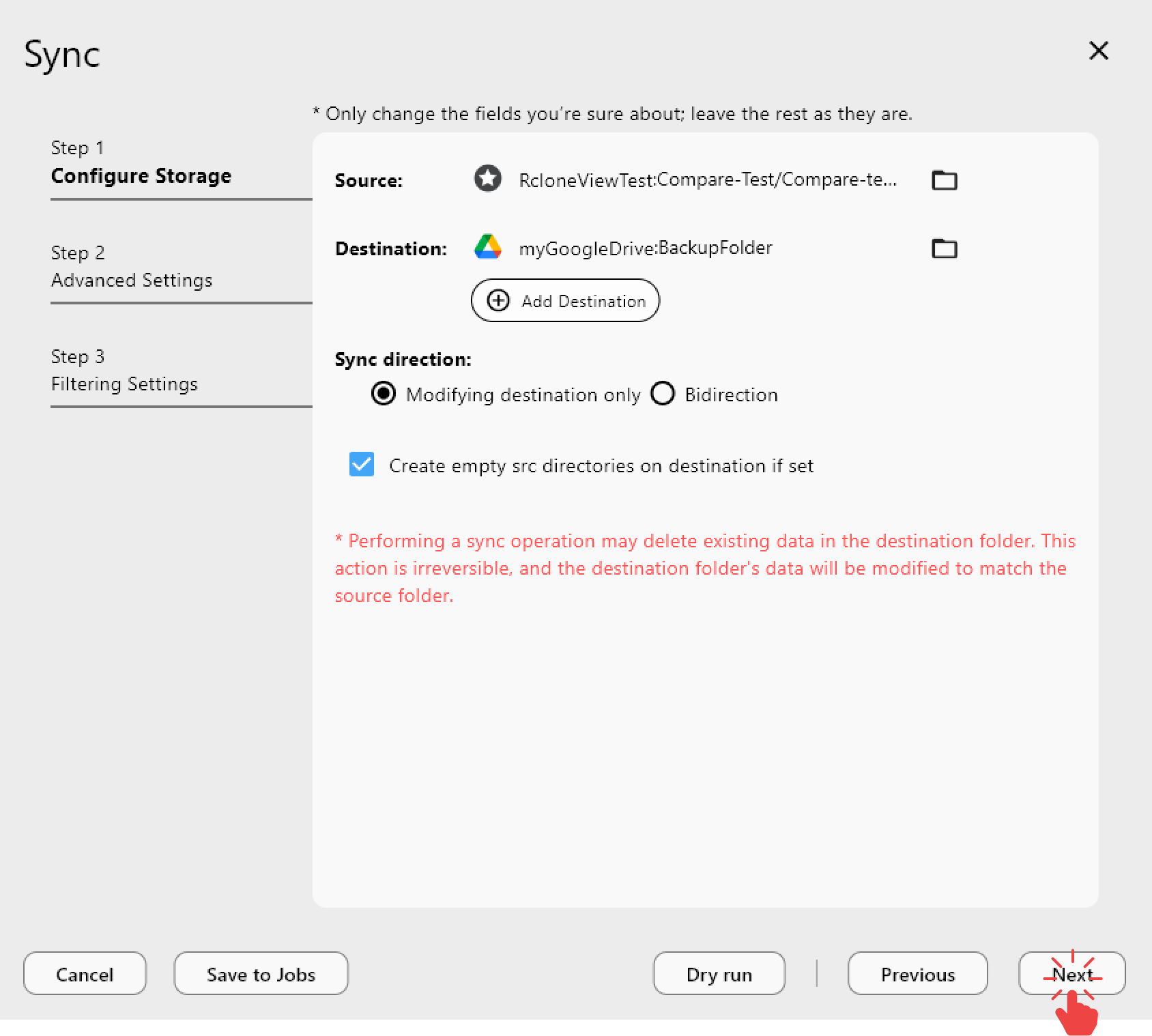
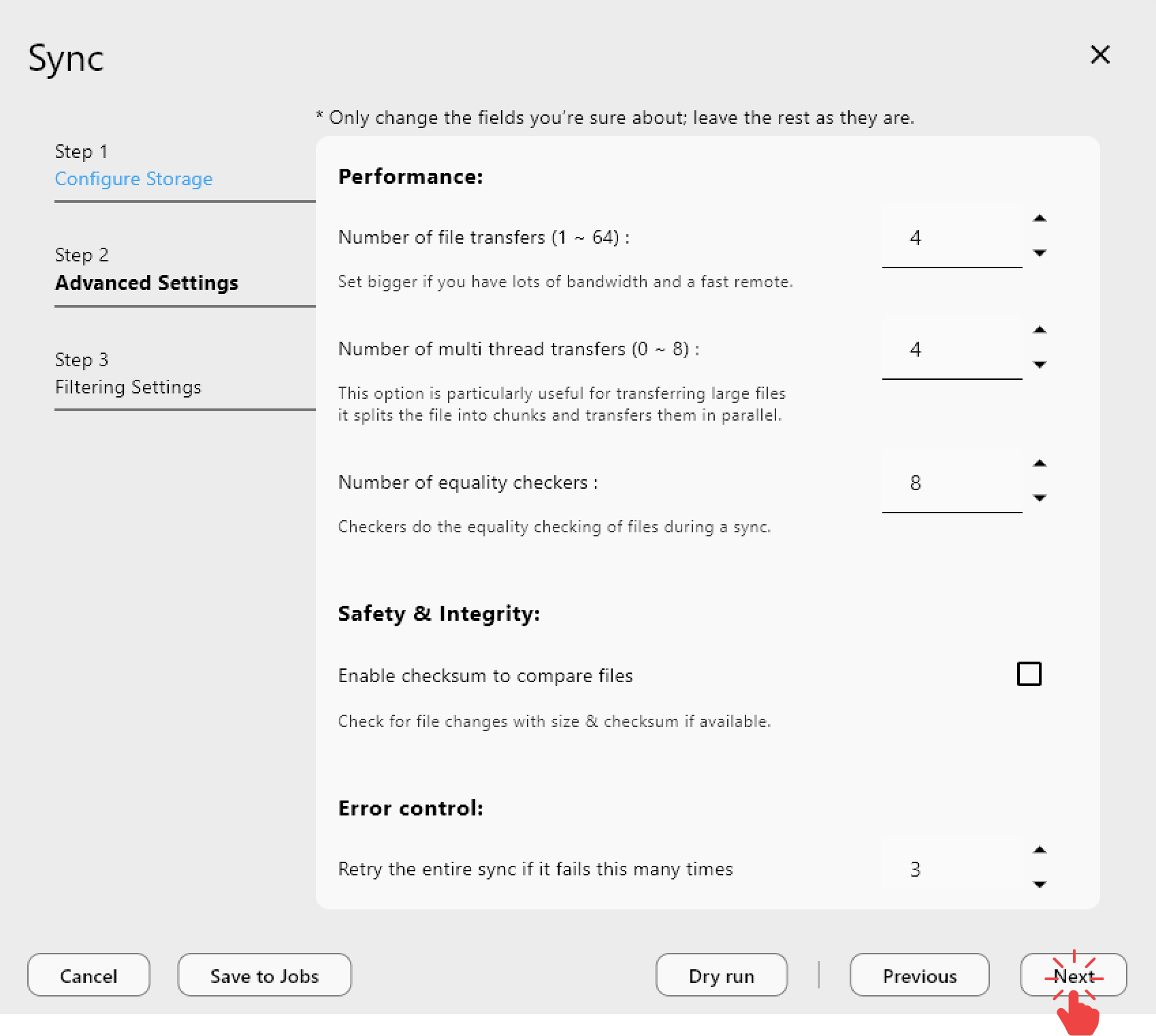
Workflow 2: Compare → Conditional Sync
Only Sync when Compare results meet a threshold (e.g., 100+ changes).
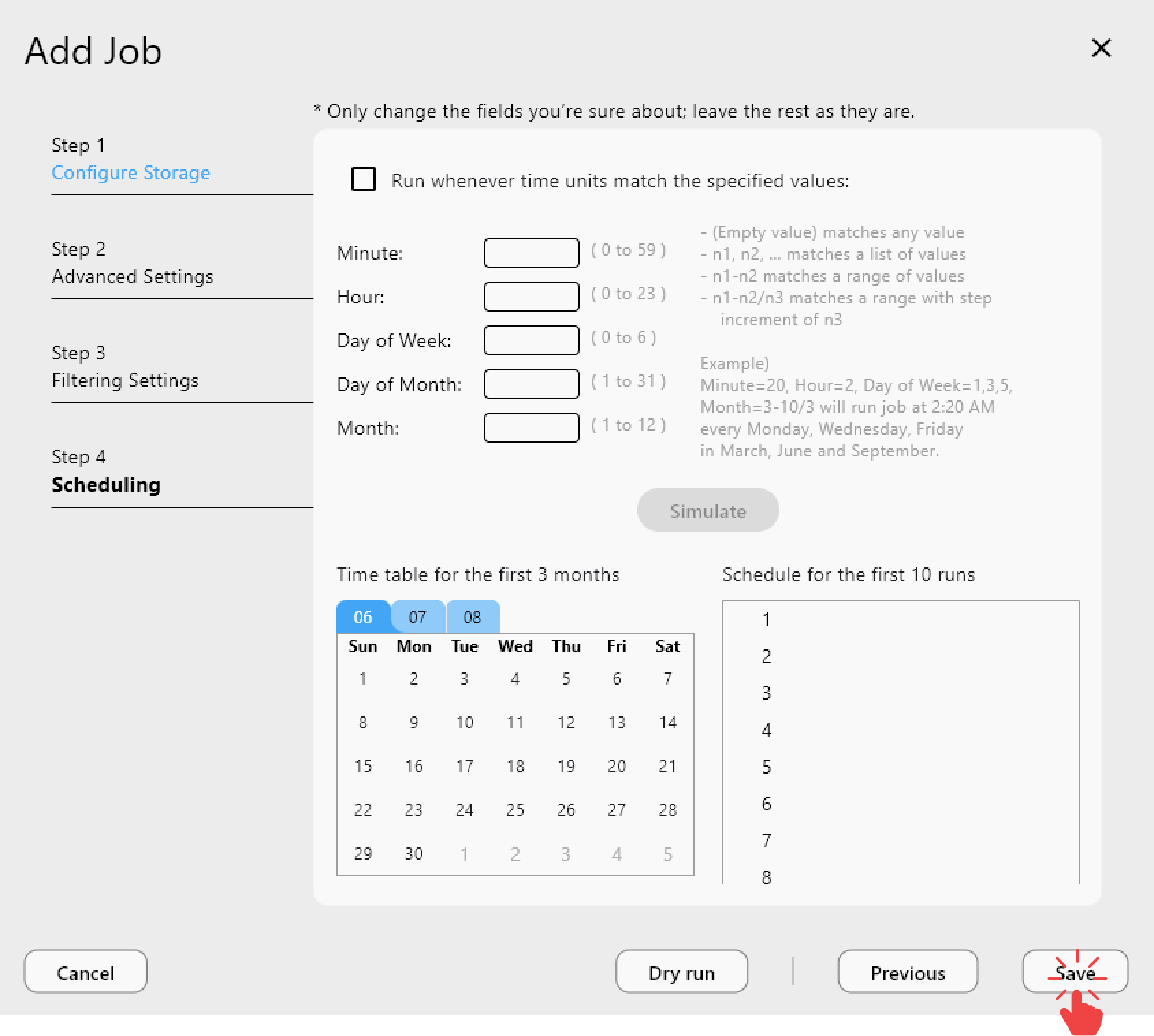
Workflow 3: Compare + scheduled jobs
Run Compare daily, but perform full Sync weekly. This keeps data aligned without daily transfer costs.

Why RcloneView makes Compare-first practical
- Visual cost awareness: see exactly what will change.
- Filtering = cost control: exclude cache/log files or specific extensions.
- No CLI flags to forget: UI reduces error-prone options.
Best practices to reduce cloud sync bills
- Make Compare the default, not Sync.
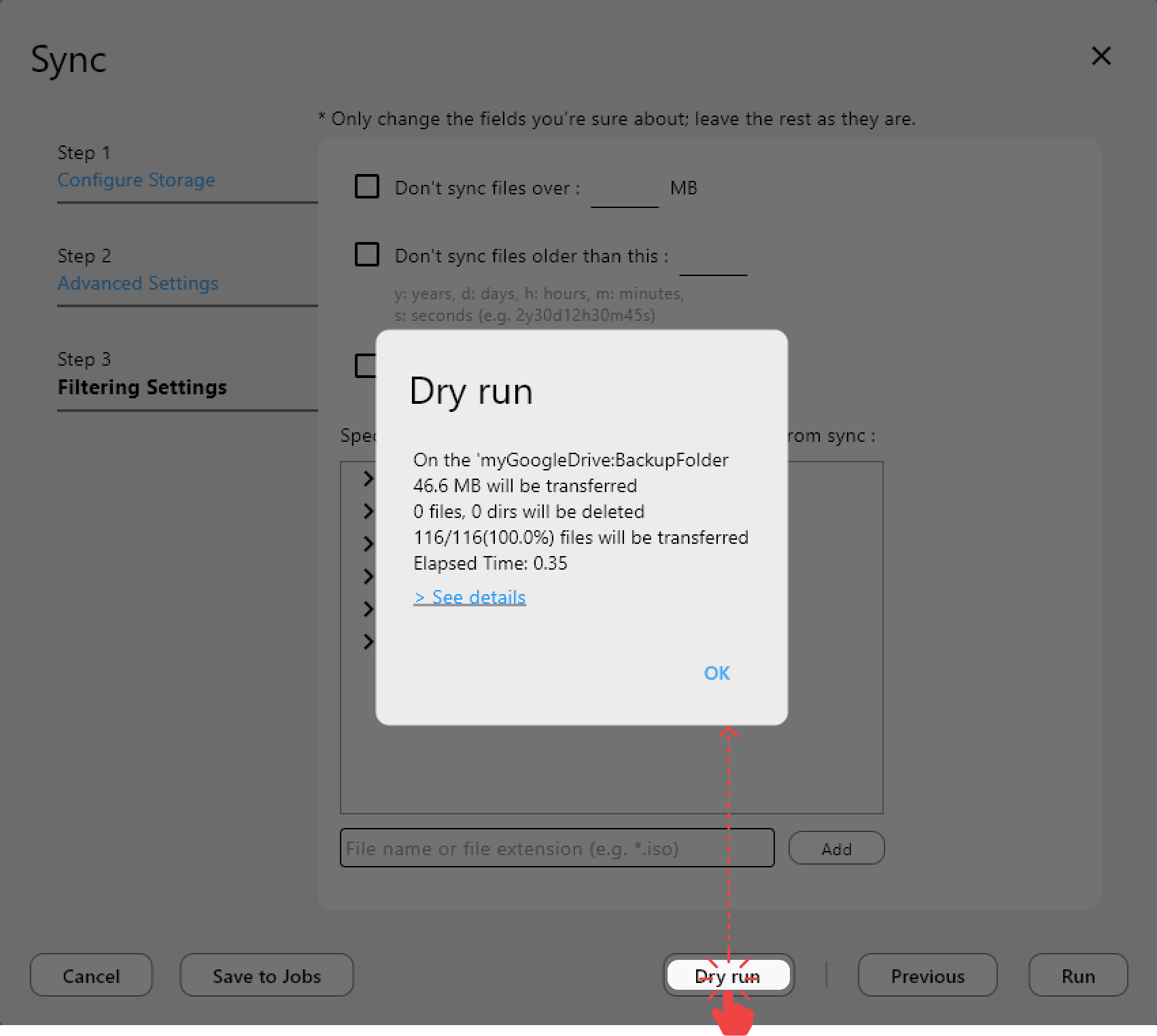
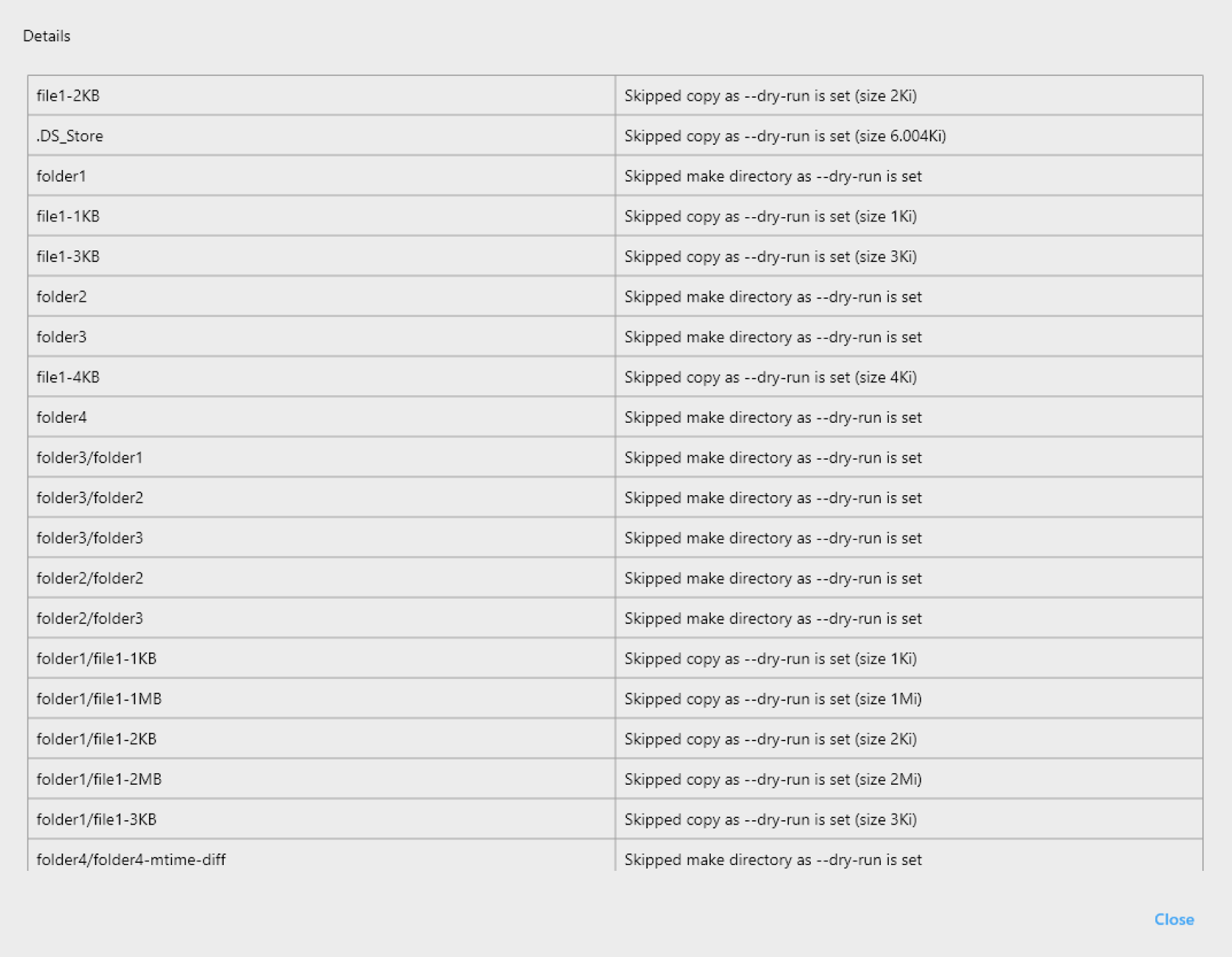
- Combine Compare with Dry Run for extra assurance.
- Avoid full Sync on a schedule when changes are small.
Common misconceptions
“Compare also costs money.”
Yes, but far less than full Sync and transfer costs.
“Sync is faster.”
Maybe in the short term. Over time, it is usually the most expensive choice.
What savings look like in real workflows
- API calls: often reduced by 60–90%
- Data transfer: commonly reduced by 70% or more
- Monthly bills: become more stable and predictable
The larger your dataset and the more automation you run, the bigger the savings.
Conclusion: stop paying for invisible transfers
Cloud cost control is not about cheaper storage. It is about smarter workflows.
Compare first. Transfer only what changed. Sync last.
RcloneView’s Compare-first workflow is not just safer — it is the most cost-efficient way to run cloud migrations at scale.