Box to S3 + Glacier: Tiered Archives with RcloneView
Move Box libraries into Amazon S3 for active access and Glacier for long-term retention, with visual compares, checksum-verified syncs, and scheduled jobs -- no CLI flags required.
Box is great for collaboration, but long-term retention and large media libraries can get expensive. RcloneView lets you mirror Box folders into S3 buckets for hot access, then push aging data into Glacier classes on a schedule. You get side-by-side compares, logged jobs, and retries without babysitting scripts.

Manage & Sync All Clouds in One Place
RcloneView is a cross-platform GUI for rclone. Compare folders, transfer or sync files, and automate multi-cloud workflows with a clean, visual interface.
- One-click jobs: Copy · Sync · Compare
- Schedulers & history for reliable automation
- Works with Google Drive, OneDrive, Dropbox, S3, WebDAV, SFTP and more
Free core features. Plus automations available.
What We Are Solving
- Reduce Box storage spend by tiering cold data into Glacier.
- Keep an always-available S3 copy for active teams while Glacier holds the history.
- Maintain integrity with checksum-verified jobs and an audit trail.
Connect Box and S3 Remotes Fast
- Add Box and S3 remotes via
+ New Remote. OAuth and key setup: add-oath-online-login, s3.
 .
.
- Use Remote Explorer to sanity-check folder depth and naming before the first sync.
 .
.
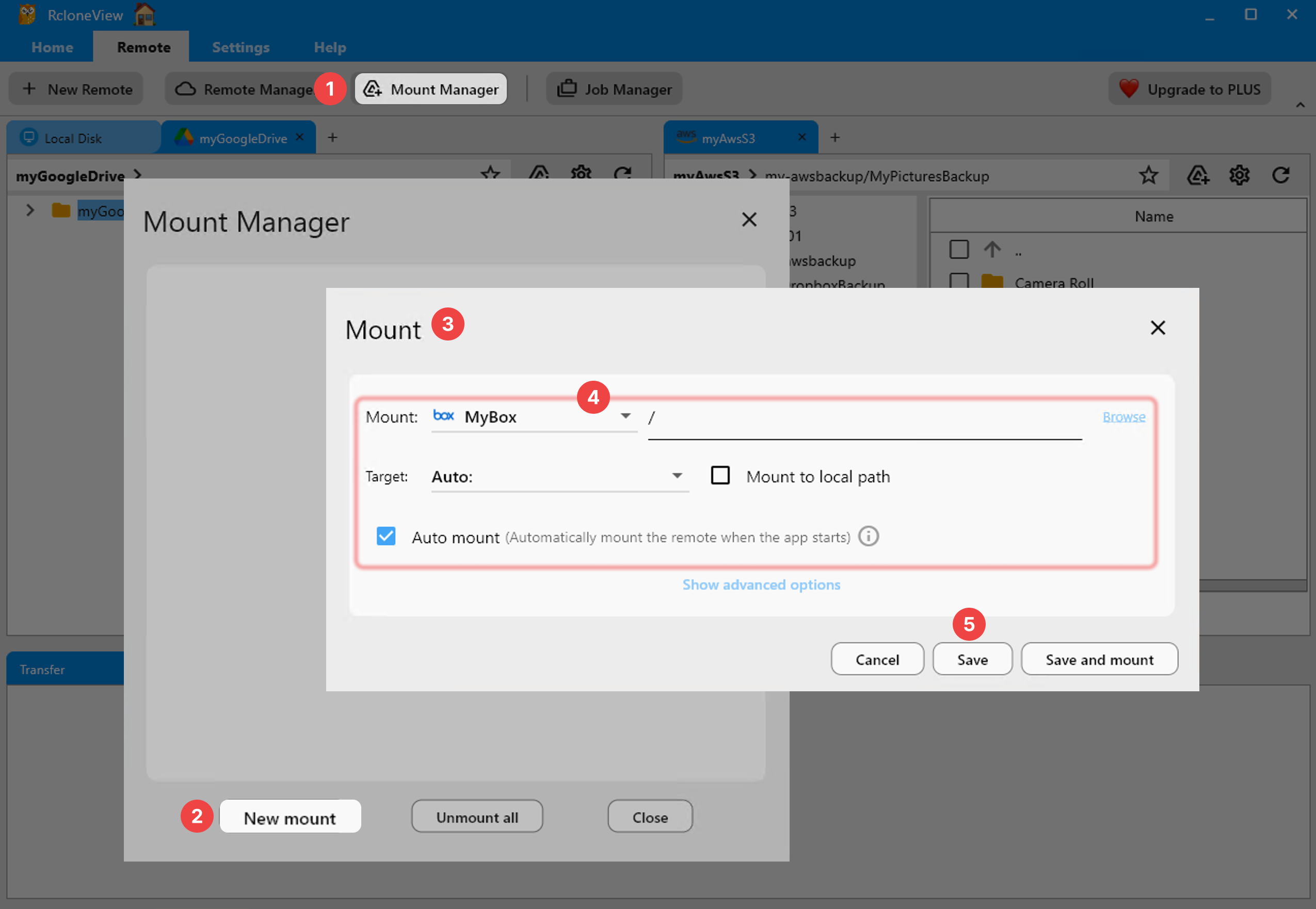
- Optional: mount either remote locally for quick spot checks: mount-cloud-storage-as-a-local-drive.
 .
.
Compare Before You Move
- Run Compare between Box and the target S3 prefix to see missing or newer files before committing: compare-folder-contents.
- Filter by extensions (e.g., PDFs, CAD, media) to scope reviews.
 .
.
Build a Two-Tier Pipeline (S3 Hot, Glacier Cold)
- Step 1: Create a copy job from Box to S3 for the active tier: create-sync-jobs. Start with copy for safety; switch to sync after validating results.
 .
.
- Step 2: Apply S3 lifecycle policies on the bucket to transition objects to Glacier classes after N days. Keep the RcloneView job targeting the hot prefix (e.g.,
s3:box-archive/hot/). - Step 3: For deep archives, schedule a secondary job to push rarely used folders directly to a Glacier-focused prefix (e.g.,
s3:box-archive/cold/).
 .
.
RcloneView gives you a visual, repeatable way to exit Box, cut storage costs, and keep compliant archives in AWS. Compare first, copy safely, schedule the rest -- and sleep easy.
Supported Cloud Providers





























