RcloneView Telegram Remote Control: Manage Cloud Jobs from Your Phone
Turn RcloneView into a chatops console: get job alerts, list jobs, and start or stop them from Telegram, even when you are away from your PC.
With Telegram Remote Control, RcloneView sends job start, complete, and error alerts to your phone and accepts simple chat commands to run or stop jobs. It is perfect for long backups, overnight syncs, or headless servers where you still want quick control.

Manage & Sync All Clouds in One Place
RcloneView is a cross-platform GUI for rclone. Compare folders, transfer or sync files, and automate multi-cloud workflows with a clean, visual interface.
- One-click jobs: Copy · Sync · Compare
- Schedulers & history for reliable automation
- Works with Google Drive, OneDrive, Dropbox, S3, WebDAV, SFTP and more
Free core features. Plus automations available.
What you can do from Telegram
- Receive notifications: job started, job completed, job error.
- List available jobs.
- Start jobs by name or by index.
- Stop running jobs.
- Check job progress and status on demand.
RcloneView must be running (desktop or headless) to process Telegram commands.
Prerequisites
- RcloneView installed and running.
- Telegram account.
- Internet connectivity.
- Permission to create a Telegram bot (via BotFather).
Create your Telegram bot (BotFather)
-
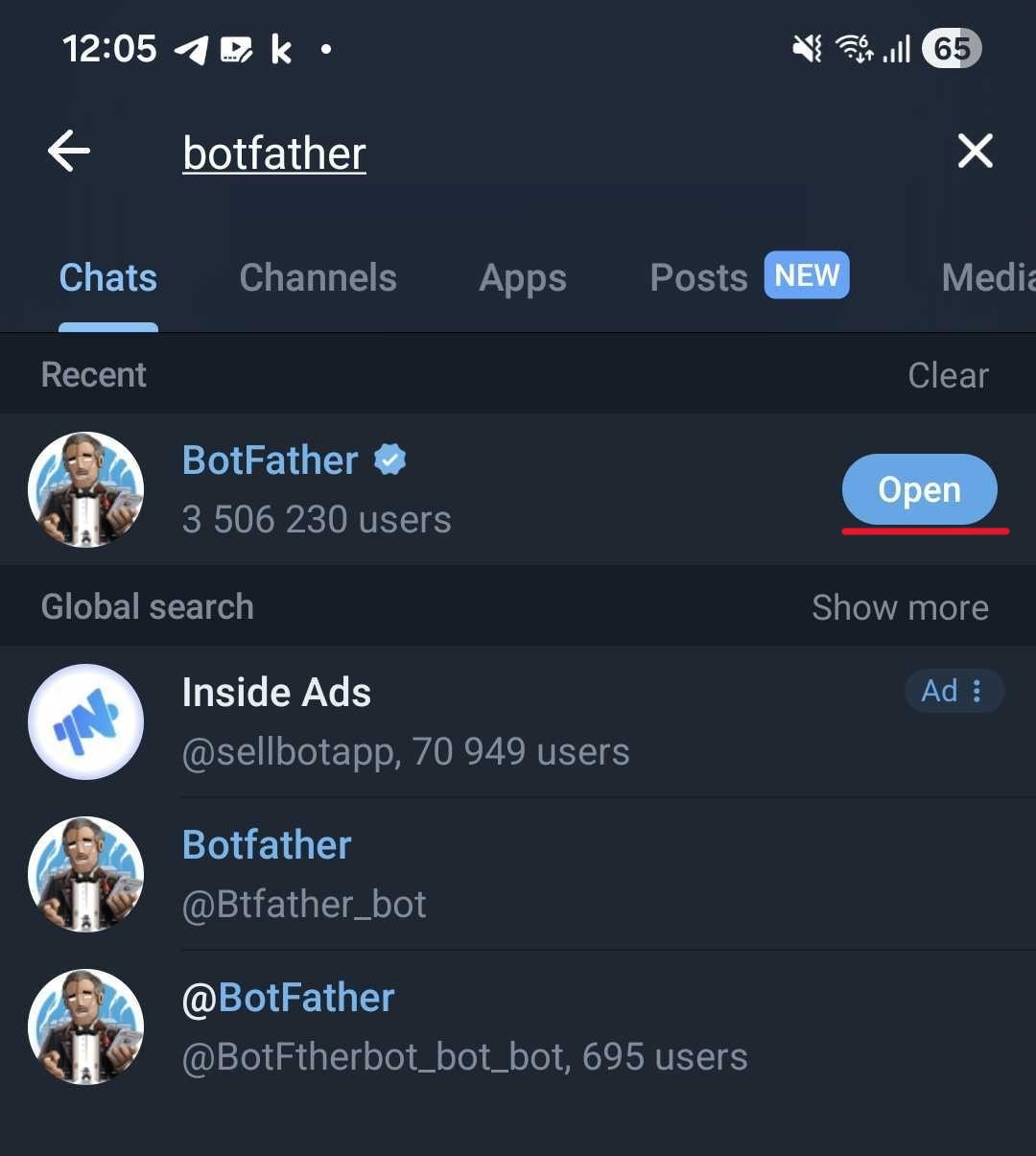
Open Telegram and search for BotFather, then open the chat.
-
Create the bot: set a Bot Name and a Bot Username ending with
bot.
Example:RcloneView_test_bot/rcloneview_test_bot.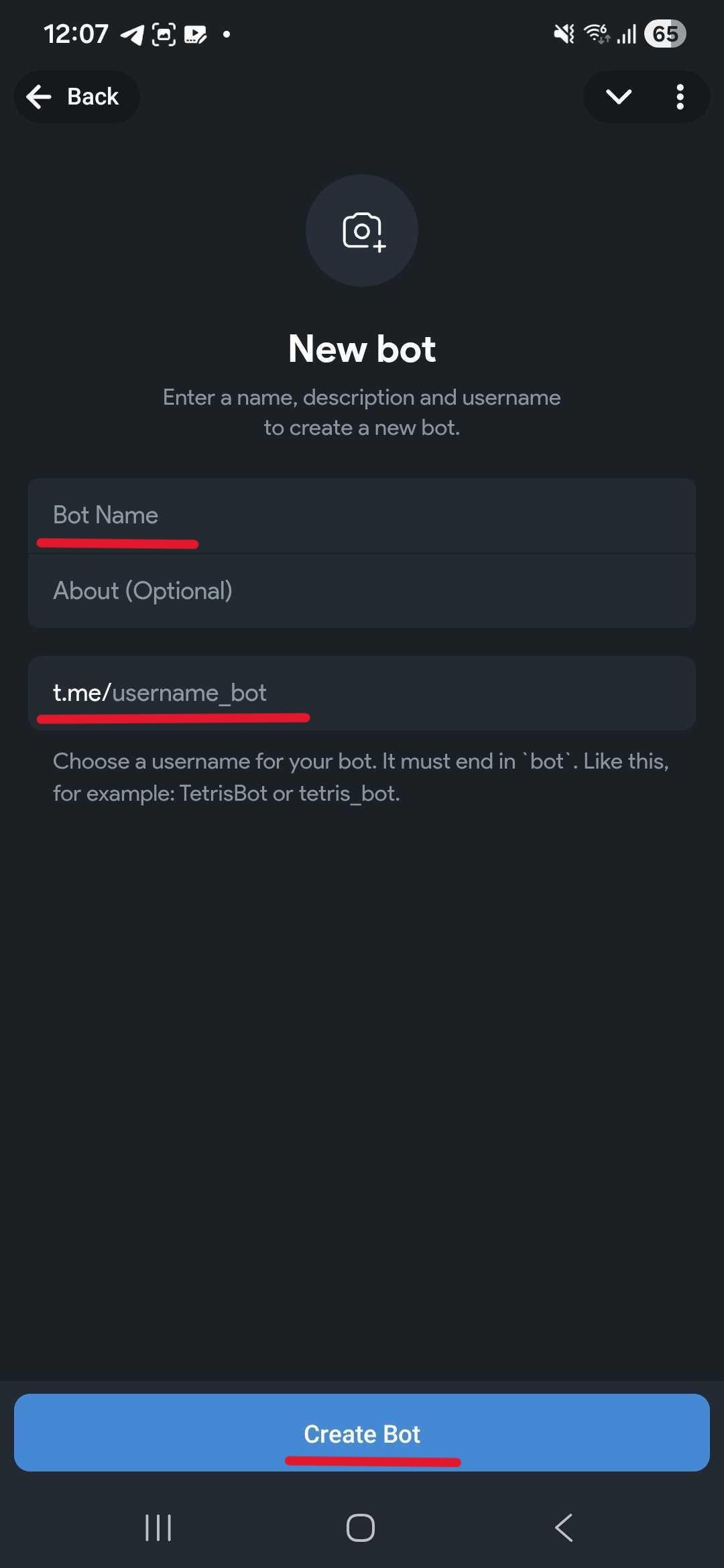
-
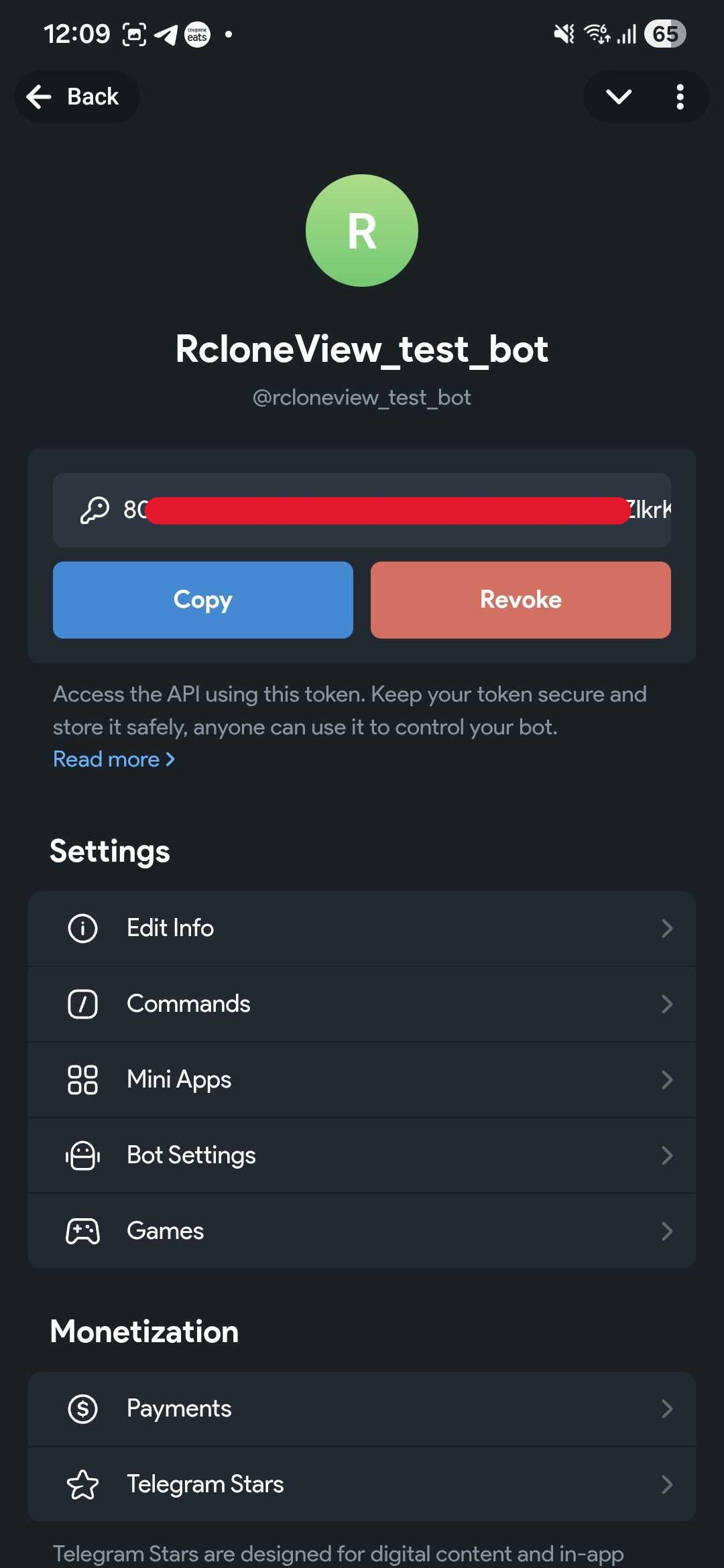
Copy the Bot Token shown by BotFather. Keep it secret-RcloneView needs it for setup.
Start your bot (important)
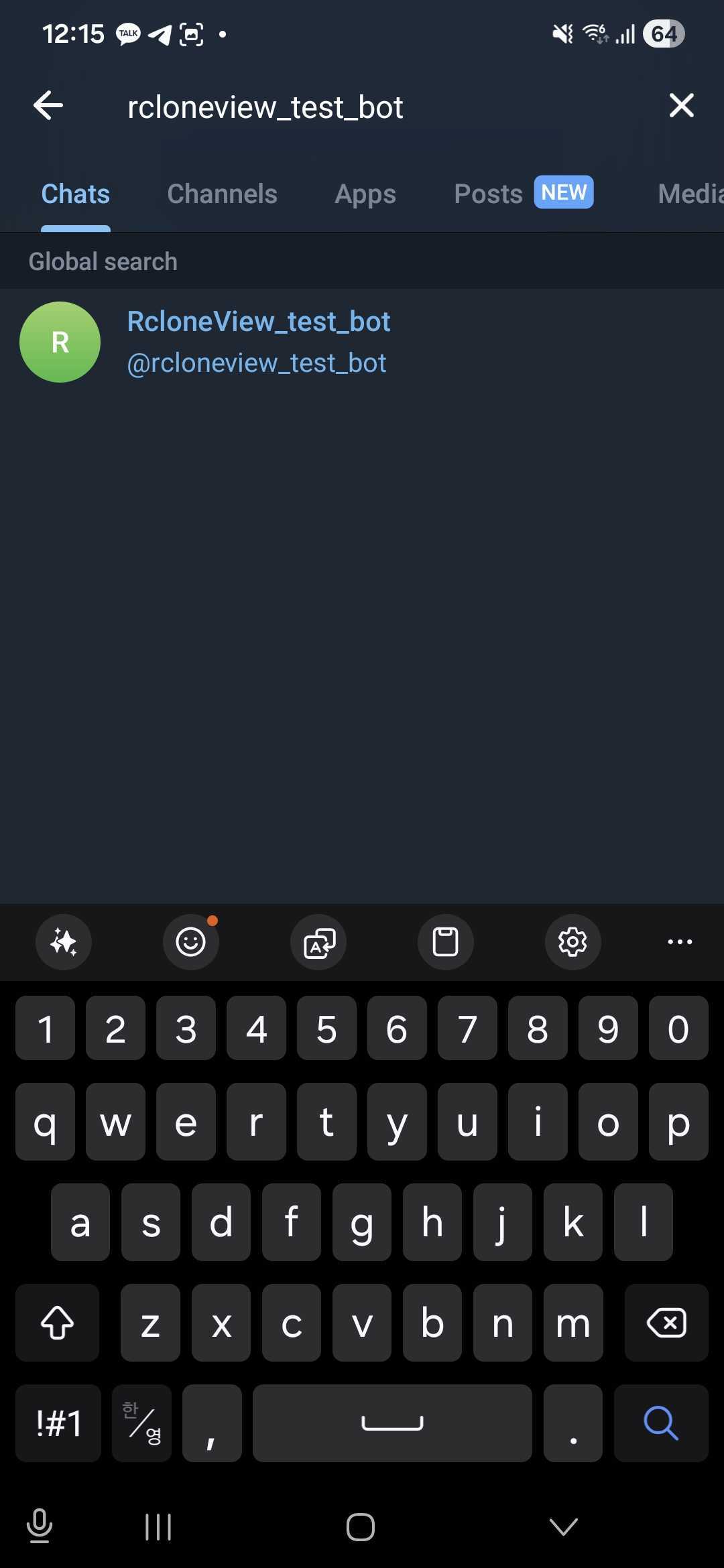
You must start the bot once so Telegram can return your chat updates.
-
Search your bot by name or username and open the chat.
-
Tap Start (or send
/start), then send one more message (for example,hi).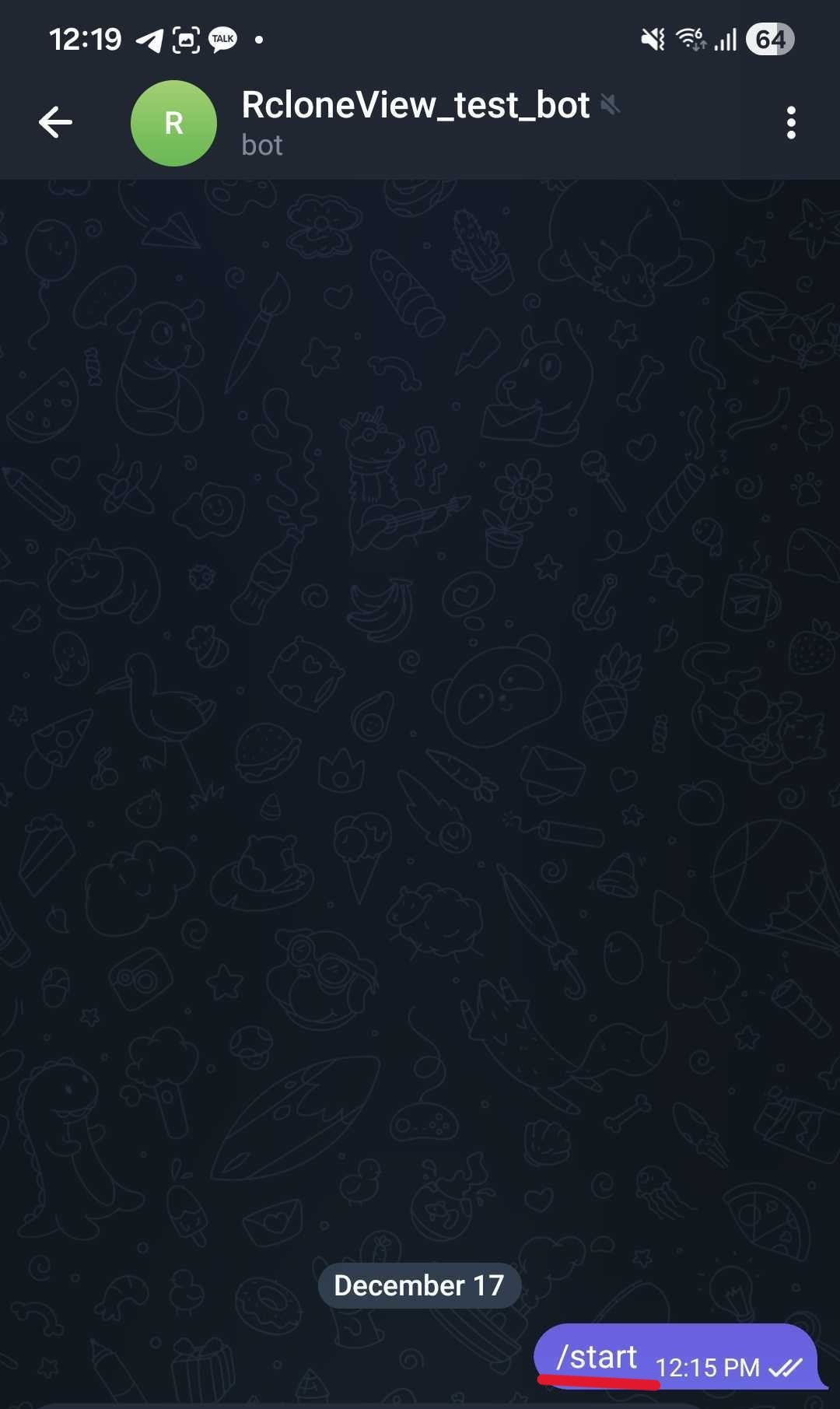
Find your Telegram Chat ID
- In a browser, open:
https://api.telegram.org/bot<YOUR_BOT_TOKEN>/getUpdates


- In the JSON response, note the number in
chat.id(example:987654321). That is your Chat ID.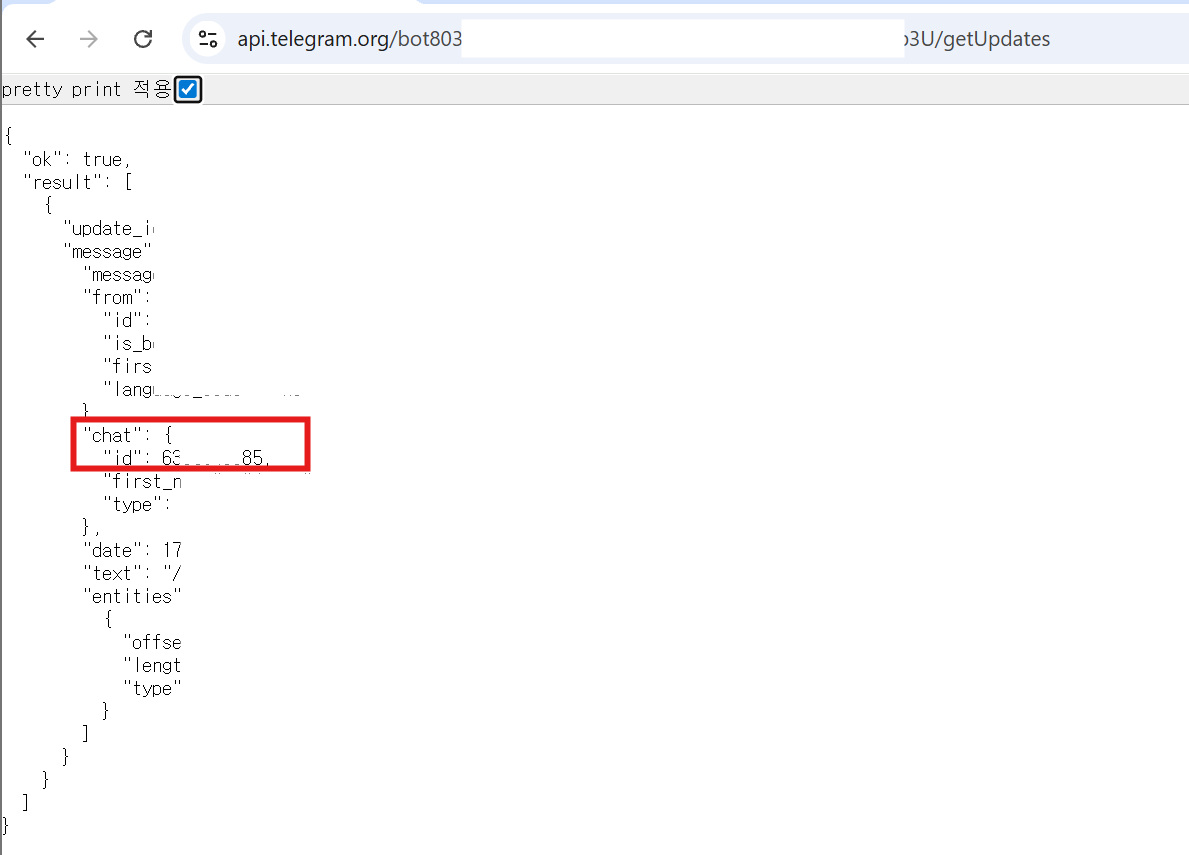
Treat the Bot Token and Chat ID like passwords. Only the configured Chat ID is allowed to control jobs.
Enable Telegram Remote Control in RcloneView
-
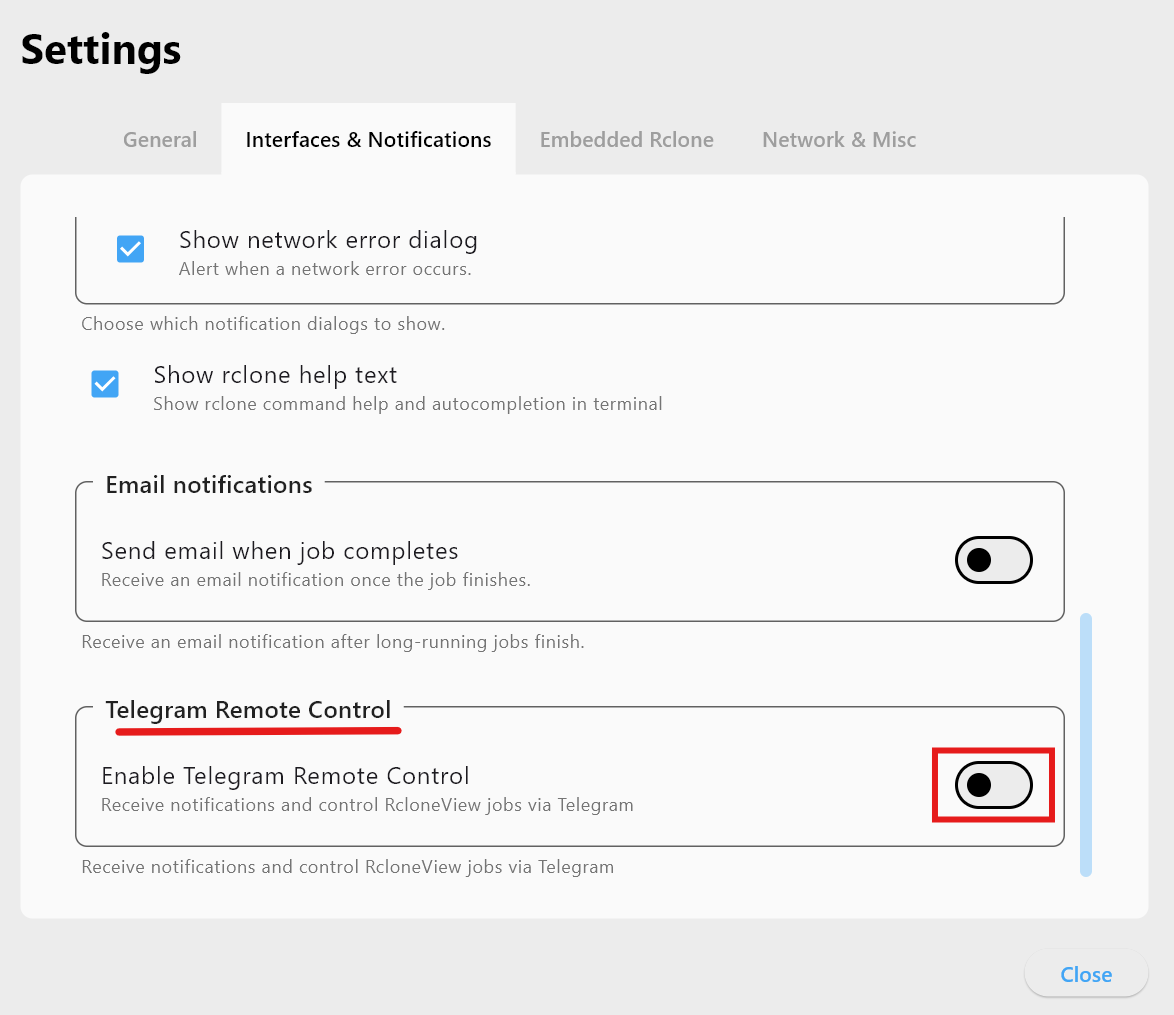
Open Settings -> Interfaces & Notifications.
-
Turn on Telegram Remote Control.
-
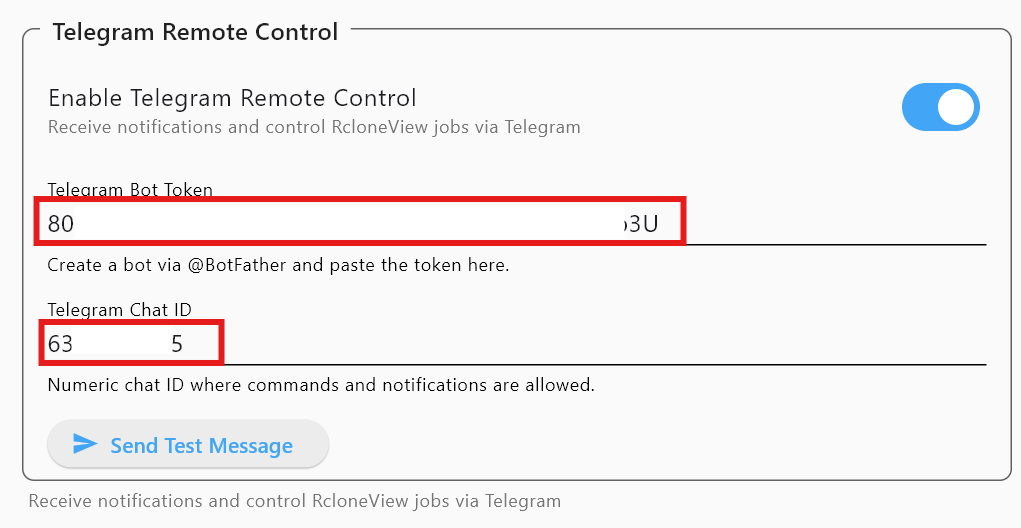
Enter your Bot Token and Chat ID.
-
Click Send Test Message. You should receive:
RcloneView Telegram Test Message.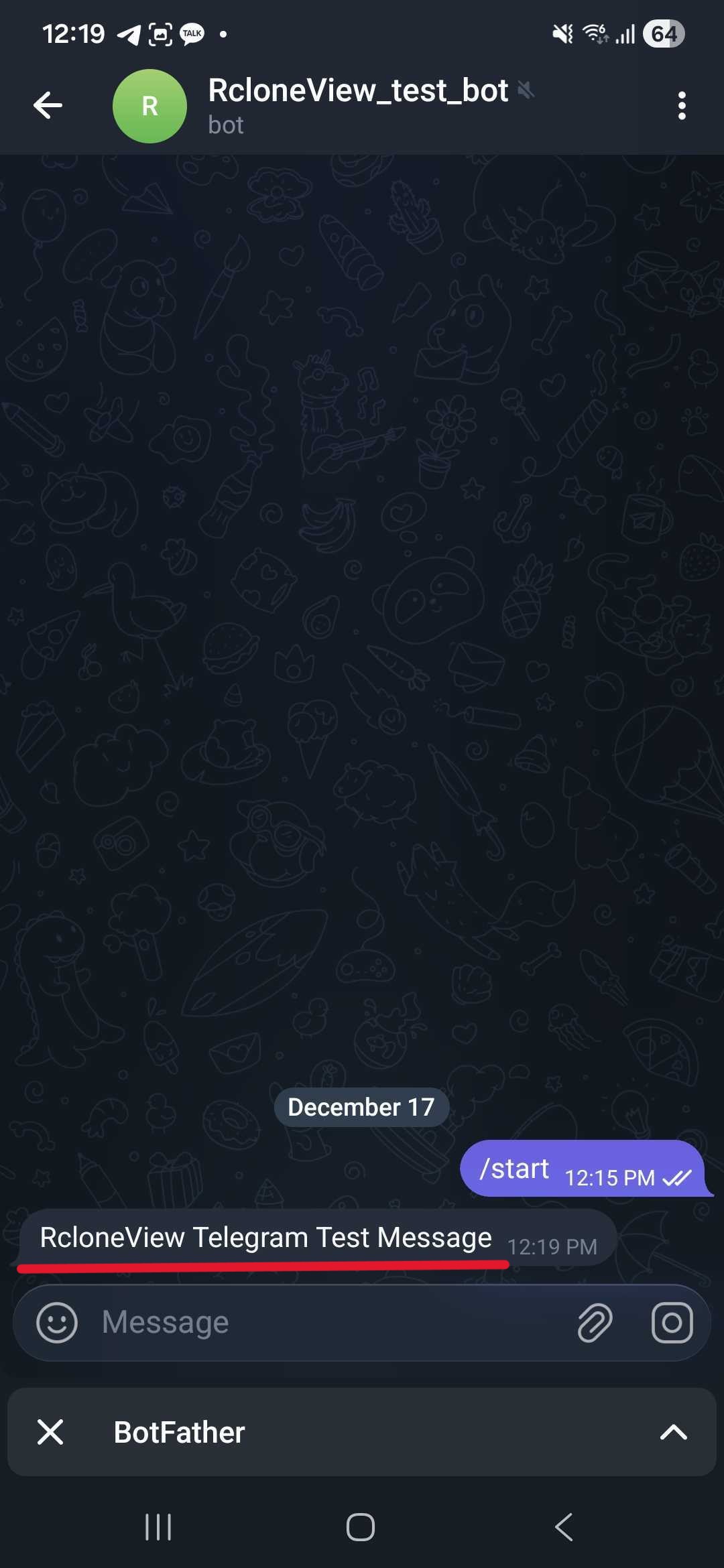
Command guide (chatops for jobs)
Use these in the bot chat:
-
/help- Show all commands.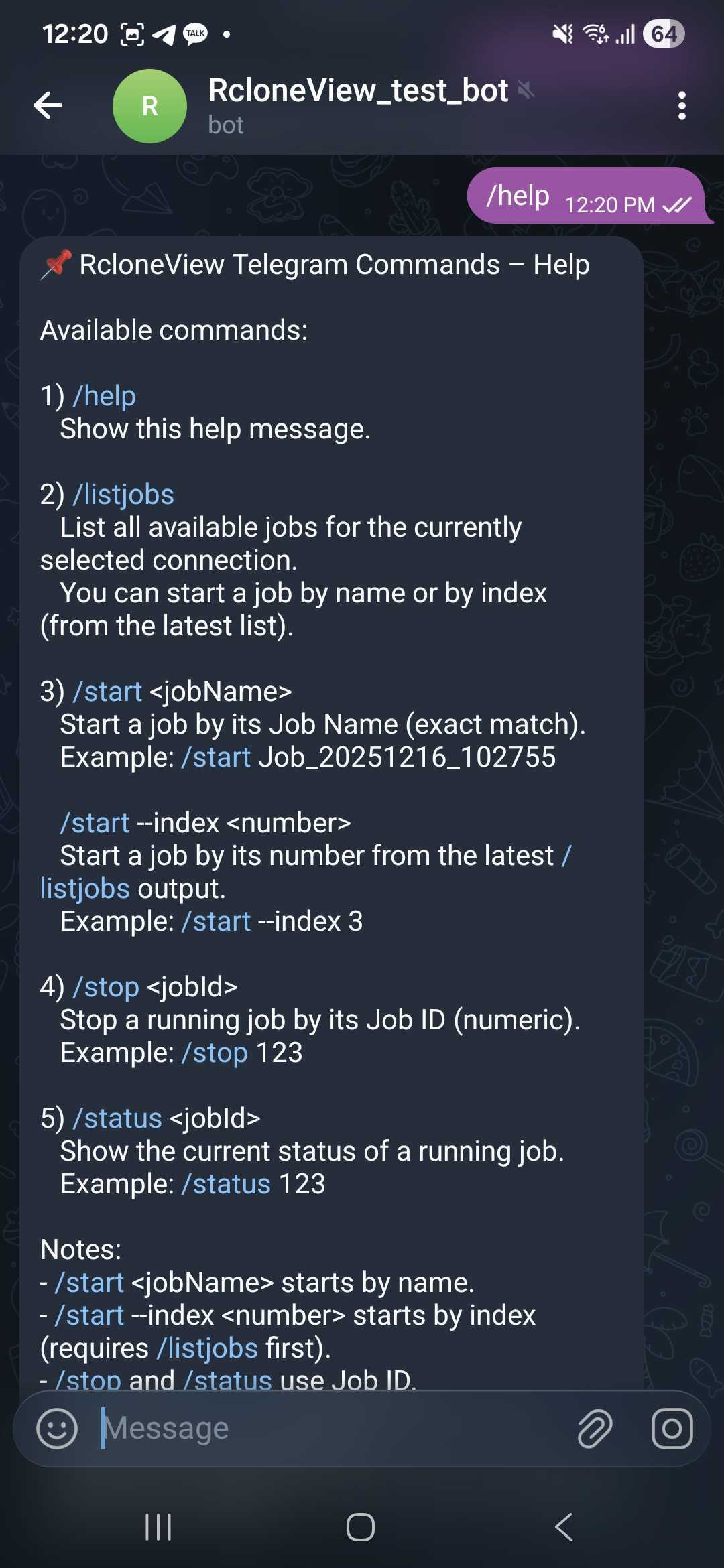
-
/listjobs- List jobs for the current connection.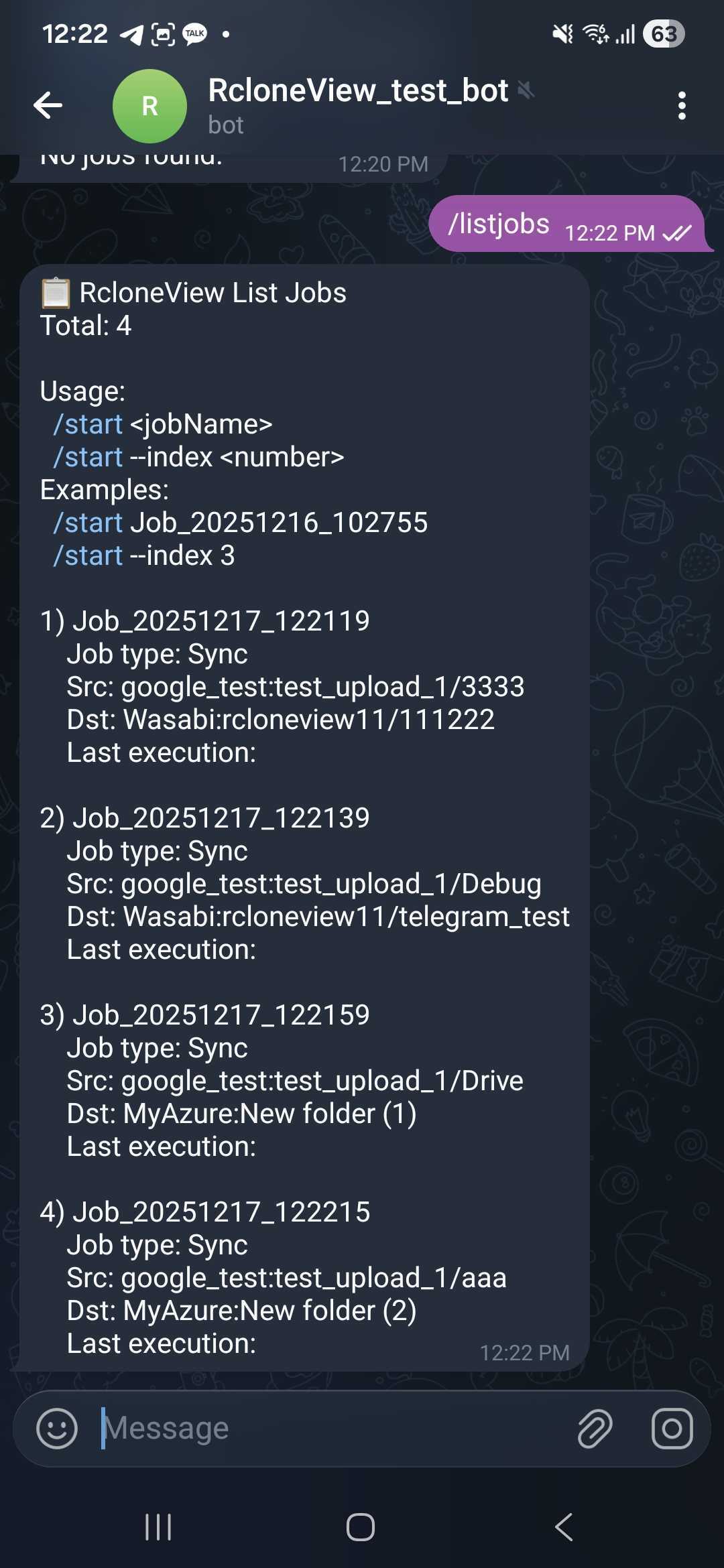
-
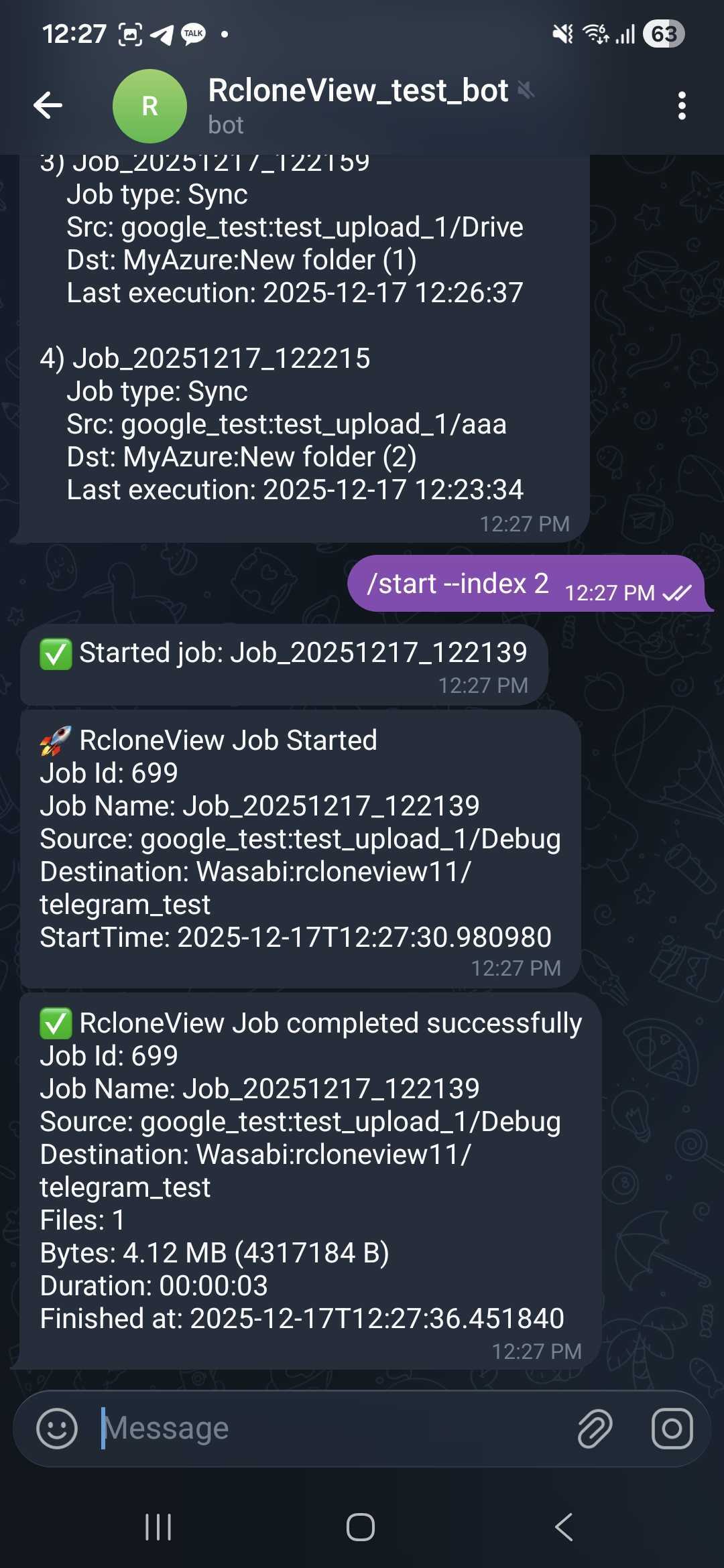
/start <jobName>- Start a job by its exact name.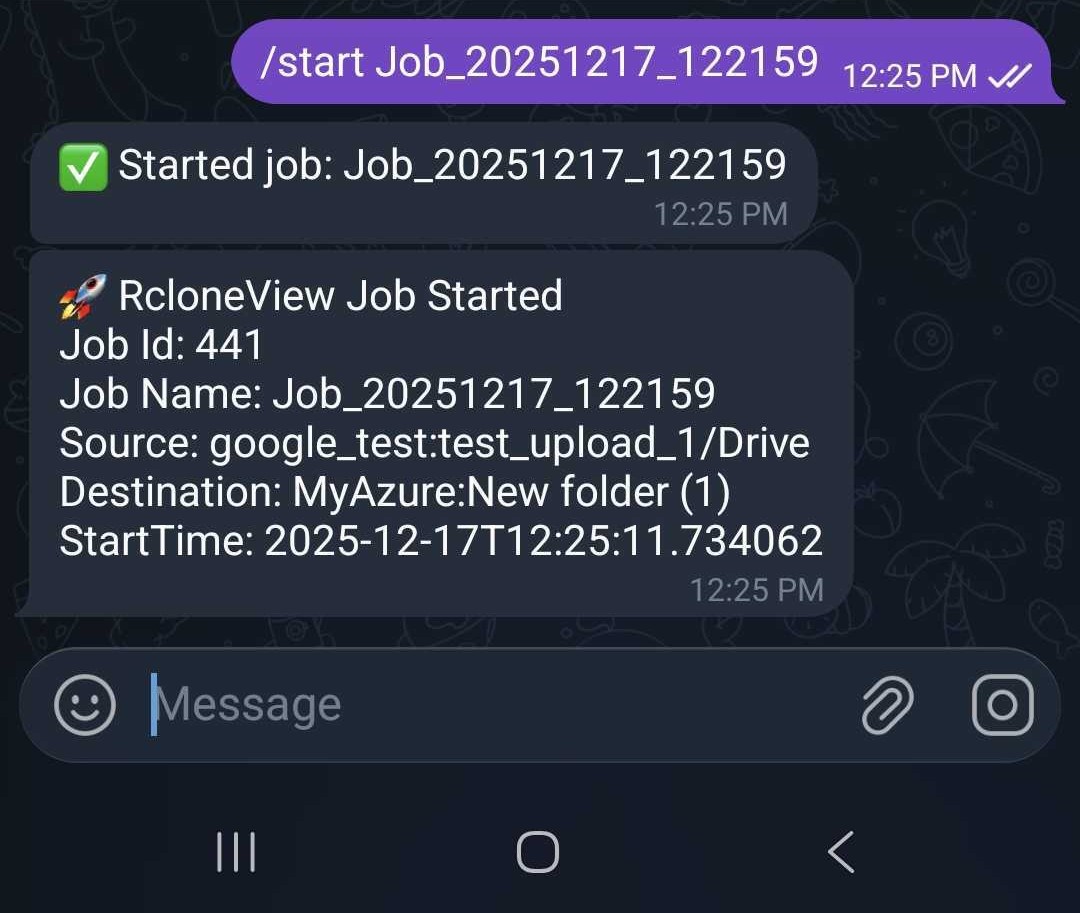
-
/start #<n>(recommended) - Start by list index from the latest/listjobs.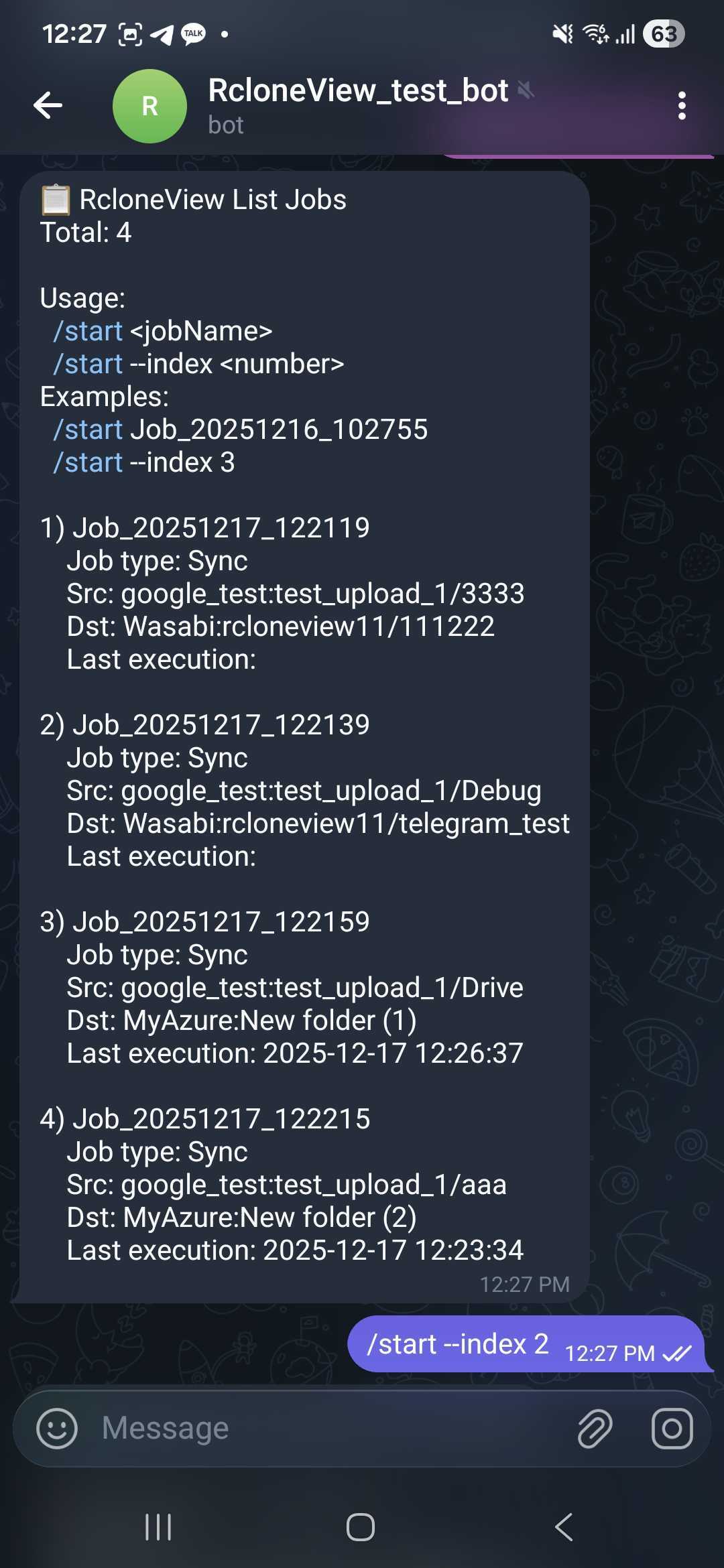
-
/stop <jobId>- Stop a running job.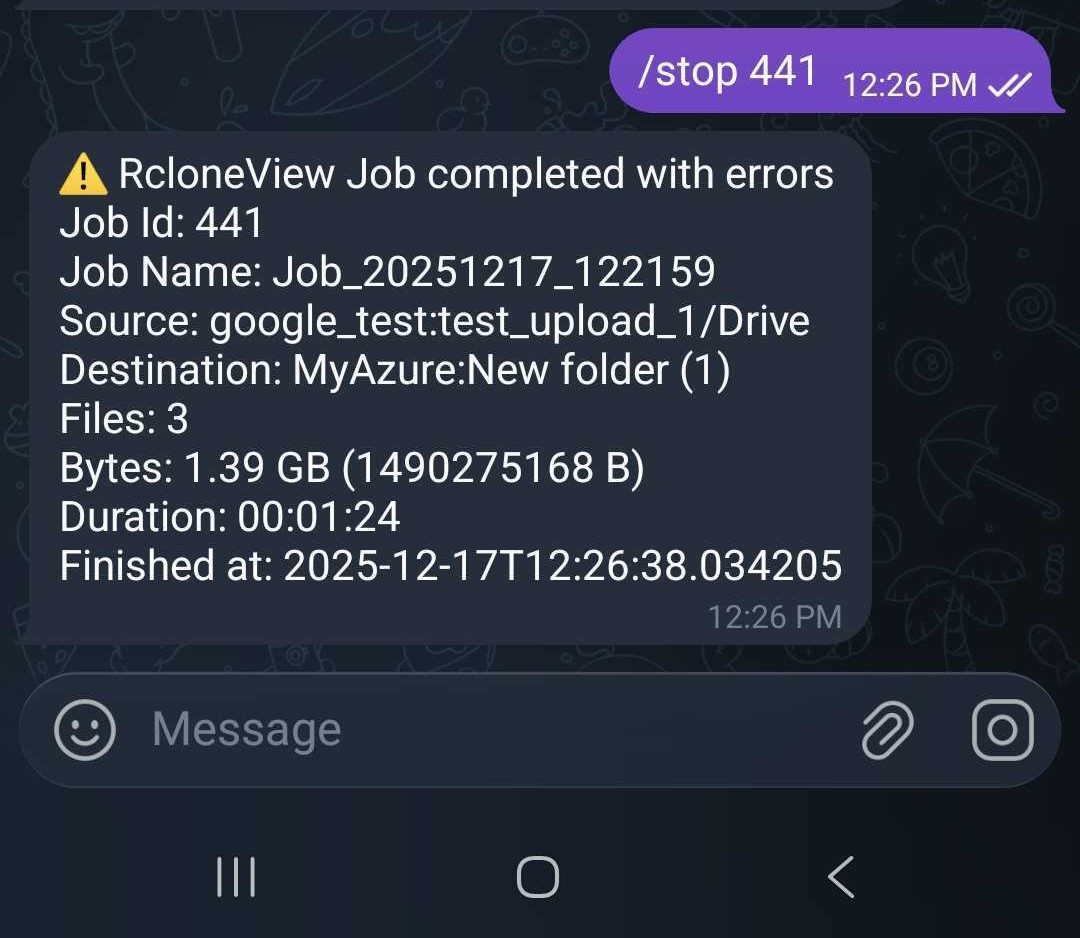
-
/status <jobId>- Check progress and transferred size.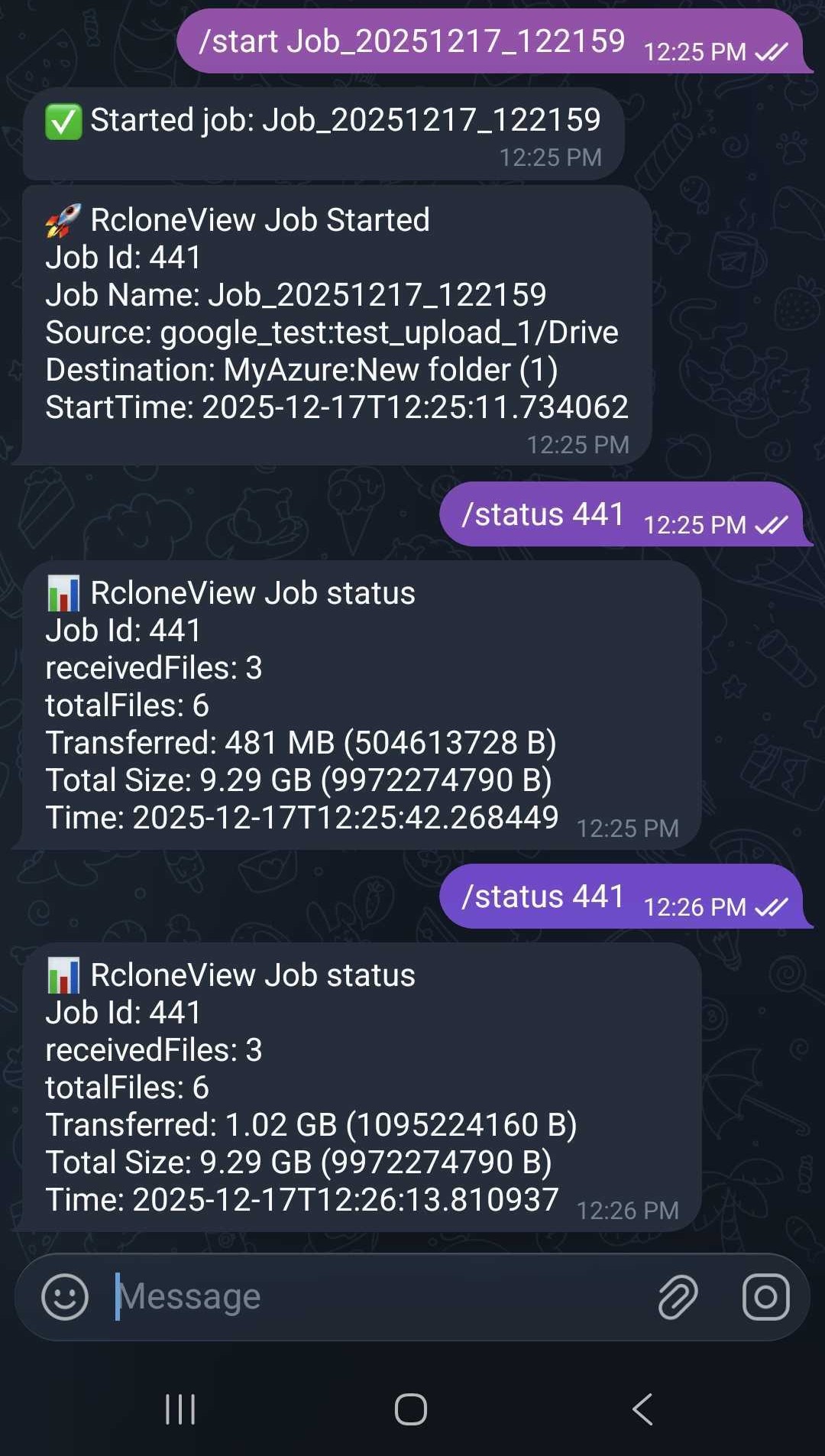
Why it matters for automation
- Overnight or long transfers: get alerted and restart or stop without VPNing into the box.
- Scheduled backups: confirm success or failure immediately and rerun from your phone.
- Multi-cloud jobs: keep a unified control tower even when you are not at the console.
- Faster incident response: stop runaway jobs, reschedule, or switch to another preset quickly.
Security tips
- Only the configured Chat ID can run commands.
- Rotate your Bot Token if it is ever exposed.
- Disable Telegram Remote Control in settings if you do not need remote commands temporarily.
Related resources
- How to use Telegram Remote Control (tutorial)
- Create and manage jobs
- Execute and manage jobs
- Job scheduling
- Real-time transfer monitoring
- Use the built-in Terminal
Wrap-up
Telegram turns RcloneView into a mobile command center: you stay notified, you can start or stop jobs instantly, and you respond faster to failures. Set it up once, keep the token safe, and run your cloud automations with confidence even when you are away from your desk.
Supported Cloud Providers





























