Best Cloud Storage Management Tool: Why RcloneView is the Ultimate Multi-Cloud Explorer
Stop juggling multiple clients. RcloneView wraps rclone’s 100+ providers in a fast, two-pane Explorer with Compare, bulk copy, scheduling, and rich logging.

Manage & Sync All Clouds in One Place
RcloneView is a cross-platform GUI for rclone. Compare folders, transfer or sync files, and automate multi-cloud workflows with a clean, visual interface.
- One-click jobs: Copy · Sync · Compare
- Schedulers & history for reliable automation
- Works with Google Drive, OneDrive, Dropbox, S3, WebDAV, SFTP and more
Free core features. Plus automations available.
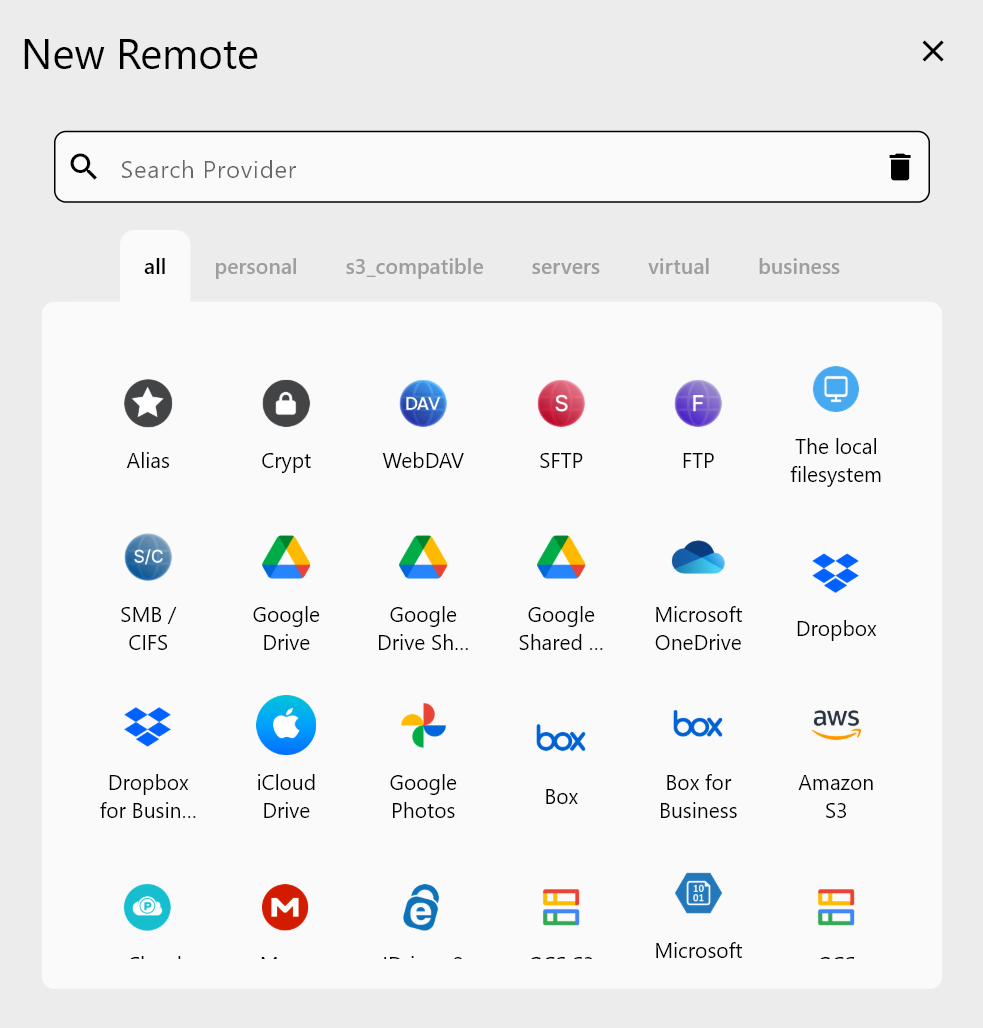
100+ remotes in one place
- Google Drive, Dropbox, OneDrive, Box, Mega with OAuth logins.
- S3-compatible (AWS S3, Wasabi, R2, B2), WebDAV, SFTP/SMB, NAS/external drives.
- No separate plugins or adapters; add via Remote -> + New Remote and sign in.
- Reuse saved remotes across Explorer, Compare, Sync, and Jobs.
👉 Remote setup references:
Two-pane Explorer productivity
- Side-by-side panes reduce tab hopping vs. single-pane tools.
- Drag and drop between remotes; progress shows in Transfer.
- Context actions (
Copy ->/<- Copy, Delete) stay consistent across providers.

Compare: quick difference analysis
- Highlight new, changed, and matching files before copying.
- Prevents accidental overwrites; great for incremental updates.
- Launch Compare from the toolbar in Browse, then copy selectively.

👉 Learn more: Compare Folder Contents
Fast, resilient transfers
- Multi-threaded uploads/downloads with retries and resumable support.
- Bandwidth limits and concurrency controls tame throttling.
- Checksum verification (where supported) for data integrity.
- Real-time logs beat blind progress bars in legacy clients.
Why GUI over rclone CLI?
- Same rclone engine, but guided UI-no flag memorization.
- Profiles and Jobs remove per-command setup.
- Visual previews (Compare, Sync) reduce mistakes.
- Easier onboarding for teammates who avoid terminals.
Quick transfer demo (Cloud -> Cloud)
- Add two remotes (e.g., Google Drive and S3) via Remote -> + New Remote.
- Open Browse; load Google Drive in the left pane, S3 in the right.
- Click Compare to see differences, or drag files across to start copy.
- Watch Transfer for throughput and retries; pause/resume as needed.
- Save the workflow as a Job to reuse later.
👉 Browse basics: Browse & Manage Remote Storage
👉 Sync options: Synchronize Remote Storages
Schedule and automate
- Open Job Manager -> Add Job, pick a saved job, and set a daily or hourly schedule.
- Chain jobs (e.g., Drive -> S3 at 02:00, S3 -> NAS at 03:00) to avoid contention.
- Review history/logs to confirm success and rerun failed batches only.

👉 Learn more: Job Scheduling and Execution
Takeaways vs. Cyberduck/WinSCP
- Broader provider coverage (100+ vs. smaller lists).
- Two-pane layout with Compare and Sync previews (not just copy/paste).
- Built-in scheduler and Jobs; no external cron required.
- Rich logging with retry insight vs. opaque progress bars.
- GUI on top of rclone’s proven engine for speed and stability.
Summary
RcloneView is a multi-cloud Explorer that outperforms traditional clients: add 100+ remotes, compare before copying, move data faster, and automate backups or migrations-all with a friendly GUI over rclone. Try it once and retire the tab-hopping workflow.
Supported Cloud Providers





























