Photographer’s Guide: Deliver Galleries to Any Client Cloud with RcloneView

Stage your finals once, then fan them out to whatever storage each client demands: Google Drive, Dropbox, OneDrive/SharePoint, Box, or S3/Wasabi/R2. RcloneView gives you a two-pane GUI over rclone with Compare, Jobs, and cloud-to-cloud speed so you stop re-uploading the same gallery all night.

Manage & Sync All Clouds in One Place
RcloneView is a cross-platform GUI for rclone. Compare folders, transfer or sync files, and automate multi-cloud workflows with a clean, visual interface.
- One-click jobs: Copy · Sync · Compare
- Schedulers & history for reliable automation
- Works with Google Drive, OneDrive, Dropbox, S3, WebDAV, SFTP and more
Free core features. Plus automations available.
Why photographers need this
- Clients often require uploads into their own storage (policy, retention) instead of a public link.
- Different destinations per job: agency wants Drive, brand wants Dropbox file request, retoucher sits on OneDrive, archive is Wasabi/S3.
- Re-uploading 8-12 GB per client crushes home upstream; vendor apps give opaque errors.
- Need partial updates: send only changed selects without re-exporting or re-uploading everything.
- Sometimes you stage on a cloud VM for speed; browser logins there are awkward.
RcloneView covers 100+ providers in one UI and can shift heavy transfers to a cloud-hosted rclone when your uplink is the bottleneck.
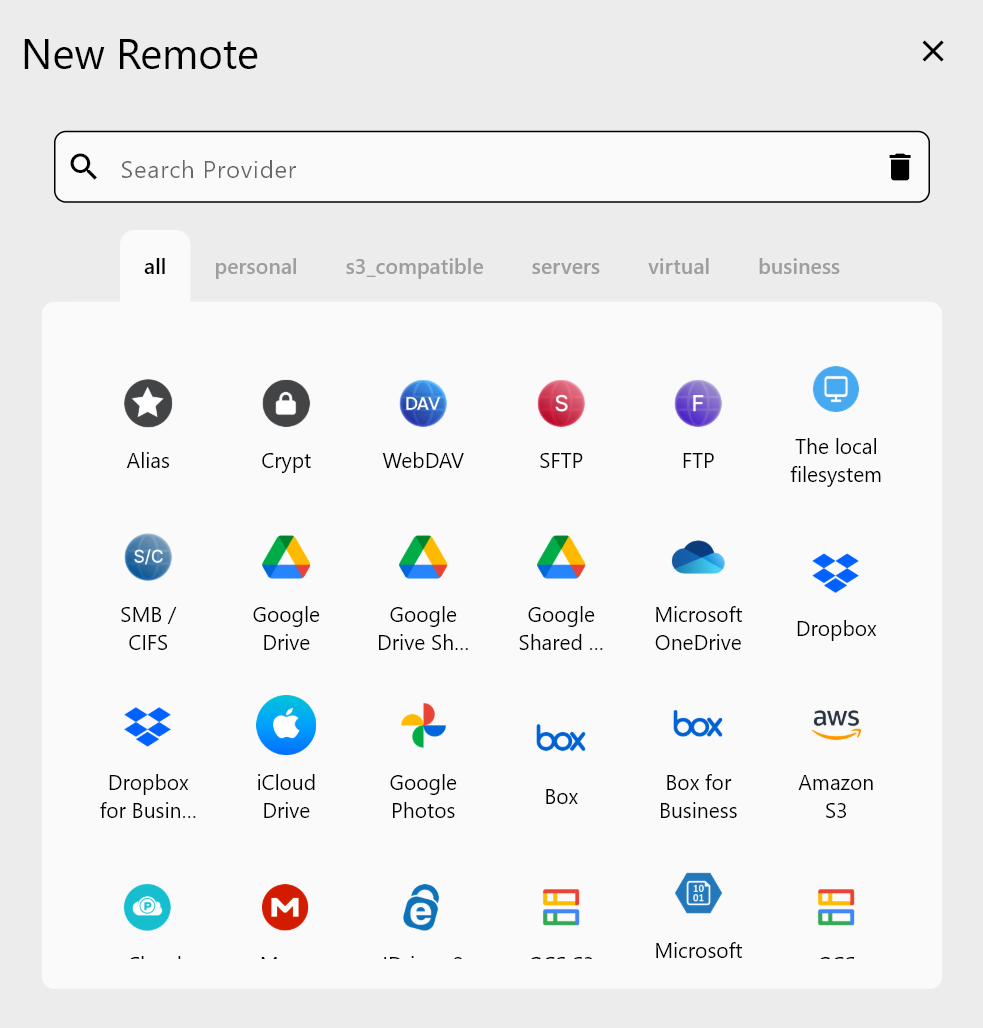
Quick setup (10 minutes)
- Install RcloneView (Win/macOS/Linux): https://rcloneview.com/src/download.html
- Add the remotes your clients use via Remote -> + New Remote:
- Google Drive, Dropbox, OneDrive/SharePoint, Box (OAuth).
- S3/Wasabi/R2/B2 (S3-compatible: endpoint + keys).
- WebDAV/SFTP for custom endpoints.
- Optional: run external rclone on a cloud VM for cloud-to-cloud speed. Guide: https://rcloneview.com/support/tutorials/new-window-with-external-rclone (pattern works for any pair).
👉 Remote setup refs:
- Add Google Drive: step-by-step guide
- Add S3/Wasabi: S3-compatible setup

Delivery flow: stage once, deliver everywhere
- Stage finals in
Projects/Client/Finals(local SSD or NAS). - Open two panes: left = Finals, right = target cloud.
- Click Compare to see what is missing; then Copy -> to send only new/changed files.
- Switch the right tab to the next client cloud; reuse the same source-no second local upload.
- Save each flow as a Job for repeat clients; run or schedule.

👉 Feature docs:
- Compare: how it works
- Create Jobs: job creation
- Execute & manage jobs: job execution
- Scheduling: scheduling guide

Handling common photographer asks
- Agency wants Drive + Wasabi: Copy to Drive, flip the tab to Wasabi, Copy again-no second local upload.
- Brand sends a Dropbox request link and the retoucher uses Box: keep both remotes open, drag to each without re-exporting or re-uploading.
- Client swaps 10 selects after sign-off: run Compare or Sync with Dry Run; only changed files move.
- Client forbids public links: deliver inside their tenant (Drive/OneDrive/Dropbox/Wasabi) without generating external shares.
- Shared workstation: enable app lock (tutorials/enable-app-lock.md) so stored credentials are protected.
Cloud-to-cloud when your uplink is weak
- Start
rclone rcdon a cloud VM (EC2/GCE), open a New Window in RcloneView, connect to that daemon, add remotes there, and run Compare/Copy. - External rclone pattern (OneDrive -> Wasabi example): cloud-to-cloud example
- Headless auth guides: OneDrive headless and Google Drive headless
Mini playbook (busy week)
- Remotes: Drive (agency), Dropbox (brand), OneDrive (retoucher), Wasabi (archive).
- Tabs: Left = Finals; Right = one tab per remote.
- Automate: Save each as a Job; schedule weekly refresh for ongoing campaigns.
- Verify: Check Job History/logs; send links with confidence.
Why not just send a public link?
- If the client only wants a public link, you are done.
- Use RcloneView when clients need assets inside their own storage (policy/retention), or when you must deliver to multiple destinations without re-uploading, with partial updates, logging, and cloud-to-cloud speed.
Summary
Photographers do not need three vendor apps to satisfy three clouds. With RcloneView you stage once, Compare, Copy, and schedule Jobs across Drive, Dropbox, OneDrive/SharePoint, Box, and S3/Wasabi. Clear logs, retries, and optional cloud-to-cloud offload mean fewer late nights and faster handoffs.
Supported Cloud Providers





























