Cloud Storage for Healthcare — HIPAA-Compliant File Management with RcloneView
Healthcare generates massive amounts of sensitive data — medical images, patient records, research datasets. Moving these files between systems while maintaining HIPAA compliance is a constant challenge.
Healthcare organizations increasingly rely on cloud storage for medical imaging archives, patient records, research collaboration, and disaster recovery. But HIPAA (Health Insurance Portability and Accountability Act) imposes strict requirements on how protected health information (PHI) is stored, transferred, and accessed. RcloneView's local-first architecture and encryption capabilities help healthcare IT teams manage cloud storage while maintaining compliance.

Manage & Sync All Clouds in One Place
RcloneView is a cross-platform GUI for rclone. Compare folders, transfer or sync files, and automate multi-cloud workflows with a clean, visual interface.
- One-click jobs: Copy · Sync · Compare
- Schedulers & history for reliable automation
- Works with Google Drive, OneDrive, Dropbox, S3, WebDAV, SFTP and more
Free core features. Plus automations available.
Healthcare Cloud Storage Challenges
Data volumes are enormous
- Medical imaging — A single CT scan is 100–500 MB. MRI datasets can exceed 1 GB. A hospital generates terabytes per month.
- Electronic health records (EHR) — Text-heavy but volume adds up across millions of patients.
- Research datasets — Genomic data, clinical trial results, longitudinal studies.
- Backups — Everything needs redundant, off-site copies.
Compliance requirements
HIPAA requires:
- Encryption in transit — Data must be encrypted during transfer (TLS/SSL).
- Encryption at rest — Data must be encrypted on the storage medium.
- Access controls — Only authorized personnel can access PHI.
- Audit trails — All access and transfers must be logged.
- Business Associate Agreements (BAA) — Cloud providers must sign BAAs.
Multi-system reality
Most healthcare organizations use multiple systems:
- On-premise PACS (Picture Archiving and Communication System) for imaging.
- Cloud-based EHR platforms.
- Research data on AWS or Google Cloud.
- Backup archives on separate storage.
How RcloneView Helps
Local-first architecture
RcloneView runs on your local machine. Credentials never leave your environment. Data transfers happen directly between your infrastructure and your cloud providers — no third-party intermediary server touches your data.
This is a critical difference from web-based transfer tools that route data through their own servers, adding another party to your compliance scope.
Client-side encryption with Crypt
Rclone's crypt remote encrypts files before they leave your machine:
- AES-256 encryption — Industry-standard encryption for data at rest.
- File name encryption — Even file names are encrypted, preventing metadata leakage.
- Zero-knowledge — The cloud provider stores only encrypted blobs. They cannot read your data.
This means even if the cloud provider's storage is compromised, your PHI remains encrypted.
Encrypted transfer workflow
Medical Files (local/NAS) → Crypt Remote (encrypts locally) → Cloud Storage (receives encrypted data)
The cloud provider never sees unencrypted data.
Recommended Architecture
Primary storage
- On-premise NAS (Synology, QNAP) for daily operations.
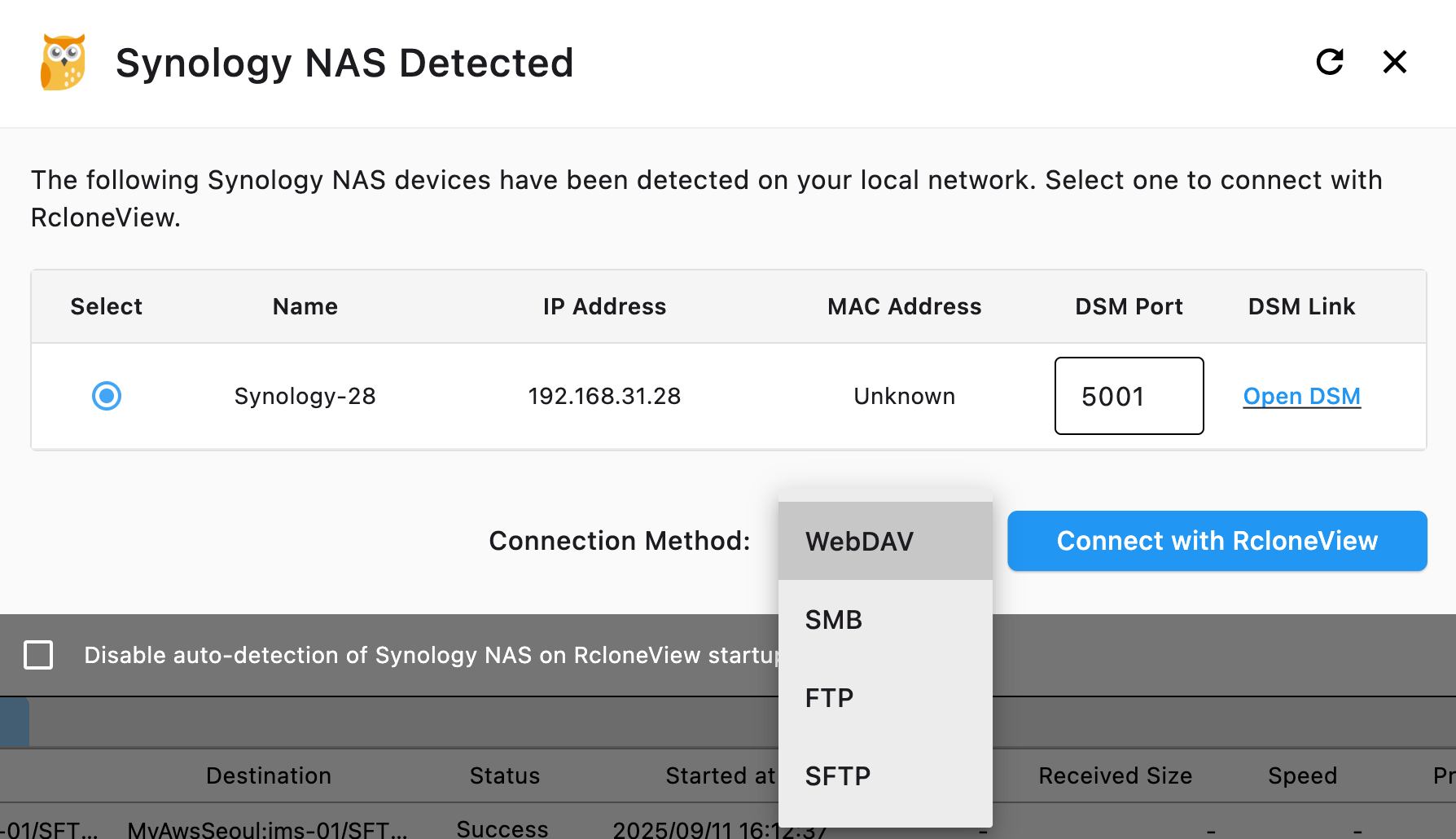
- RcloneView auto-detects Synology NAS for easy setup.
Cloud backup (encrypted)
- AWS S3 (with BAA) or Google Cloud Storage (with BAA) for HIPAA-eligible storage.
- Use crypt remote for client-side encryption before uploading.
- Schedule nightly encrypted backups.

Archive storage
- AWS S3 Glacier or Backblaze B2 for long-term retention.
- Medical records retention requirements vary by state (typically 7–10 years).
- Encrypted archives on cold storage minimize ongoing costs.
Disaster recovery
- Keep copies in geographically separate regions.
- Use RcloneView's batch jobs to automate multi-destination backups.
HIPAA-Eligible Cloud Providers
Not all cloud providers will sign a BAA. Major providers that offer HIPAA-eligible services:
| Provider | BAA Available | Notes |
|---|---|---|
| AWS | ✅ | Specific services covered (S3, Glacier, etc.) |
| Google Cloud | ✅ | Google Workspace and GCP |
| Microsoft Azure | ✅ | Azure Storage, OneDrive for Business |
| Backblaze B2 | ✅ | Available on request |
| Dropbox Business | ✅ | Business and Enterprise plans |
| Box | ✅ | Business and Enterprise plans |
Important: A BAA alone doesn't make you HIPAA-compliant. You must also implement encryption, access controls, and audit procedures.
Verify Data Integrity
After transferring medical data, verify completeness with Folder Comparison:

Data integrity is non-negotiable in healthcare. Every backup should be verified.
Monitor Transfers
Track transfer progress for large imaging datasets:

Implementation Checklist
- Sign BAAs with all cloud providers storing PHI.
- Set up crypt remotes for client-side encryption.
- Configure access controls — limit who can run RcloneView.
- Schedule automated backups with verification.
- Test restore procedures — backups are useless if you can't restore.
- Document everything — HIPAA requires documented policies.
- Review regularly — audit your cloud storage quarterly.
Getting Started
- Download RcloneView from rcloneview.com.
- Add your NAS and HIPAA-eligible cloud storage as remotes.
- Set up crypt remotes for encrypted transfers.
- Schedule automated backups with folder comparison verification.
- Document your workflow for compliance audits.
Note: RcloneView is a file management tool. Consult your compliance officer and legal team for HIPAA implementation guidance specific to your organization.
Related Guides:
Supported Cloud Providers





























