RcloneView vs Transmit — Cloud File Manager Comparison
Panic's Transmit dominates macOS cloud file management, but RcloneView offers cross-platform power at a fraction of the cost. Here's the detailed comparison.
Choosing the right cloud file manager shapes your daily workflow. Transmit (Panic's professional FTP and cloud client) built its reputation on beautiful macOS design and reliable transfers. RcloneView brings comparable functionality to Windows, Linux, and Mac while maintaining open-source flexibility and broader cloud provider support. Understanding the tradeoffs helps you pick the tool matching your priorities.

Manage & Sync All Clouds in One Place
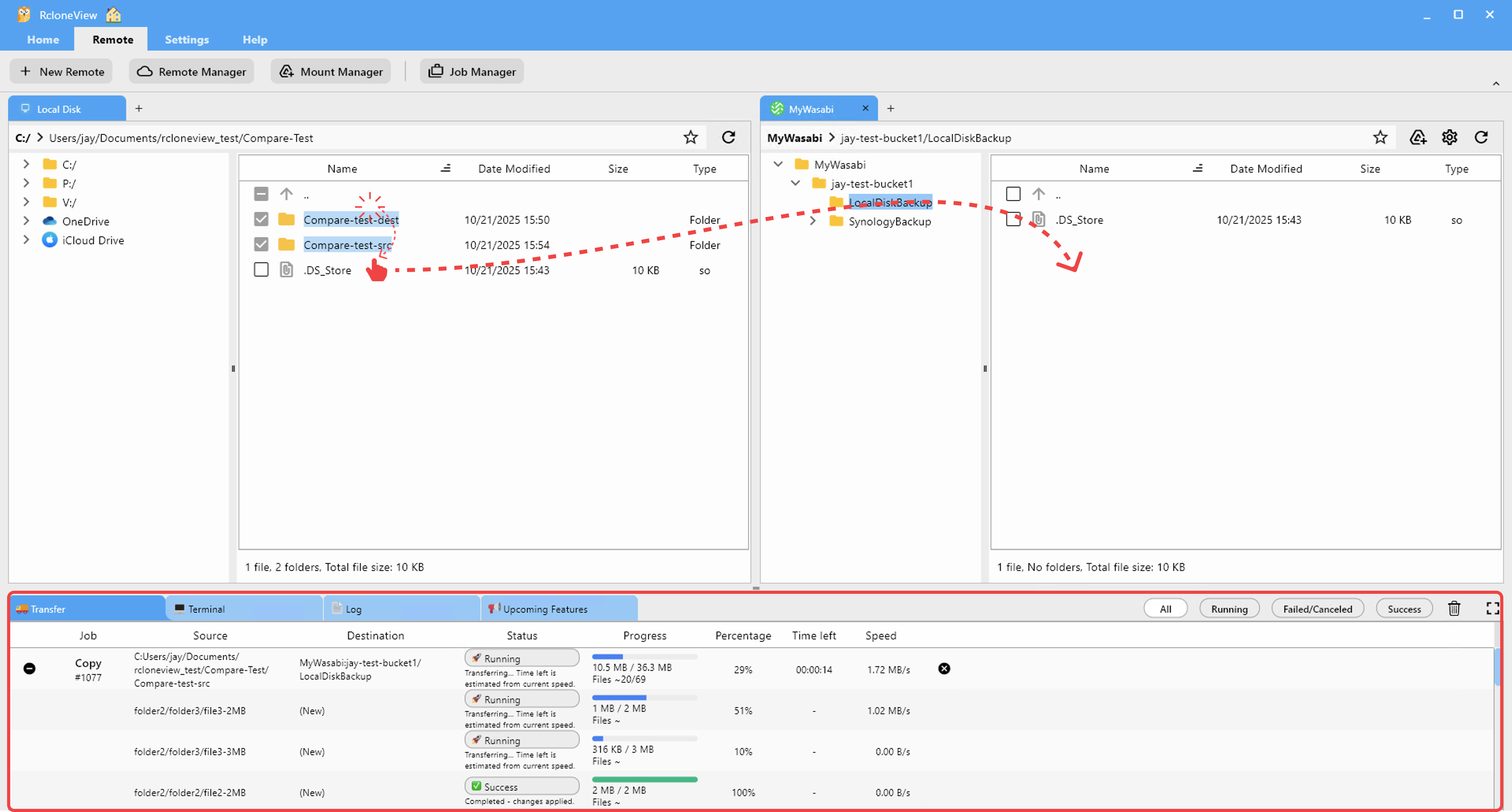
RcloneView is a cross-platform GUI for rclone. Compare folders, transfer or sync files, and automate multi-cloud workflows with a clean, visual interface.
- One-click jobs: Copy · Sync · Compare
- Schedulers & history for reliable automation
- Works with Google Drive, OneDrive, Dropbox, S3, WebDAV, SFTP and more
Free core features. Plus automations available.
Transmit: macOS Excellence with Premium Pricing
Transmit ($45 USD one-time) delivers polished cloud connectivity built by Panic, the company behind Coda and Nova. Its elegant macOS interface handles FTP, SFTP, S3, Google Drive, Dropbox, and Box seamlessly. Drag-and-drop simplicity appeals to designers and creatives prioritizing speed over configuration complexity.
However, Transmit remains macOS-only. Teams mixing Windows, Linux, and Mac developers need different solutions on each platform. Its $45 cost per user compounds across larger teams. And Transmit's plugin ecosystem remains limited compared to the open-source rclone community powering RcloneView.

RcloneView: Cross-Platform Power and Flexibility
RcloneView provides a unified interface across Windows, Linux, and macOS, built on rclone's battle-tested open-source engine. It supports 80+ cloud providers (AWS S3, Google Cloud Storage, Azure, Wasabi, cPanel, Nextcloud, and more). Team members use identical workflows regardless of OS. Pricing remains simple: one-time purchase applies across all personal devices.
RcloneView's configuration depth appeals to advanced users. Power users access detailed job scheduling, parallel transfers, advanced filtering, and logging that Transmit doesn't expose. The open-source rclone community contributes regularly, ensuring rapid provider support and security updates.
Feature Comparison Table
| Feature | Transmit | RcloneView |
|---|---|---|
| Platforms | macOS only | Windows, Linux, macOS |
| Cloud Providers | ~15 major services | 80+ providers |
| GUI Quality | Premium, minimal | Feature-rich, configurable |
| Batch Transfers | Basic multi-file | Advanced job scheduling |
| Parallel Streams | Limited | Full control |
| Pricing | $45 one-time | Single license, all devices |
| Open Source | No | Yes (rclone) |
| Learning Curve | Shallow | Moderate |
| Team Collaboration | Per-license cost | Single purchase |
Getting Started
- Download RcloneView from rcloneview.com.
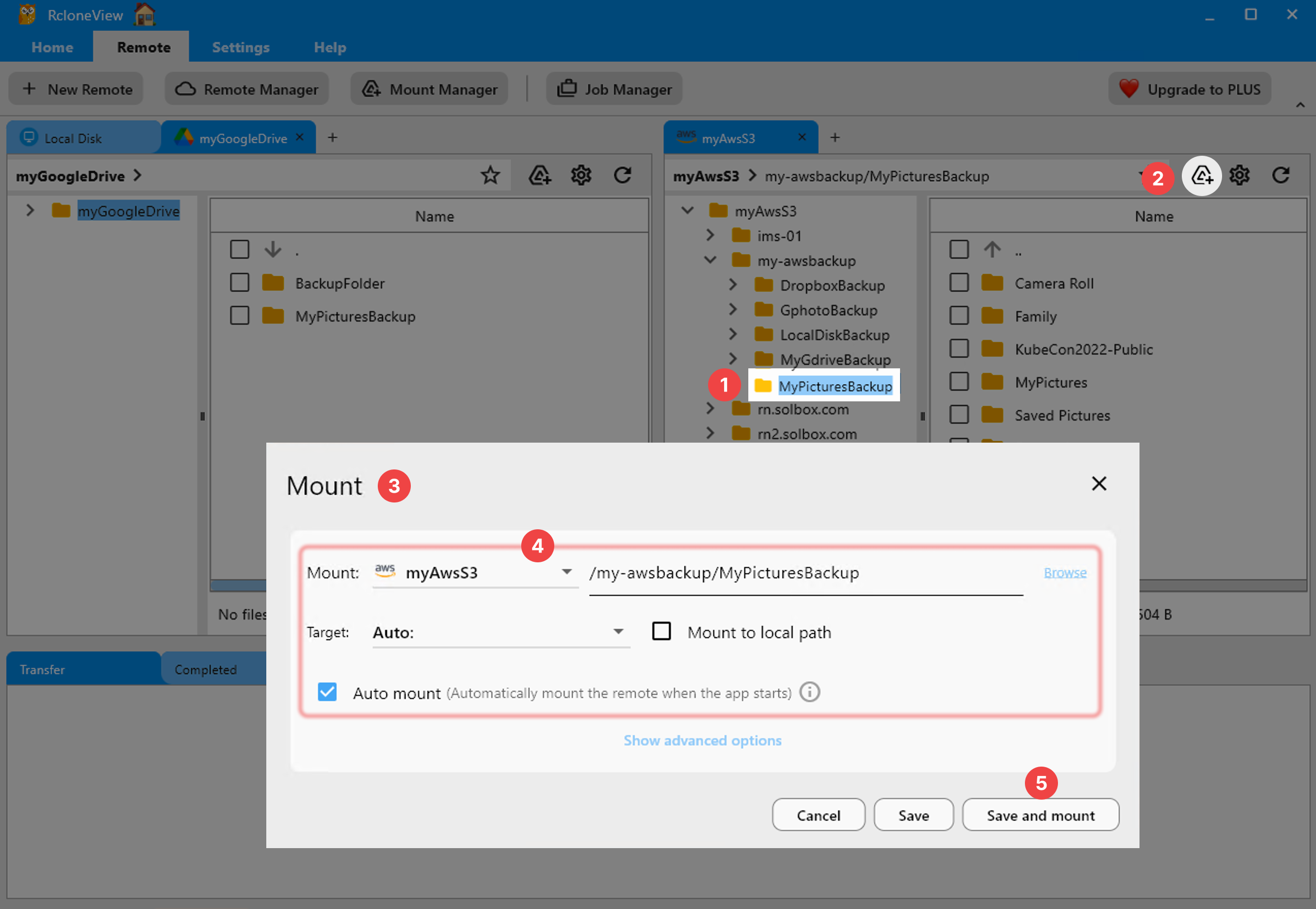
- Connect your cloud providers via the remote configuration interface.
- Compare RcloneView's job scheduling and parallel transfer options with Transmit's simpler drag-and-drop.
- Evaluate whether macOS-only design outweighs cross-platform flexibility for your team.
For macOS-only workflows prioritizing simplicity, Transmit remains excellent. For teams needing Windows and Linux support, accessing 80+ cloud providers, or managing large-scale automated transfers, RcloneView delivers superior flexibility and value.
Related Guides:
- RcloneView vs Cyberduck — Cloud Manager Comparison
- RcloneView vs Mountain Duck — Synchronization and Mounting Comparison
- RcloneView vs FileZilla — FTP and Cloud File Transfer Comparison
Supported Cloud Providers





























