Cloud Storage Security Audit Checklist — Verify and Protect with RcloneView
Systematically audit your cloud storage architecture to identify vulnerabilities and ensure security compliance.
Cloud storage simplifies file management, but misconfigured permissions and unvetted access create serious security risks. Overly open buckets expose sensitive data; unencrypted transfers bypass compliance requirements; weak access controls enable unauthorized access. Regular security audits are essential, yet most organizations lack tools to efficiently verify their entire cloud architecture. RcloneView provides visibility across all your connected services, enabling thorough security validation and compliance verification.

Manage & Sync All Clouds in One Place
RcloneView is a cross-platform GUI for rclone. Compare folders, transfer or sync files, and automate multi-cloud workflows with a clean, visual interface.
- One-click jobs: Copy · Sync · Compare
- Schedulers & history for reliable automation
- Works with Google Drive, OneDrive, Dropbox, S3, WebDAV, SFTP and more
Free core features. Plus automations available.
Establish Your Security Baseline
Begin with a comprehensive inventory of all cloud services you use. RcloneView's remote manager displays every connected service and its current permissions. Document which services contain sensitive data, who has access, and what encryption is enabled. This baseline becomes your foundation for ongoing audits.

Verify Access Permissions and Sharing Settings
Many breaches happen through overly permissive access controls. Review who can access each remote, whether public sharing is enabled, and which team members have administrative rights. RcloneView displays access metadata clearly, helping you identify and remediate over-permissioned buckets or folders.
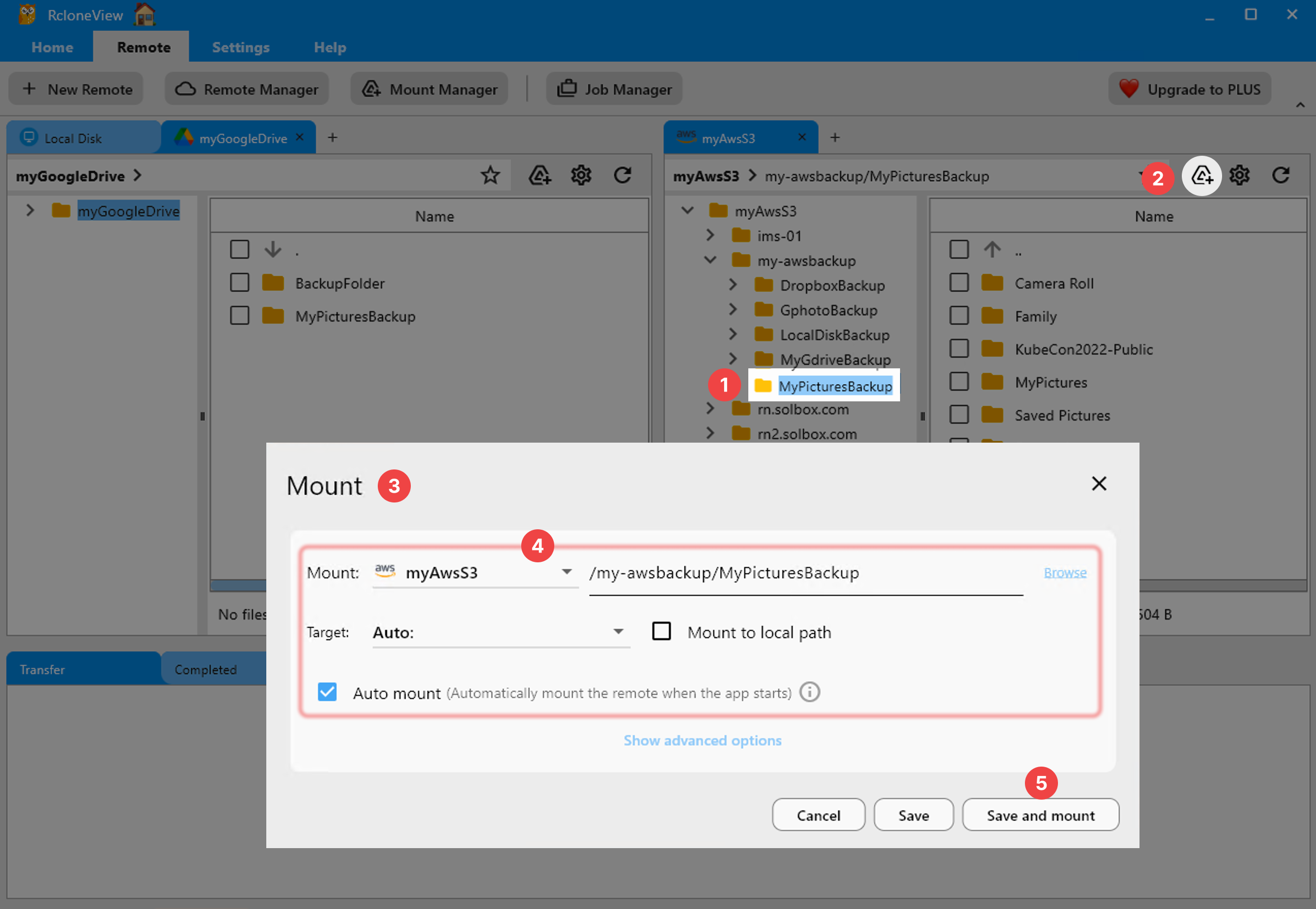
Check Encryption Status and Data Protection
Verify that encryption is enabled in transit and at rest. RcloneView helps you audit encryption configuration across services, identify unencrypted transfers, and document your data protection posture for compliance requirements. For sensitive data, consider additional encryption layers.

Getting Started
- Download RcloneView from rcloneview.com.
- Connect all cloud services you currently use to centralize visibility.
- Review permissions for each remote systematically using the audit checklist.
- Document findings and remediate any security gaps before they become exploits.
Protect your data through systematic, ongoing security audits.
Related Guides:
- Cloud Storage Permissions Audit with RcloneView
- Encrypt Cloud Backups with rclone crypt and RcloneView
- Cloud Storage Bandwidth Cap for ISP Usage with RcloneView
Supported Cloud Providers





























