Manage Gofile Storage — Sync and Backup Files with RcloneView
Gofile is a popular file hosting and sharing service for large uploads — RcloneView connects to Gofile via Access Token and integrates it into your cloud management workflow.
Gofile is a file hosting and sharing service that lets you upload large files and generate shareable links without restrictive size caps. For users who regularly distribute content through Gofile, managing uploads through the web portal alone gets tedious. RcloneView connects to Gofile using an Access Token, bringing your Gofile storage into a standard file management workflow alongside all your other cloud remotes.

Manage & Sync All Clouds in One Place
RcloneView is a cross-platform GUI for rclone. Compare folders, transfer or sync files, and automate multi-cloud workflows with a clean, visual interface.
- One-click jobs: Copy · Sync · Compare
- Schedulers & history for reliable automation
- Works with Google Drive, OneDrive, Dropbox, S3, WebDAV, SFTP and more
Free core features. Plus automations available.
Setting Up Gofile in RcloneView
To connect Gofile in RcloneView, go to Remote tab > New Remote and select Gofile from the provider list. You'll need an Access Token from your Gofile account dashboard. Enter the token, name the remote, and save. Your Gofile account appears in the explorer as a browsable remote, showing folders and files just like any other cloud storage.

Gofile organizes content in a folder-based structure that RcloneView displays cleanly in both list view and thumbnail view. You can browse nested folders, check file names and sizes, and select multiple files for bulk operations — download batches, delete sets of old uploads, or move content between Gofile folders.
Uploading and Organizing Gofile Content
RcloneView supports drag-and-drop uploads from your local file manager directly into the Gofile explorer panel. Dragging a batch of video files from a local folder uploads them to the selected Gofile destination without opening a browser — particularly useful for content creators who regularly distribute large video packages or software archives through Gofile.
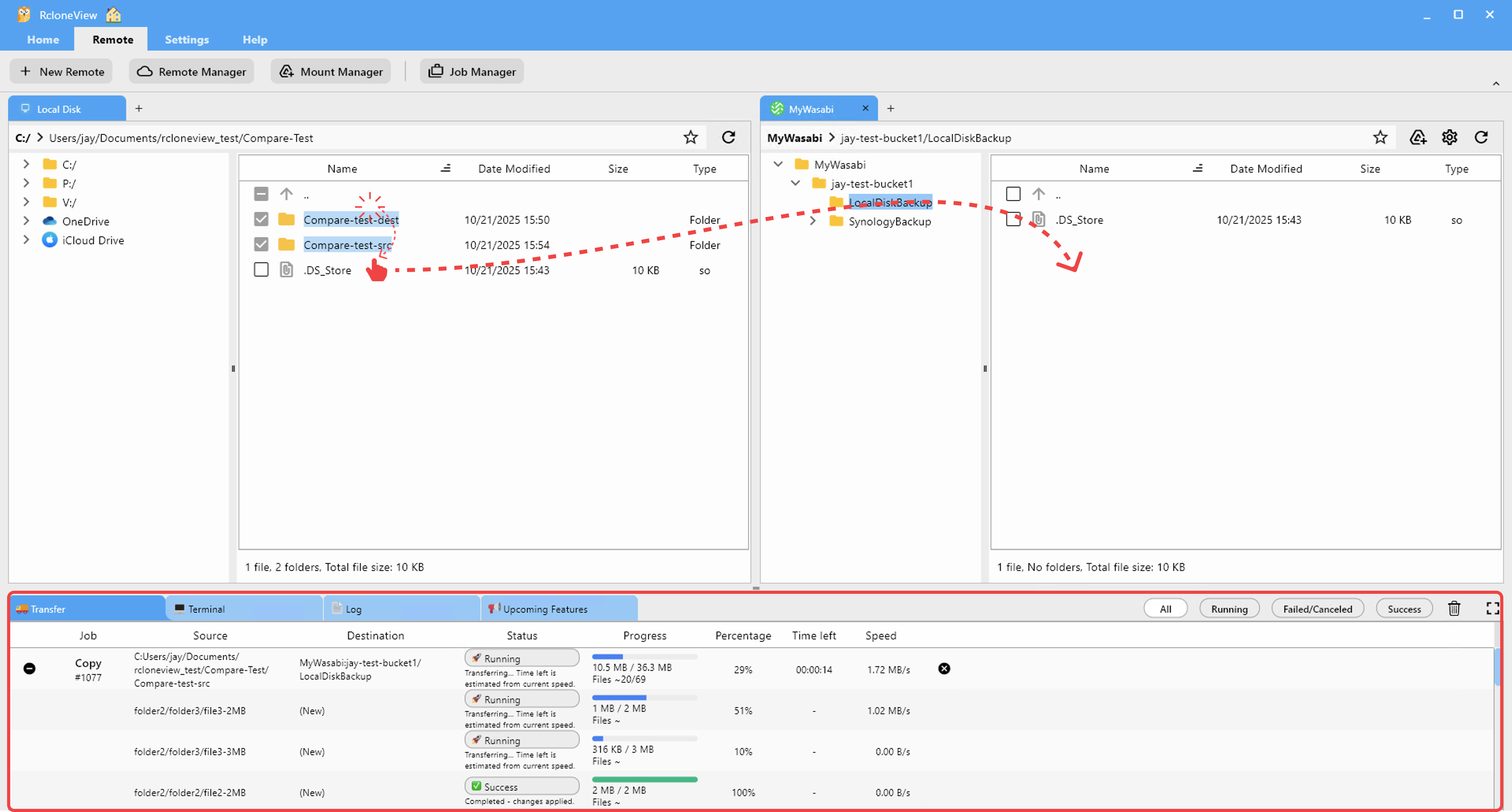
Creating a sync job in Job Manager lets you push content from a local folder to Gofile regularly. A podcast producer uploading edited episode audio to Gofile for listener distribution can automate this to run weekly after recording sessions — syncing only new or changed files each time.
Backing Up Gofile Content to Persistent Storage
Gofile content may have limited retention or depend on account status. For users who use Gofile as a distribution channel but want permanent backups, RcloneView enables direct transfer from Gofile to Amazon S3, Backblaze B2, or any other cloud remote. Configure a copy job to pull content from Gofile and archive it in long-term storage — maintaining a permanent copy of everything you've shared.

The Job History tab tracks each transfer with details on bytes moved, files transferred, duration, and status — so you always know whether your Gofile content has been successfully archived.
Getting Started
- Download RcloneView from rcloneview.com.
- Go to Remote tab > New Remote, select Gofile, and enter your Access Token.
- Browse your Gofile content in the explorer panel.
- Use Job Manager to sync local content to Gofile, or copy Gofile content to backup storage.
Gofile through RcloneView gives content distributors a proper file management layer on top of Gofile's fast upload and sharing infrastructure — turning one-off uploads into organized, automated workflows.
Related Guides:
- Manage Backblaze B2 Cloud Storage — Sync and Backup with RcloneView
- Upload Large Files to Google Drive with RcloneView
- Copy URL — Download Files Directly to Cloud with RcloneView
Supported Cloud Providers





























